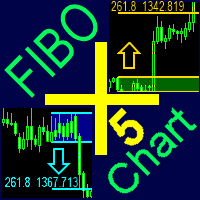
FiboPlusChart MT5
90 USD
Descargado demo:
100
Publicado:
6 marzo 2018
Versión actual:
2.1
¿No ha encontrado el robot adecuado?
Encargue el suyo
en la bolsa Freelance.
Pasar a la bolsa
Encargue el suyo
en la bolsa Freelance.
Cómo comprar un robot comercial o indicador
Inicia el robot en el
hosting virtual
hosting virtual
Pruebe un indicador/robot comercial antes de comprarlo
¿Quieres ganar en el Market?
Cómo ofrecer un producto para que lo compren

Está perdiendo oportunidades comerciales:
- Aplicaciones de trading gratuitas
- 8 000+ señales para copiar
- Noticias económicas para analizar los mercados financieros
Registro
Entrada
Usted acepta la política del sitio web y las condiciones de uso
Si no tiene cuenta de usuario, regístrese
Hi, I´m having a trouble with the FiboPlus. The arrows on trend tab doesn´t seem to show. Do I have to add any other type of files so it may work correctly? Thanks.
Send a screen
Send a screen
The font "Wingdings" must be in Windows system fonts
I also have the problem with the arrows. Where can I download wingdings. Thank you.
for comfortable work, you need to install the wingding font
1. Download font https://www.FiboPlus.ru/wingding.ttf or
https://www.FiboPlus.ru/wingding.rar
Place the font file anywhere on the disk.
2. Click on the downloaded file 2 times - INSTALL () font
I also have the problem with the arrows. Where can I download wingdings. Thank you.
for comfortable work, you need to install the wingding font
1. Download font https://www.FiboPlus.ru/wingding.ttf
https://www.FiboPlus.ru/WINGDNG2.ttf
https://www.FiboPlus.ru/WINGDNG3.ttf
or
https://www.FiboPlus.ru/wingding.rar
Place the font file anywhere on the disk.
2. Click on the downloaded file 2 times - INSTALL () font
Thanks, I installed it - it still doesn't work.
Write me a private message
We need to look at your computer.
Do you have TeamViewer or AnyDesk?
Thanks, I installed it - it still doesn't work.
arrows are drawn with it.
To check, you can try to display a text field with the wingding font on the chart
hello,
Uploading on the chart is failing
hello,
Uploading on the chart is failing
I recommend that you update the data before applying the indicator to the current chart (by subsequently clicking M1, M5, M15, M30, H1, H2, H3, H4, H6, H8, H12, D1, W1 and MN periods).