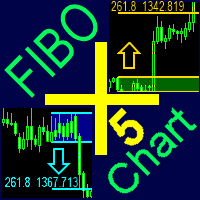
FiboPlusChart MT5
90 USD
Скачано демо:
100
Опубликован:
6 марта 2018
Текущая версия:
2.1
Не нашли подходящего робота?
Закажите собственного
на бирже фрилансеров
Перейти на биржу
Закажите собственного
на бирже фрилансеров
Как купить торгового робота или индикатор
Запусти робота на
виртуальном хостинге
виртуальном хостинге
Протестируй индикатор/робота перед покупкой
Хочешь зарабатывать в Маркете?
Как подать продукт, чтобы его покупали

Вы упускаете торговые возможности:
- Бесплатные приложения для трейдинга
- 8 000+ сигналов для копирования
- Экономические новости для анализа финансовых рынков
Регистрация
Вход
Вы принимаете политику сайта и условия использования
Если у вас нет учетной записи, зарегистрируйтесь
Hi, I´m having a trouble with the FiboPlus. The arrows on trend tab doesn´t seem to show. Do I have to add any other type of files so it may work correctly? Thanks.
Send a screen
Send a screen
The font "Wingdings" must be in Windows system fonts
I also have the problem with the arrows. Where can I download wingdings. Thank you.
for comfortable work, you need to install the wingding font
1. Download font https://www.FiboPlus.ru/wingding.ttf or
https://www.FiboPlus.ru/wingding.rar
Place the font file anywhere on the disk.
2. Click on the downloaded file 2 times - INSTALL () font
I also have the problem with the arrows. Where can I download wingdings. Thank you.
for comfortable work, you need to install the wingding font
1. Download font https://www.FiboPlus.ru/wingding.ttf
https://www.FiboPlus.ru/WINGDNG2.ttf
https://www.FiboPlus.ru/WINGDNG3.ttf
or
https://www.FiboPlus.ru/wingding.rar
Place the font file anywhere on the disk.
2. Click on the downloaded file 2 times - INSTALL () font
Thanks, I installed it - it still doesn't work.
Write me a private message
We need to look at your computer.
Do you have TeamViewer or AnyDesk?
Thanks, I installed it - it still doesn't work.
arrows are drawn with it.
To check, you can try to display a text field with the wingding font on the chart
hello,
Uploading on the chart is failing
hello,
Uploading on the chart is failing
I recommend that you update the data before applying the indicator to the current chart (by subsequently clicking M1, M5, M15, M30, H1, H2, H3, H4, H6, H8, H12, D1, W1 and MN periods).