FiboPlusChart MT5
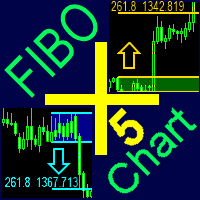
90 USD
Dem Autor wurde das Recht entzogen, Produkte zu verkaufen
Demo heruntergeladen:
100
Veröffentlicht:
6 März 2018
Aktuelle Version:
2.1
Keinen passenden Roboter gefunden?
Geben Sie Ihren Eigenen in Auftrag
auf Freelance!
Gehen Sie zu Freelance
Geben Sie Ihren Eigenen in Auftrag
auf Freelance!
Wie man einen Roboter oder Indikator kaufen kann
Starte Deinen EA im
Virtual Hosting
Virtual Hosting
Teste einen Indikator/Roboter vor dem Kauf
Möchtest Du Geld im Market verdienen?
Wie man Produkte richtig präsentiert

Sie verpassen Handelsmöglichkeiten:
- Freie Handelsapplikationen
- Über 8.000 Signale zum Kopieren
- Wirtschaftsnachrichten für die Lage an den Finanzmärkte
Registrierung
Einloggen
Sie stimmen der Website-Richtlinie und den Nutzungsbedingungen zu.
Wenn Sie kein Benutzerkonto haben, registrieren Sie sich
Hi, I´m having a trouble with the FiboPlus. The arrows on trend tab doesn´t seem to show. Do I have to add any other type of files so it may work correctly? Thanks.
Send a screen
Send a screen
The font "Wingdings" must be in Windows system fonts
I also have the problem with the arrows. Where can I download wingdings. Thank you.
for comfortable work, you need to install the wingding font
1. Download font https://www.FiboPlus.ru/wingding.ttf or
https://www.FiboPlus.ru/wingding.rar
Place the font file anywhere on the disk.
2. Click on the downloaded file 2 times - INSTALL () font
I also have the problem with the arrows. Where can I download wingdings. Thank you.
for comfortable work, you need to install the wingding font
1. Download font https://www.FiboPlus.ru/wingding.ttf
https://www.FiboPlus.ru/WINGDNG2.ttf
https://www.FiboPlus.ru/WINGDNG3.ttf
or
https://www.FiboPlus.ru/wingding.rar
Place the font file anywhere on the disk.
2. Click on the downloaded file 2 times - INSTALL () font
Thanks, I installed it - it still doesn't work.
Write me a private message
We need to look at your computer.
Do you have TeamViewer or AnyDesk?
Thanks, I installed it - it still doesn't work.
arrows are drawn with it.
To check, you can try to display a text field with the wingding font on the chart
hello,
Uploading on the chart is failing
hello,
Uploading on the chart is failing
I recommend that you update the data before applying the indicator to the current chart (by subsequently clicking M1, M5, M15, M30, H1, H2, H3, H4, H6, H8, H12, D1, W1 and MN periods).