Francisco Gomes Da Silva / Profile
- Information
|
8+ years
experience
|
34
products
|
49
demo versions
|
|
36
jobs
|
0
signals
|
0
subscribers
|
How to Create an Automated Trading Robot Have you ever wondered how powerful it would be to automate your trading strategies with just a few clicks of the mouse? Imagine having the freedom to create and test different trading strategies without the need to dive into complicated code. With Rule Plotter, this vision becomes a reality. Here we will explore how you can create your own custom trading robot using Rule Plotter, a trade-system creation tool that simplifies the entire process. What is
Patterns Wizard is a tool for creating candlestick patterns. With it, you can create various patterns and add as many instances of this indicator as you want on your chart, each with a different pattern. To better understand how creation formulas work, you can refer to the examples of the My Candle indicator, which has over 70 examples of candlestick patterns The main difference with this indicator is that it has 30 rule parameters , meaning you can set a different rule for each of the last 30
by using these two parameters, you can create your moving average cross.
MA(10) < MA(200)
MA(10) > MA(200)
Download Pattern Wizard for MT5:
https://www.mql5.com/en/market/product/112448
Download Pattern Wizard for MT4:
https://www.mql5.com/en/market/product/112449
Watch the video tutorial for this pattern:
https://youtu.be/mvzyMh643qY
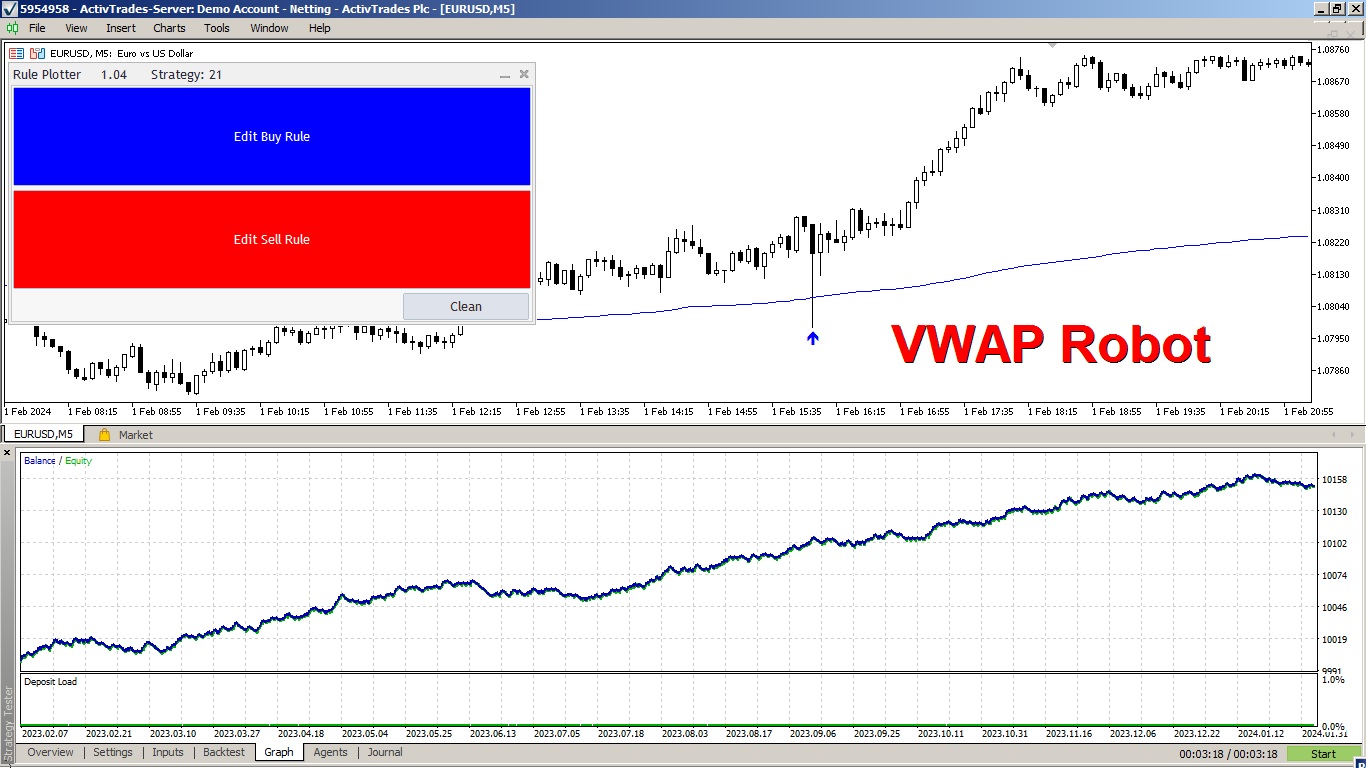
By implementing a risk management strategy with a 2-to-1 return ratio, the robot showed remarkable consistency, generating positive returns with a minimal drawdown.
Explore the creation process of this VWAP robot in the video and discover how straightforward it is to develop any trading system with Rule Plotter.
Moreover, Rule Plotter can create robots that operate on both VWAP touches and candle closes.
In this case, Rule Plotter developed an EA that trades VWAP touches and demonstrated significant consistency in its profits.
This is because the VWAP indicator is among the best, utilizing the calculation of the volume-weighted average price. These are the two most crucial pieces of information in any chart, emphasizing the importance of VWAP in technical analysis.
Try combining an interesting indicator with this VWAP strategy and see how your Expert Advisor can further enhance results.
Video Tutorial to Make the Robot:
https://youtu.be/exKVogFu7aI
Download Indicators Used:
VWAP Normal With Alerts
https://www.mql5.com/en/market/product/108463
Rule Plotter the program to build EAs
https://www.mql5.com/en/market/product/107361
it is useful for promammers that have no time to learn mql5 language
enjoy it
https://www.mql5.com/en/market/product/112448
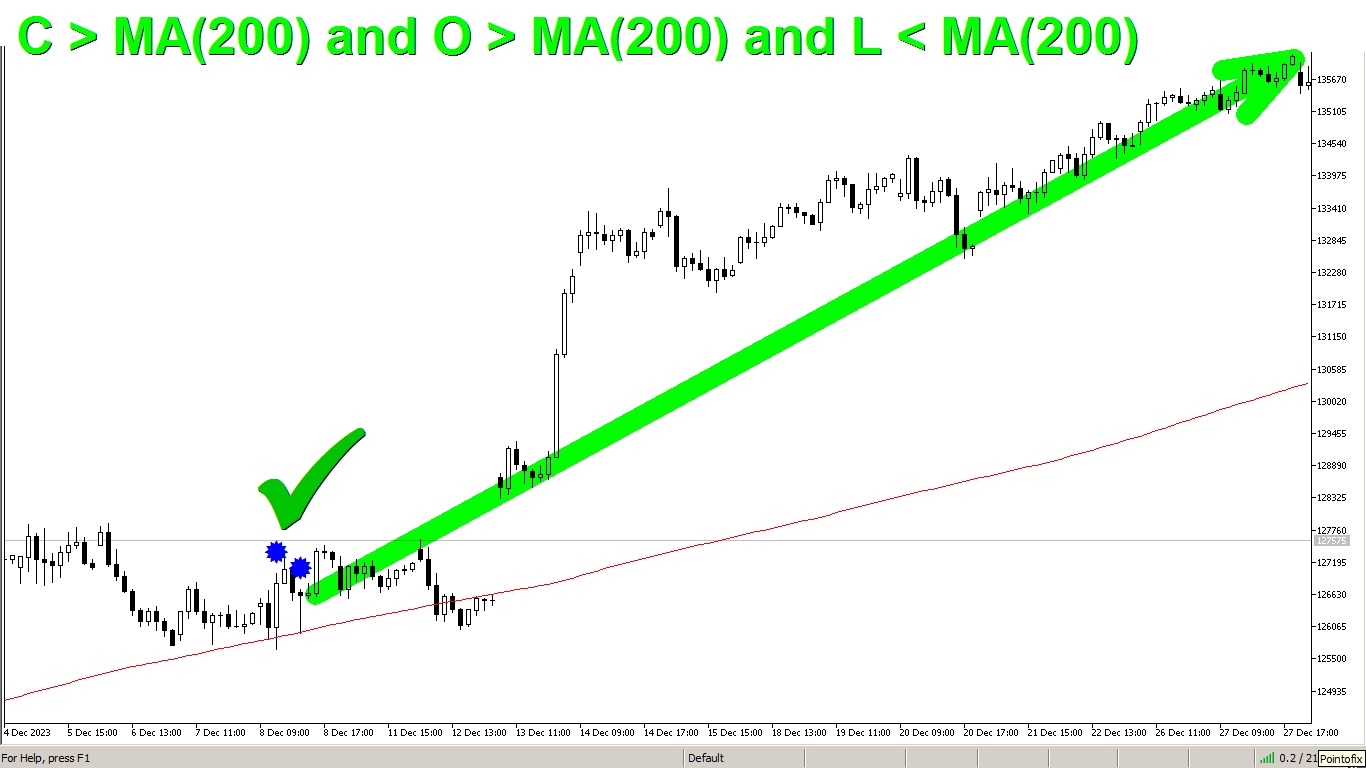
O > MA(200) and L < MA(200) and C > MA(200)
Pattern Wizard is an indicator that allows you to create and edit any rule for candle patterns.
This rule means that the candle opens above the moving average, touches it, and then closes above it.
you can use Pattern Wizard to create any rule of your strategy
Use Pattern Wizard tool to help you to find your own rules
Pattern Wizard:
https://www.mql5.com/en/market/product/112448
My Candle:
https://www.mql5.com/en/market/product/94436
Legend:
O = Open
L = Low
MA(200) = Moving Average of 200 candles
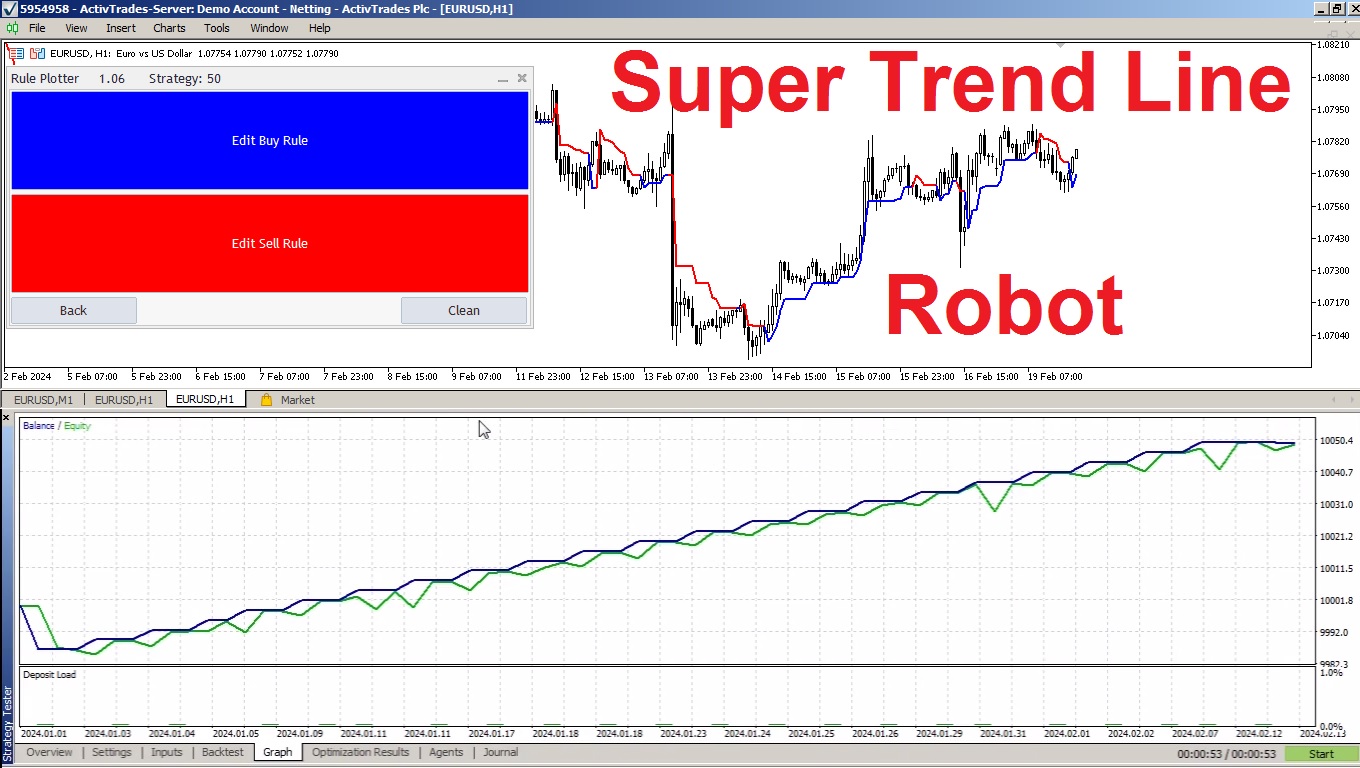
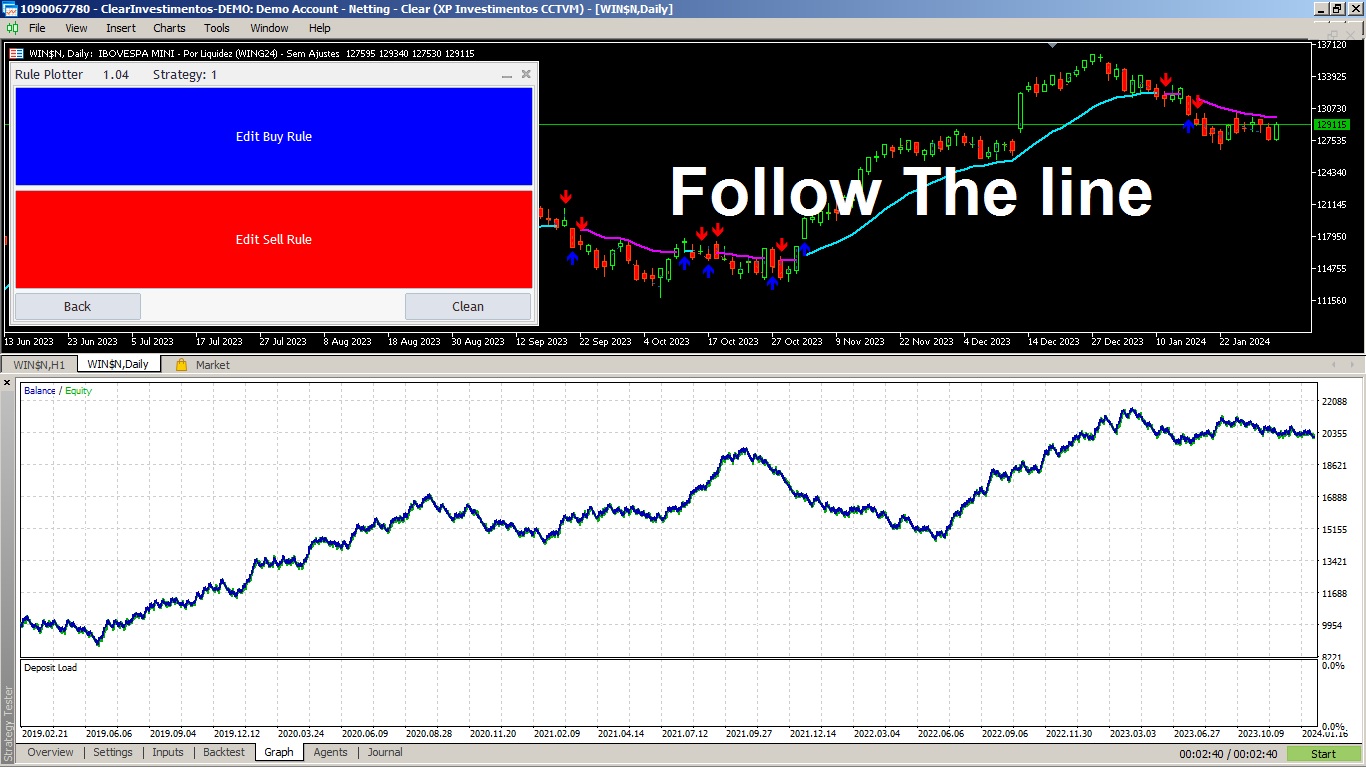
Rule Plotter is a program that allows you to create Expert Advisors without the need for programming knowledge. The Rule Plotter program is free and can be downloaded directly from your Metatrader.
With Rule Plotter, you can create as many strategies and expert advisors as you want. The best part is that you can use any market indicators with buffers, just by combining them within Rule Plotter with the logic of your strategy.
Rule Plotter also has the capability to export strategies, allowing traders to share strategies with each other and continually improve them.
Video Tutorial:
https://youtu.be/h3CudCKXowY
Rule Plotter:
https://www.mql5.com/en/market/product/107361
Follow the Line:
https://www.mql5.com/en/market/product/31561
Video Tutorial:
https://youtu.be/3OhXu_VaX8I
Download Rule Potter:
https://www.mql5.com/en/market/product/107361
| Specification quality | 5.0 | |
| Result check quality | 5.0 | |
| Availability and communication skills | 5.0 |
Have you ever thought about having a scanner that scans all strategies and shows the buy and sell points for all timeframes of that asset, all at the same time? That's exactly what this scanner does. This scanner is designed to display the buy and sell signals you created in the Rule Plotter: strategy creator without programming and run them within this scanner on various assets and different timeframes. The default strategy for Rule Plotter is only bullish and bearish candles. This means that
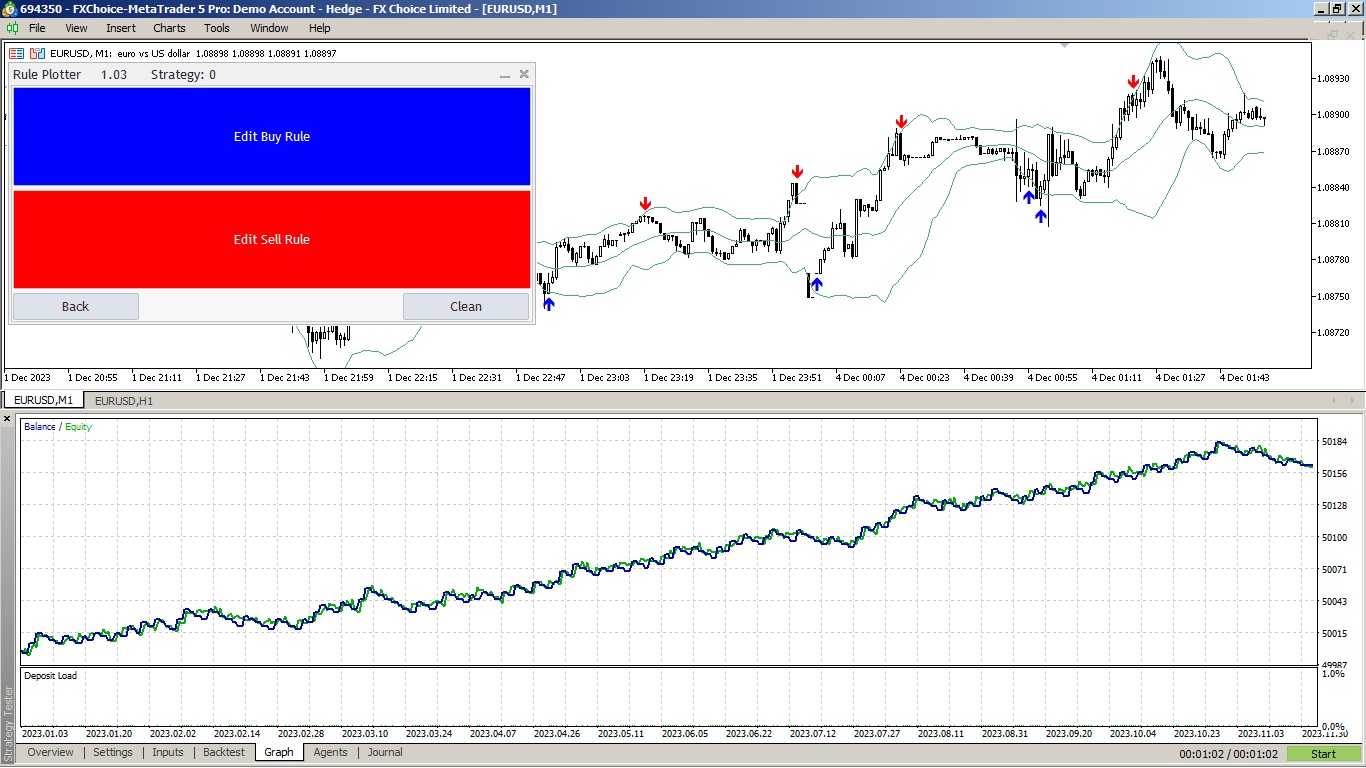
at EURUSD : H1 last year we have a interesting thing using Joe Ross bollinger bands strategy
This VWAP is a simple VWAP, but we've incorporated notifications that inform you when the price hits or crosses the VWAP line. This indicator is a traditional VWAP indicator for MetaTrader 4 (MT4). The default parameters are those of the normal VWAP, but you have the ability to modify the VWAP calculation, and the best part: When the price touches or crosses the VWAP, you will be notified through alerts, mobile notifications, email, or sound events. Anchored VWAP indicator for MT4 . Parameters
This VWAP is a simple VWAP, but we have added alerts to let you know when the price touches the simple VWAP or when the price crosses the VWAP. This indicator is a traditional VWAP indicator for MetaTrader 5 (MT5). The default parameters are those of the normal VWAP, but you have the ability to use new calculations and the best part: When the price touches or crosses the VWAP, you will be notified through alerts, mobile notifications, email, or sound events. Free anchored VWAP indicator for MT5
This Expert Advisor has been designed to test and execute your strategies created within the Rule Plotter indicator. How to use: Download the indicator Rule Plotter - a tool for creating trading systems without the need for programming . Next, develop your strategies within the Rule Plotter indicator. Finally, execute your created strategies using this Expert Advisor. Parameters: Strategy: Your trading system created within the Rule Plotter indicator, allowing you to test and execute your
Build Your Strategy Yourself This tool allows you to develop your strategies using all the indicators available natively in MetaTrader and any indicators downloaded from the internet that use buffers to display data on the screen. This tool is another reason for you to consider MetaTrader to automate your trading strategies. With it, you can create your own strategy signals in a simple and intuitive way, using any MetaTrader indicator. How Do I Know If My Internet-Downloaded Indicator Uses
the instruction on this imagem is
C > MA(10) and C[1] < MA(10)[1]
this means if current close is higher than Moving Average and
previous close is lower than previous Moving Average so it is a
crossing Moving Average Up by logic
create your own rules with "My Candle"
check the instructions of create Moving Average at "What is New" tab of this page:
https://www.mql5.com/en/market/product/94436?source=Site+Profile+Seller#!tab=updates
| Specification quality | 5.0 | |
| Result check quality | 5.0 | |
| Availability and communication skills | 5.0 |
Parameter to stop the counting after the count reaches the limit. Previously, it was only resetting the count. Now, we have the option to halt the counting to isolate the numbers in the middle of the graph. This makes it easier to identify the group of numbers when zooming out of the graph.
link to MT4 version: https://www.mql5.com/pt/market/product/83825
link to MT5 version: https://www.mql5.com/pt/market/product/83489