Confluence Forge Pro
- Indicators
-
Shipra Gupta
 I’m Shipra Gupta, a trader and quantitative strategy developer with a strong background in mathematics, economics, and algorithmic trading systems. Over the years, I’ve worked extensively across forex, gold, indices, commodities, and crypto markets, focusing on building data-driven trading
- Version: 1.0
- Activations: 5
ConfluenceForge Pro — 53-Indicator Confluence Signal Builder & Live Dashboard
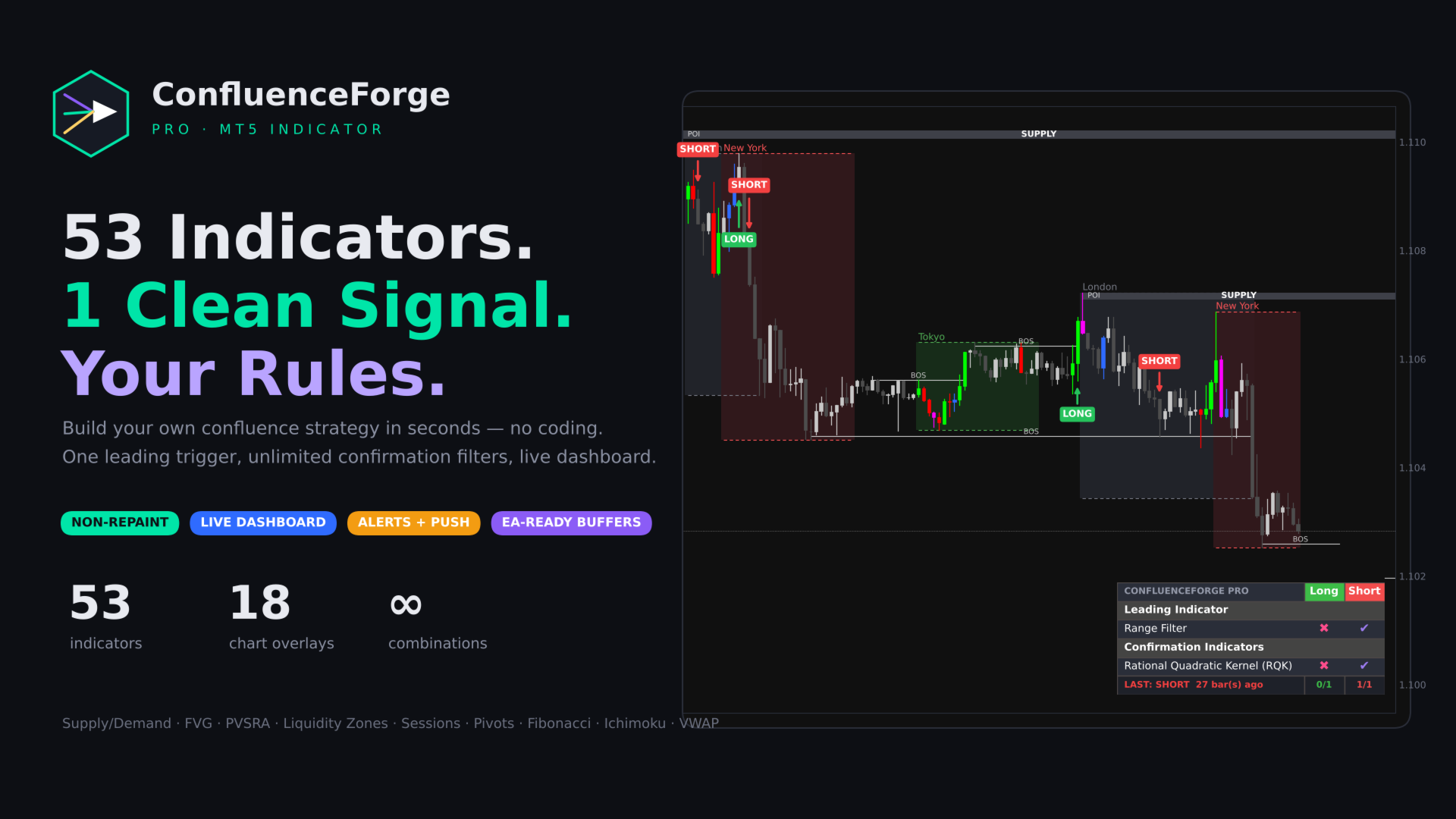
53 indicators. 1 clean signal. Your rules.
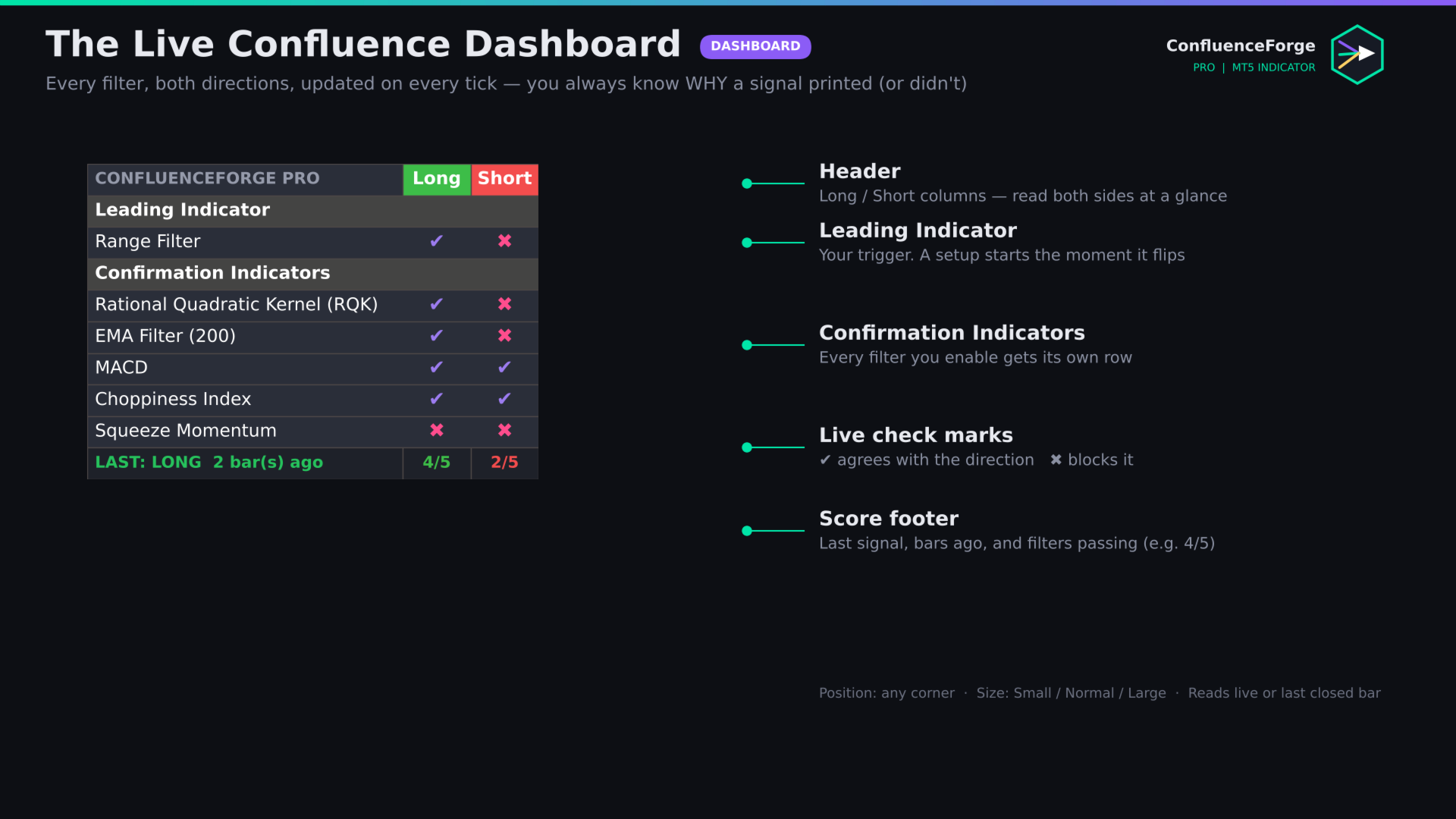
ConfluenceForge Pro turns MetaTrader 5 into a no-code strategy lab. Pick one Leading indicator as your trigger, switch on any number of Confirmation filters, and the indicator prints a LONG or SHORT signal only when everything you selected agrees. A live dashboard shows, row by row, which filter agrees and which one is blocking the trade — so you always know why a signal printed, or why it did not.
Signals are evaluated on the closed bar and never repaint. What you see on history is exactly what you would have seen live.
Why traders choose ConfluenceForge Pro
- One tool instead of 50. 53 built-in indicators run inside a single, lightweight chart indicator. No templates, no stacked windows, no iCustom spaghetti.
- Any combination, zero coding. 45 indicators can act as the Leading trigger and all 53 can act as Confirmation filters. Millions of possible systems from one set of inputs.
- Live confluence dashboard. Long and Short columns, a ✔ / ✖ for every filter, a passing-filter score and the last signal with bars-ago.
- Non-repainting signals. Confirmed on bar close by default. Optional live mode for discretionary traders.
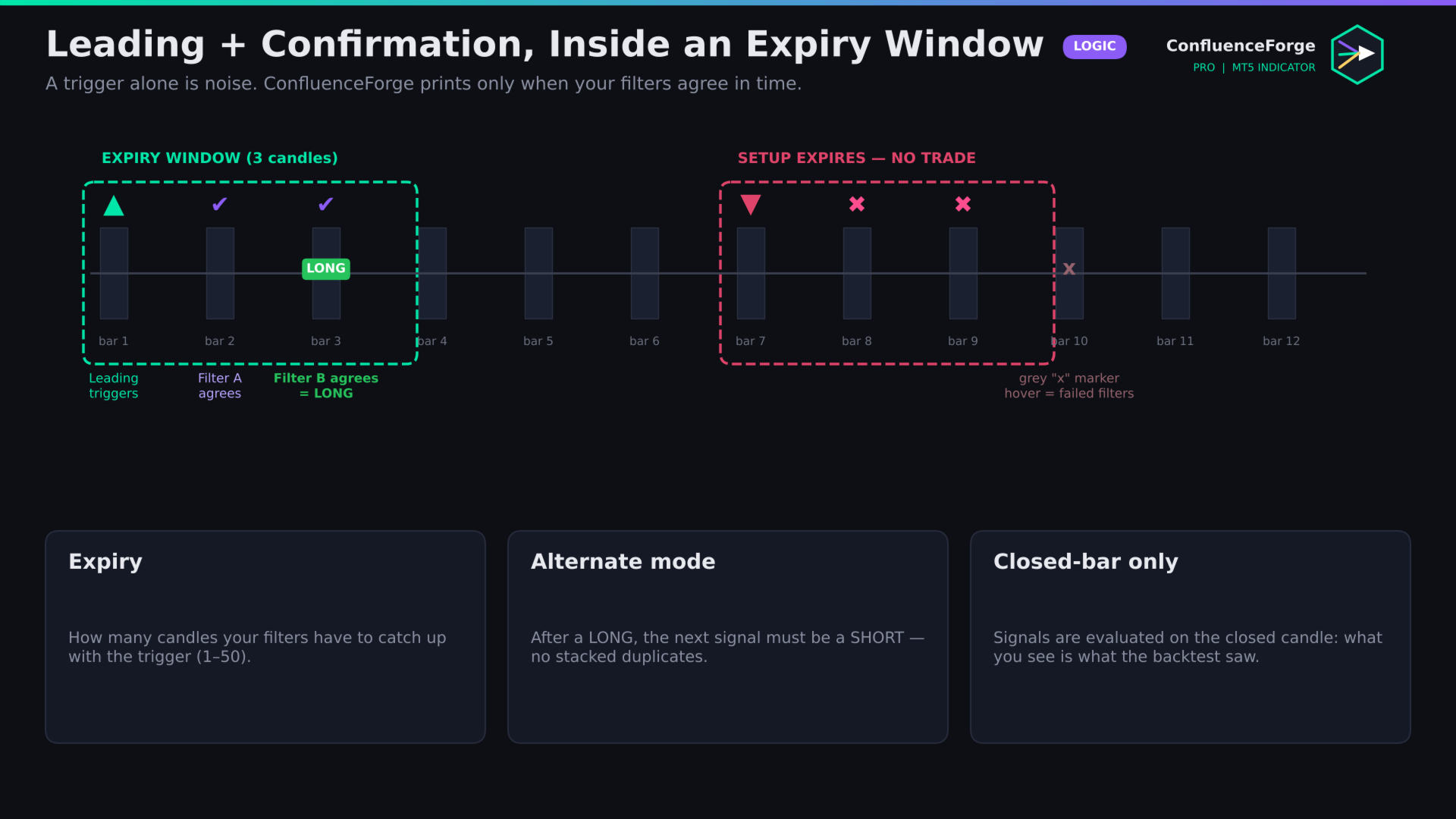
- Signal Expiry window. Filters get a configurable number of candles to agree with the trigger; late, stale setups are discarded automatically.
- Alternate mode. No stacked duplicates: after a LONG, the next signal must be a SHORT.
- Expired-setup markers. A discreet grey marker shows where a setup was rejected. Hover it to read exactly which filters failed.
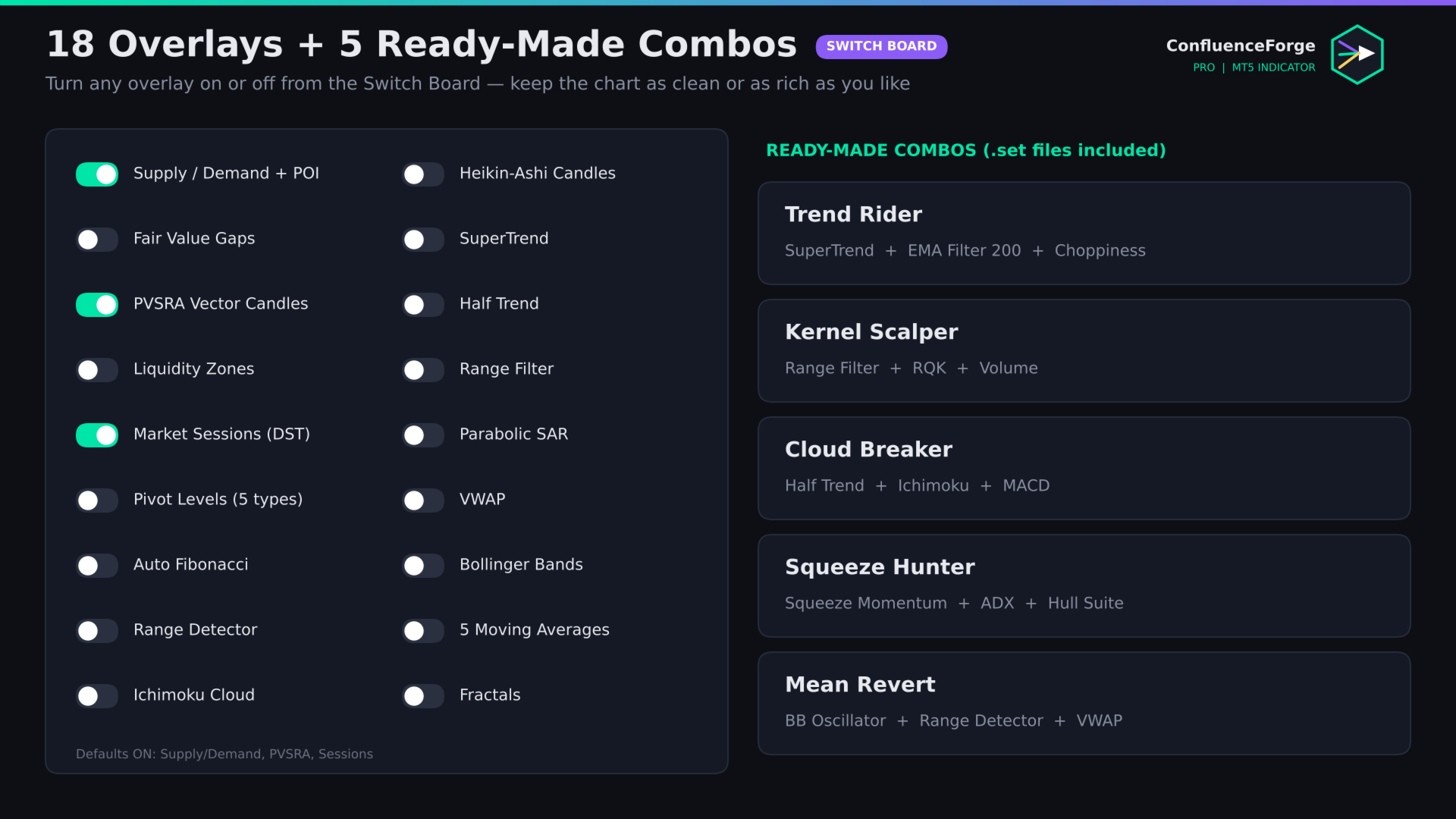
- Professional chart overlays (18 of them) with a one-click Switch Board.
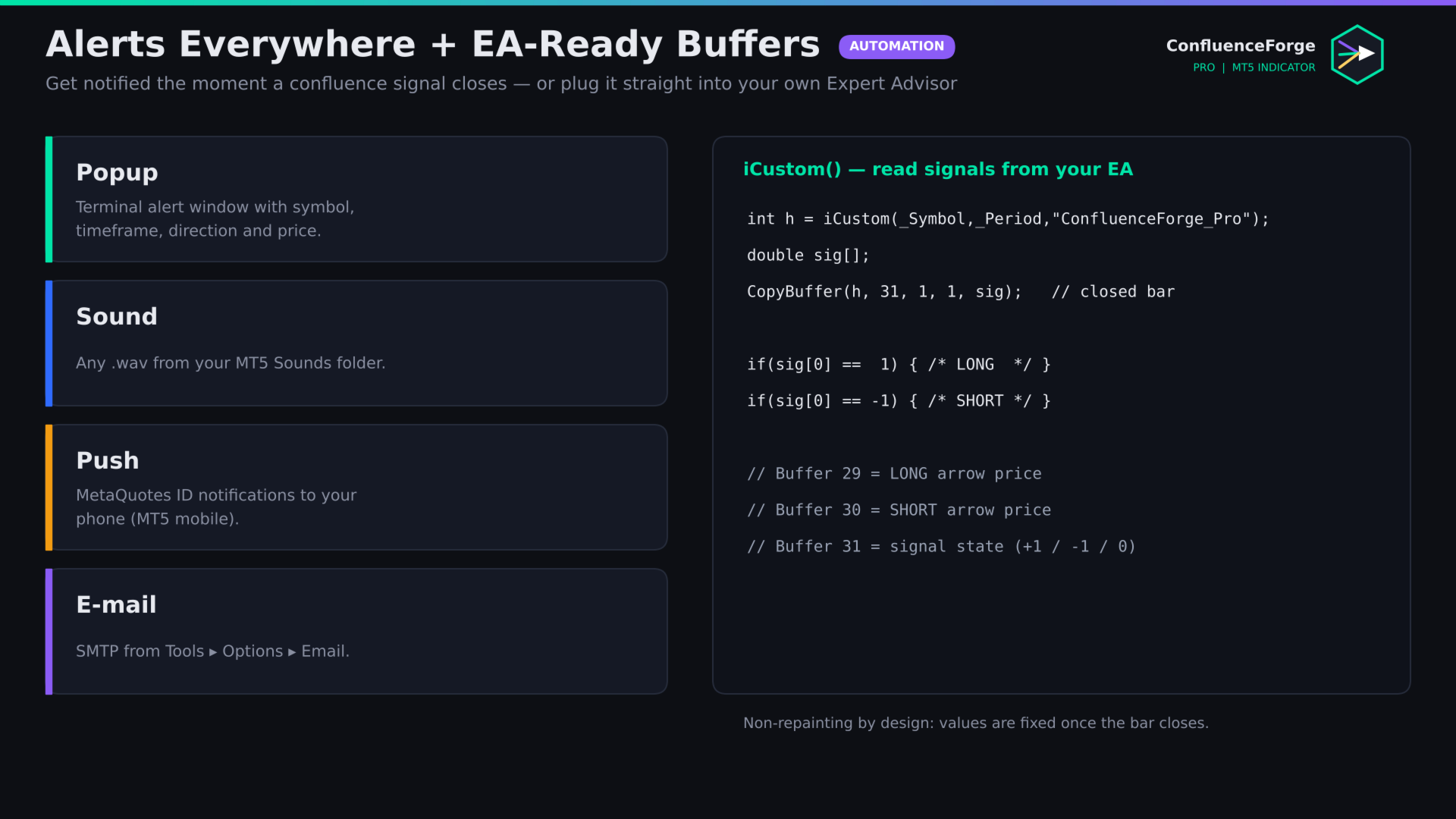
- Alerts everywhere — popup, sound, push notification and e-mail.
- EA-ready buffers for automation through iCustom.
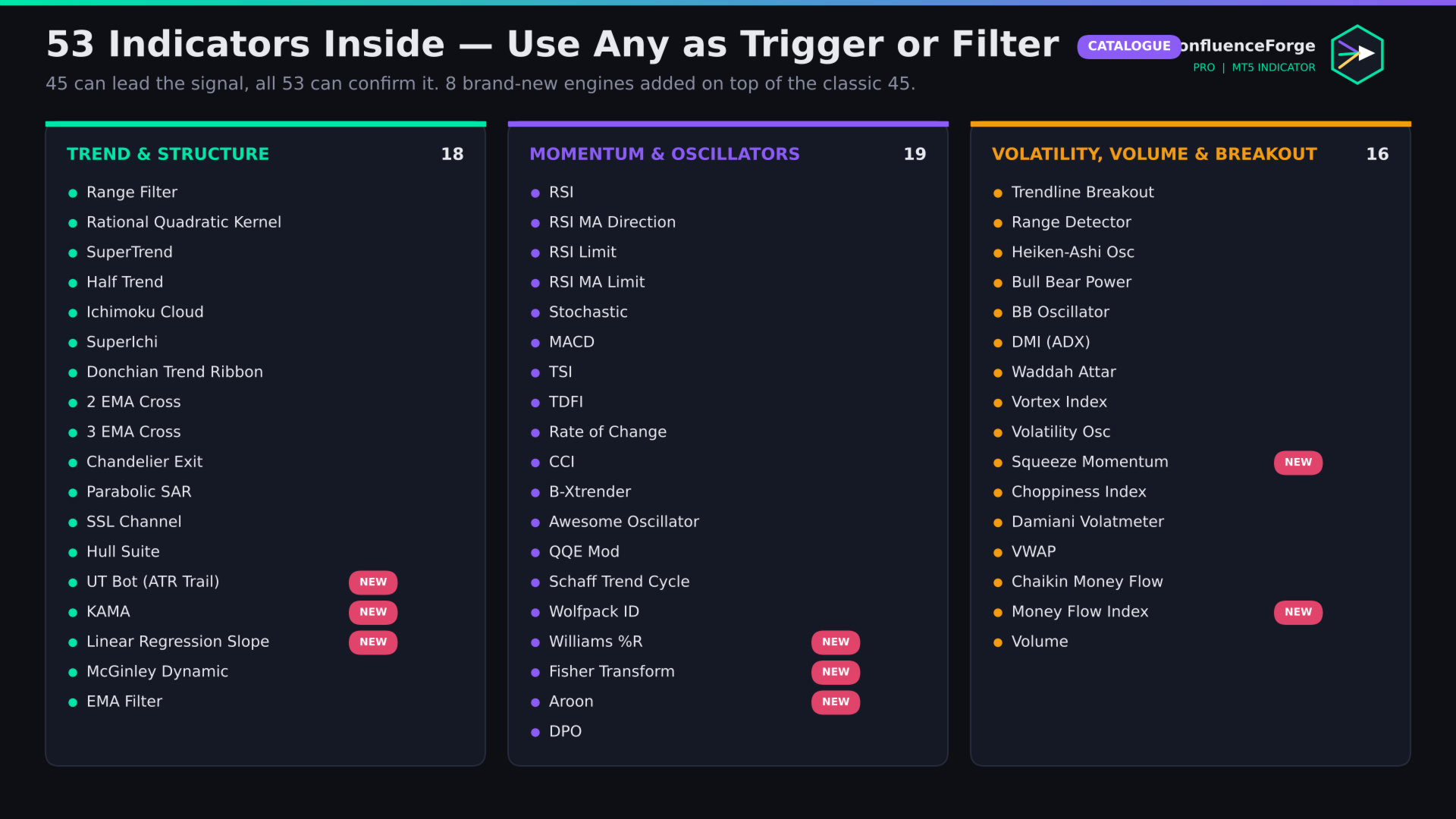
The 53 indicators
Trend & structure (18)
Range Filter · Rational Quadratic Kernel (RQK) · SuperTrend · Half Trend · Ichimoku Cloud · SuperIchi · Donchian Trend Ribbon · 2 EMA Cross · 3 EMA Cross · Chandelier Exit · Parabolic SAR · SSL Channel · Hull Suite · UT Bot (ATR Trail) NEW · Kaufman Adaptive MA NEW · Linear Regression Slope NEW · McGinley Dynamic · EMA Filter
Momentum & oscillators (19)
RSI · RSI MA Direction · RSI Limit · RSI MA Limit · Stochastic · MACD · True Strength Index · Trend Direction Force Index · Rate of Change · CCI · B-Xtrender · Awesome Oscillator · QQE Mod · Schaff Trend Cycle · Wolfpack ID · Williams %R NEW · Fisher Transform NEW · Aroon NEW · Detrended Price Oscillator
Volatility, volume & breakout (16)
Trendline Breakout · Range Detector · Heiken-Ashi Candlestick Oscillator · Bull Bear Power Trend · BB Oscillator · DMI (ADX) · Waddah Attar Explosion · Vortex Index · Volatility Oscillator · Squeeze Momentum NEW · Choppiness Index · Damiani Volatmeter · VWAP · Chaikin Money Flow · Money Flow Index NEW · Volume
Most indicators offer several modes (for example crossover, zero-line, level or band behaviour) and every period is adjustable.
18 chart overlays (Switch Board)
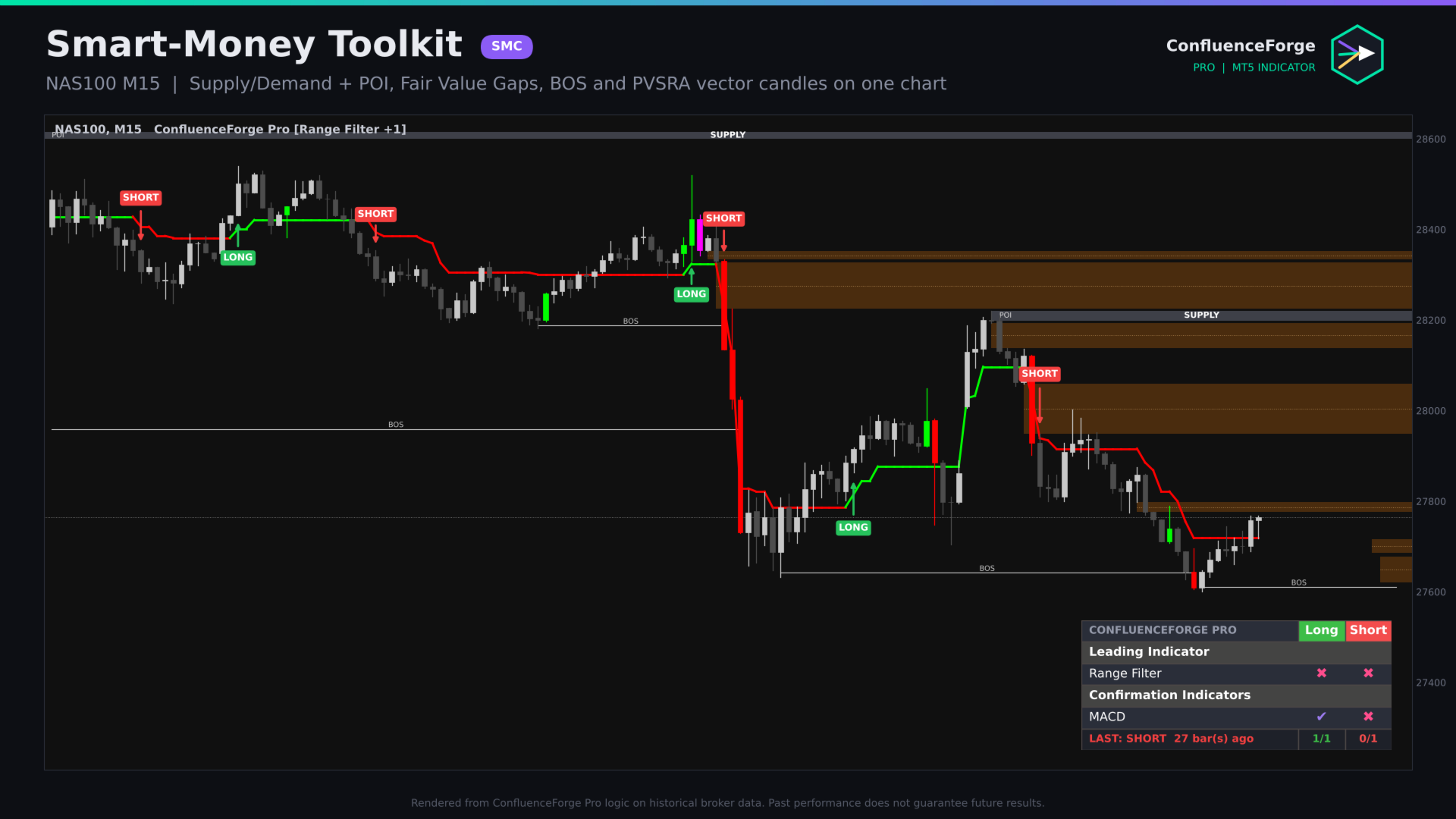
- Supply & Demand zones with POI line and Break of Structure (BOS) history
- Fair Value Gaps with 50% (CE) line, auto-removed when filled
- PVSRA vector candles (200% and 150% volume candles coloured)
- Liquidity zones from unmitigated vector candles
- Market Sessions — Tokyo, London, New York, Hong Kong, Sydney, EU and US Brinks — daylight-saving aware, with automatic broker GMT detection
- Pivot levels — Traditional, Fibonacci, Woodie, Classic, Camarilla on Daily / Weekly / Monthly or Auto
- Auto Fibonacci on the latest swing, custom level list
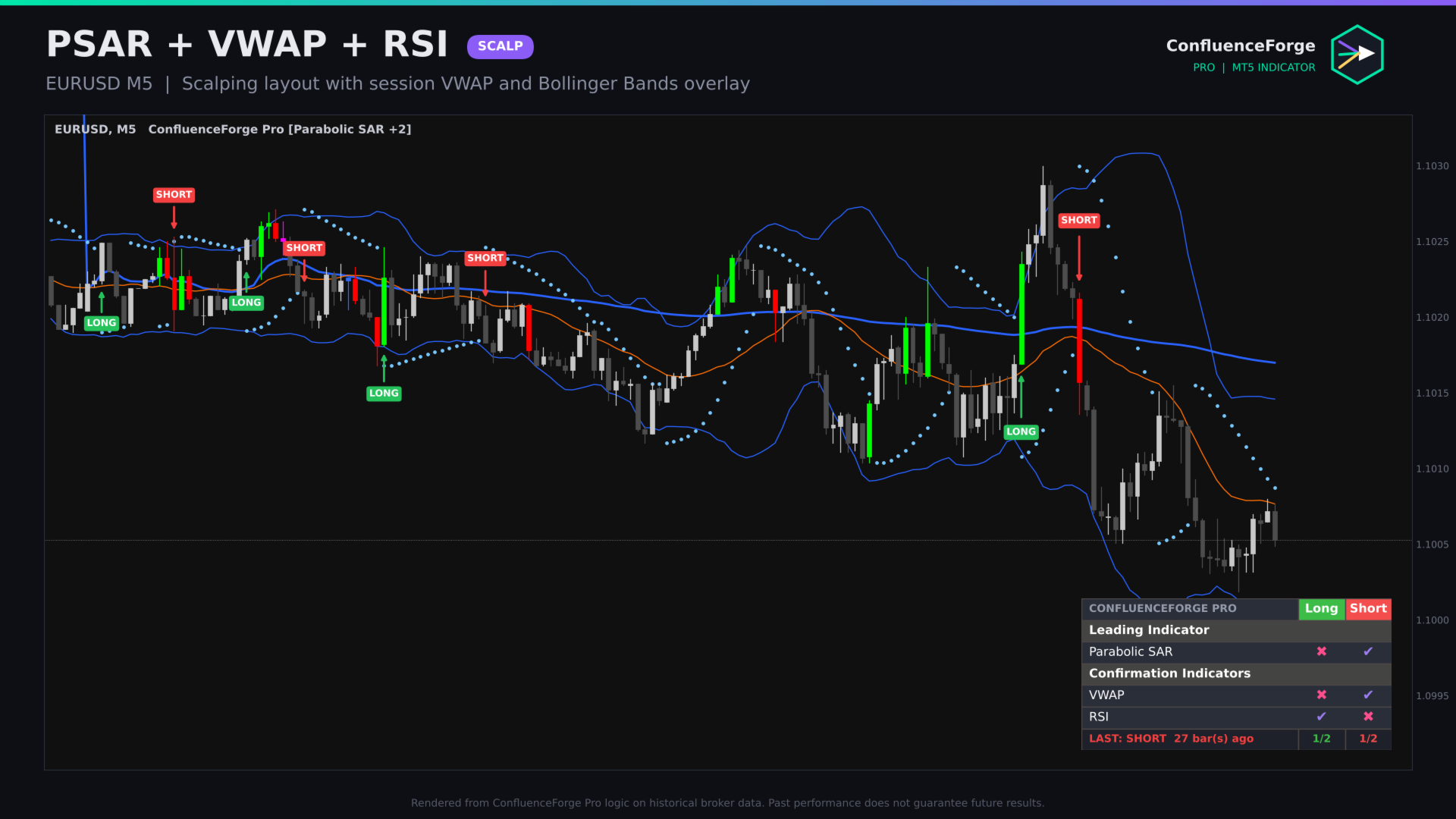
- Range Detector boxes · Ichimoku Cloud · Heikin-Ashi candles · SuperTrend · Half Trend · Range Filter · Parabolic SAR · VWAP · Bollinger Bands · 5 Moving Averages (SMA/EMA/RMA/WMA/HMA/VWMA) · Fractals
An optional dark theme gives you a clean, professional chart in one click and is restored when the indicator is removed.
How to use
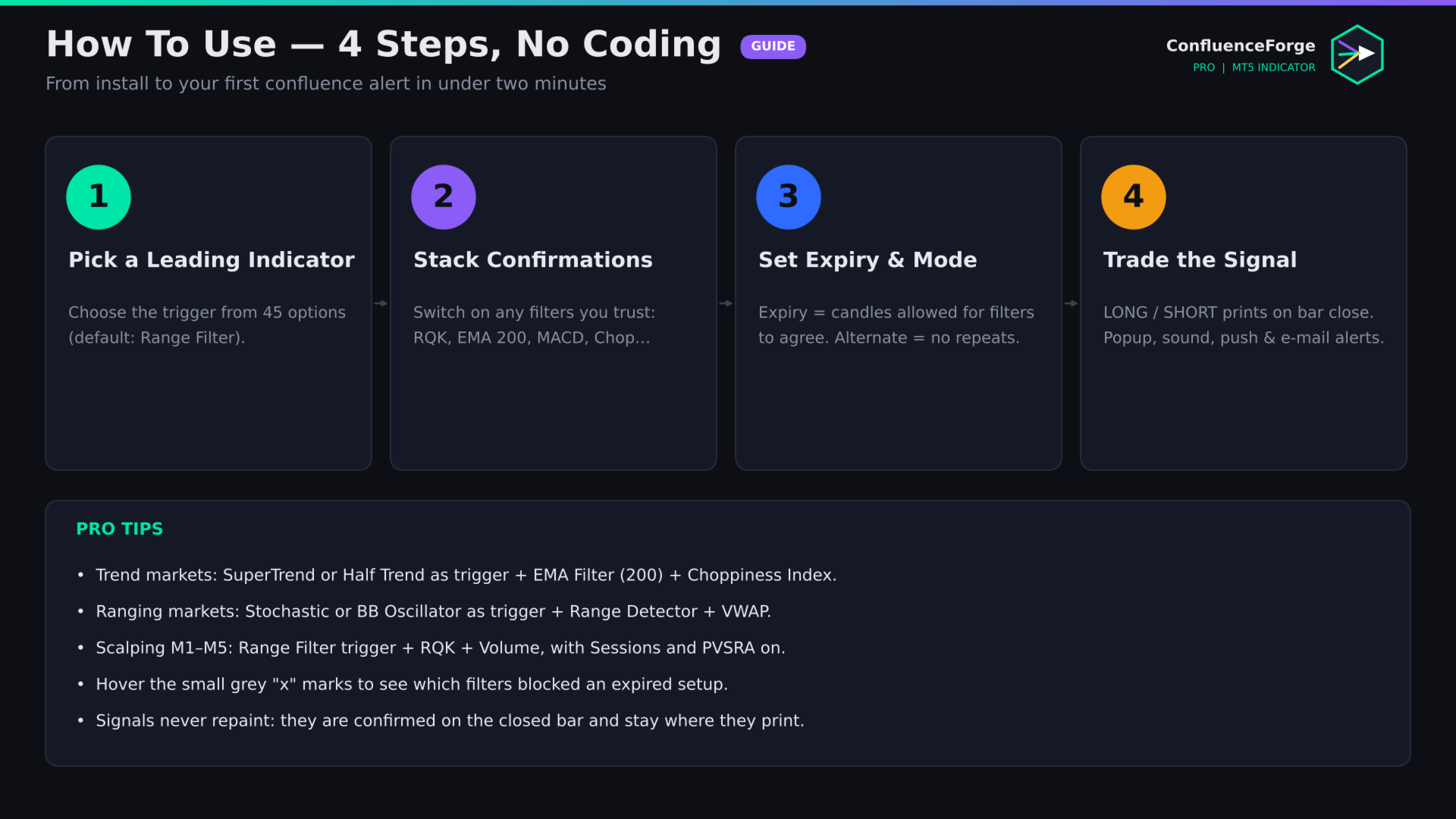
- Attach ConfluenceForge Pro to any chart and timeframe.
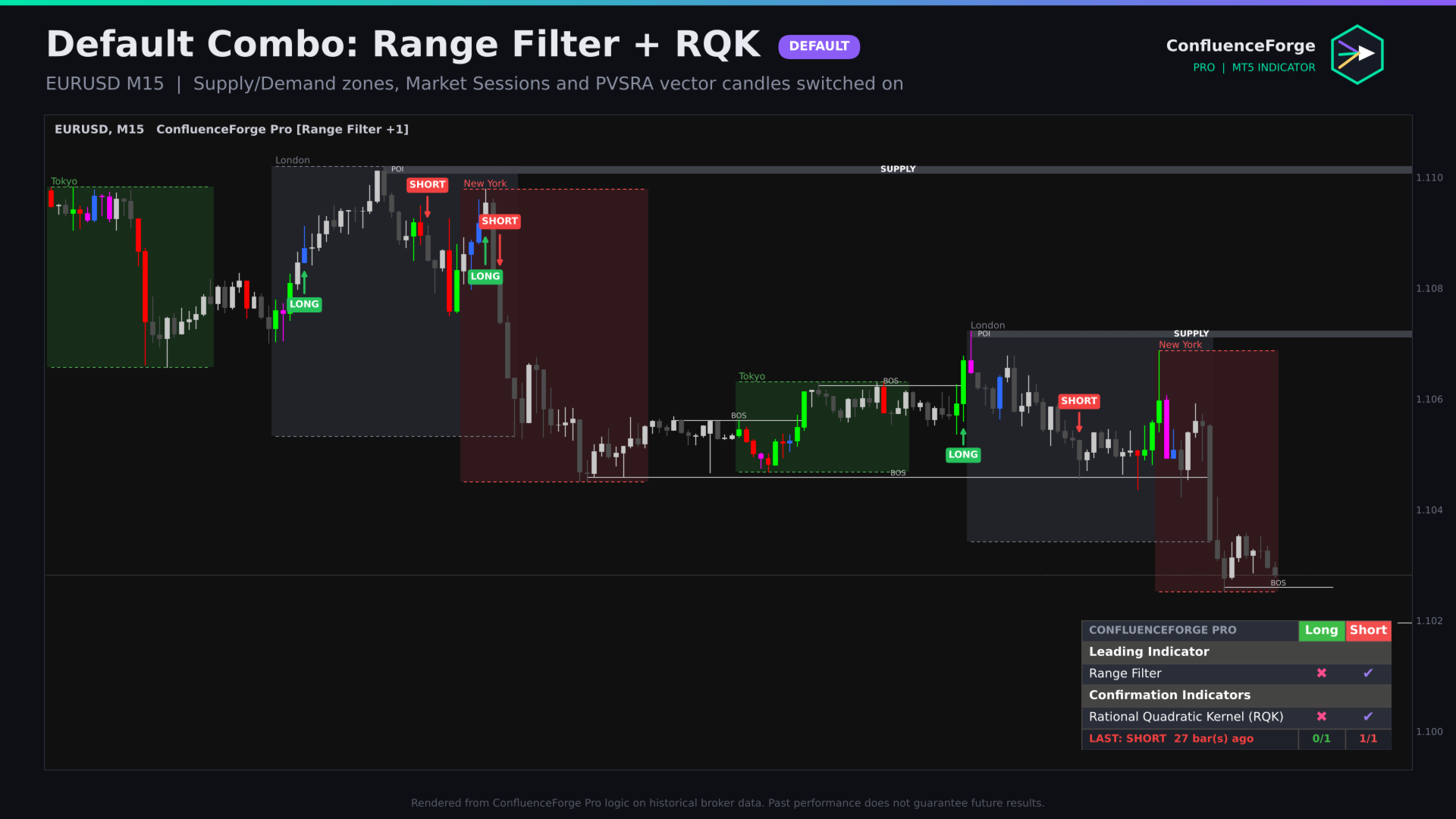
- Signal Engine: choose your Leading Indicator (default: Range Filter).
- Confirmation Indicators: switch on the filters you trust (default: Rational Quadratic Kernel).
- Set Signal Expiry (default 3 candles) and keep Alternate signals on for a clean one-in / one-out flow.
- Turn overlays on or off in the Switch Board.
- Enable the alerts you need. Done.
Starter combinations
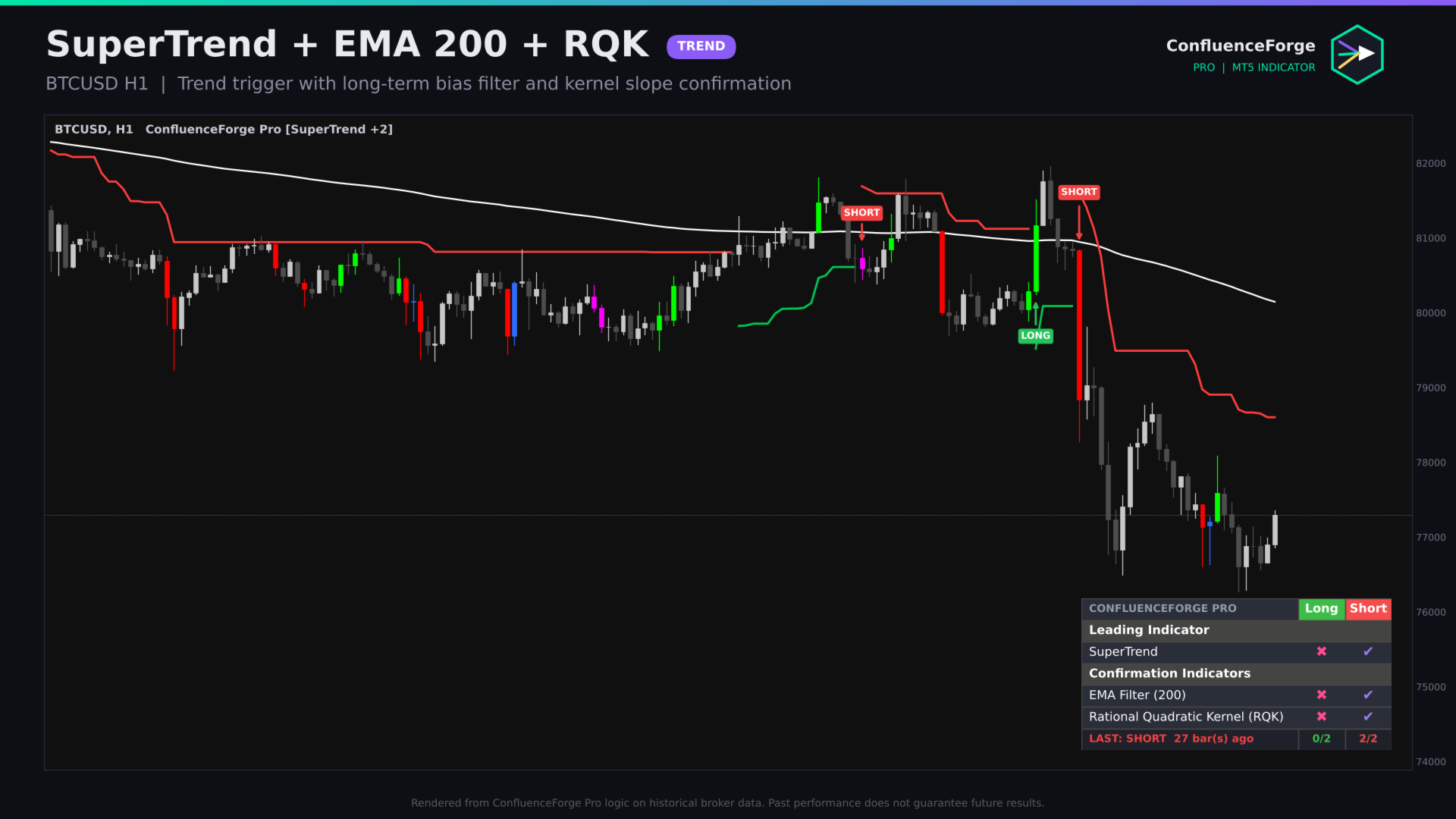
- Trend Rider: SuperTrend + EMA Filter 200 + Choppiness Index
- Kernel Scalper: Range Filter + RQK + Volume (M1–M15)
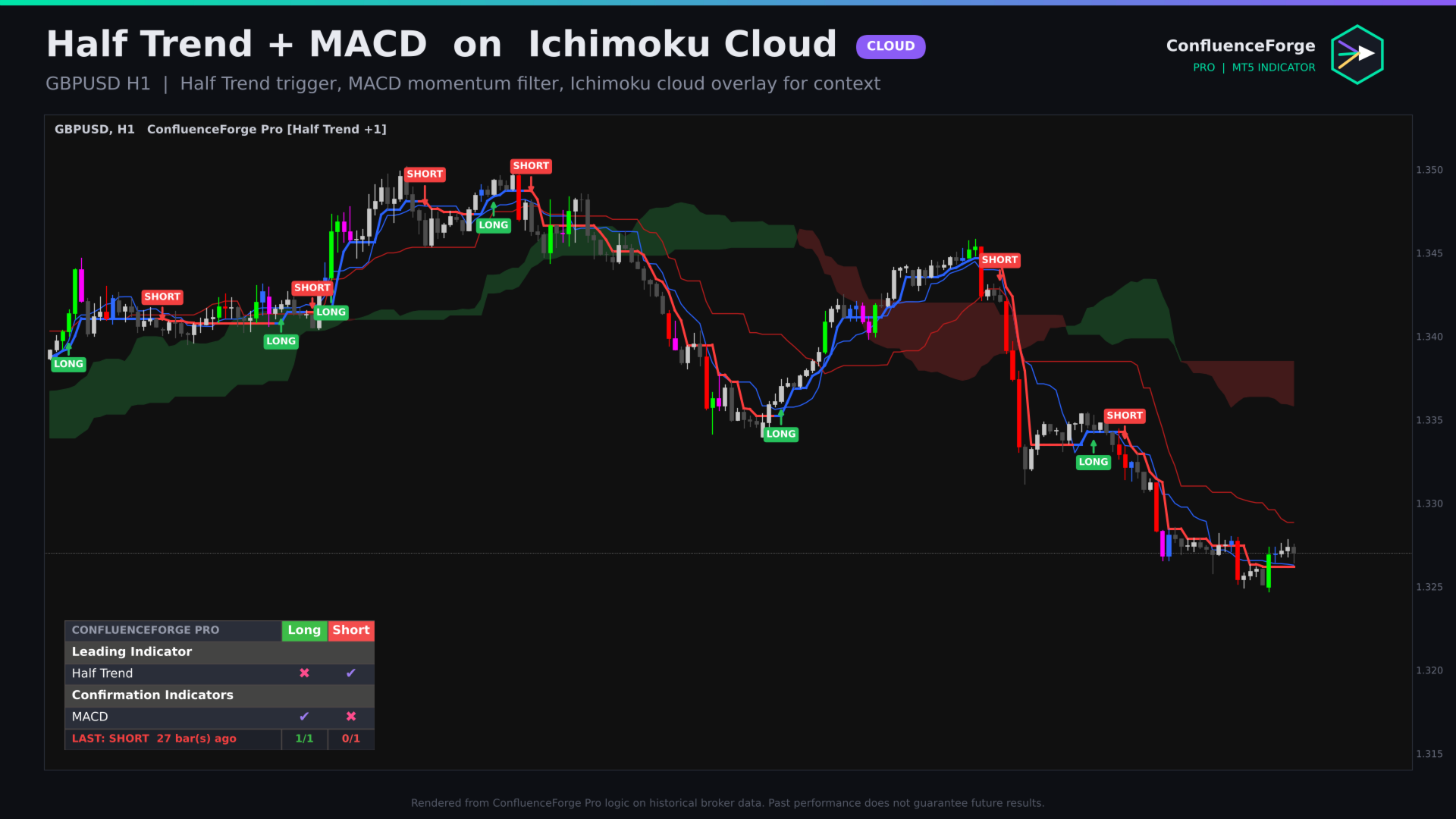
- Cloud Breaker: Half Trend + Ichimoku Cloud + MACD
- Squeeze Hunter: Squeeze Momentum + DMI (ADX) + Hull Suite
- Mean Revert: BB Oscillator + Range Detector + VWAP
Rule of thumb: one trigger plus two or three filters from different families (trend, momentum, volatility). More filters mean fewer, cleaner signals.
Inputs overview
- Signal Engine — Leading indicator, Signal Expiry, Alternate signals, Closed-bar only, Bars to calculate, signal style (arrows / labels / both), expired-setup markers, colours
- Dashboard — on/off, any corner, Small / Normal / Large, read live bar or last closed bar, margins
- Alerts — popup, sound file, push, e-mail
- Confirmation Indicators — one switch per indicator (53)
- Switch Board — one switch per overlay (18) plus dark theme
- Per-indicator settings — periods, multipliers and modes for every engine
For EA developers
Signal arrows and a signal-state buffer (+1 long, −1 short, 0 none) are exposed for iCustom. Values are fixed once the bar closes. Buffer numbers are listed in the user guide on the Comments tab.
Specifications
- Platform: MetaTrader 5 (build 4000+)
- Type: chart-window indicator (no DLL, no WebRequest, no files)
- Symbols: all — Forex, metals, indices, crypto, stocks, futures
- Timeframes: all (sessions are drawn on H1 and below)
- Repaint: no (closed-bar signals by default)
- Default chart load: last 3,000 bars (adjustable) for a fast, smooth chart
Free companion: download "ConfluenceForge Sessions & PVSRA (Free)" from the Code Base — link on my profile.
Risk disclaimer: trading financial instruments involves substantial risk. ConfluenceForge Pro is an analysis tool and does not guarantee profit. Past results do not indicate future performance. Always test on a demo account first.