ShadowC

  • Entry based on the shadow of a momentum candle:
  •  - we determine the top of the movement based on the signs of its end (the absence of a strong level of a higher timeframe ahead, the extremum of the last impulse has not been updated, its slope angle is less than the previous ones, a momentum candle with a long shadow closed at the top);
  •  - we identify the area based on the shadow of the momentum candle;
  •  - there is the first test of the shadow area by the next closed candle (group of candles);
  •  - there is the second test of the area by a candle or a pullback movement. The main criteria are as follows: any touch, even minimal, of this area by the next candle is considered the first test. The second test is considered a re‑entry into the area, but the second test must be a full‑fledged one: the price must enter at least the middle of the area. It often happens like this: the first candle forms the area, the second candle forms the 1st test, and the third candle forms the 2nd test (market entry).
  •  - entry: with a market order 

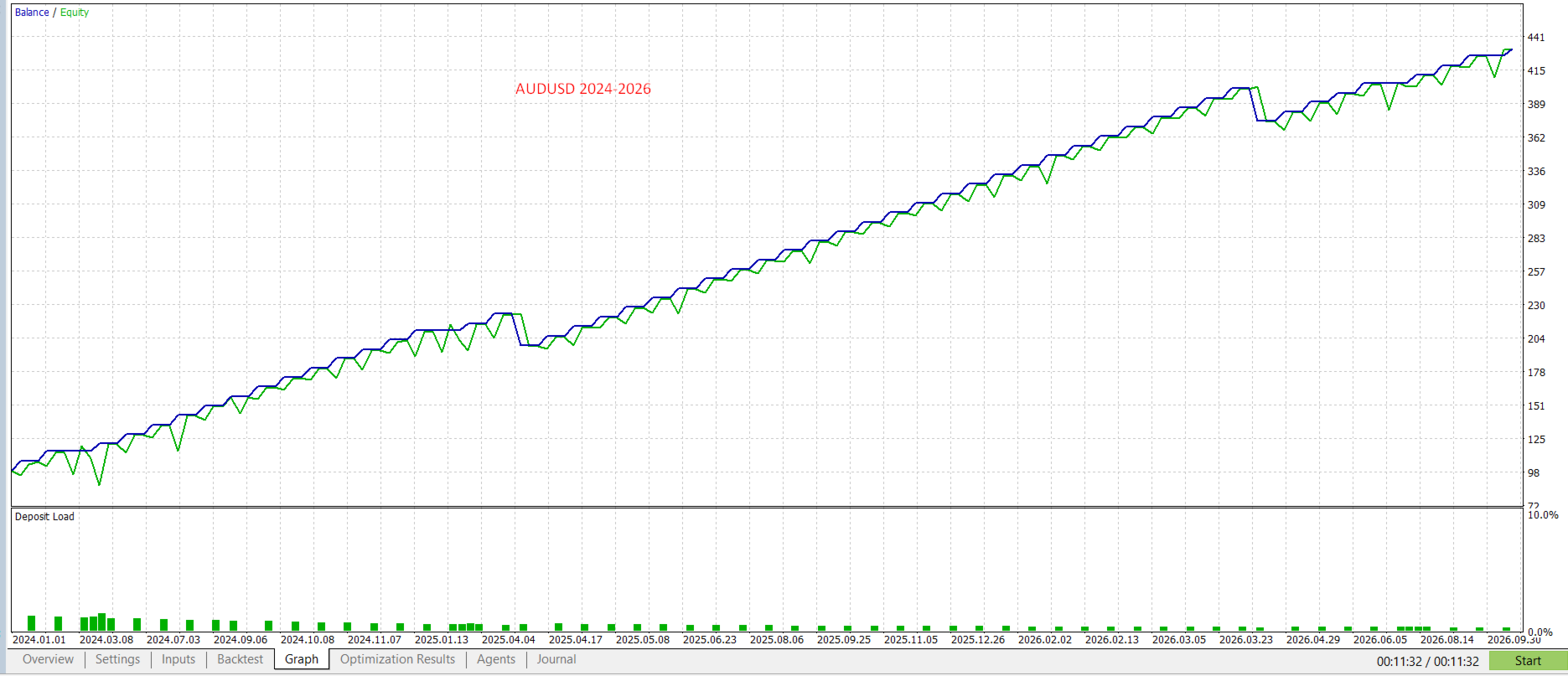
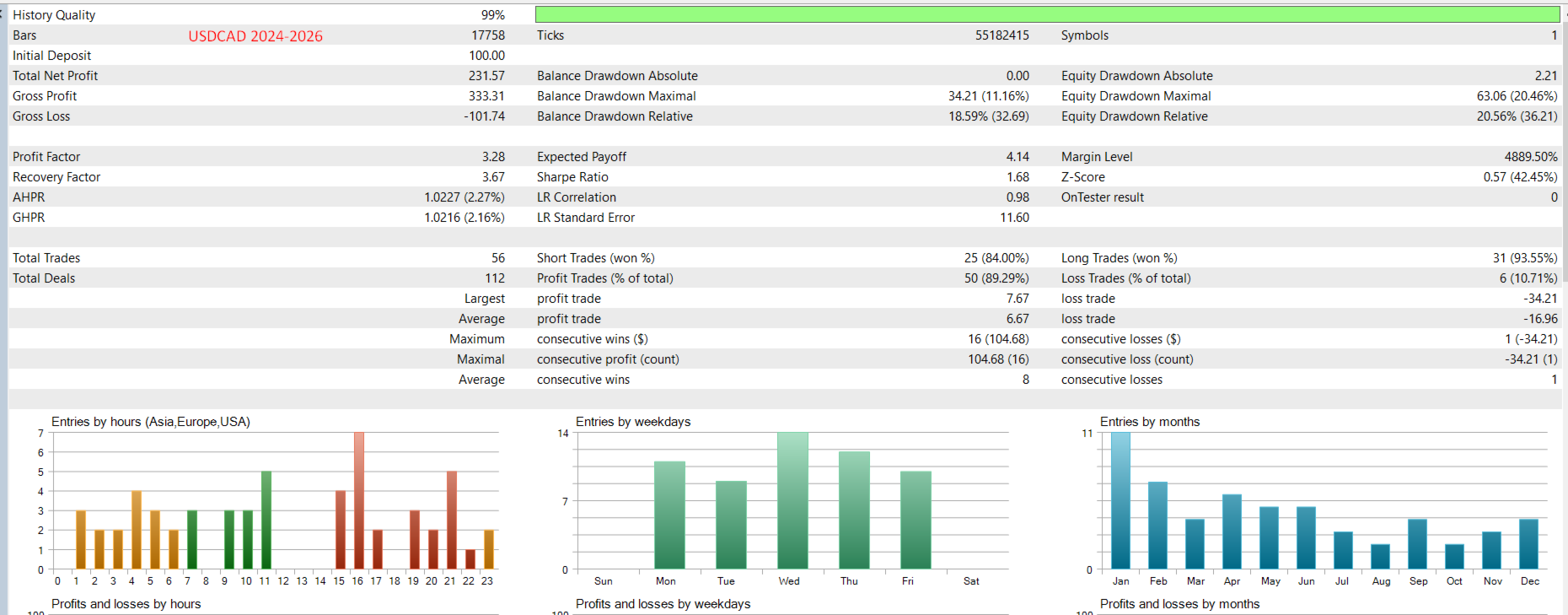
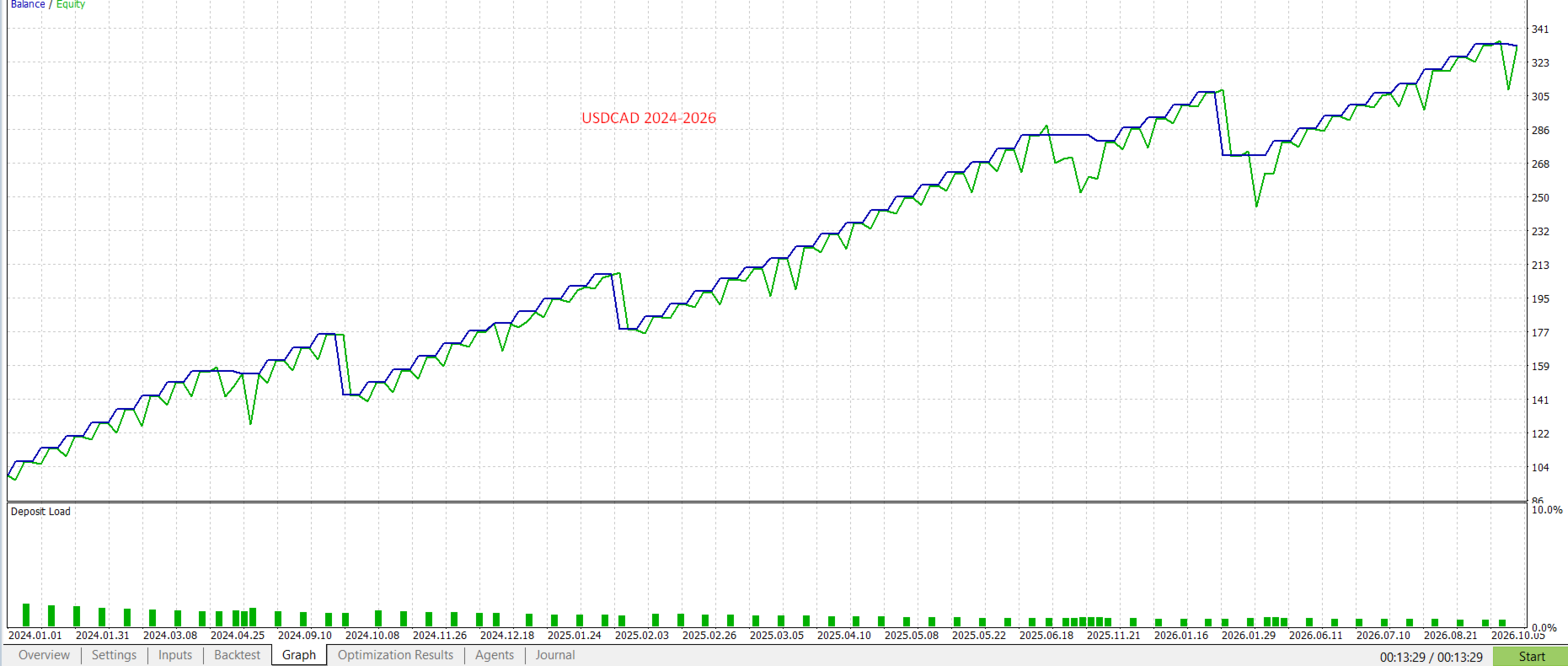
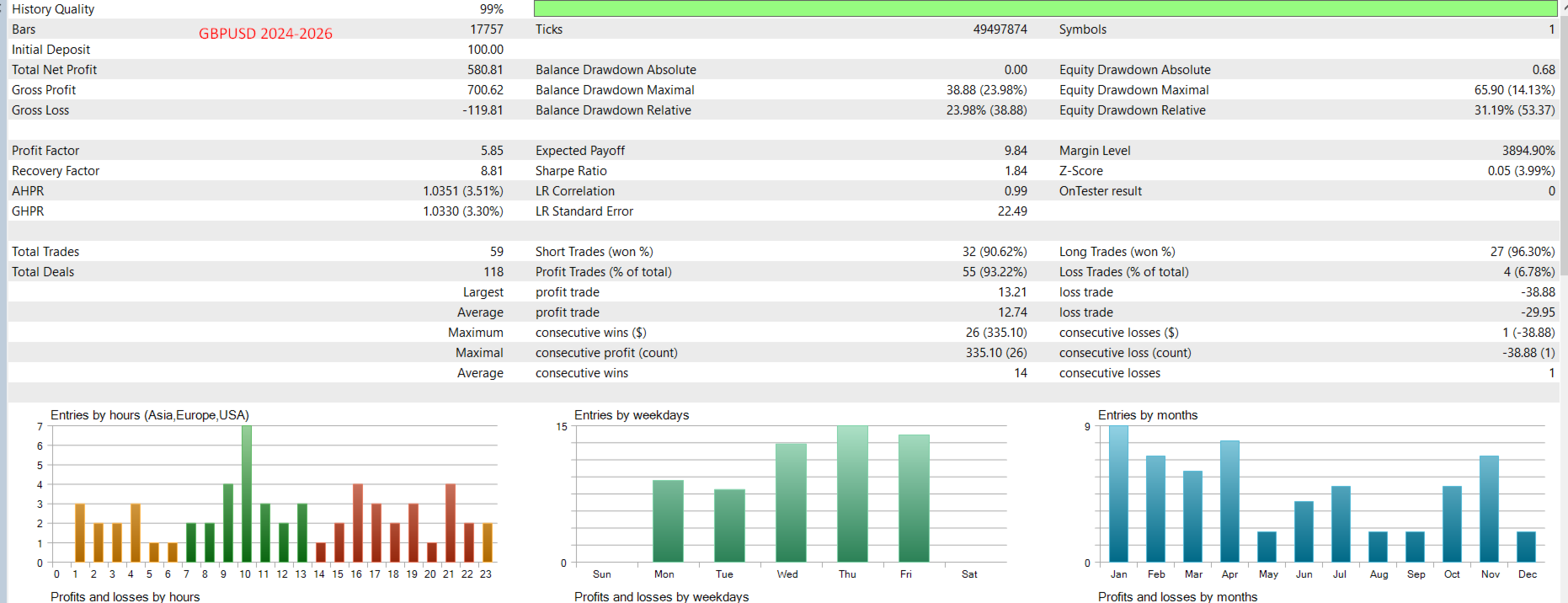
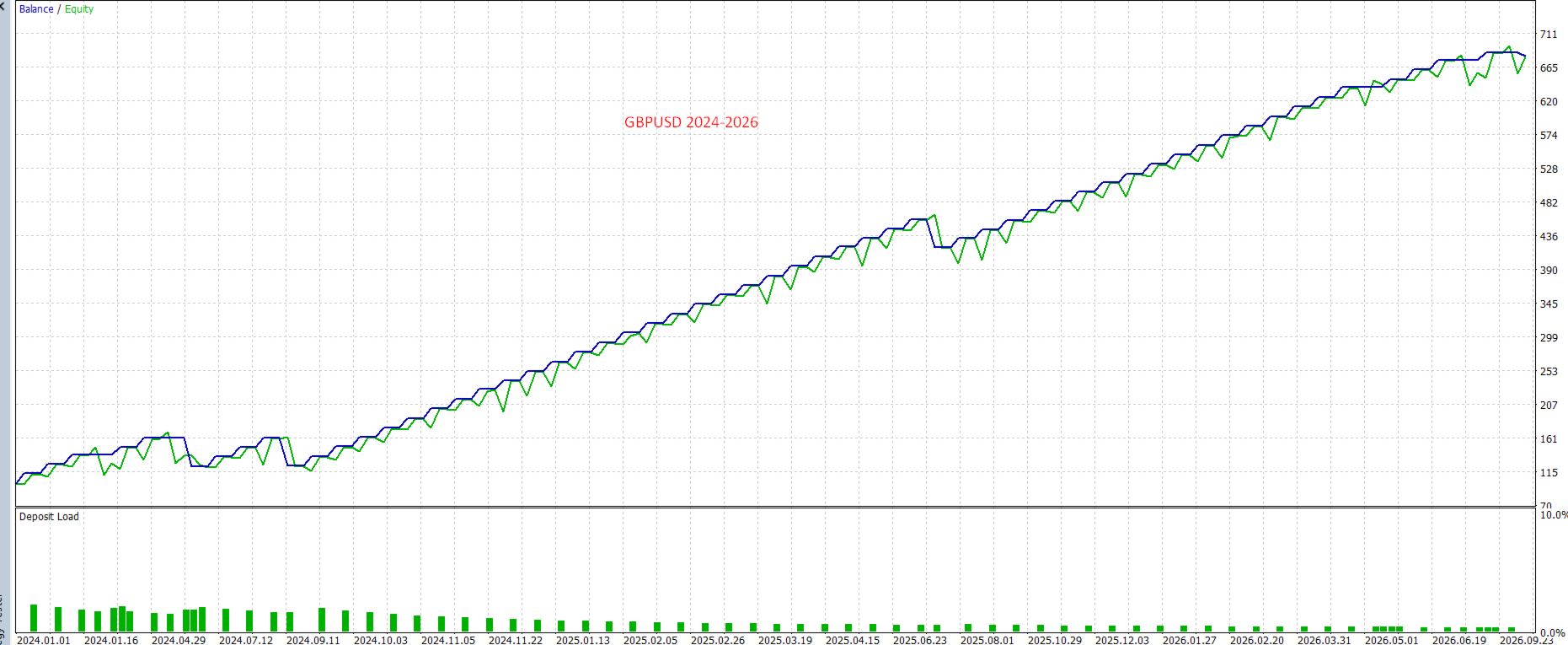
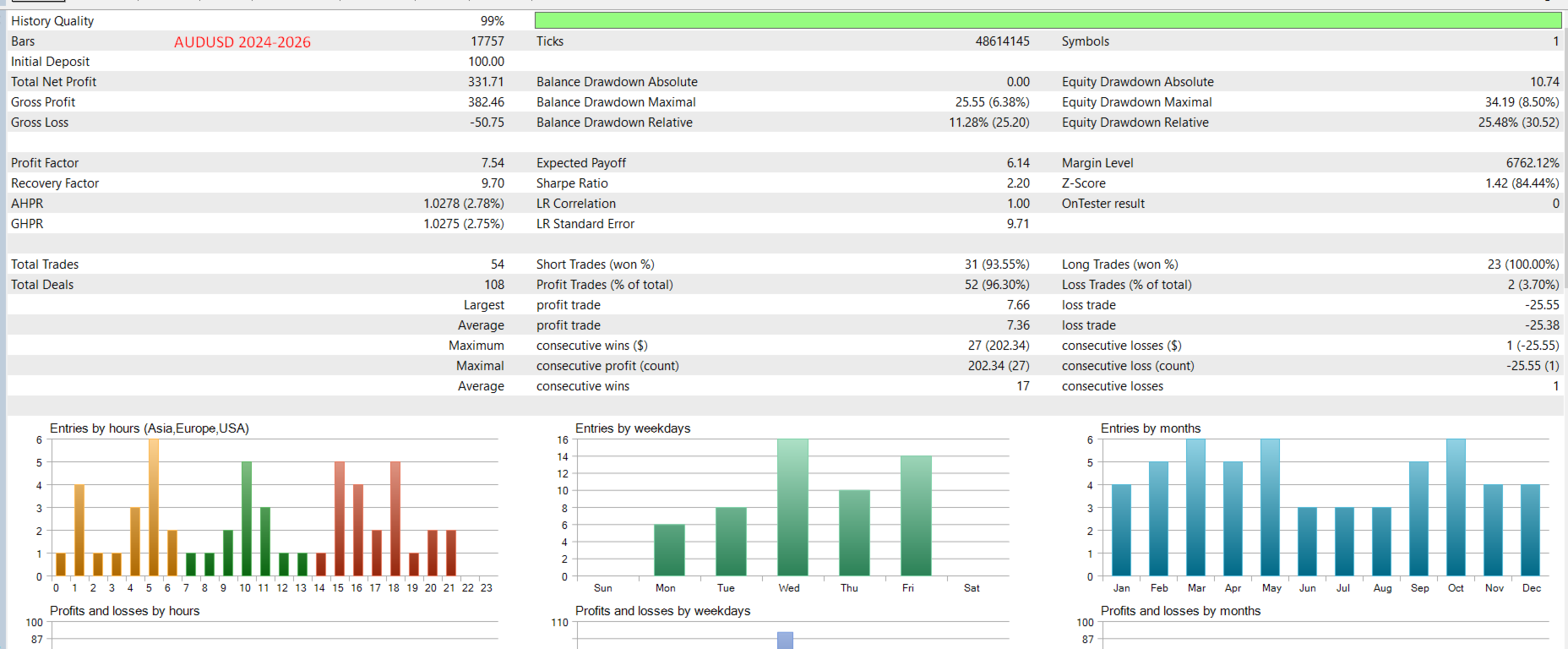
  •  Timeframe: H1 AUDUSD,  GBPUSD, USDCAD, AUDCAD, NZDCAD       Set the files in the graph for discussion.

  •  Settings

    •     LotSize = 0.01;           // LotSize 
    •    MaxStopLossPoints = 600; // MaxStopLossPoints
    •    MinStopLossPoints = 600;  // MinStopLossPoints
    •    TakeProfitPoints = 300;  // TakeProfitPoints
    •    MinShadowRatio = 0.25;   // MinShadowRatio (1/4)
    •    MaxShadowRatio = 0.4;    //MaxShadowRatio 
    •    UseEntryAt50Percent = true; //UseEntryAt50Percent 
    •    EntryRetracement = 0.5;  // EntryRetracement (0.5 = 50%)
    •    MaxSpread = 600;          // Maximum spread in points
    •    UseTrailingStop = false; // UseTrailingStop
    •    TrailingStopPoints = 50; // TrailingStopPoints
    •     AllowMultipleOrders = false; // Allow multiple simultaneous orders
    •    MinBarsBetweenTrades = 1; // Minimum bars between trades
    •    StopLossMultiplier = 1.0; // StopLossMultiplier
    •    ATRPeriod = 14;          // ATRPeriod
    •    EnableDebug = true;      // Enable debug messages
    •    UseLevelTestFilter = true; //UseLevelTestFilter 
    •    LevelTestBars = 20;      // LevelTestBars
    •    LevelTestTolerance = 0.0002; //LevelTestTolerance 
    •    EnableSellTrades = true; // EnableSellTrades
    •    TradeBothDirections = true; // TradeBothDirections


More from author
Asistant
Salavat Yulamanov
4.93 (15)
Trading panel for opening orders in 1 click! To help the trader, sets take profits, stop losses, pending Stop and Limit orders, transfers to breakeven, trails.   There is also a partial closing of the order in % All parameters are customizable. Installed in experts!   Settings           Lots -- 0.02 Lot           StopLoss --- 700 Stop Loss           TakeProfit --- 400 Take Profit           UseBreekeven ---- false Breakeven Off           ClosePersent--- 50 Close Percent of the order      
FREE
Mirror chart
Salavat Yulamanov
4.5 (2)
The indicator, which displays two different pairs on one chart, is designed to simplify the displayed information,   Able to work with almost all instruments available in the terminal (not only currency pairs, but also metals, raw materials). Feature of using the visual correlation method for any currency pairs subsymbol. The currency pair is displayed on the screen with colored candles. This is the same correlated pair. mirroring. auxiliary currency. The indicator reflects two types of correl
FREE
Trader Novus
Salavat Yulamanov
4.5 (2)
The Expert   Advisor for MT4 sets pending pending levels during the European session! The value of the threshold is the distance from the current price , when a pending order is triggered, a market order will open and the opposite pending order will double, just 3 increase cycles further to take or stop! The takes and stops are calculated in such a way that the take order will cover the minus from the stop order, as a result, we will get a total + !!! 1 model of the situation, the first lot is
FREE
Multi Meter
Salavat Yulamanov
Trend indicator A unique system for determining the trend for each timeframe, Allows you to have a real picture of the trend for any currency pair on all standard timeframes! Green squares are BUY trend and red squares are SELL. Trading technique: if small time frames are opposite to the trend of the older ones, then due to the inertia of the market movement, enter in the older times as on the screenshots.
FREE
Skynet MT5
Salavat Yulamanov
The Expert Advisor uses a trend breakout and trend following strategy, analyzing higher timeframes for maximum accuracy. Fixed stop loss – strict risk control on every trade. Trailing stop – automatic profit taking when the market moves in your favor. Total profit closing – achieving the target profit in units of your deposit. Simplicity, reliability, and stability – your key to confident trading. Monitoring myfxbook.com/members/salavat1/gold-puls/11817746 If you need to increase the lot siz
Hitech MT5
Salavat Yulamanov
Hitech! Professional Advisor for Maximum Profit with Minimum Risk!      Signals   https://www.mql5.com/ru/signals/2363044?source=Site+Profile+Seller#!tab=account                                        Your key to stability in the market: Our trading advisor combines the power of algorithmic trading and deep market analysis. The system works exclusively from global support and resistance levels, which are formed on the basis of long-term data, ensuring the highest accuracy of entries. These
Filter:
No reviews
Reply to review