Turnstile Order Gateway
- Libraries
-
Syarief Azman Bin Rosli
 Hello and welcome to my official MQL5 profile!
I am Syarief Azman Bin Rosli, an algorithmic trading systems developer and quantitative software engineer with over a decade of specialized experience creating robust automated trading solutions for MetaTrader 5 and MetaTrader 4. - Version: 1.0
- Activations: 5
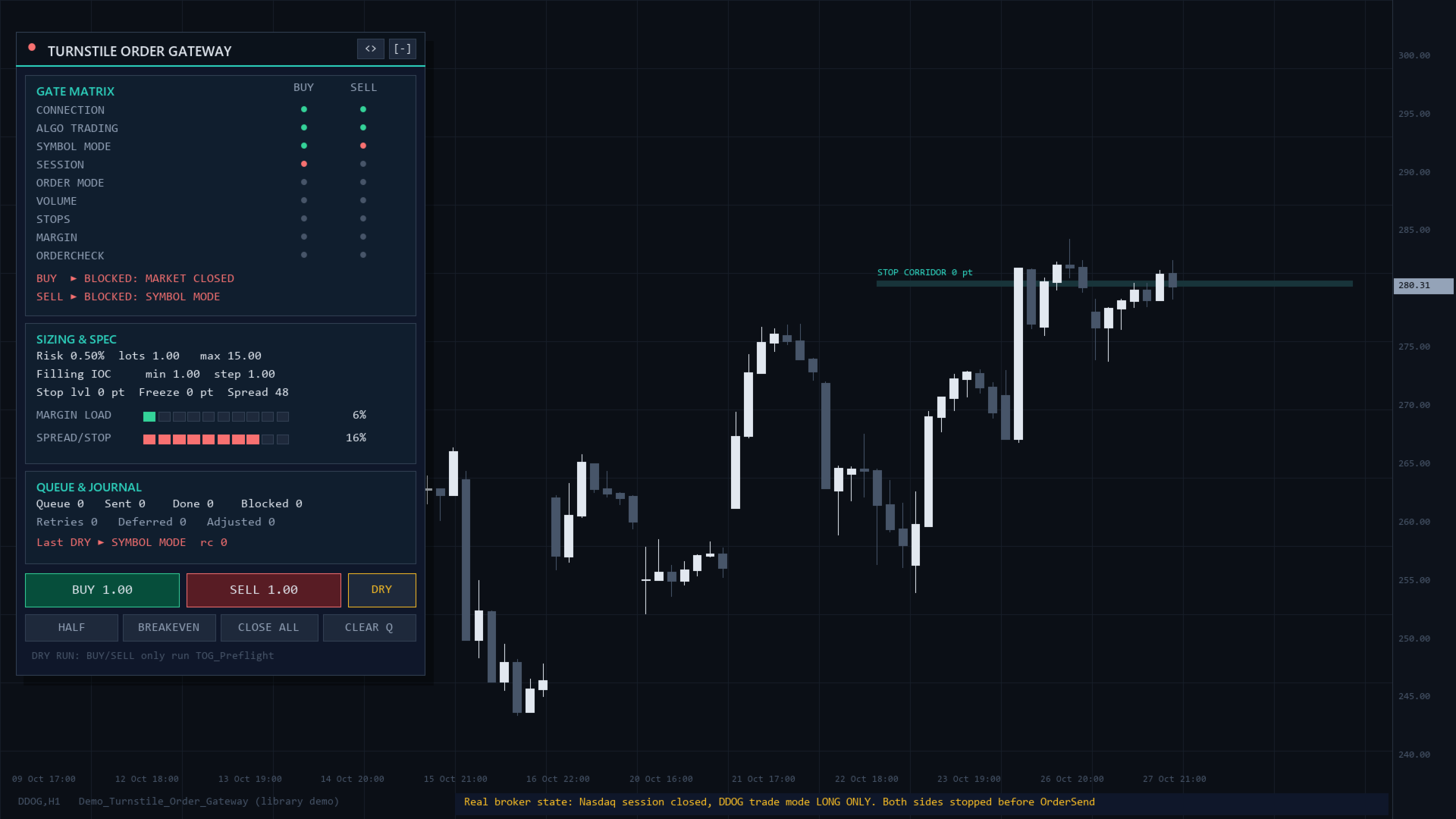
An MQL5 library between your Expert Advisor and OrderSend. Each request passes 9 gates (connection, Algo Trading, symbol mode, session, order-type flags, volume, stops, margin, OrderCheck) before sending. Closes and modifications blocked by the freeze level, a closed session or a lost connection are queued and sent later. It never trades on its own. You receive the compiled Turnstile_Order_Gateway.ex5; this page is the full API reference.
Quick Start
- Copy Turnstile_Order_Gateway.ex5 to MQL5/Libraries (File > Open Data Folder).
- Paste the #import block below into your EA or script.
- Optional: TOG_Configure in OnInit (defaults 20, 3, 300, true, false).
- Call TOG_ProcessQueue in OnTick or OnTimer.
- Trade with TOG_Open, TOG_Modify, TOG_Close. On 0 or false, print TOG_ReasonText(TOG_LastReason()).
- Verify: run the example below in the Strategy Tester; the log shows ticket and reason. Live, enable Algo Trading or checks return -3.
Import Declaration (Copy-Paste Ready)
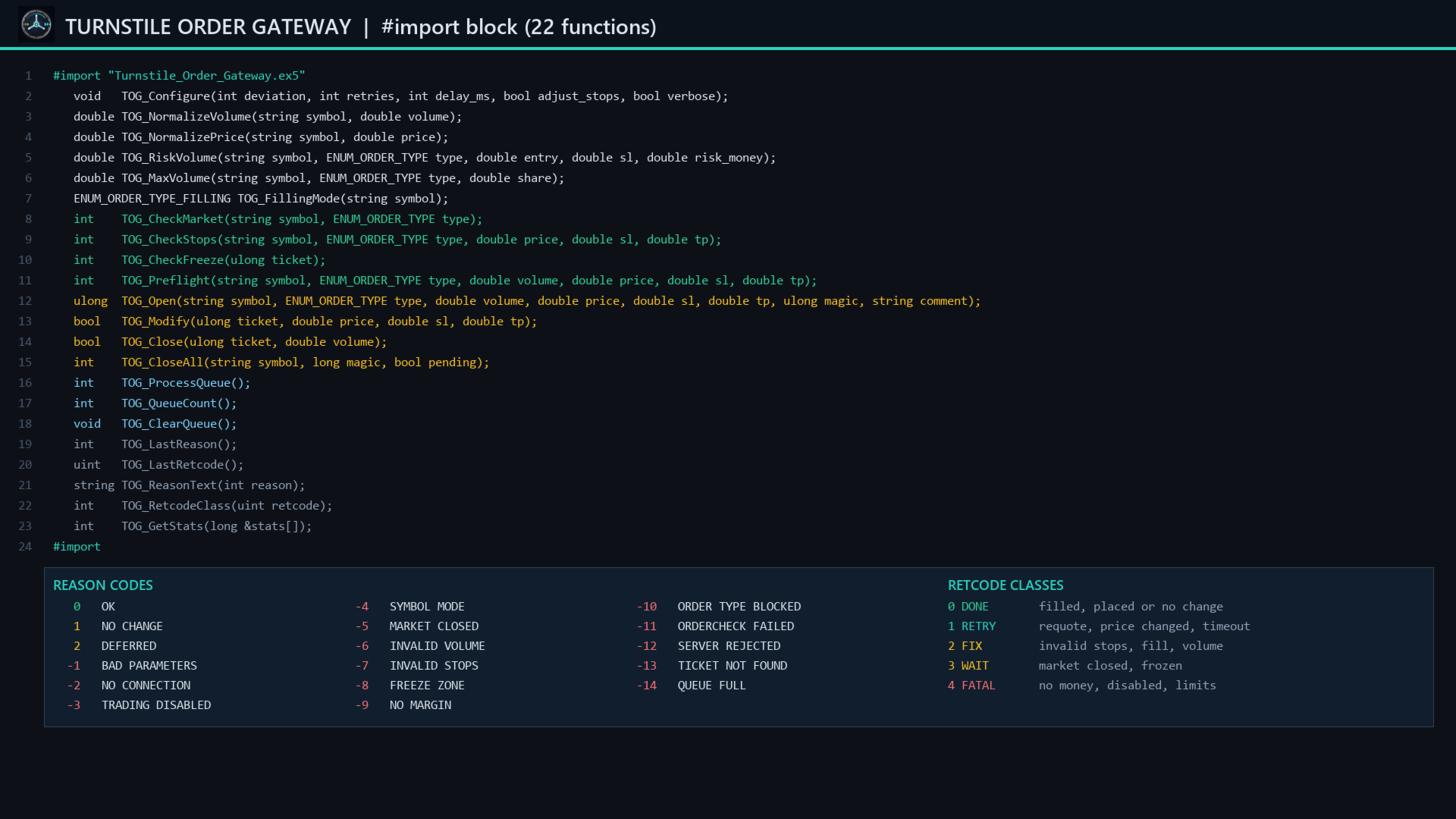
#import "Turnstile_Order_Gateway.ex5"
   void   TOG_Configure(int deviation, int retries, int delay_ms, bool adjust_stops, bool verbose);
   double TOG_NormalizeVolume(string symbol, double volume);
   double TOG_NormalizePrice(string symbol, double price);
   double TOG_RiskVolume(string symbol, ENUM_ORDER_TYPE type, double entry, double sl, double risk_money);
   double TOG_MaxVolume(string symbol, ENUM_ORDER_TYPE type, double share);
   ENUM_ORDER_TYPE_FILLING TOG_FillingMode(string symbol);
   int    TOG_CheckMarket(string symbol, ENUM_ORDER_TYPE type);
   int    TOG_CheckStops(string symbol, ENUM_ORDER_TYPE type, double price, double sl, double tp);
   int    TOG_CheckFreeze(ulong ticket);
   int    TOG_Preflight(string symbol, ENUM_ORDER_TYPE type, double volume, double price, double sl, double tp);
   ulong  TOG_Open(string symbol, ENUM_ORDER_TYPE type, double volume, double price, double sl, double tp, ulong magic, string comment);
   bool   TOG_Modify(ulong ticket, double price, double sl, double tp);
   bool   TOG_Close(ulong ticket, double volume);
   int    TOG_CloseAll(string symbol, long magic, bool pending);
   int    TOG_ProcessQueue();
   int    TOG_QueueCount();
   void   TOG_ClearQueue();
   int    TOG_LastReason();
   uint   TOG_LastRetcode();
   string TOG_ReasonText(int reason);
   int    TOG_RetcodeClass(uint retcode);
   int    TOG_GetStats(long &stats[]);
#import
Reason Codes
TOG_LastReason gives the code, TOG_ReasonText the text in capitals.
- 0 OK; 1 NO CHANGE (equal values, nothing sent); 2 DEFERRED (queued).
- -1 BAD PARAMETERS: unknown symbol or type, pending price 0, volume 0.
- -2 NO CONNECTION: disconnected or no quotes.
- -3 TRADING DISABLED: Algo Trading or account trading off.
- -4 SYMBOL MODE: disabled, close-only, long-only or short-only.
- -5 MARKET CLOSED: outside the trading sessions.
- -6 INVALID VOLUME: outside min/max, off step or over the volume limit.
- -7 INVALID STOPS: SL, TP or pending price wrong side or inside the stop level.
- -8 FREEZE ZONE: price within the freeze level.
- -9 NO MARGIN: market order margin above free margin.
- -10 ORDER TYPE BLOCKED: type or SL/TP not allowed, or pending-order limit reached.
- -11 ORDERCHECK FAILED and -12 SERVER REJECTED: see TOG_LastRetcode.
- -13 TICKET NOT FOUND; -14 QUEUE FULL (256 waiting).
API Reference
type: ORDER_TYPE_BUY, ORDER_TYPE_SELL, ORDER_TYPE_BUY_LIMIT, ORDER_TYPE_SELL_LIMIT, ORDER_TYPE_BUY_STOP or ORDER_TYPE_SELL_STOP (stop-limit returns -1). Prices are absolute; sl or tp 0 means none.
TOG_Configure
deviation: slippage points, 0 or more (invalid: 20). retries: 0-10 (invalid: 3). delay_ms: 0-5000 between retries (invalid: 300). adjust_stops: true moves an SL/TP that is on the correct side but inside the stop level to the nearest legal price plus one tick (plus the spread if the server still refuses); false returns -7. verbose: logs blocks, retries and deferrals with the prefix [TOG].
TOG_NormalizeVolume
Rounds down to the volume step, caps at the maximum. 0.0 below the minimum, for volume 0 or an unknown symbol.
TOG_NormalizePrice
Rounds to tick size and digits. 0.0 for price 0, so an empty SL stays 0.
TOG_RiskVolume
Volume that loses risk_money (account currency) at sl, via OrderCalcProfit (works for crosses, metals, indices, stocks), rounded down. entry 0 = Ask for buy types, Bid for sell types. 0.0 with -6 if the minimum volume risks more, -7 if sl is on the wrong side, -1 for bad inputs.
double lots = TOG_RiskVolume(_Symbol, ORDER_TYPE_BUY, 0, sl, AccountInfoDouble(ACCOUNT_BALANCE) * 0.01);
TOG_MaxVolume
Largest valid volume whose margin fits in free margin x share (0-1, else 1), within the maximum and the remaining volume limit. 0.0 with -9 if the minimum does not fit.
TOG_FillingMode
Market filling: FOK if allowed, else IOC, else RETURN. TOG_Open switches if the server refuses it.
TOG_CheckMarket
Gates 1-4 for opening: connection and quotes, Algo Trading, symbol mode for this direction, session (server time against the session table; no table counts as open). Returns 0 or -1 to -5.
TOG_CheckStops
Market: sl and tp on the correct side of Bid (buy) or Ask (sell), at least SYMBOL_TRADE_STOPS_LEVEL away. Pending: price likewise from the market, sl and tp from price. Returns 0, -7, -1 or -2.
TOG_CheckFreeze
-8 when Bid (buy) or Ask (sell) is within SYMBOL_TRADE_FREEZE_LEVEL of the position's SL or TP, or the market is that close to a pending order's price. 0 if the level is 0, -13 for an unknown ticket.
TOG_Preflight
All 9 gates in order, nothing sent: market gates, order-type flags and pending limit, volume, stops, margin (market orders), OrderCheck. Returns the first failure or 0.
if(TOG_Preflight(_Symbol, ORDER_TYPE_SELL, 0.10, 0, sl, tp) != 0) Print(TOG_ReasonText(TOG_LastReason()));
TOG_Open
Normalizes volume and prices, adjusts stops if enabled, runs TOG_Preflight, sends. Market orders (price 0) retry requotes, price changes, timeouts and connection errors with fresh prices. Pending orders use GTC, or DAY if GTC is not allowed. Returns the position ticket (market), order ticket (pending) or 0. Never queued.
TOG_Modify
SL/TP of a position, or price/SL/TP of a pending order (price 0 keeps it). Equal values: true, reason 1. Blocked by the freeze zone, a closed session or no connection: false, reason 2, queued; a newer call for the ticket replaces it.
TOG_Close
Closes a position or deletes a pending order. volume 0 or the full volume closes all; less closes part (rounded down); a remainder below the minimum closes all. Blocked as above: false, reason 2, queued (replacing a queued modify).
TOG_CloseAll
TOG_Close for each position (and pending order if pending) matching symbol ("" = all) and magic (-1 = any). Returns how many closed now.
TOG_ProcessQueue
Sends queued actions once unblocked; call it in OnTick or OnTimer. An action leaves the queue on success, when its ticket is gone or on another failure; after a server refusal it waits one second. Returns the number completed.
TOG_QueueCount and TOG_ClearQueue
Waiting actions (maximum 256); discard all without sending.
TOG_LastReason, TOG_LastRetcode and TOG_ReasonText
Reason of the last call; last server retcode (0 if nothing was sent); text of a reason code ("UNKNOWN" otherwise).
TOG_RetcodeClass
0 DONE (placed, done, partial, no changes, position closed), 1 RETRY (requote, reject, error, timeout, price changed or invalid, off quotes, too many requests, locked, connection), 2 FIX (invalid request, volume, stops, expiration, fill, order), 3 WAIT (market closed, frozen), 4 FATAL (others, e.g. no money).
TOG_GetStats
Fills stats[] with 10 counters, returns 10: 0 requests, 1 sent, 2 done, 3 blocked, 4 retries, 5 deferred, 6 done from queue, 7 refused, 8 stops adjusted, 9 dropped.
Working Integration Example
#import "Turnstile_Order_Gateway.ex5"
   double TOG_RiskVolume(string symbol, ENUM_ORDER_TYPE type, double entry, double sl, double risk_money);
   ulong  TOG_Open(string symbol, ENUM_ORDER_TYPE type, double volume, double price, double sl, double tp, ulong magic, string comment);
   bool   TOG_Close(ulong ticket, double volume);
   int    TOG_ProcessQueue();
   int    TOG_LastReason();
   string TOG_ReasonText(int reason);
#import

ulong ticket = 0;
bool  tried  = false;

void OnTick()
{
   TOG_ProcessQueue();
   if(!tried)
   {
      tried = true;
      double sl   = SymbolInfoDouble(_Symbol, SYMBOL_BID) - 300 * _Point;
      double lots = TOG_RiskVolume(_Symbol, ORDER_TYPE_BUY, 0, sl, 10.0);
      ticket = TOG_Open(_Symbol, ORDER_TYPE_BUY, lots, 0, sl, 0, 7001, "turnstile");
      Print("open ", ticket, ": ", TOG_ReasonText(TOG_LastReason()));
   }
   if(ticket > 0 && PositionSelectByTicket(ticket) && PositionGetDouble(POSITION_PROFIT) > 5.0)
      Print("close: ", TOG_Close(ticket, 0), " ", TOG_ReasonText(TOG_LastReason()));
}
Architecture and Notes
- Each importing program has its own settings, statistics and in-memory queue (lost when the EA is removed or the terminal restarts).
- Checks only read terminal data; only TOG_Open, TOG_Modify, TOG_Close, TOG_CloseAll and TOG_ProcessQueue send, synchronously.
- Setups: validator safety = defaults plus TOG_ProcessQueue in OnTick; strict stops = adjust_stops false; development = verbose true and TOG_GetStats on your panel.
- MetaTrader 5, netting and hedging, any symbol; EAs and scripts only. Safe in the Strategy Tester, optimization and MQL5 Cloud Network (no DLLs, files, web requests; no retry pause in the tester).
- No chart objects, timers, files or global variables; may add a symbol to Market Watch for quotes.
- A holiday missing from the session table is caught from the server reply as -5.
- Not supported: stop-limit orders, close-by, OrderSendAsync.
Risk Notice
The library checks and sends the requests your code makes. It does not choose entries or guarantee fills, prices or profits. Test on a demo account first.