VPS server is blocked from accessing mql5.com - page 2

You are missing trading opportunities:
- Free trading apps
- Over 8,000 signals for copying
- Economic news for exploring financial markets
Registration
Log in
You agree to website policy and terms of use
If you do not have an account, please register
but I am curious about how forexvps solves the problem
Forum on trading, automated trading systems and testing trading strategies
...
Manisit Tabtim, 2025.08.29 13:20
Hello,
Over the past few days, I have seen several people posting about this issue in Facebook groups, and I have also experienced it myself. I ran some tests and recorded a video to help the mql5 team better understand the problem.
After installing MT5 from Exness Technologies and trying to log in to a trading account, the login fails (showing "lost"), and my IP immediately gets blocked from accessing mql5.com.
This issue will occur as well when I install MT5 from another broker and simply search for "Exness Technologies" within the platform. Usually, just one search followed by a login attempt is enough for mql5.com to block the IP and show the "lost" message (in the video, I tried twice, and the IP was blocked).
I hope this information and the video help your team identify and resolve the issue.
Best regards,
Check host file: #19
Check host file: #19
This has happened in many cases already. I can provide you with a machine to test if needed
This has happened in many cases already. I can provide you with a machine to test if needed
You should find the reson by yourself:
Forum on trading, automated trading systems and testing trading strategies
vps server is blocked from accessing mql5.com
Sergey Golubev, 2024.03.26 12:49
Error 403 ?
read this summary blog post about the reasons -
--------------------
My case:
1. I had error 403 and I found that I need to reinstall Microsoft Edge WebView2 ... why? No idea (it was new laptop with Windows 11).
I reinstalled WebView2 and everything is fine up to now (no error 403).
2. After that - new issue with same computer:I could not access the forum ... I checked host file and found the issue and fixed it according to this post #19
...that is why I do not like new computers :)
--------------------
So, there are a lot of reasons for error 403, and you should find the reason by yourself sorry.
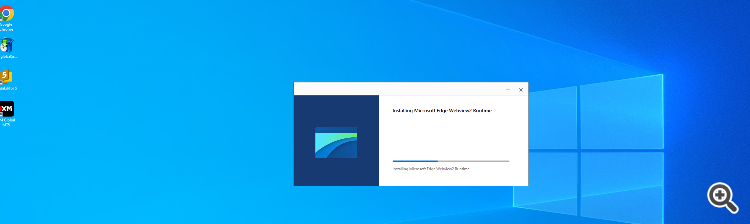
l Microsoft Edge WebView2
I have already tried everything — there are no custom settings in the host file.
I also reinstalled Microsoft Edge WebView2 to the latest version and reboot, but the problem still persists.
Try watching the video first; it's a different case In the video, MT5 works normally, and I tested it with other brokers without any issues.
However, as soon as I search for "Exness Technologies," the IP gets blocked immediately.
have you opened a ticket for support? add a link to this thread.
You should find the reson by yourself:
--------------------
My case:
1. I had error 403 and I found that I need to reinstall Microsoft Edge WebView2 ... why? No idea (it was new laptop with Windows 11).
I reinstalled WebView2 and everything is fine up to now (no error 403).
2. After that - new issue with same computer:I could not access the forum ... I checked host file and found the issue and fixed it according to this post #19
...that is why I do not like new computers :)
--------------------
So, there are a lot of reasons for error 403, and you should find the reason by yourself sorry.
I also tried XM and ICMarkets, and everything was fine.
But for clarity, I tried installing the MT5 from Exness (Technologies) directly, and it turned out to be blocked again.
I think there must be something wrong with this exness broker
After MQL5 Support unblocked me, everything started working normally again.
I also tried XM and ICMarkets, and everything was fine.
But for clarity, I tried installing the MT5 from Exness (Technologies) directly, and it turned out to be blocked again.
I think there must be something wrong with this exness broker
that broker has many threads with different issues with that broker over the years.