### ExMachina Trade Pilot v1.30 — Complete Order Management in One Panel
**Precision before profit.**
Professional order management panel for MetaTrader 5. One-click trading with automatic lot calculation, multi-TP partial close system, four smart trailing stop modes, automatic breakeven, and a real-time dashboard — all from a single on-chart panel.
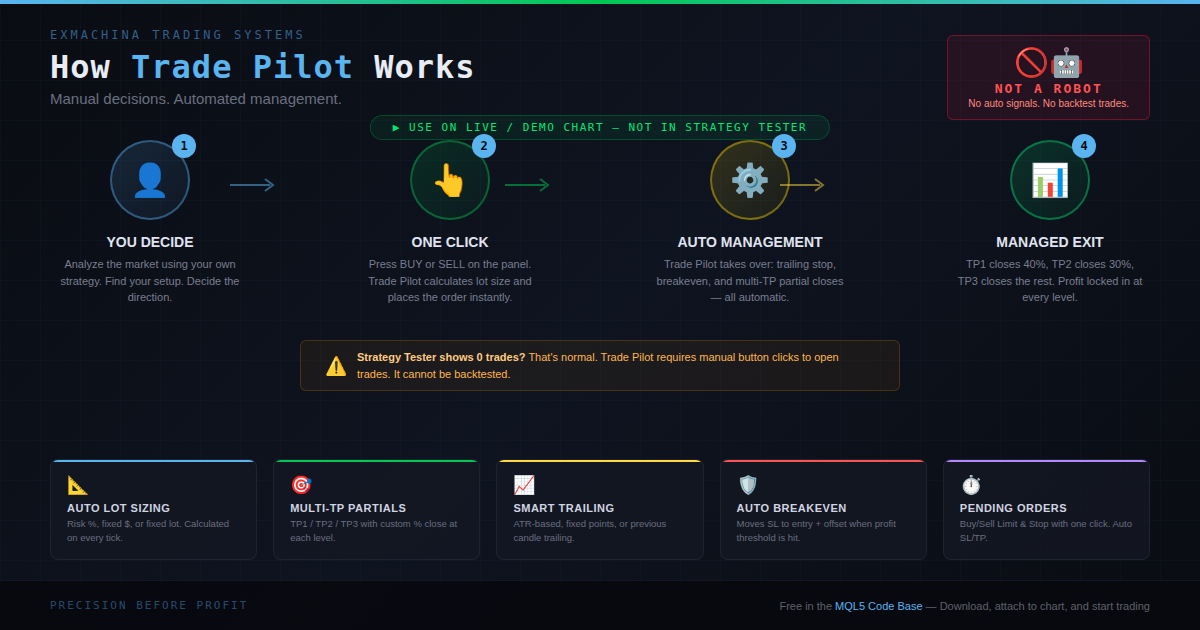
**Important:** Trade Pilot is a manual trade management panel, not an automated trading robot. It does not generate signals or open trades by itself. Running it in the Strategy Tester will show zero trades — this is expected. Attach it to a live or demo chart, enable Algo Trading, and use the panel buttons.
---
### What's New in v1.30
This update fixes the **"Invalid prices (ask=0.00000 bid=0.00000)"** error reported by multiple users.
**Root cause:** The CSymbolInfo object returned stale or zero prices even after calling Refresh(). All price reads are now replaced with direct SymbolInfoDouble() calls through helper functions (GetAsk, GetBid, GetPoint, GetDigits), ensuring every price read hits the server directly.
**Market-price fill:** Orders now send price=0, which instructs the broker to fill at the best available price. After the fill, Trade Pilot reads the actual fill price and recalculates SL/TP based on the real entry — eliminating rejections caused by stale prices.
**Price validation gate:** A check at the start of OnTick skips all processing when prices are zero (market closed, symbol not loaded). Warnings print once every 30 seconds instead of flooding the Experts tab on every tick.
**Additional guards:** ManageTrailing and ManageBreakeven now verify prices before attempting any position modification.
All fixes from v1.10 remain intact. Credit to the community member who identified the CSymbolInfo caching issue and contributed the initial fix.
---
### How It Works
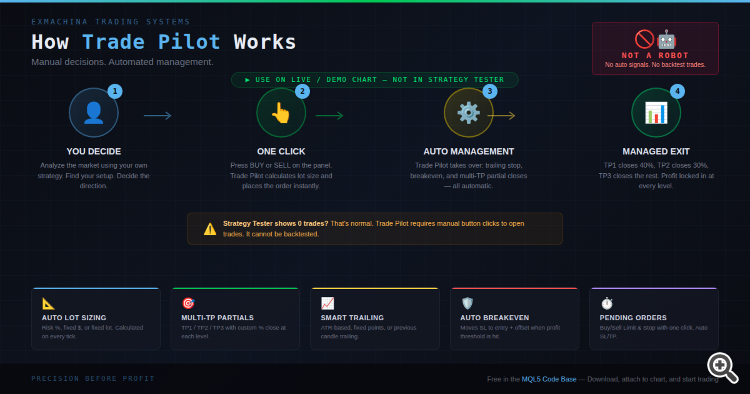
1. You analyze the market and decide the direction
2. You click BUY or SELL on the panel
3. Trade Pilot calculates lot size, places the order with SL/TP
4. From that point, everything is automatic: multi-TP partial closes, smart trailing, and breakeven
---
### Feature 1: One-Click Trading with Auto Lot
Click BUY or SELL. Trade Pilot automatically:
- Calculates the correct lot size based on your risk settings (% of balance, fixed $, or fixed lot)
- Places the stop loss validated against the broker's minimum stop level
- Sets the take profit at the furthest TP level
- Registers the position for multi-TP tracking
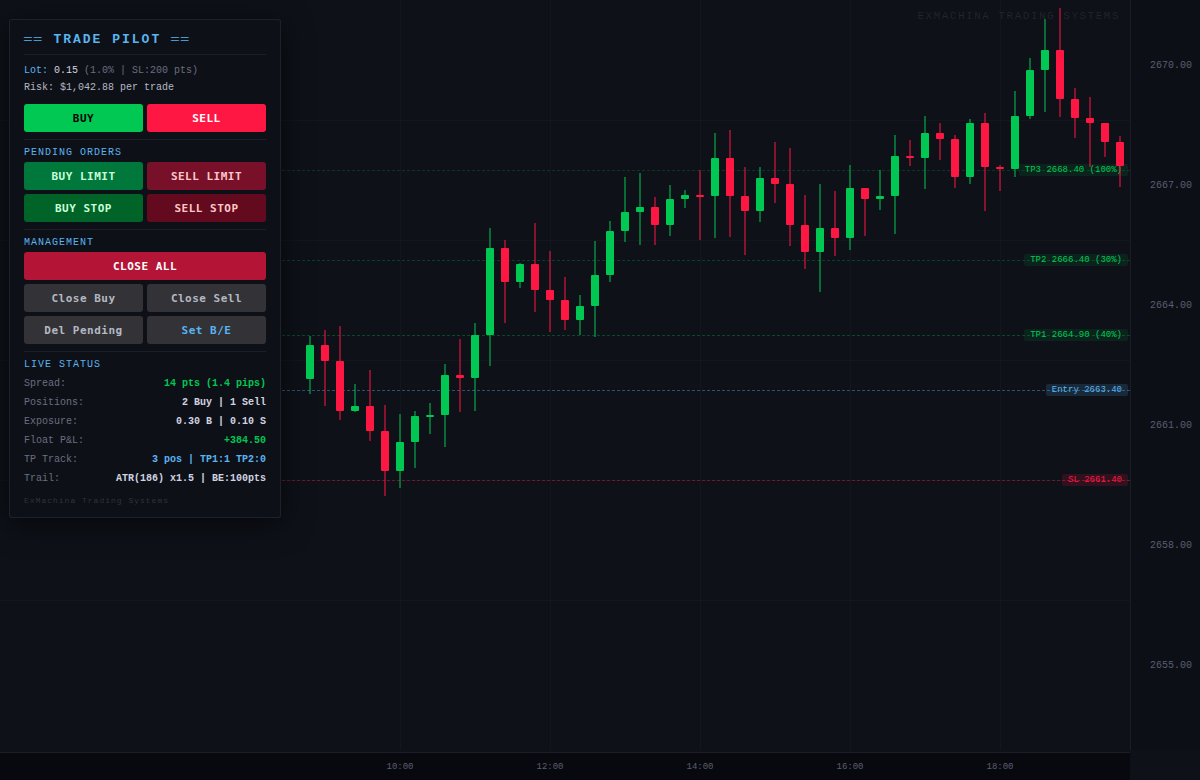
The panel shows the calculated lot and dollar risk in real time, updating on every tick.
---
### Feature 2: Multi-TP Partial Close System
Define up to 3 take-profit levels with individual close percentages:
- **TP1** (default 150 pts, close 40%): Lock in early profits
- **TP2** (default 300 pts, close 30%): Secure more with reduced risk
- **TP3** (default 500 pts, close 100%): Let the runner reach full target
When price hits TP1, Trade Pilot closes 40% of the position. At TP2, another 30%. At TP3, the remainder. Each partial close is logged. TP state persists across EA restarts via position comments.
---
### Feature 3: Smart Trailing Stop
Four trailing modes:
- **Fixed Points**: Classic trailing at a fixed distance
- **ATR-Based**: Dynamic trailing that adapts to volatility. Uses ATR(14) x 1.5 by default
- **Previous Candle**: Trails to the previous candle's high/low for natural S/R trailing
- **None**: Disable trailing, manage manually
All modes include a minimum step parameter and broker stops level validation.
---
### Feature 4: Automatic Breakeven
When a position reaches the configured profit threshold (default 100 points), Trade Pilot moves the SL to breakeven plus offset automatically. The "Set B/E" button forces breakeven on all profitable positions with one click.
---
### Feature 5: Pending Orders and Position Management
Place any pending order with one click: Buy Limit, Sell Limit, Buy Stop, Sell Stop. Each order uses the configured offset from current price with automatic SL/TP calculation. All prices validated against broker minimums.
Management buttons: Close All, Close Buy, Close Sell, Delete Pending, Set Breakeven.
---
### Live Dashboard
The panel displays in real time: calculated lot size with risk mode and dollar amount, current spread (color-coded), open positions by direction, total lot exposure, floating P&L, multi-TP tracker status, trailing mode with live ATR value, and breakeven configuration.
---
### Parameters
| Group | Parameter | Default |
|-------|-----------|---------|
| Lot Sizing | Mode | Risk % of balance |
| Lot Sizing | Risk Percent | 1.0% |
| Lot Sizing | Default SL | 200 points |
| Take Profits | TP1 Distance / Close % | 150 pts / 40% |
| Take Profits | TP2 Distance / Close % | 300 pts / 30% |
| Take Profits | TP3 Distance / Close % | 500 pts / 100% |
| Trailing | Mode | ATR-based |
| Trailing | ATR Period / Multiplier | 14 / 1.5x |
| Trailing | Trail Step | 10 points |
| Breakeven | Enabled / Trigger / Offset | Yes / 100 pts / 5 pts |
| Pending | Offset from price | 100 points |
| Pending | SL / TP | 200 / 400 points |
| Advanced | Magic Number | 777777 |
| Advanced | Slippage | 20 points |
---
### Installation
1. Download the .mq5 file and place it in your MQL5/Experts/ folder
2. Open MetaEditor and compile the file (F7)
3. Make sure the Algo Trading button in the toolbar is green
4. Drag the EA onto any chart
5. In the Common tab, check "Allow Algo Trading"
6. Configure risk parameters in the Inputs tab and click OK
7. Check Experts tab (Ctrl+E) for "v1.30 initialized"
---
### Troubleshooting
**Buttons don't respond:** The Algo Trading button in the MT5 toolbar must be green, and "Allow Algo Trading" must be checked in the EA's Common tab. v1.30 logs the exact reason in the Experts tab.
**"Waiting for valid prices" message:** The symbol is not receiving live data. Right-click the symbol in Market Watch and select "Show All", or switch the chart timeframe to force a refresh. This also appears normally when the market is closed.
**"Invalid stops" errors:** Your broker requires wider stop distances. Increase the Default SL and Pending SL values in the inputs.
**Zero trades in Strategy Tester:** Expected behavior. Trade Pilot is a manual panel — it requires button clicks to open trades. Use on a live or demo chart.
---
### Compatibility
- MetaTrader 5, all brokers
- Hedging and Netting accounts
- All instruments: Forex, Gold, Indices, Crypto
- All timeframes
---
### Changelog
**v1.30** — Fixed "Invalid prices (ask=0.00000)" by replacing all CSymbolInfo price reads with direct SymbolInfoDouble() calls. Market orders use price=0 for best-price fill with post-fill SL/TP recalculation. Added OnTick price validation gate with 30-second throttled warnings. Added price guards in ManageTrailing and ManageBreakeven. Added RefreshRates(). Community fix integrated.
**v1.10** — Fixed button click reliability with Algo Trading permission check. Fixed Error 4756 invalid stops on strict brokers. Fixed SELL_STOP negative prices. Added multi-TP state persistence in position comments. Replaced Sleep(100) with deferred tick-based registration. Fixed SELL trailing reference price to use Ask. Fixed candle trailing negative distance on gaps. Added SYMBOL_TRADE_STOPS_LEVEL validation. Added detailed error logging.
**v1.00** — Initial release.
---
ExMachina Trading Systems — Precision before profit.
 MetaTrader 5
 Experts
 Indicators
 Scripts
 Libraries
 Storage
 You are missing trading opportunities:
 Need a robot or indicator based on this code? Order it on Freelance
Go to Freelance
Need a robot or indicator based on this code? Order it on Freelance
Go to Freelance


 Last Structure Indicator : LSB Explorer
 ExMachina SafeScalping