|
6+ Jahre
Erfahrung
|
23
Produkte
|
96
Demoversionen
|
|
0
Jobs
|
0
Signale
|
0
Abonnenten
|
I’ve been trading Forex since 1998 and developing trading algorithms and tools to exploit trends since 2002.
I launched ALGOSAMURAI.COM in 2017 to help all traders succeed in this very challenging market with some of my best strategies and tools.
Myfxbook portfolio of automated strategies: myfxbook.com/members/falcon333
*** Download fully functional versions of all my products here: https://www.algosamurai.com/product-category/free/ ***
*** Join our telegram discussion group: https://t.me/+fxi0u8hm4KU2OGJh ***
*** My Telegram ID: @BRodger ****
⭐️ 3 ULTIMATE BENEFITS FOR SUBSCRIBING ⭐️
🔥 Access To Our Profit-Enhancing TRADER TOOLS
-------------------------------------------------------------------------------------------------------------------------
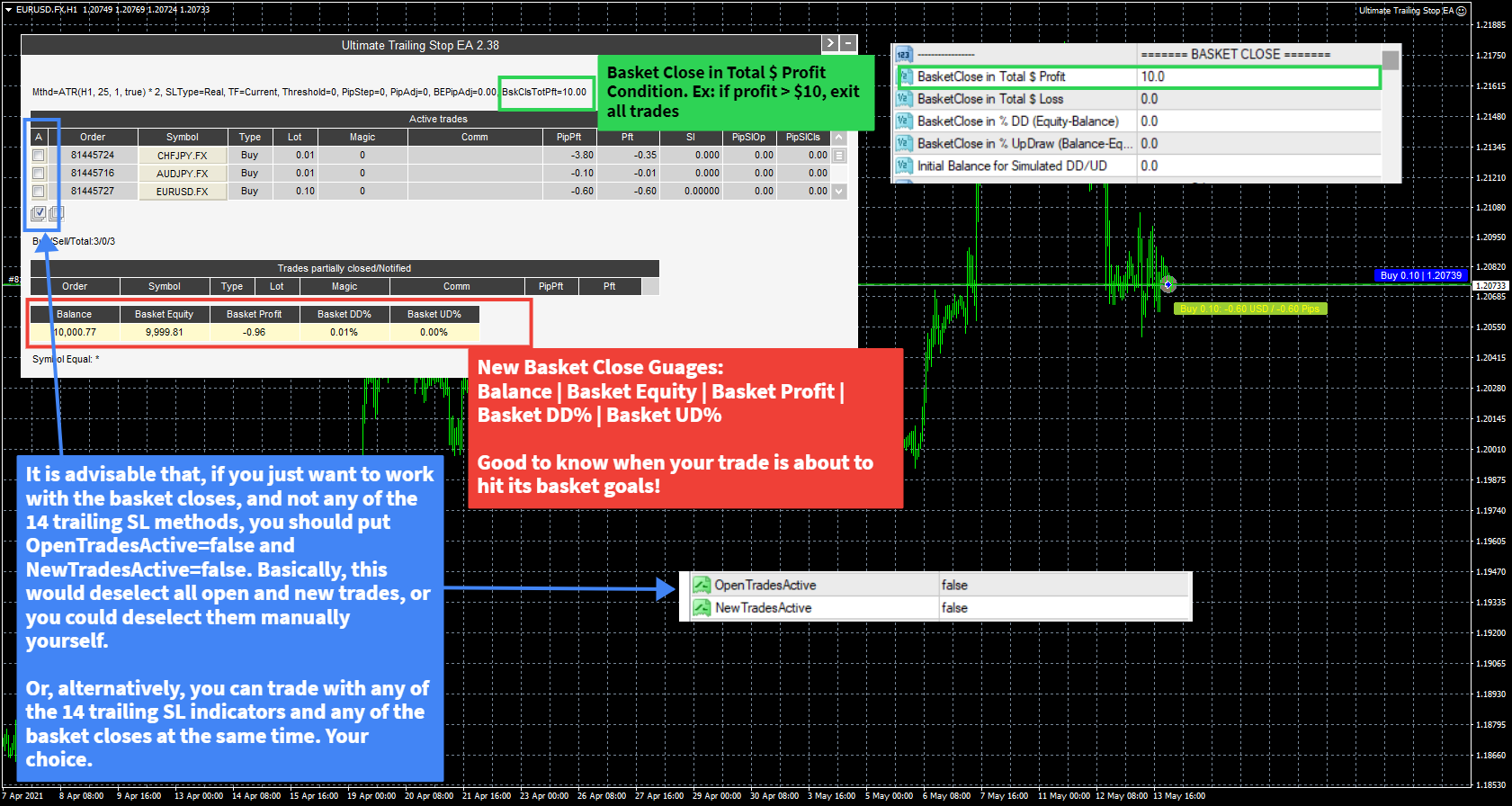
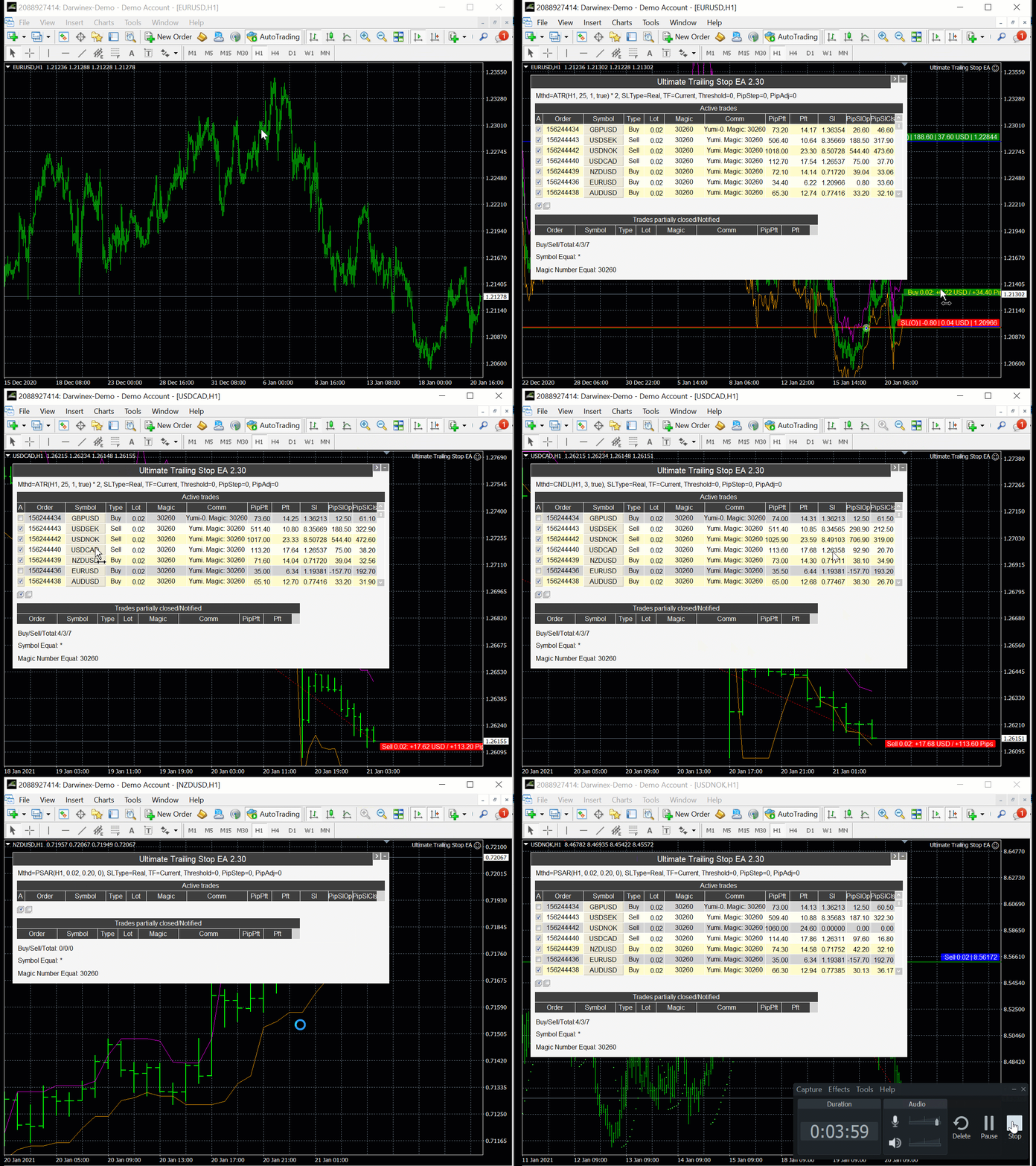
🔹 Ultimate Trailing Stop EA 🔹
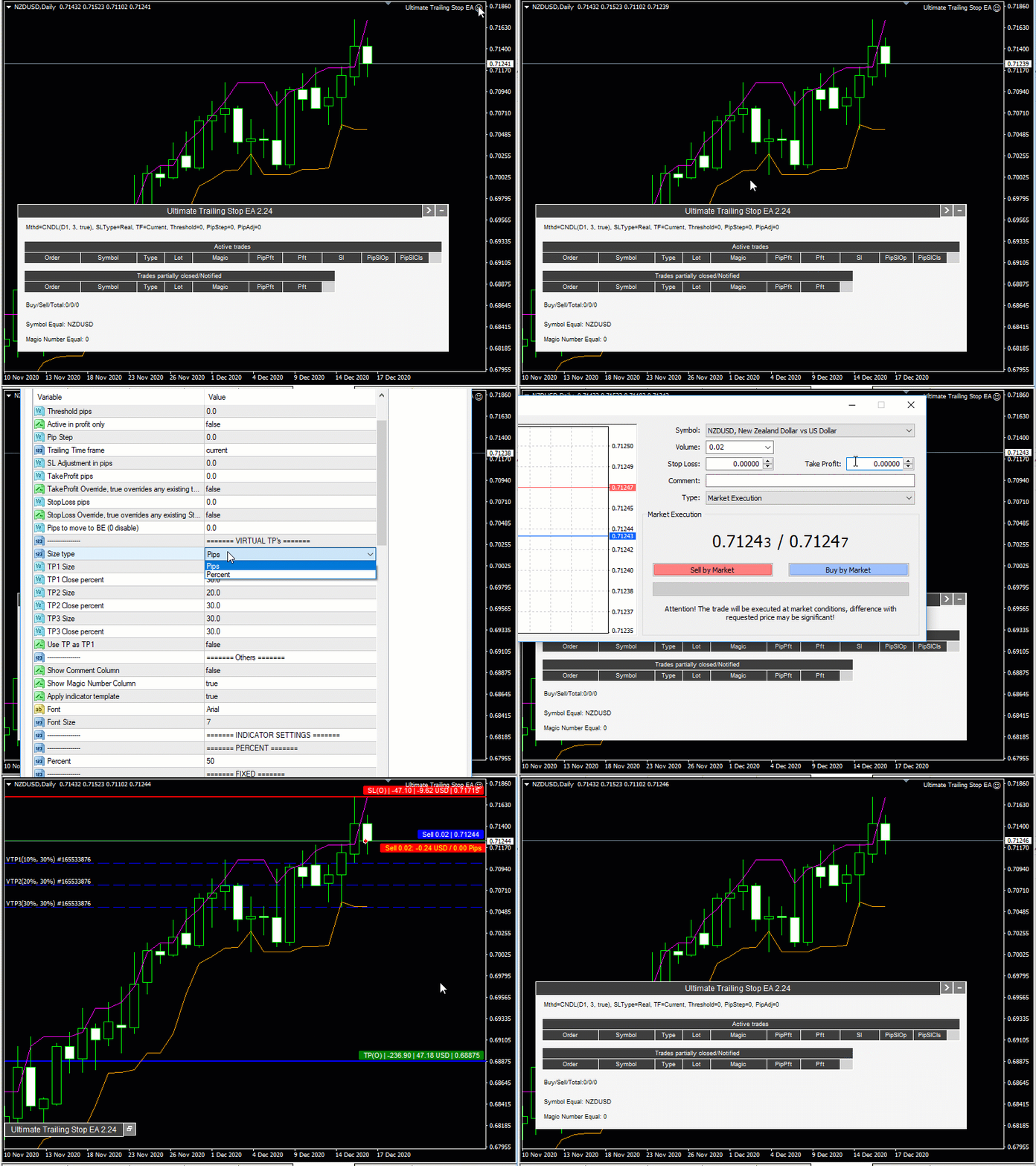
✅ Automatically trail your opened positions using one of 14 trailing algorithms: fixed, percent, ATR Exit, Chandelier Exit, Moving Average, Candle High Low Exit, Bollinger Bands, Parabolic, Envelope, Fractal, Ichimoku Kijun-San, Alligator, Exit After X Minutes, Exit After X Bars
✅ Choose between a real or virtual trailing stop, and get out fully or partially at a desired percent
✅ Manage unlimited open orders (manual or EA) of different symbols
✅ Filter open orders based on symbol, magic number, comment, or ticket
✅ Display on-screen trade information and their trailing stop levels, along with dynamically updating pips to level, pips & dollar profit
UTS EA for MT4: https://www.mql5.com/en/market/product/52283
UTS EA for MT5: https://www.mql5.com/en/market/product/73983
------------------------------------------------------------------------------------------------------------------------
🔹 Ultimate Partial Profit EA 🔹
✅ Choose unlimited partial profit levels based on pips, ratio, ATR and profit
✅ Manage unlimited open orders (manual or EA) of different symbols
✅ Filter open orders based on symbol, magic number, comment, or ticket
✅ Display on-screen partial open trade information and their partial levels, along with dynamically updating pips to level, pips & dollar profit
UPP EA: https://www.mql5.com/en/market/product/50997
-------------------------------------------------------------------------------------------------------------------------
🔹 Ultimate Trade Copier 🔹
✅ Copy between unlimited MT4 accounts.
✅ You can have one or multiple masters (on one or multiple accounts) copy over to one or multiple slaves (on one or multiple accounts)
✅ Allow special symbols setup (i.e.: US_500=US500;US_30=US30, etc.,)
✅ Max Price, Spread and Time Deviation options (even time schedule options).
✅ Option to copy if Account Equity/Margin/(DD%) is above (below) certain level
✅ Option to copy old orders, max orders, order type
✅ Option to copy only if master is positive or negative by x pips or atr multiplier.
✅ Option to recopy closed trades
✅ 6 Different lot sizing options (Fixed, Multiplier, Risk %, Proportional Ratio, Money Ratio)
✅ Advanced SL/TP sync options (sync, don't sync, overwrite in pips or atr)
✅ 3 Indicator-based filter options (MA, RSI, Momentum)
✅ Filter master and/or slave copied orders by symbol, magic number, comment
✅ Beautiful panel that displays your configurations plus customizable columns for showing master and slave ticket side by side, symbol, order type, lot size, open price, price diff, open time, time diff, SL and TP in price and pips, open profits and pips, spread, magic, comment, and close button.
UTC: https://www.mql5.com/en/market/product/67584
--------------------------------------------------------------------------------------------------------------------------
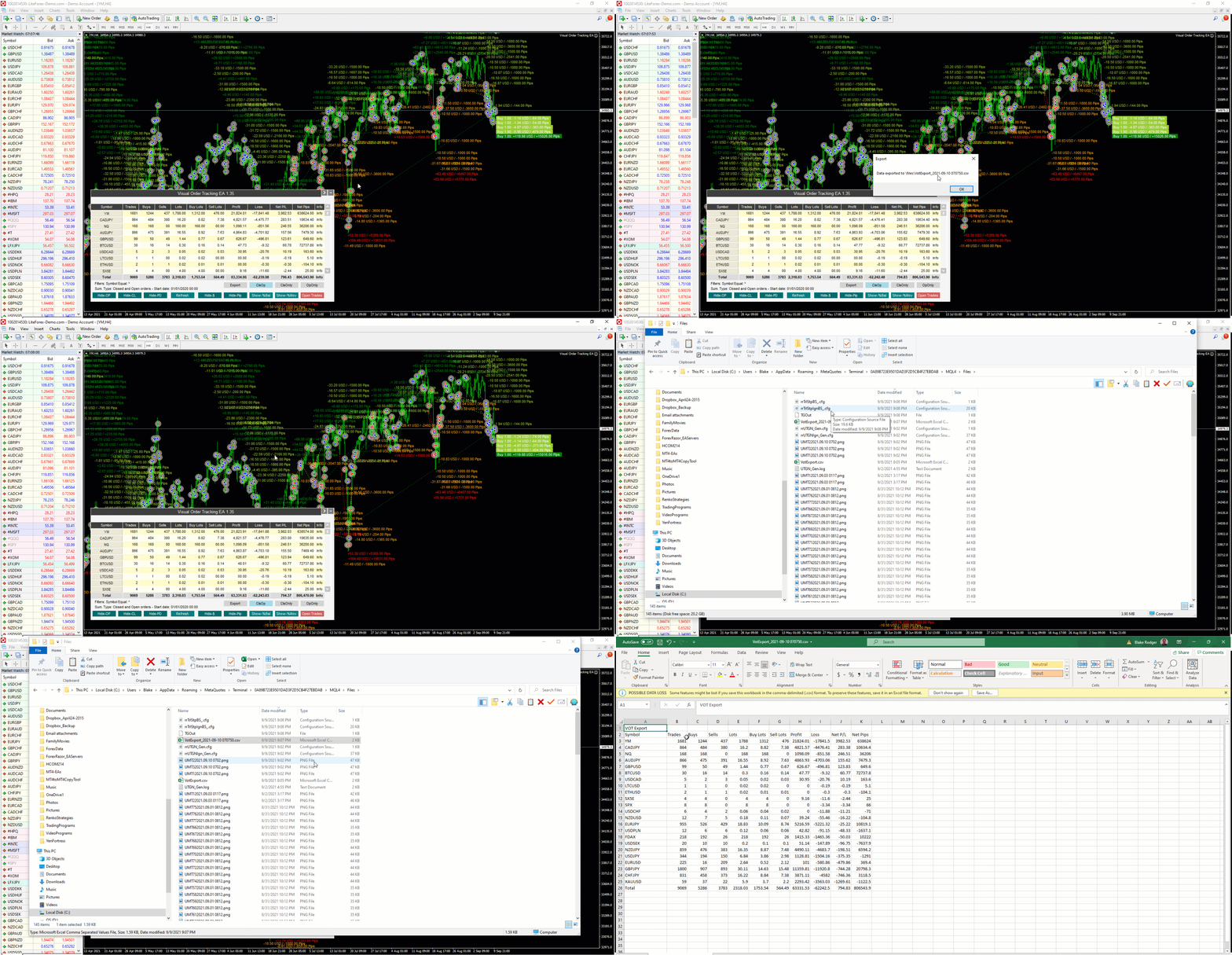
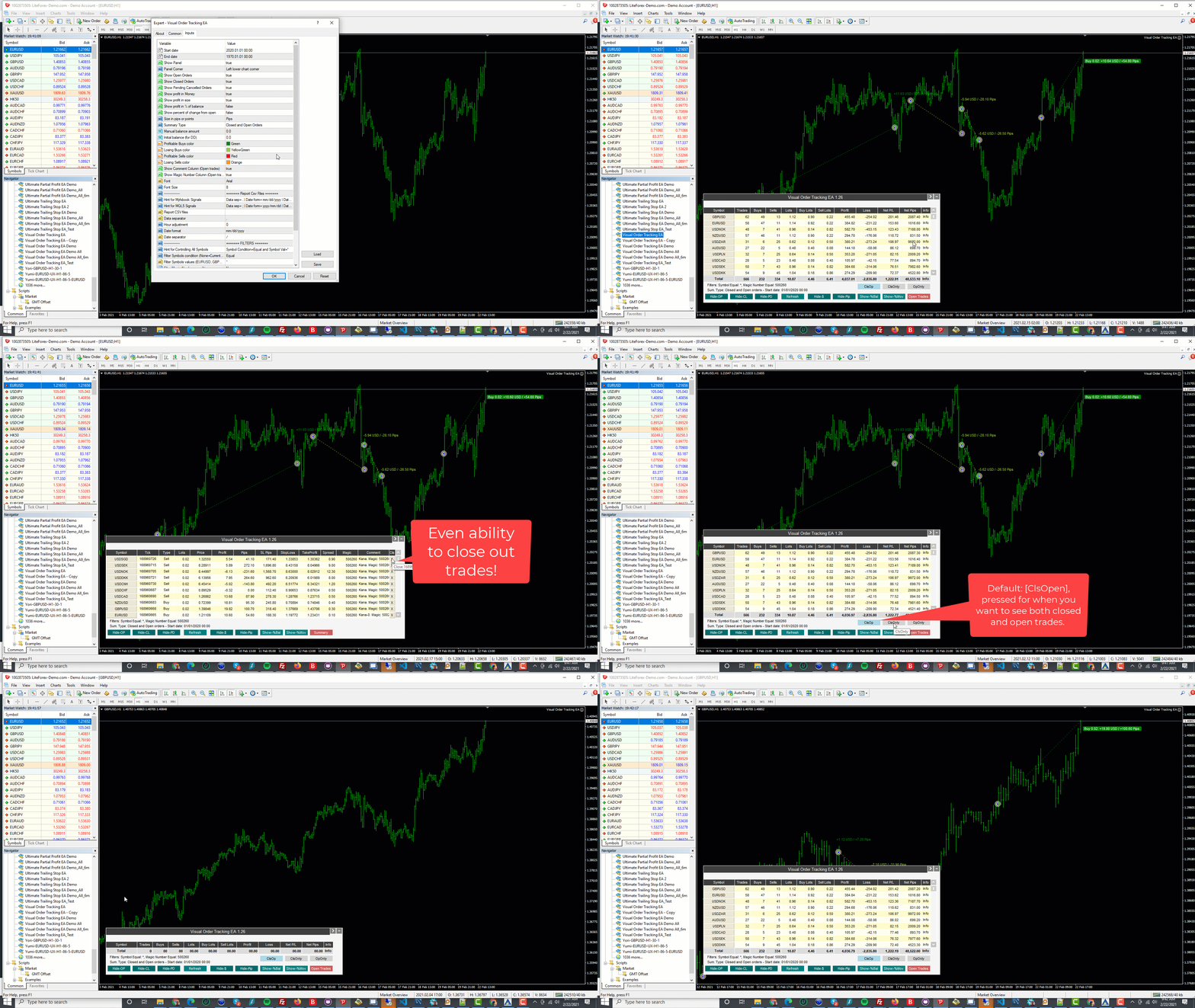
🔹 Visual Order Tracking (VOT) EA & Indicator🔹
✅ Displays open and/or closed order arrows, lines and trade result numbers
✅ Displays 4 key trade result numbers for closed or open trades: 1) profit in the deposit currency; 2) pips or points; 3) profit % of balance; 4) % change related to open.
✅ Displays Open/SL/TP levels with in pips/profit from open (close) to level as well as partial closing options
✅ Displays sortable Summary Panel in grid/table form to show results by symbol, trades, lots, profit, pips.
✅ Displays summary performance statistics by symbol: trade frequency, win rate, profit/loss ratio, profit factor, expectancy, success score, breakeven rate, and draw down.
✅ Display sortable Open Trade Panel in grid/table form to show open trades by Symbol Ticket, Type, Lots, Profit, pips, SL pips, SL, TP, Spread, Magic, Comment and Close Button.
✅ Filter trades using advanced filtering system: equal/not equal / contain /not contain for symbol, magic, comment, and ticket.
✅ Switch between symbols: click on any symbol in dashboard to switch to target symbol in same chart, to see visual tracking information for that symbol
✅ VOT indicator and VOT EA are essentially the same with the primary difference being that the VOT indicator allows you to work with any other EAs on the same chart, whereas the VOT EA gives you the additional (very cool) feature of partially closing open trades by percent or custom lots. VOT EA can also be run with the visual backtester to simulate trading in order to see how the VOT looks and feels.
VOT EA: https://www.mql5.com/en/market/product/55292
VOT Indicator: https://www.mql5.com/en/market/product/54887
-------------------------------------------------------------------------------------------------------------------------
🔥 Exclusive Access To Our 150+ PROFITABLE FOREX SIGNALS 🔔
✅ 150 signals, 20 different markets, all verified profitable by myfxbook
✅ 15-year Backtested + 3-year Live Tested
✅ Reversal Trend-Following on H1 and Renkos
✅ Low open trade leverage, no dangerous methods used 🛡️
✅ One open trade at a time, FIFO compliant
----------------------------------------------------------------------------------------------------------------------------------------------
⭐️ Also, if anyone is interested, I developed an advanced Tradestation™ to MT4 trade copier. It copies unlimited tradestation strategies (with advanced filtering) to any number of MT4 accounts. Contact me for more details.
⭐️ GET IN TOUCH ⭐️
Send me a message: telegram @blakerodger or skype ID: falconeer333
I launched ALGOSAMURAI.COM in 2017 to help all traders succeed in this very challenging market with some of my best strategies and tools.
Myfxbook portfolio of automated strategies: myfxbook.com/members/falcon333
*** Download fully functional versions of all my products here: https://www.algosamurai.com/product-category/free/ ***
*** Join our telegram discussion group: https://t.me/+fxi0u8hm4KU2OGJh ***
*** My Telegram ID: @BRodger ****
⭐️ 3 ULTIMATE BENEFITS FOR SUBSCRIBING ⭐️
🔥 Access To Our Profit-Enhancing TRADER TOOLS
-------------------------------------------------------------------------------------------------------------------------
🔹 Ultimate Trailing Stop EA 🔹
✅ Automatically trail your opened positions using one of 14 trailing algorithms: fixed, percent, ATR Exit, Chandelier Exit, Moving Average, Candle High Low Exit, Bollinger Bands, Parabolic, Envelope, Fractal, Ichimoku Kijun-San, Alligator, Exit After X Minutes, Exit After X Bars
✅ Choose between a real or virtual trailing stop, and get out fully or partially at a desired percent
✅ Manage unlimited open orders (manual or EA) of different symbols
✅ Filter open orders based on symbol, magic number, comment, or ticket
✅ Display on-screen trade information and their trailing stop levels, along with dynamically updating pips to level, pips & dollar profit
UTS EA for MT4: https://www.mql5.com/en/market/product/52283
UTS EA for MT5: https://www.mql5.com/en/market/product/73983
------------------------------------------------------------------------------------------------------------------------
🔹 Ultimate Partial Profit EA 🔹
✅ Choose unlimited partial profit levels based on pips, ratio, ATR and profit
✅ Manage unlimited open orders (manual or EA) of different symbols
✅ Filter open orders based on symbol, magic number, comment, or ticket
✅ Display on-screen partial open trade information and their partial levels, along with dynamically updating pips to level, pips & dollar profit
UPP EA: https://www.mql5.com/en/market/product/50997
-------------------------------------------------------------------------------------------------------------------------
🔹 Ultimate Trade Copier 🔹
✅ Copy between unlimited MT4 accounts.
✅ You can have one or multiple masters (on one or multiple accounts) copy over to one or multiple slaves (on one or multiple accounts)
✅ Allow special symbols setup (i.e.: US_500=US500;US_30=US30, etc.,)
✅ Max Price, Spread and Time Deviation options (even time schedule options).
✅ Option to copy if Account Equity/Margin/(DD%) is above (below) certain level
✅ Option to copy old orders, max orders, order type
✅ Option to copy only if master is positive or negative by x pips or atr multiplier.
✅ Option to recopy closed trades
✅ 6 Different lot sizing options (Fixed, Multiplier, Risk %, Proportional Ratio, Money Ratio)
✅ Advanced SL/TP sync options (sync, don't sync, overwrite in pips or atr)
✅ 3 Indicator-based filter options (MA, RSI, Momentum)
✅ Filter master and/or slave copied orders by symbol, magic number, comment
✅ Beautiful panel that displays your configurations plus customizable columns for showing master and slave ticket side by side, symbol, order type, lot size, open price, price diff, open time, time diff, SL and TP in price and pips, open profits and pips, spread, magic, comment, and close button.
UTC: https://www.mql5.com/en/market/product/67584
--------------------------------------------------------------------------------------------------------------------------
🔹 Visual Order Tracking (VOT) EA & Indicator🔹
✅ Displays open and/or closed order arrows, lines and trade result numbers
✅ Displays 4 key trade result numbers for closed or open trades: 1) profit in the deposit currency; 2) pips or points; 3) profit % of balance; 4) % change related to open.
✅ Displays Open/SL/TP levels with in pips/profit from open (close) to level as well as partial closing options
✅ Displays sortable Summary Panel in grid/table form to show results by symbol, trades, lots, profit, pips.
✅ Displays summary performance statistics by symbol: trade frequency, win rate, profit/loss ratio, profit factor, expectancy, success score, breakeven rate, and draw down.
✅ Display sortable Open Trade Panel in grid/table form to show open trades by Symbol Ticket, Type, Lots, Profit, pips, SL pips, SL, TP, Spread, Magic, Comment and Close Button.
✅ Filter trades using advanced filtering system: equal/not equal / contain /not contain for symbol, magic, comment, and ticket.
✅ Switch between symbols: click on any symbol in dashboard to switch to target symbol in same chart, to see visual tracking information for that symbol
✅ VOT indicator and VOT EA are essentially the same with the primary difference being that the VOT indicator allows you to work with any other EAs on the same chart, whereas the VOT EA gives you the additional (very cool) feature of partially closing open trades by percent or custom lots. VOT EA can also be run with the visual backtester to simulate trading in order to see how the VOT looks and feels.
VOT EA: https://www.mql5.com/en/market/product/55292
VOT Indicator: https://www.mql5.com/en/market/product/54887
-------------------------------------------------------------------------------------------------------------------------
🔥 Exclusive Access To Our 150+ PROFITABLE FOREX SIGNALS 🔔
✅ 150 signals, 20 different markets, all verified profitable by myfxbook
✅ 15-year Backtested + 3-year Live Tested
✅ Reversal Trend-Following on H1 and Renkos
✅ Low open trade leverage, no dangerous methods used 🛡️
✅ One open trade at a time, FIFO compliant
----------------------------------------------------------------------------------------------------------------------------------------------
⭐️ Also, if anyone is interested, I developed an advanced Tradestation™ to MT4 trade copier. It copies unlimited tradestation strategies (with advanced filtering) to any number of MT4 accounts. Contact me for more details.
⭐️ GET IN TOUCH ⭐️
Send me a message: telegram @blakerodger or skype ID: falconeer333