在Facebook查找我们! 加入我们的粉丝群
使用MetaTrader 5新的可能性
最受欢迎的EA交易和技术指标、新闻信号、代码库中常规传入的现有的MQL5程序和热门讨论的论坛主题。
Features The Expert Advisor's conditions for entering and exiting the market are based on the MultiSignals_PCH indicator, which can be downloaded for free from Code Base . The Expert Advisor can be used for trading in the manual, semi-automatic or automatic mode. Multi-currency trading. This version supports 3 symbols. Multi-system trading. In this version, you can set up 4 strategies for each symbol. The Expert Advisor sets a unique magic number for each strategy. Multi-timeframe trading. You
This indicator shows Pin Bar candlestick pattern on the chart. The bearish pin bars have red color, the bullish pin bars have blue color. The indicator shows alert when Pin Bar candlestick pattern is formed. It's recommended to use it at timeframes H1 and higher. The best moment (strong signal) is when Pin Bar is formed close to the support/resistance level.
The Reverse Bar indicator paints the reversal bars according to trade strategy, described by Bill Williams in "Trading Chaos. Maximize Profits with Proven Technical Techniques" book. The bearish reversal bar has red or pink color (red-stronger signal) The bullish reversal bar has blue or light blue color(blue - stronger signal) It is recommended to use it on hourly timeframe (H1) and higher.
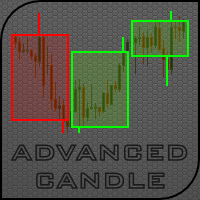
先进蜡烛指标设计用来在主图表上显示 四 种蜡烛类型 (包括非标准): HTF 蜡烛 可以显示任意时间帧的蜡烛, 包括非标准的。例如, М27 或 М135; 箱形蜡烛 (蜡烛有自己的最低高度, 设置为点数或百分比) 可以生成指定最低高度的蜡烛, 例如, 100 点或 0.5%; 交易量蜡烛 (蜡烛有自己的交易量, 设置为报价交易量或实际交易量) 可以生成指定最低交易量的蜡烛, 例如, 1000 次报价; 时段蜡烛 - 四个时段可以一起生成, 或是单独地。时段完全可以定制。 缓存区用于指标内部, 而图形对象仅用于当前不完整的蜡烛。 若干先进蜡烛可在同一图表上生成。 指标有以下参数: 蜡烛显示类型 - 选择显示的蜡烛类型。 High time frame Candles - 更高时间帧的蜡烛。 Box Candles - 指定高度的蜡烛; Volume Candles - 指定交易量的蜡烛; Trading session Candles 。 设置 HTF 蜡烛 - 高时间帧蜡烛设置: Period Candles 分钟 (最大7200), 乘以图表周期 - 蜡烛周期分钟 (最大值是 7
MetaTrader 5 专业交易面板 —— 图表与键盘一键交易的高效控制中心 一款面向主动交易者的专业 Trading Panel,可让您比标准 MetaTrader 操作方式更快、更直观地完成开仓、平仓、修改、管理与控制。 这不是一个普通的小工具,而是一个为高频手动操作、仓位管理、挂单控制与利润管理而设计的完整交易工作台。 通过这套面板,您可以直接在图表上一键执行交易,通过键盘快速触发核心操作,并借助自动参数计算、图形提示、信息标签以及可视化管理功能,大幅减少重复性操作,让整个交易流程更加流畅、高效且专业。 使用我们的交易面板,您可以直接从图表上一键下单,执行交易操作的速度可比标准 MetaTrader 控件快约 30 倍。 全新高级版本现已推出: 使用 VirtualTradePad PRO SE 升级您的交易流程 — 适用于 MetaTrader 5 和 MetaTrader 4 的新一代专业交易面板。 MT4 版本 | 完整说明 + DEMO + PDF | 如何购买 | 如何安装 | 如何获取日志文件 | 如何测试与优化 | Expforex 的所有产品 为什么交易者会
The indicator shows the timetable of the world's stock exchanges in a separate window in visual mode. Based on Time, Forex sessions and Trade Hours monitor by Vadim Baklanov (2009), converted to MQL5 by ARIES Software Corp . Input parameters: Brokers standard time zone (UTC+): - Local Time, Standard UTC + offset broker server time; Broker DST start - Date and time daylight savings time server time broker; Broker DST end - Date and time of the transition to winter time; Clock color - Clock colo
EasyPen is designed as beautiful and innovative way to create and manage all your chart analysis, scribbles, notes and more. The app takes advantage of new MQL5 technology to offer an experience unseen in the other apps or in older MQL versions. An App That Changes Everything There is no existing drawing app that allows the level of customization that EasyPen offers. Change color of your pen, choose brush size, save drawings, keep drawings attached to specific position in chart, and more. With o
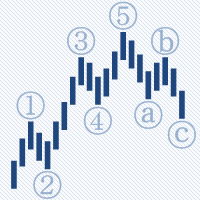
AutoElliottWaveMaker is the first tool for MetaTrader 5 , created for semi-automatic analysis of Elliott waves. It has many unique features: Automatic bar binding of waves for all timeframes; The waves can be labelled in 2 ways: drag and drop from the Labels panel and using the mouse click on the bar; Automatic arranging of the labels at all timeframes according to wave levels seniority; Automatic and manual control of the number of wave levels shown on a chart; Wave levels custom labelling sty
本 EA 是 MetaQuant-ATC10 的版本, 修改为用于一个货币对, 所有参数可调以及优化。 当然, 可以加挂到更多/若干货币对上,得到的结果就像 自动交易大赛 2010 。 此 EA 基于 "均匀网格"。如果持仓亏损, 按照不同步长加仓。这样做的目的是将持仓成本摊薄到市价附近,当调整时会转为利润并平仓。 输入参数的含义和操作方法: StartType - 在开始时识别首单的类型 (买或卖)。 Lot - 初始和后继交易量。 MaxLot - 最大可达的交易量 (所有订单总合)。 Trailing - 盈利尾随终止百分比 (0.7=70%)。 最小盈利等于所赢仓位交易量 = Lot 和价差 = Step 。 Step - 此参数有两个含义: 作为止盈 - 尾随终止的初始位; 作为开第二单的举例, 如果价格走向亏损方向 第二单之后的后续订单将使用变化的步长。如何根据 " Agres " 比例修改这个步长。 对于次要货币 JPY (USDJPY, EURJPY, ...) Step 参数值必须乘以 100。 Agres - 主动因子判断算法计算下一笔订单的步长。 合理的数值是从
ZoneSession allows you to visually show various trading zones on your chart. Excellent for live trading, but also at a glance you can review history for optimum trading sessions to analyse your trade setups. Zone Session shades the chart into sessions of your choice in any combination of colors.