|
3 年
经验
|
4
产品
|
5
演示版
|
|
0
工作
|
0
信号
|
0
订阅者
|
I use MQL5 and C++ to develop related tools on MetaTrader 5.
Products in Market
> TCandleClose — remaining time until candle close - Indicator MT5 - https://www.mql5.com/en/market/product/89264
> MarketSchedule — display asset operating hours on broker - Script MT5 - https://www.mql5.com/en/market/product/89736
> MarketOpenSessions — visual clue for 4 configurable major market sessions, ICT concepts - Indicator MT5 - https://www.mql5.com/en/market/product/90408
> DomDom — turns MetaTrader 5 into an order-flow workstation: read the book and the tape, trade by click or hotkey, and replay the session after hours.
Publications
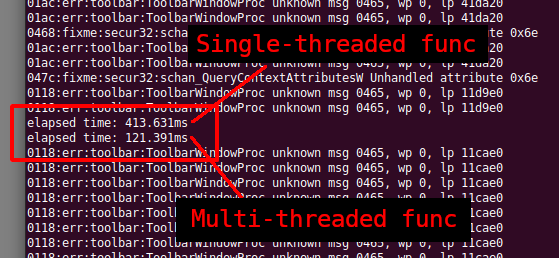
> Develop a Proof-of-Concept DLL with C++ multi-threading support for MetaTrader 5 on Linux - https://www.mql5.com/en/articles/12042
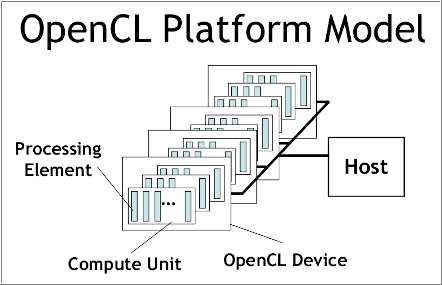
> Understand and efficiently use OpenCL API by recreating built-in support as DLL on Linux (Part 1): Motivation and validation - https://www.mql5.com/en/articles/12108
> Understand and Efficiently use OpenCL API by Recreating built-in support as DLL on Linux (Part 2): OpenCL Simple DLL implementation - https://www.mql5.com/en/articles/12387
Products in Market
> TCandleClose — remaining time until candle close - Indicator MT5 - https://www.mql5.com/en/market/product/89264
> MarketSchedule — display asset operating hours on broker - Script MT5 - https://www.mql5.com/en/market/product/89736
> MarketOpenSessions — visual clue for 4 configurable major market sessions, ICT concepts - Indicator MT5 - https://www.mql5.com/en/market/product/90408
> DomDom — turns MetaTrader 5 into an order-flow workstation: read the book and the tape, trade by click or hotkey, and replay the session after hours.
Publications
> Develop a Proof-of-Concept DLL with C++ multi-threading support for MetaTrader 5 on Linux - https://www.mql5.com/en/articles/12042
> Understand and efficiently use OpenCL API by recreating built-in support as DLL on Linux (Part 1): Motivation and validation - https://www.mql5.com/en/articles/12108
> Understand and Efficiently use OpenCL API by Recreating built-in support as DLL on Linux (Part 2): OpenCL Simple DLL implementation - https://www.mql5.com/en/articles/12387