
ACB Trade Filter MT4
- 指标
- 版本: 2.1
- 更新: 31 十月 2018
- 激活: 10

在下单之前,ACB Trade Filter 可以帮助你回答一个实际问题:当前市场是否支持这笔交易,还是你正在混乱的条件下勉强接受一个信号?
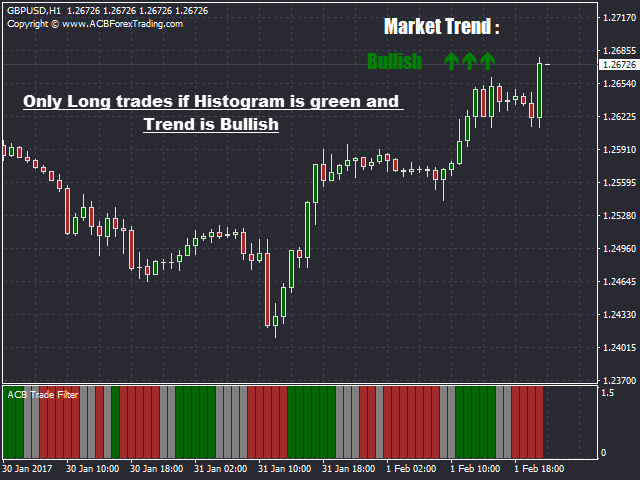
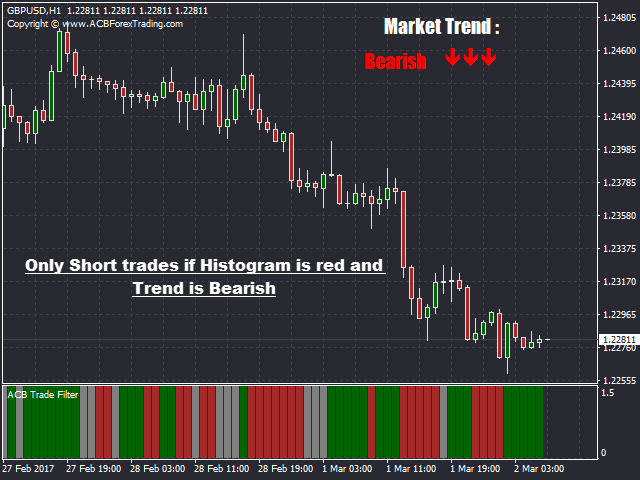
该指标分析市场情绪和趋势,然后通过彩色柱状图与趋势方向显示结果。请在正常进场信号出现后使用它,而不是用它代替进场系统。
一眼看懂三种市场状态
- 绿色柱状图并且趋势看涨:当前条件支持按照你的策略寻找做多机会。
- 红色柱状图并且趋势看跌:当前条件支持按照你的策略寻找做空机会。
- 灰色柱状图或横盘趋势:方向不明确,因此更适合放弃这次机会。
它在交易策略中的位置
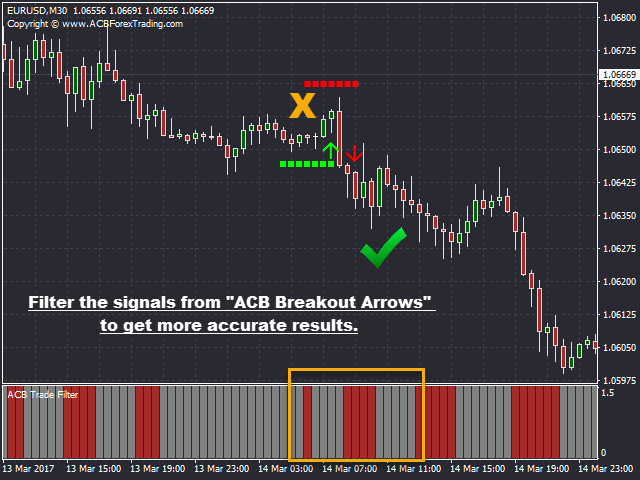
当你的进场指标产生信号时,可以先检查 ACB Trade Filter 再决定是否行动。如果柱状图和趋势与交易方向一致,就继续进行正常分析。如果两者与信号冲突,你就有明确的理由暂停,而不是接受每一个信号。
它可以自然地配合 ACB Breakout Arrows,但并不局限于这一款指标。你也可以将它用于动量交易、回调进场、突破方法,或者任何需要第二个市场方向判断的手动策略。
它的目的不是制造更多交易,而是帮助你减少质量较低的决定,避免逆着整体方向进场,并在震荡行情中保持选择性。
选择适合你的过滤强度
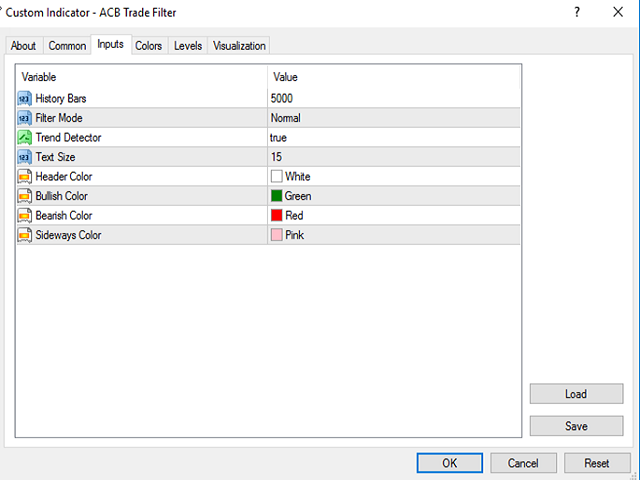
Normal 模式提供平衡的过滤,适合希望看到更多机会的交易者。Hard 模式采用更严格的条件,适合希望获得更少但更严格确认的交易者。趋势方向可以在图表上显示或隐藏,历史设置则控制计算所使用的数据量。
从图表确认到自动化
在手动交易中,柱状图和趋势方向可以快速提供确认,而不会增加复杂的决策面板。在自动化策略中,智能交易系统可以直接读取指标数据。
整个流程保持简单:你的策略寻找机会,ACB Trade Filter 检查市场情绪和趋势是否支持这次机会,最终交易决定仍然由你掌握。

















































































A must have indicator to filter out bad signals from any entry indicator specially the ACB Breakout Arrows.