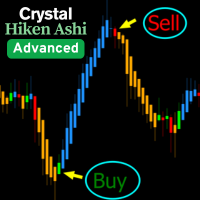
Heiken Ashi Direct MT4
- 指标
- 版本: 1.0

Standard Heiken Ashi candles with two extra data lines your other tools can read directly.
What it does
This indicator draws classic Heiken Ashi candles on your chart, calculated the same way MetaTrader's built-in Heiken Ashi indicator does. On top of that, it quietly keeps two extra values available — the real high and low of each Heiken Ashi candle — so that any Expert Advisor or other indicator you run can read them directly, without doing any extra math on its own. It does not generate buy or sell signals; it is a charting and data tool.
Key features
- Same Heiken Ashi formula as the standard MetaTrader indicator — no surprises in the values.
- Exposes the true high and low of each Heiken Ashi candle for other programs to use.
- Candle body width can automatically adjust to your chart zoom level, or stay fixed.
- Optional on-chart button to show or hide the candles instantly, without opening settings.
How it works
Every time a new candle forms, the indicator recalculates the Heiken Ashi open, close, high and low from the current chart's price data, and redraws the candle. The wick color swaps between two colors depending on whether the candle is bullish or bearish, matching the look of the standard Heiken Ashi indicator. The extra high/low values update at the same time but stay invisible on the chart — they exist purely so other tools can pick them up.
Recommended setup
- Symbol: any — works on whatever chart it is attached to
- Timeframe: any
- Account: no special requirements — this is a charting indicator, not a trading robot
Input parameters
Parameters are grouped the same way they appear in the MetaTrader Inputs tab.
Colors & Shadow
| Parameter | Default | What it does |
|---|---|---|
| InpColorShadowBear | Red | Wick color for bearish (down) candles. |
| InpColorShadowBull | White | Wick color for bullish (up) candles. |
| InpColorBodyBear | Red | Body color for bearish (down) candles. |
| InpColorBodyBull | White | Body color for bullish (up) candles. |
| InpShowShadow | true | Turn the wick display on or off. The candle body keeps showing either way. |
Candle Width
| Parameter | Default | What it does |
|---|---|---|
| InpUseAutoWidth | true | When on, candle bodies automatically get thicker or thinner as you zoom the chart in or out. Turn off to use a fixed width instead. |
| InpBodyWidth | 3 | Fixed candle body width in pixels, used only when auto width is turned off. |
On-Chart Button
| Parameter | Default | What it does |
|---|---|---|
| InpShowButton | false | Shows a small button on the chart that lets you show or hide all candles with one click. Off by default so it stays out of the way when you run several indicators or EAs on the same chart; turn it on if you want quick manual control. |
| InpBtnText | "HA" | Text label shown on the button. |
| InpBtnCorner | Right-Upper | Which chart corner the button is anchored to. |
| InpBtnX | 70 | Horizontal distance from the anchor corner, in pixels. |
| InpBtnY | 40 | Vertical distance from the anchor corner, in pixels. |
| InpBtnWidth | 70 | Button width in pixels. |
| InpBtnHeight | 20 | Button height in pixels. |
| InpBtnColorOn | Lime | Button text color while candles are shown. |
| InpBtnColorOff | Red | Button text color while candles are hidden. |
The button's show/hide state is not remembered between chart restarts or recompiles — candles always come back visible the next time the indicator loads.
Requirements
- Platform: MetaTrader 4
- No other indicators need to be installed — this indicator is fully self-contained.
Version 1.01 · Updated 2026-09-03 · Support via the product comments section on MQL5.