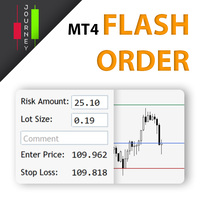
CJ Flash Order MT4
199 USD
Demo indirildi:
8
Yayınlandı:
17 Eylül 2021
Mevcut sürüm:
1.7
Uygun bir robot bulamadınız mı?
Freelance üzerinden kendi
robotunuzu sipariş edin
Freelance'e git
Freelance üzerinden kendi
robotunuzu sipariş edin
Bir alım-satım robotu veya gösterge nasıl satın alınır?
Uzman Danışmanınızı
sanal sunucuda çalıştırın
sanal sunucuda çalıştırın
Satın almadan önce göstergeyi/alım-satım robotunu test edin
Mağazada kazanç sağlamak ister misiniz?
Satış için bir ürün nasıl sunulur?

Alım-satım fırsatlarını kaçırıyorsunuz:
- Ücretsiz alım-satım uygulamaları
- İşlem kopyalama için 8.000'den fazla sinyal
- Finansal piyasaları keşfetmek için ekonomik haberler
Kayıt
Giriş yap
Web sitesi politikasını ve kullanım şartlarını kabul edersiniz
Hesabınız yoksa, lütfen kaydolun
Hey the font on my trade manager is to large. Could you make it so we can change the font size, and maybe the size of the panel itself. Thanks
Hey the font on my trade manager is to large. Could you make it so we can change the font size, and maybe the size of the panel itself. Thanks
Hi, it could be from the high resolution screens, please try to locate your terminal.exe which is installed in your PC, then right-click -> select Properties -> select Compatibility tab -> click "Change high DPI setting" button -> at the bottom, check on "Override high DPI scaling behavior" -> and then change the option from "Application" to "System" -> click "OK" -> click "OK" again to finish, and then restart your MT4/MT5. Hope this can help!
Also could you make it so we can trade any currency? I'd like to be able to trade cryptos with this, or even oil.
Yes will let you know when it is available, for now I don't trade other assets and exotic currencies.
Yes will let you know when it is available, for now I don't trade other assets and exotic currencies.
I keep getting error 131 when I go over 50 lot size for Euro/ USD
Hi, this is very nice, and very helpful for a beginner like me. Any chance you can put in a simplified trailing stop too? That would make this perfect for me!
Thanks again.
Hi,
Please clarify the 1.5R risk to reward ratio? Is it 1:5 or 1:1.5?
Thanks!
Hi,
Please clarify the 1.5R risk to reward ratio? Is it 1:5 or 1:1.5?
Thanks!
Hi, 1.5R means 1:1.5, Risk 1 : Reward 1.5
About trailing stoploss, there are lots of strategies and I wanted to keep this tool simple so people don't get confused and don't need to do any configuration before using it.
Thanks for your idea anyway and happy trading!
Hi, 1.5R means 1:1.5, Risk 1 : Reward 1.5
About trailing stoploss, there are lots of strategies and I wanted to keep this tool simple so people don't get confused and don't need to do any configuration before using it.
Thanks for your idea anyway and happy trading!
Thanks. Another suggestion I have is with regard to seeing the amount of profit and loss. It would be nice if we can see at first glance what the profit and loss would be, since there's a TP and SL level, then it should also be possible to show the profit and loss.
Amazing tool, thank you so much! I tried fixing the resolution via terminal.exe properties, didn't work. Sill seeing it like this.
I also second the question on whether it's possible to add a "Market order" option after dragging TP and SL lines to the desired position.
Finally, even though I fully understand the desire to keep this tool as simple as possible, a couple of additional fields at the bottom with partial take profit levels and lot sizes would make this an ideal trade manager solution. Again, just a thought/desire, perhaps not something the author had in mind when creating this excellent tool! Thank you again for this, very much appreciated!
Amazing tool, thank you so much! I tried fixing the resolution via terminal.exe properties, didn't work. Sill seeing it like this.
I also second the question on whether it's possible to add a "Market order" option after dragging TP and SL lines to the desired position.
Finally, even though I fully understand the desire to keep this tool as simple as possible, a couple of additional fields at the bottom with partial take profit levels and lot sizes would make this an ideal trade manager solution. Again, just a thought/desire, perhaps not something the author had in mind when creating this excellent tool! Thank you again for this, very much appreciated!
Hi, I added a new setting - "Display Scale", to customize screen scale, you may change the default value from 1.0 to 1.1 or 1.2 ... until it fits your screen resolution. Please download the latest version (1.6) to get the update and let me know if you have any other issues. Happy trading!
Hi, I added a new setting - "Display Scale", to customize screen scale, you may change the default value from 1.0 to 1.1 or 1.2 ... until it fits your screen resolution. Please download the latest version (1.6) to get the update and let me know if you have any other issues. Happy trading!
Hi, your CJ flash order MT4 have wrong pips measurement (actual 20 pips, but EA show 2 pips) ==> so, effected the lot size calculation go wrong 10 times. Please correct it.
Anyway, MT5 version is OK, no wrong calculation.
Thank you.