Stop Exposure Dashboard
- Yardımcı programlar
- Sürüm: 1.1
- Güncellendi: 15 Kasım 2026
- Etkinleştirmeler: 5

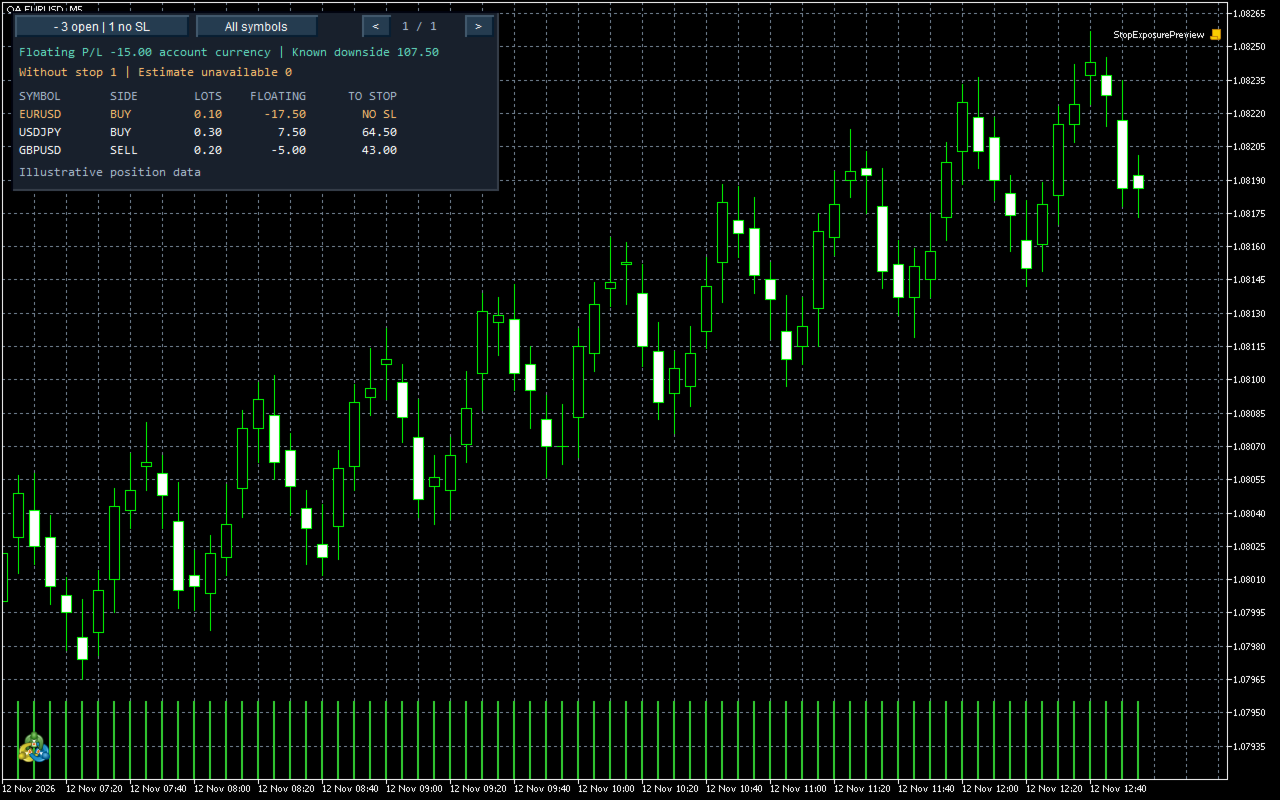
Stop Exposure Dashboard shows open positions and estimates the additional loss from the current marked price to each configured stop in account currency. Positions without a stop appear first. Estimates that MT5 cannot calculate are marked N/A and excluded from the total.
Click the compact summary to expand or collapse the panel. All symbols / Chart symbol switches between account-wide and current-chart views. Use the arrow buttons to page through positions.
RowsPerPage sets the number of rows per page. RefreshSeconds sets the refresh interval. StartExpanded opens the expanded panel when attached.
Floating P/L includes the posted position swap. The downside estimate covers the adverse move from the current mark to the stop, with a floor of zero for each position. Slippage, gaps and closing fees can increase the actual loss. The utility reads positions without sending trade orders.