Session Cross Alerts

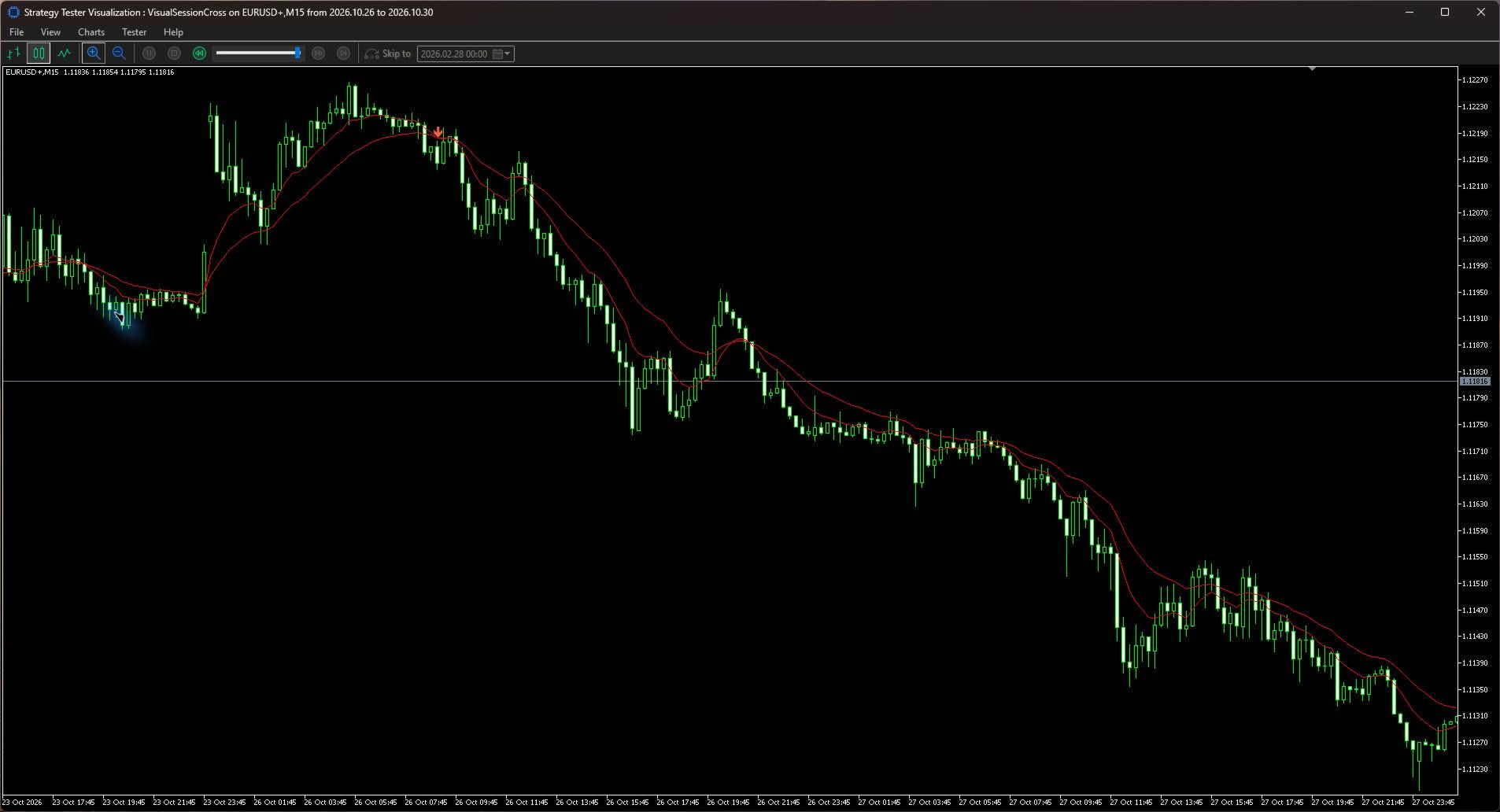
Session Cross Alerts marks bullish and bearish moving average crossovers after a candle closes. Set a broker-time session to focus alerts on the hours you follow, including sessions that run past midnight.

The indicator displays both moving averages and places arrows on historical candles that meet the crossover and session rules. New qualifying signals can trigger an MT5 popup or a push notification. Push requires a MetaQuotes ID configured in your terminal. Each instance monitors the symbol and timeframe of its chart.

Choose the fast and slow periods, moving average method and applied price. The default is a 9-period and 21-period EMA on the close. Session times use HH:MM in broker server time. The start is included and the end is excluded. The filter uses the candle's scheduled close time. Set UseSession to false for all hours. Equal times disable signals while the session filter is on.

Add the indicator to a chart, set your session and choose your alert channels. Historical arrows are displayed without replaying alerts. The indicator does not place orders.
Yazarın diğer ürünleri
ICT Turtle Soup Advanced MT5 is a visual trading indicator designed around ICT-style liquidity concepts and the Turtle Soup reversal model. The indicator monitors the chart for a structured sequence of events: Liquidity → Purge/Sweep → Market Structure Shift → FVG → Retest → Entry Context → Standard Deviation Targets It is designed as a chart-analysis tool , not an automated trading EA. The goal is to help traders visually identify liquidity events, displacement, structure shifts, imbalances, se
Real CRT Gold MT5
Rustan Nino Mallari
The CRT trading sequence—from the H1 sweep to the M5 entry—in one automated system. Real Trading Account — LIVE SIGNAL | Vantage :   https://www.mql5.com/en/signals/2397923 Real CRT Gold MT5 translates a specific Candle Range Theory model into defined trading rules. It connects the reference candle range, the sweep and reclaim, lower-timeframe structure confirmation and a fresh fair value gap entry. The strategy evaluates the relationship between these conditions before committing to a trade.
Candle Feed Compare helps you check how closely two sets of MT5 candles agree. Compare the current chart symbol with a reference available in your terminal, such as a custom symbol containing imported history. The indicator matches closed candles by exact opening timestamp on the chart timeframe. It plots the largest absolute difference among the open, high, low and close in chart-symbol points. Blue bars are within your tolerance and red bars exceed it. A gold marker means a chart candle had n
Which level did price reach first when the same candle crossed both? Intrabar Touch Audit scans recent closed candles for this exact case. It is designed for EA developers and systematic traders checking the assumptions in bar-based tests. Set separate upper and lower distances in MT5 points. The indicator measures each distance from that candle's open. A level counts as touched when the high or low reaches it exactly or passes it. A colored dot appears above each closed candle that touched bot
See how many input combinations an MT5 Tester preset describes before starting an optimization. Optimization Grid Budget reads one saved .set file and shows the full-grid count, the enabled inputs with the most values, and how many combinations would remain if you held each shown input fixed. Set a pass budget to flag grids larger than the number you planned to test. Getting started 1. Save an inputs preset from the MT5 Strategy Tester. In the terminal data folder, create MQL5/Files/Optimizati
Filtrele:
Değerlendirme yok
Değerlendirmeye yanıt