Sigma7 Breakout Engine
- Uzmanlar
- Sürüm: 1.0
- Etkinleştirmeler: 10

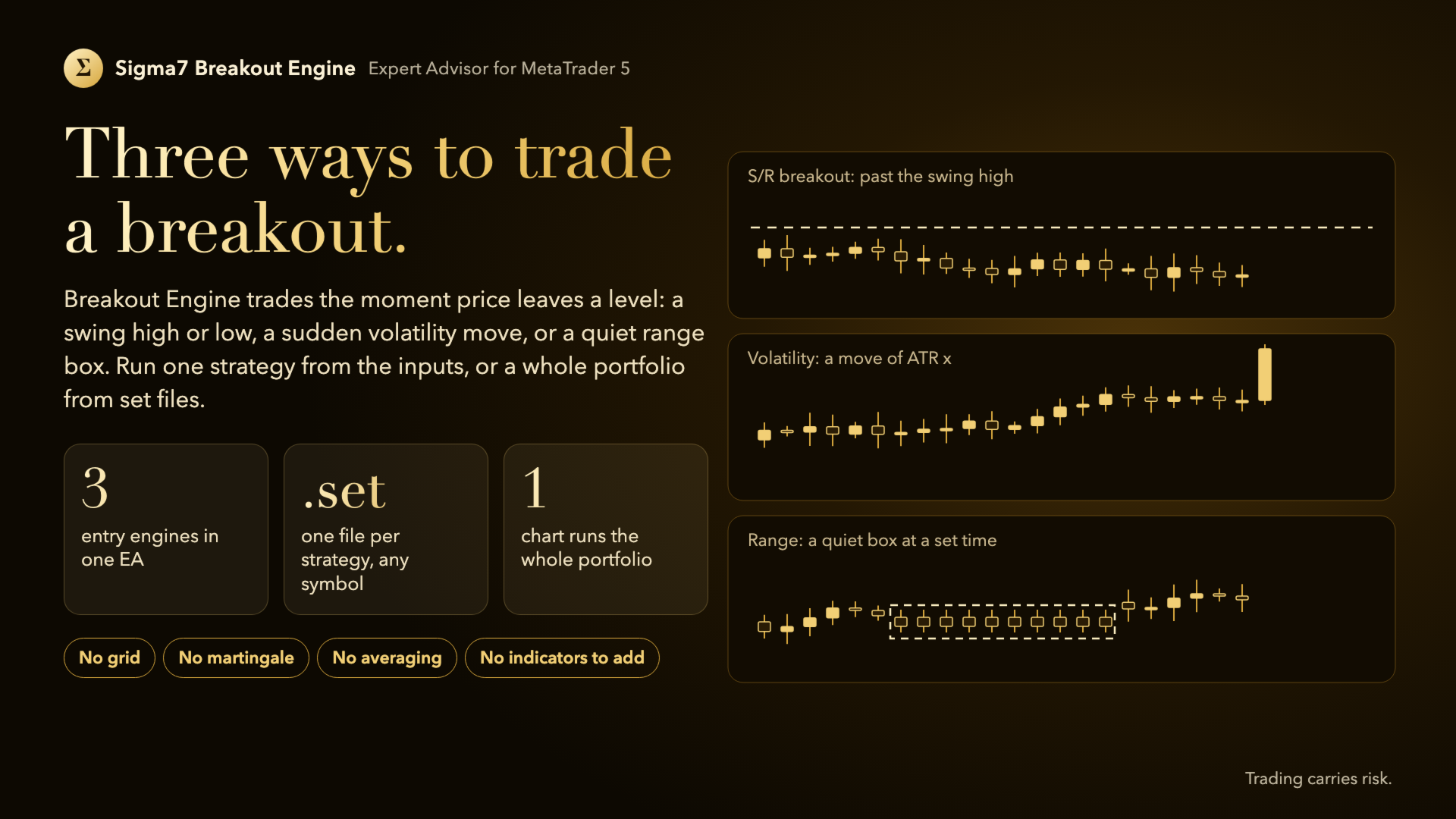
A multi-strategy breakout EA with three entry engines: swing-level breakouts, volatility breakouts and range-box breakouts. Run one strategy from the inputs, or a whole portfolio from a folder of .set files, each with its own symbol, side, entry, exits and hours. No grid, no martingale, no averaging.
What it does
Sigma7 Breakout Engine trades breakouts with stop orders or market entries, using one of three engines:
- S/R breakout: rests a buy stop above the last swing high and a sell stop below the last swing low, found from a chosen timeframe, with a minimum distance to price and an order life.
- Volatility breakout: enters at market after a candle (or a few candles) moves more than a multiple of ATR.
- Range breakout: measures a quiet box of bars at a set time of day and rests stop orders above and below it; the stop can be fixed or at the other side of the box.
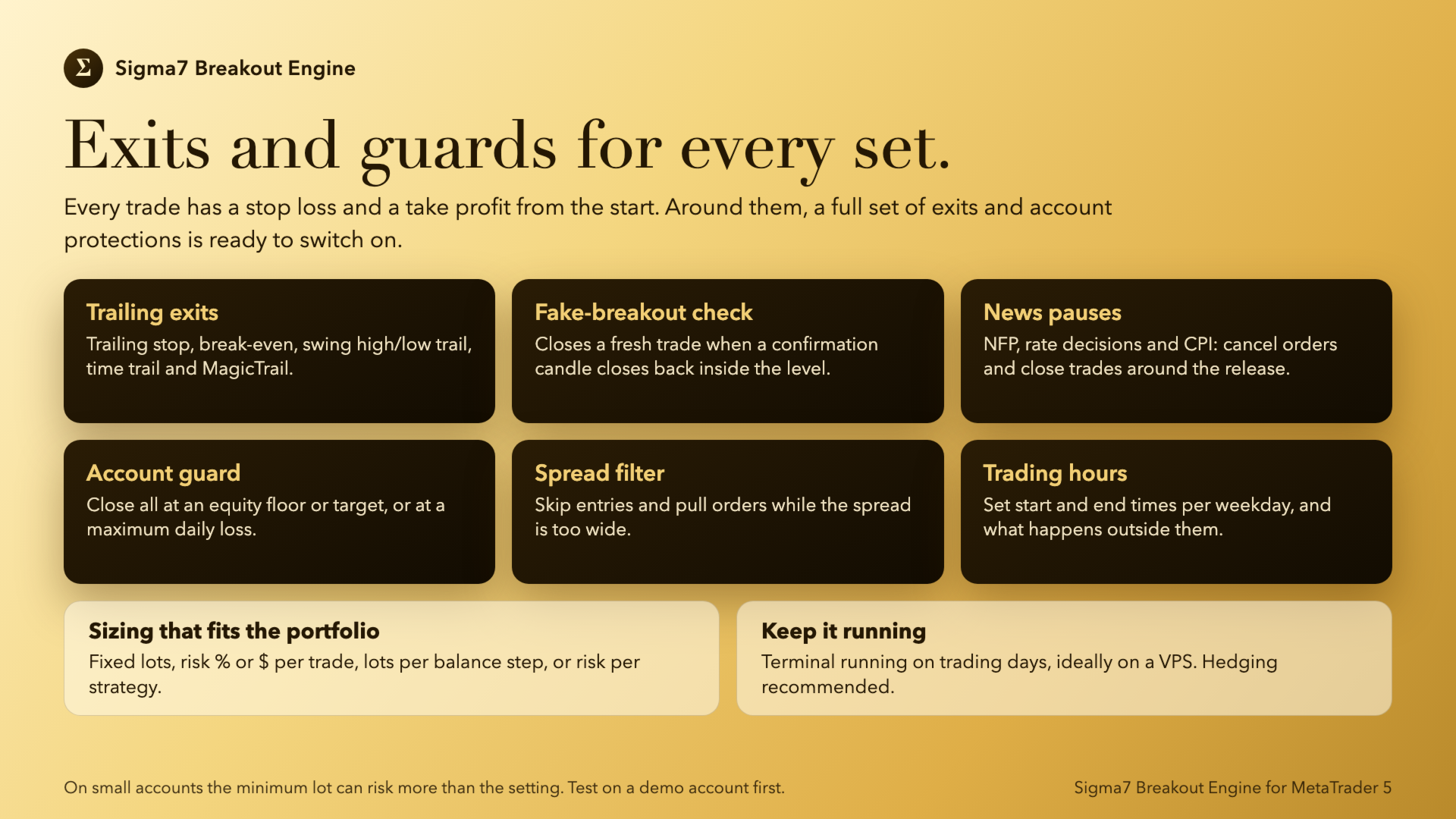
Every trade gets a stop loss and a take profit from the start. The shared exits add a trailing stop with a start, a distance and a minimum step, a break-even, a trailing target for losing trades, a high/low swing trail, a time trail and an optional fake-breakout check that closes a trade when a confirmation candle closes back inside the level. Exits can be managed every tick or once per bar of a chosen timeframe.
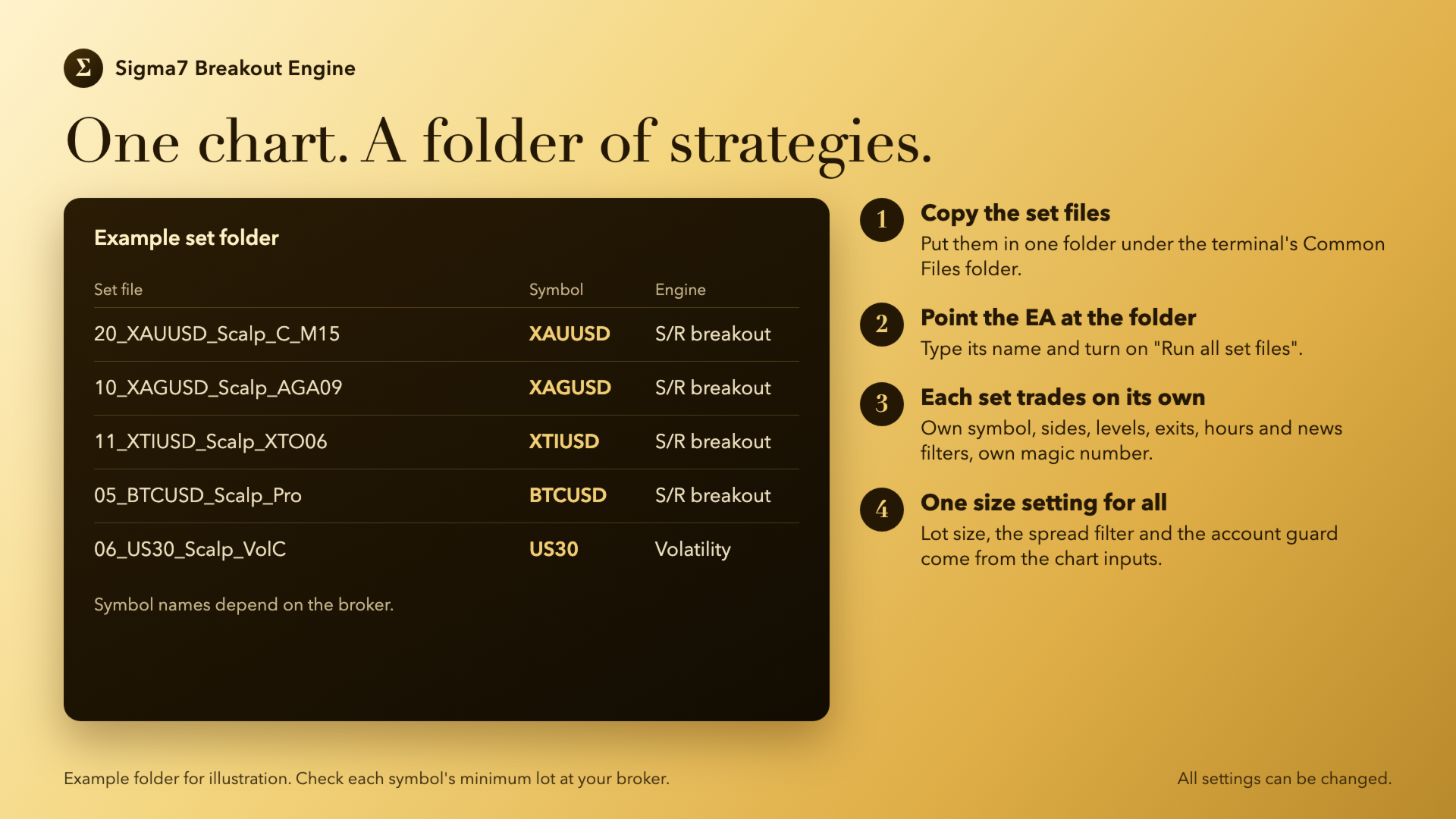
With "Run all set files" on, the EA reads every .set file in one folder and runs each one as its own strategy, with its own magic number, symbol, sides, entry and exit values, trading hours and news filters. Lot size, the spread filter and the account guard always come from the chart inputs, so one setting sizes the whole portfolio.
How to use it
- Symbol: any symbol the broker offers. Each .set file names its own symbol, so one chart can run strategies on several symbols; "Symbol, empty = chart" forces one symbol for the inputs strategy.
- Set files: copy the .set files into one folder under the terminal's Common Files folder, put that folder's name in "Set folder in Common Files" and turn on "Run all set files".
- Account: a hedging account is recommended, so different strategies can hold a buy and a sell at the same time.
- Broker account: a Raw / ECN account with tight spreads is recommended for the short-stop scalp sets.
- Minimum lot: on a small account the broker's minimum lot can be larger than the risk setting asks for, most often on indices (minimum 0.1 lot at many brokers). The EA then trades the minimum lot, so the real risk is higher than the setting. Check the minimum lot of each symbol before running a set on it.
- Keep the terminal running on trading days, ideally on a VPS.
- Test it in the Strategy Tester first, and run it on a demo account before a live one.
Inputs
Setup
- Run all set files, Set folder in Common Files: run every .set file in that folder as its own strategy.
- Chart hours for all sets, Chart news filters for all, Chart MagicTrail for all sets: use the chart's values for every set instead of each set's own.
- Strategy without set files, Entry check bar timeframe: the engine and the bar timeframe used when no set files are loaded.
- Allow buy trades, Allow sell trades, Order magic number, Order comment text, Symbol.
Variable values
- Reference ATR, ATR period bars, ATR and price timeframe, Reference price: when set, every pip distance is scaled by the current ATR or price against the reference, so a set keeps its shape as the market's size changes. Zero turns it off.
S/R breakout, Volatility breakout, Range breakout
- The levels, distances, order life, maximum pending orders and maximum open trades of each engine.
Exits
- Stop loss, Take profit, Trail distance, Trail start profit, Trail cap past entry, Trail min step, Break-even at profit and Break-even extra, all in pips.
- Losing trade target distance and start, the high/low swing trail, the time trail, MagicTrail, and the fake-breakout candles A to E.
- Exit management bar timeframe, Manage exits every tick.
Lot size (overrides .set files)
- Lot size mode: fixed lots, risk % of balance per trade, risk $ per trade, 0.01 lots per balance step, or maximum risk per strategy (based on the set's historical maximum drawdown).
- Fixed lot size, Risk per trade %, Risk per trade $, Balance per 0.01 lot, Max risk per strategy %, Max DD per 0.01 lot.
- Size from peak balance, Size from equity, Sizing balance, Max lots per order (default 99), Scale lots with factor, Resize after balance move %.
Filters
- Skip wide spread entries, Max spread, Wide spread order pull.
- NFP, interest-rate decision and CPI pauses: each can cancel pending orders and close open trades from a set number of minutes before the release until a set number of minutes after it.
Trading hours (server time)
- Use trading hours, a start and end time for each day of the week, and whether to cancel pending orders or close open trades outside the hours.
Account guard
- Close all below equity, Close all above equity, Max daily loss in $: when the account reaches the level, every trade of the EA is closed and the EA stops trading.
Panel
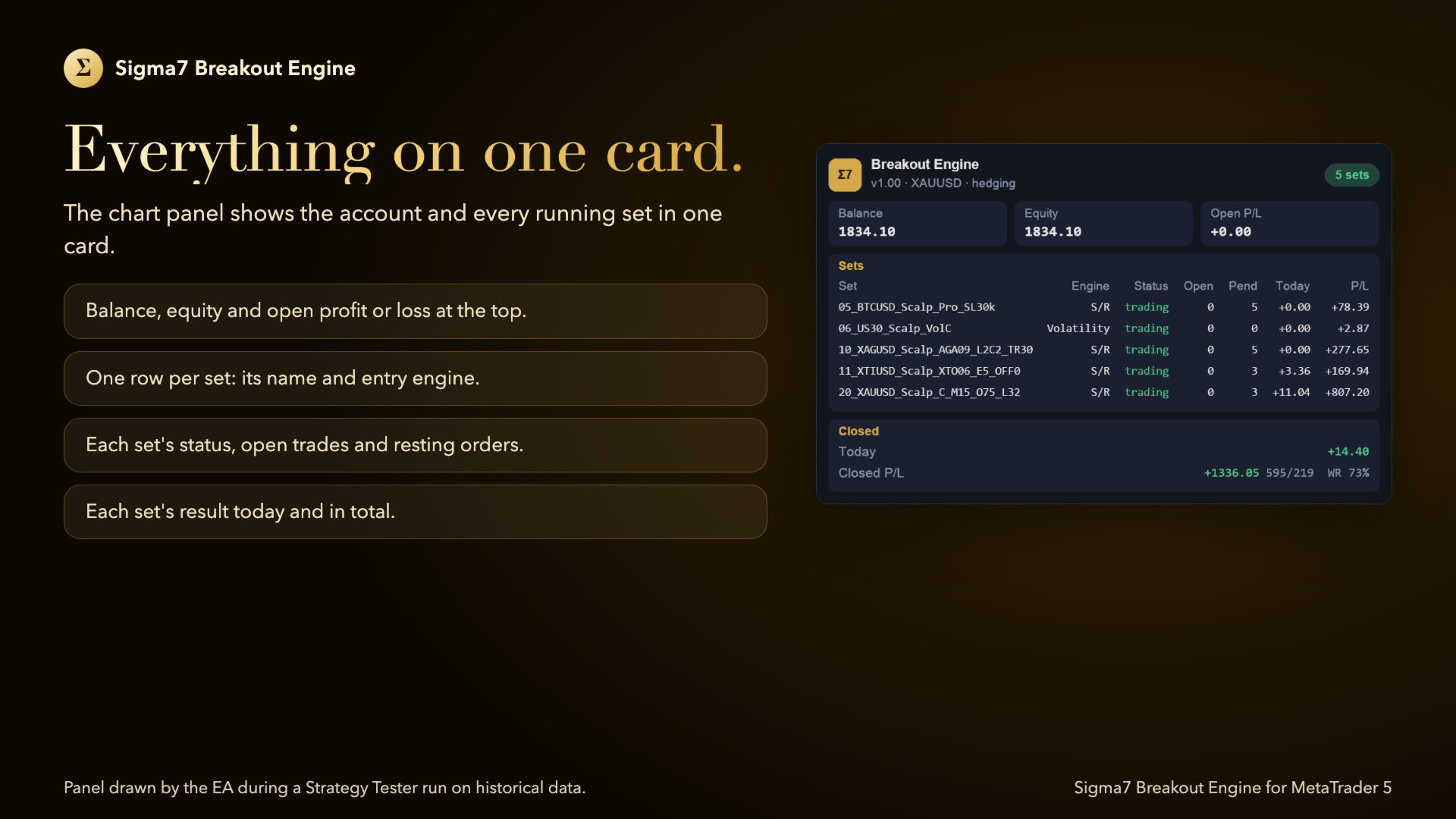
- Show info panel: a status card on the chart.
What it does not do
It does not use a grid, martingale or averaging. It does not connect to anything outside the terminal.
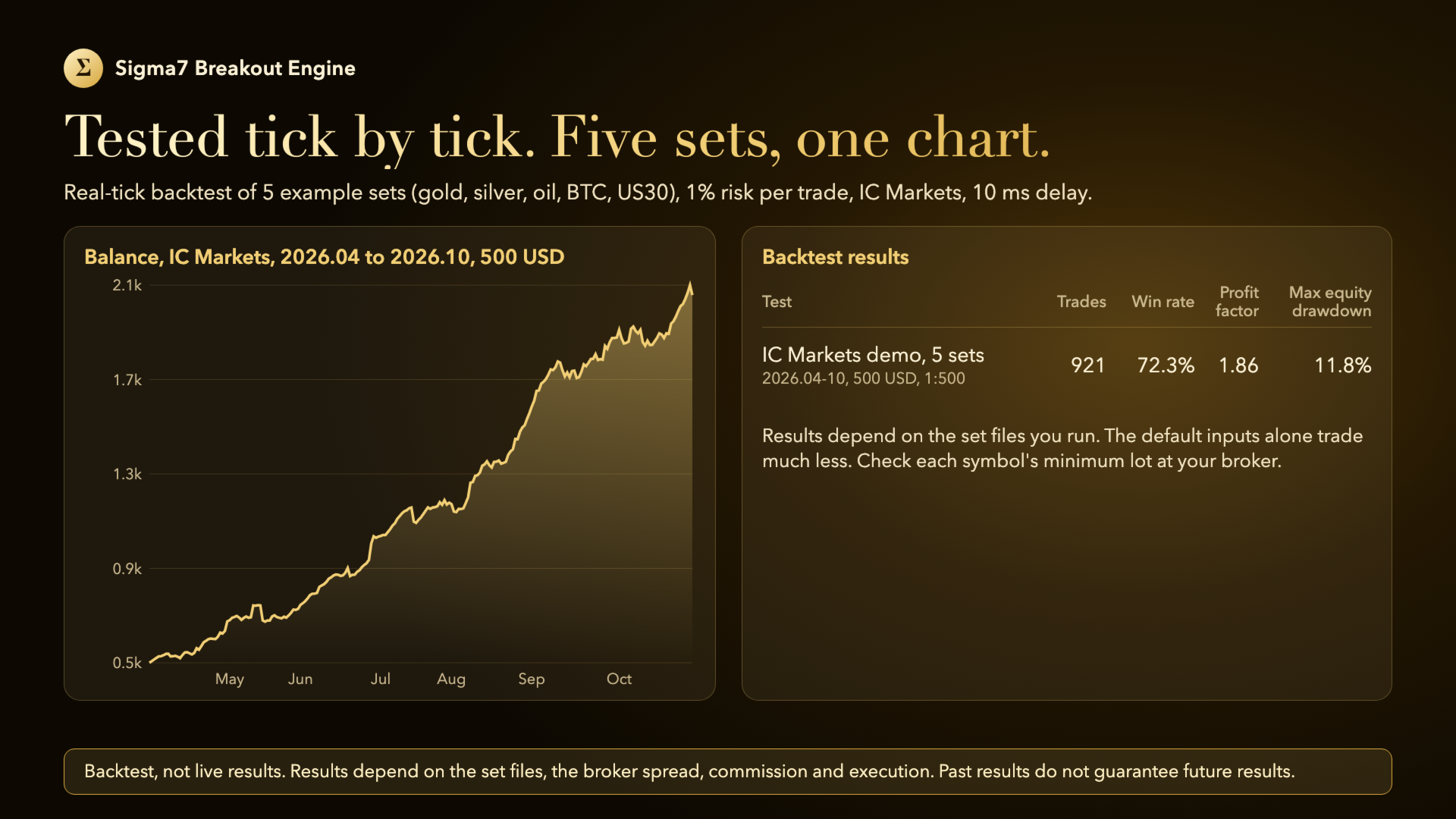
Results depend on the broker's spread, commission and execution, and on the set files used. Results in the Strategy Tester do not guarantee future results.
Live Monitoring