Backtest Studio
- Yardımcı programlar
- Sürüm: 1.0
- Etkinleştirmeler: 5

Backtet Studio
It is a training and manual back-testing tool. It does NOT send real orders to your broker.
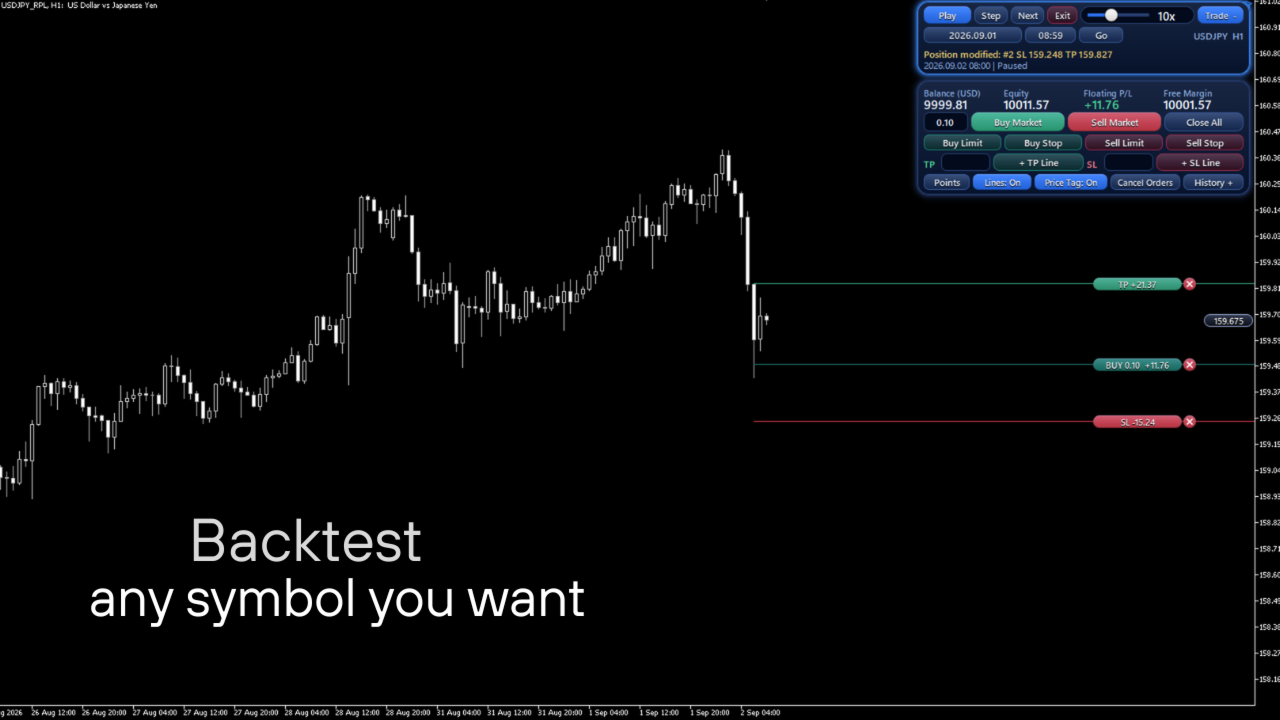
Lets you go back to any date in a symbol's history and replay the market candle by candle (with simulated ticks inside each candle) while you practice manual trading on a virtual account.
HOW IT WORKS
1. Attach the EA to a chart of the real symbol (for example EURUSD).
2. Choose a start date and time with the built-in calendar and time picker and press Start Replay.
3. The EA builds a custom symbol (for example EURUSD_RPL) from your broker's M1 history and switches the same chart to it. Your indicators and templates keep working.
4. Control the replay with Play/Pause, Step, Next candle and a speed slider. Change timeframes with the normal MetaTrader buttons: the current candle is shown only up to the replay point, so no future data is visible. 5. Use Go to jump to another date, or Exit to return to the real symbol.
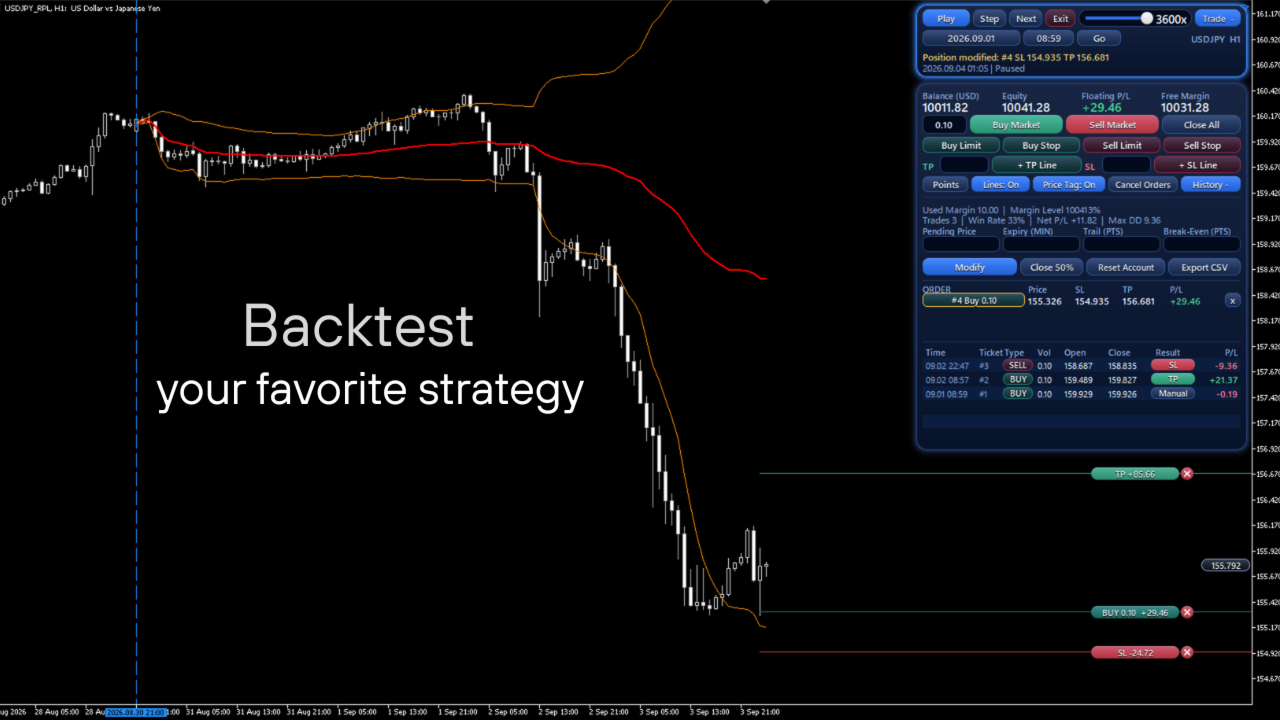
VIRTUAL TRADING PANEL - Market orders, Buy/Sell Limit and Buy/Sell Stop orders on a virtua
\l account - Stop Loss and Take Profit set in points or in price, with draggable lines and labels on the chart - Modify, Close 50%, Close All, Cancel Orders, trailing stop and break-even - Initial balance, leverage, commission per lot and stop-out level are configurable - Live account statistics: balance, equity, floating P/L, free margin, margin level, trades, win rate, net P/L, max drawdown - History table of closed trades (time, ticket, type, volume, open/close price, result, P/L) and CSV export - Optional pause when a Stop Loss, Take Profit or order fill is hit - The virtual account and open positions are saved and restored between sessions.
INPUT PARAMETERS Start date, history before start (days), initial speed, ticks per candle leg, real M1 volume on candle close, initial balance, leverage, commission, stop-out %, default lot size, pause on trade event, replay symbol suffix and folder, panel position, optional trade log and debug log, and interface font options.
IMPORTANT NOTES - Simulation only. Ticks inside each candle are generated from M1 data. Spreads, slippage, swaps and order execution in a real account will differ. Results obtained in the replay do not indicate future or real results. This product is not investment advice. Trading involves risk. - Strategy Tester: the replay needs a live chart, because MetaTrader does not allow custom symbols to be created in the Strategy Tester. In the tester the product only shows its panel and a message. Please use the screenshots and the video to see how it works. - Your broker must provide M1 history for the symbol. The terminal downloads it when needed, which can take a moment for long periods.
PERMISSIONS AND TECHNICAL INFORMATION - Creates a custom symbol (suffix _RPL, folder "Replay" in Market Watch) and writes replay candles and ticks to it. To remove it: Market Watch > Symbols > Custom. - Reads the historical data of the real symbol. - Saves small files in the terminal's MQL5/Files folder (virtual account state and optional CSV export) and uses terminal global variables with the prefix HLRP_. - Draws chart objects with the prefix HLRP_ and changes the symbol of the chart on which it runs when you press Start Replay or Exit. -
Does not use DLLs, WebRequest or an internet connection. It does not collect personal data.
SUPPORT Please use the Comments tab of this product page. Bug reports are welcome.