MSF Perform Pro
- Yardımcı programlar
- Sürüm: 3.73
- Etkinleştirmeler: 5

MSF Perform Pro
More organization and operational safety.
Less repetitive work. More control when creating, reviewing and modifying orders in MetaTrader 5.
When an account holds many positions, pending orders and symbols, finding the right trades, checking prices and repeating changes requires attention. MSF Perform Pro brings filters, group editing, previews and pending-order creation into a panel dedicated to the symbol you are analyzing.
Keep management focused on the right symbol
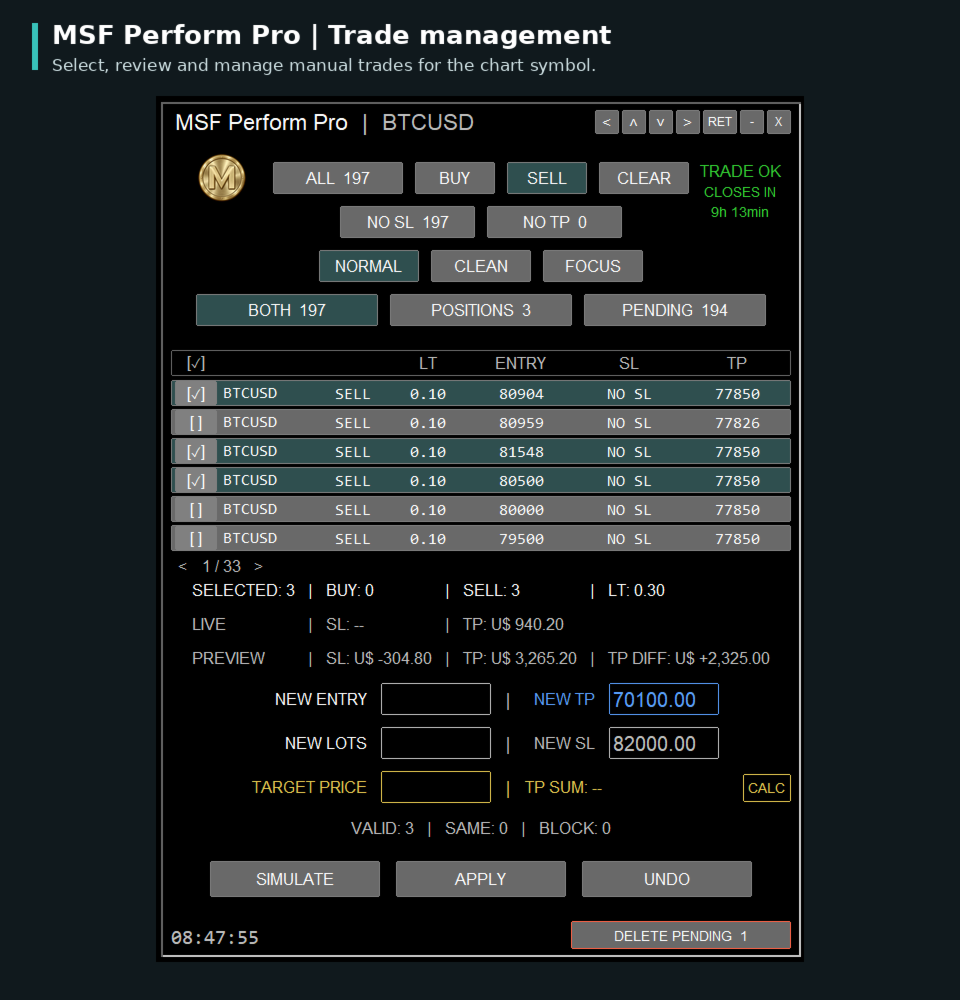
Each panel displays manual open positions and pending orders for its chart symbol. On a Bitcoin chart, for example, you manage that symbol's trades without including other instruments in the selection.
This separation makes large accounts easier to organize and helps prevent changes to the wrong symbol's orders.
Find and compare trades easily
Combine buy and sell filters with open-position and pending-order filters, and optionally narrow the list to trades missing SL or TP. Click the column headers to sort by volume, entry, stop loss or take profit. Select individual trades or the current page.
Find the group you need, compare its levels and check the selection before acting.
Change several orders without repeating the inputs
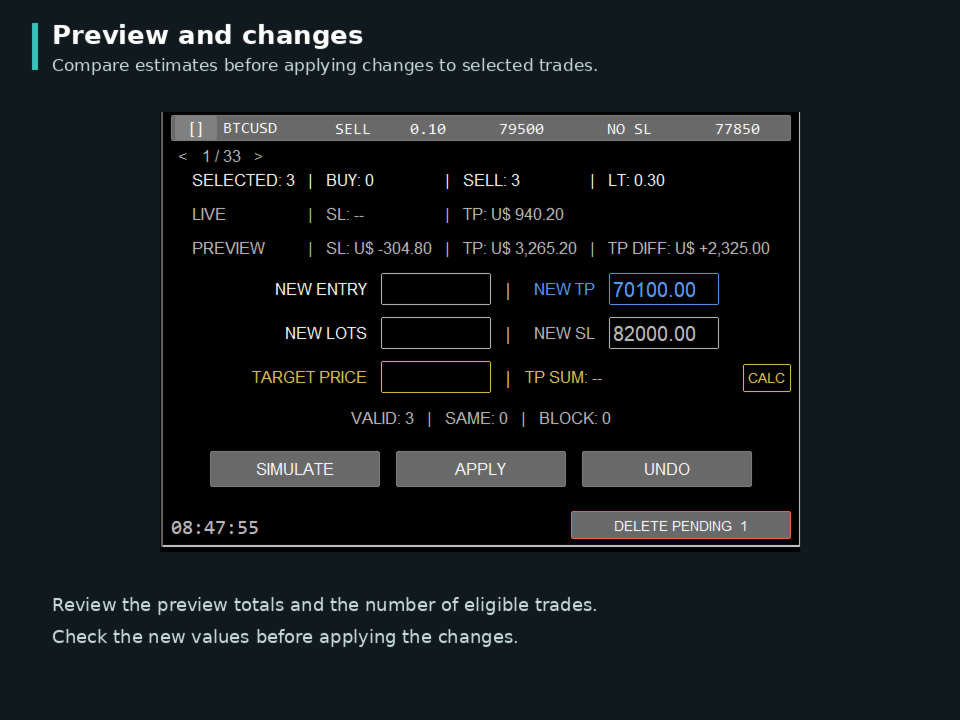
Need to add stop loss to several trades or adjust a group's take profit? Select the trades, enter the price and preview the changes before applying them.
Group editing reduces the work of opening and filling in each order separately and helps reduce typing mistakes. Pending orders also support entry and volume changes. Selected pending orders can be deleted together, with confirmation.
Calculate selected trades automatically
Select trades to see total volume and estimated totals at stop loss and take profit levels. Review the group without adding up each order manually.
Review the effect before submitting changes
Simulate without modifying orders and review prices, selection and estimated effects before submission. This helps identify typing or configuration mistakes. Compare estimates at existing SL/TP levels with the proposed scenario. The panel identifies valid changes, trades already matching the request and blocked requests to help you review the operation.
Check selected volume and use TP SUM to estimate the sum of existing take profits along the path to a specified price, without adding each order's result manually. UNDO requests reversal of supported changes.
Keep controls within reach on the chart
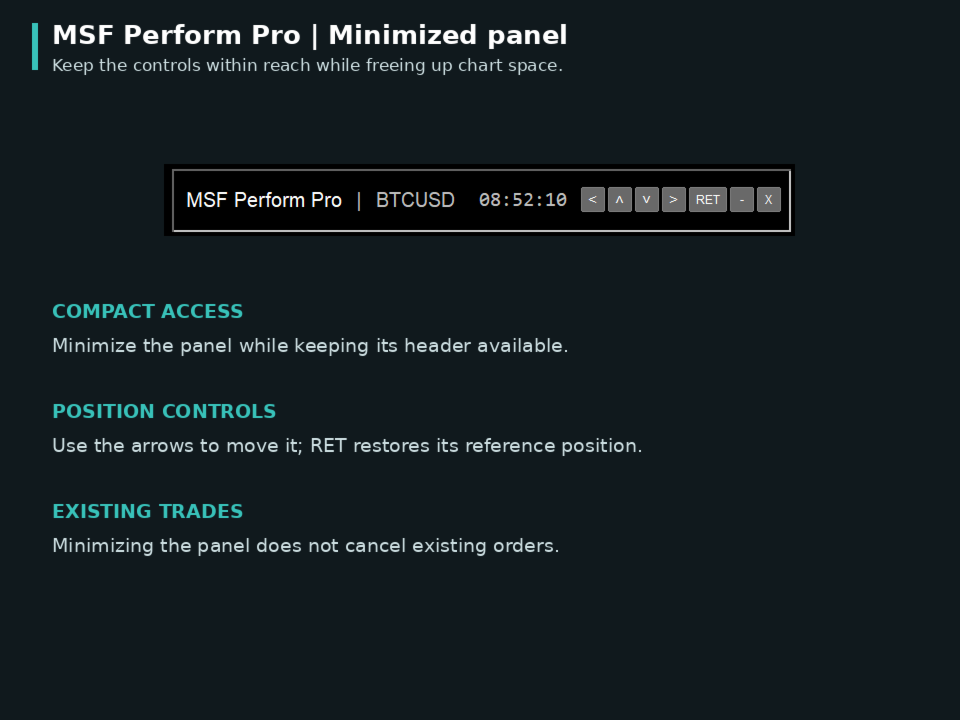
The movable panel groups management tasks in one interface with a paginated table. Position it to suit your workspace and minimize it to a compact bar when you want to free up chart space.
Use CLEAN to temporarily hide trade lines for chart analysis. Select trades and use FOCUS to examine that group. NORMAL restores the standard MT5 trade-level display. Existing orders remain active while you change display modes.
Prepare several pending orders with less manual setup
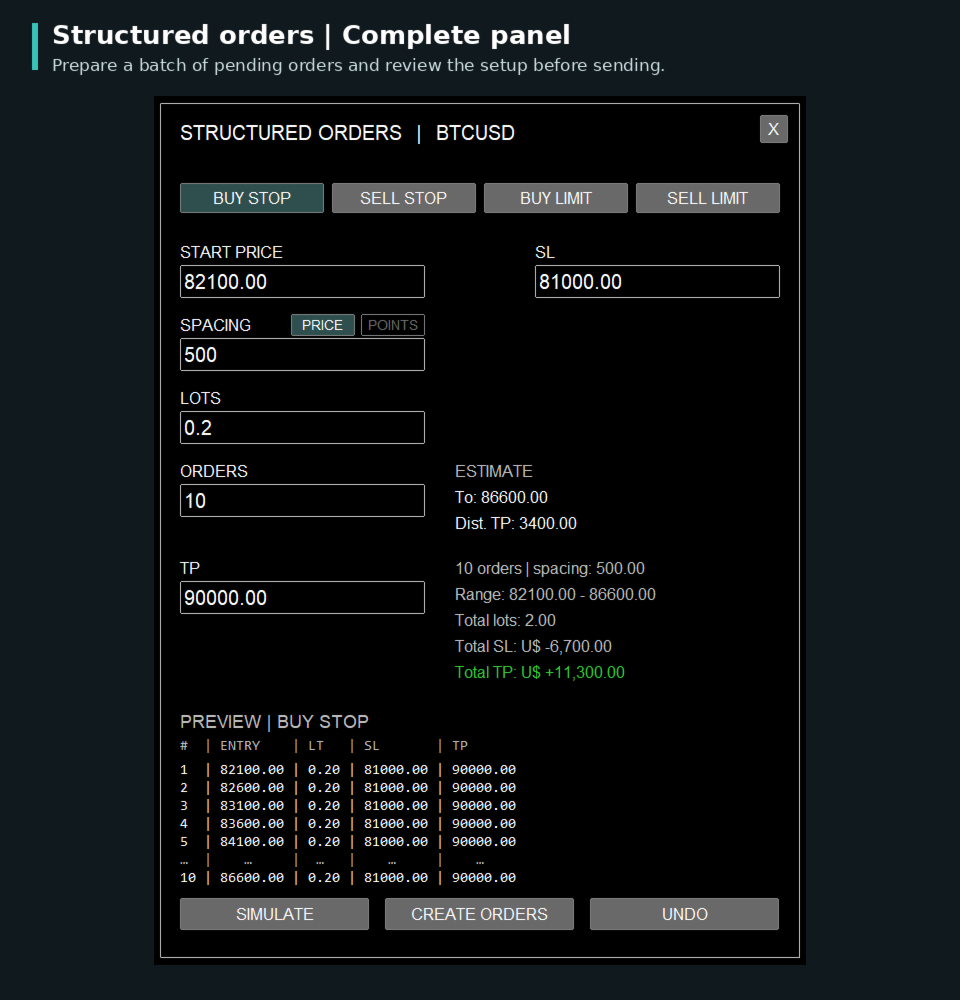
In Structured Orders, enter the first entry price, spacing, volume per order, order count, SL and TP. The panel identifies Buy Stop, Sell Stop, Buy Limit or Sell Limit from the prices and market context, and selects PRICE or POINTS spacing according to the symbol.
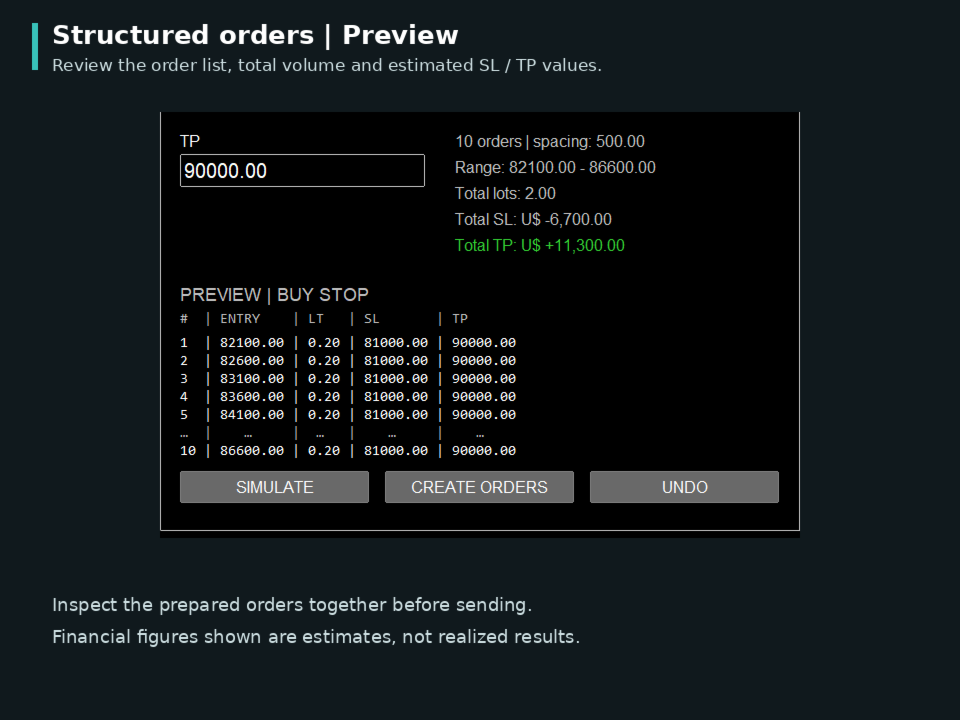
This semi-automated setup speeds up preparation and helps avoid incompatible choices. Review entry levels, total volume and estimates; you decide when to submit with CREATE ORDERS.
A dedicated workflow for manual trade management
MSF Perform Pro complements MT5 by bringing recurring account-management tasks to the symbol's chart: finding trades, selecting them, calculating estimates, reviewing changes and submitting requests.
The interface supports English and Portuguese, with configurable session alerts. The illustrated quick guide covers installation and first use; the companion manual explains each tool's behavior. Both are available in English and Portuguese. For assistance, use the product comments or MQL5 messaging.
The panel handles manual trades, with additional origin checks on netting accounts. Trading decisions remain with the user. Review features help reduce operational errors but do not eliminate them. Simulations are estimates and each request remains subject to broker validation. UNDO depends on current trade status; pending-order deletion cannot be undone through the panel.
Quick Start & User Manuals
Download the Illustrated Quick Start Guide and the Complementary Manual in English and Portuguese. Start with installation and first steps, then consult detailed explanations whenever needed.
Download guides and manuals (ZIP)