Volatility Trader Pro
- Uzmanlar
- Sürüm: 3.85
- Güncellendi: 23 Mart 2026
- Etkinleştirmeler: 15

Volatility Trader Pro V3.5 – Engineered for Market Volatility
Volatility Trader Pro is a professional Expert Advisor (EA) for MetaTrader 5, designed for traders who want to capitalize on market fluctuations. Unlike standard EAs, this algorithm is built to turn price swings into a mathematical advantage, executing trades based on your precise parameters while saving you hours of manual analysis.
Why Volatility Trader Pro?
- Triple-Yield Performance: Our advanced multi-layer entry system is engineered to extract up to 3 times more profit from a single market move compared to traditional single-position strategies.
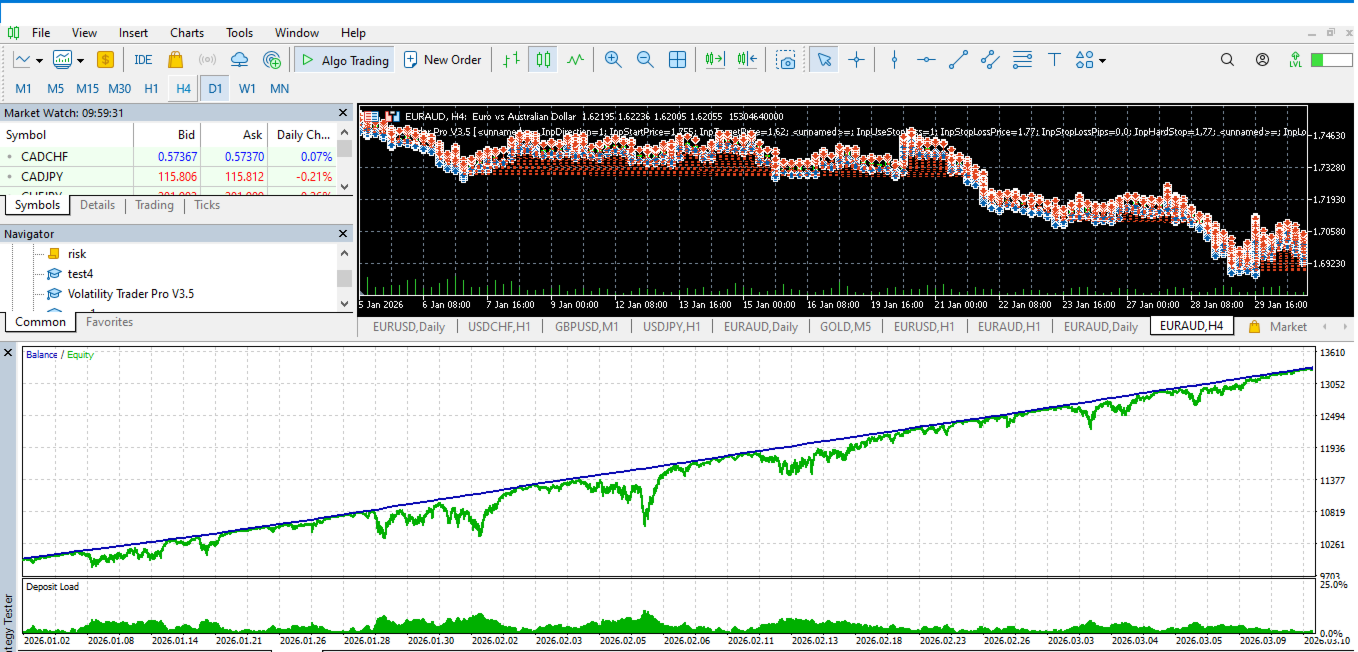
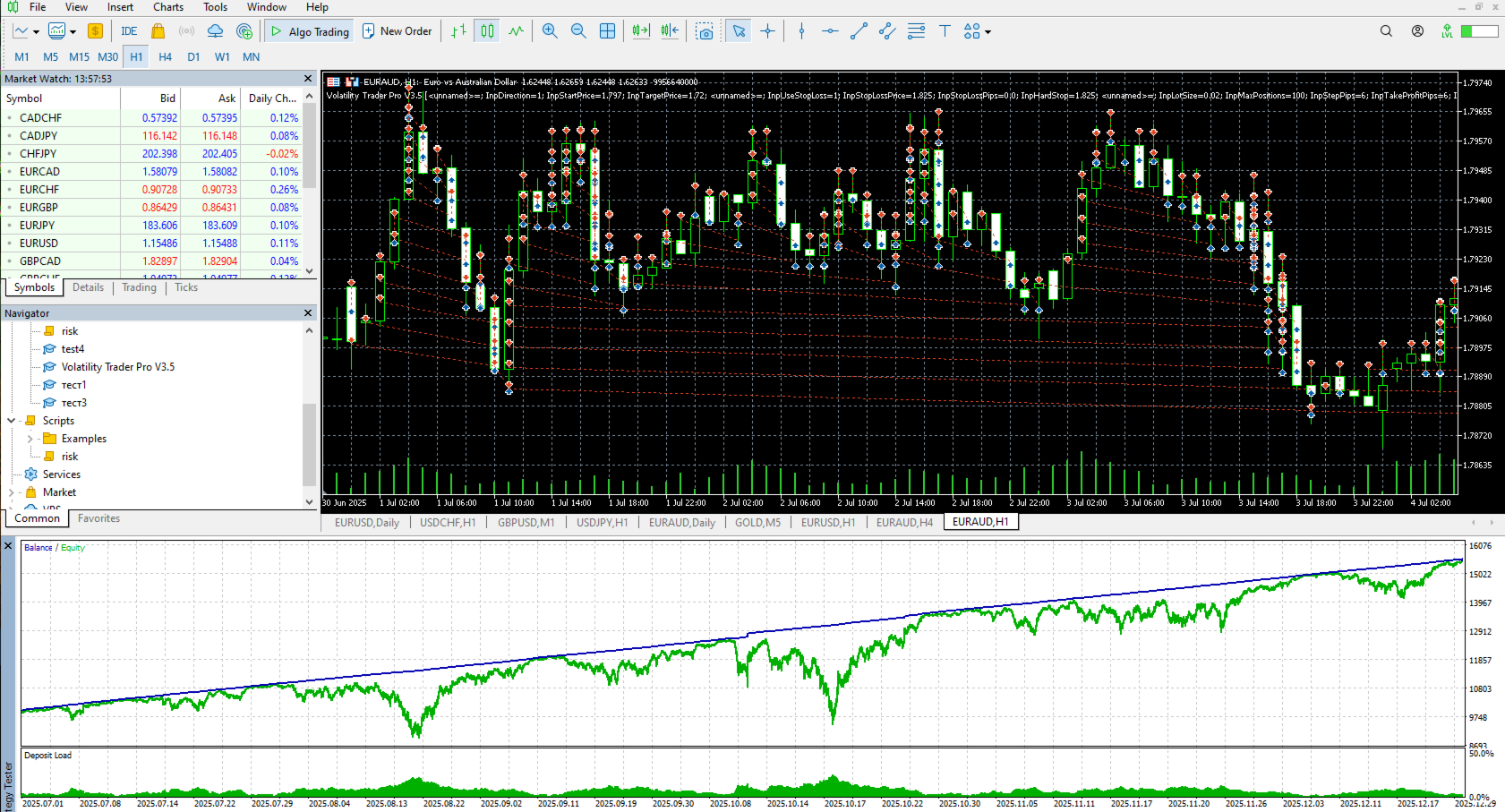
- The "Sideways Market" Advantage: While other strategies struggle during consolidation, Volatility Trader Pro thrives. It is most profitable when the price stays in a range, capturing gains from every minor fluctuation and turning market indecision into consistent capital growth.
- Time-Saving Automation: Stop staring at charts for hours. Set your triggers, define your risk, and let the EA handle the execution. It acts with lightning speed the moment your parameters are met.
- Volatility-Driven Logic: Instead of guessing the trend, this EA uses the market's natural energy (volatility) to build a high-probability trading structure.
Core Features:
- Precision Entry Management: Fully customizable activation prices and trading directions.
- Individual Profit Targets: Each position in the volatility sequence has its own Take Profit for optimized exits.
- Dual-Layer Capital Protection: Features both a Global Stop Loss and an Emergency "Hard Stop" to safeguard your equity at all times.
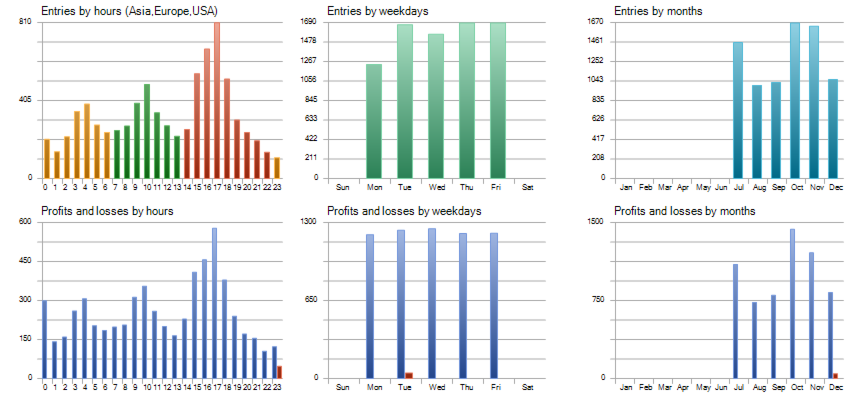
- Smart Time Filter: Trade only during high-liquidity sessions to avoid erratic spreads.
- Real-Time Performance Dashboard: Track active positions and live profit metrics directly on your chart.
Volatility Trader Pro V3.5 - User Guide & Documentation
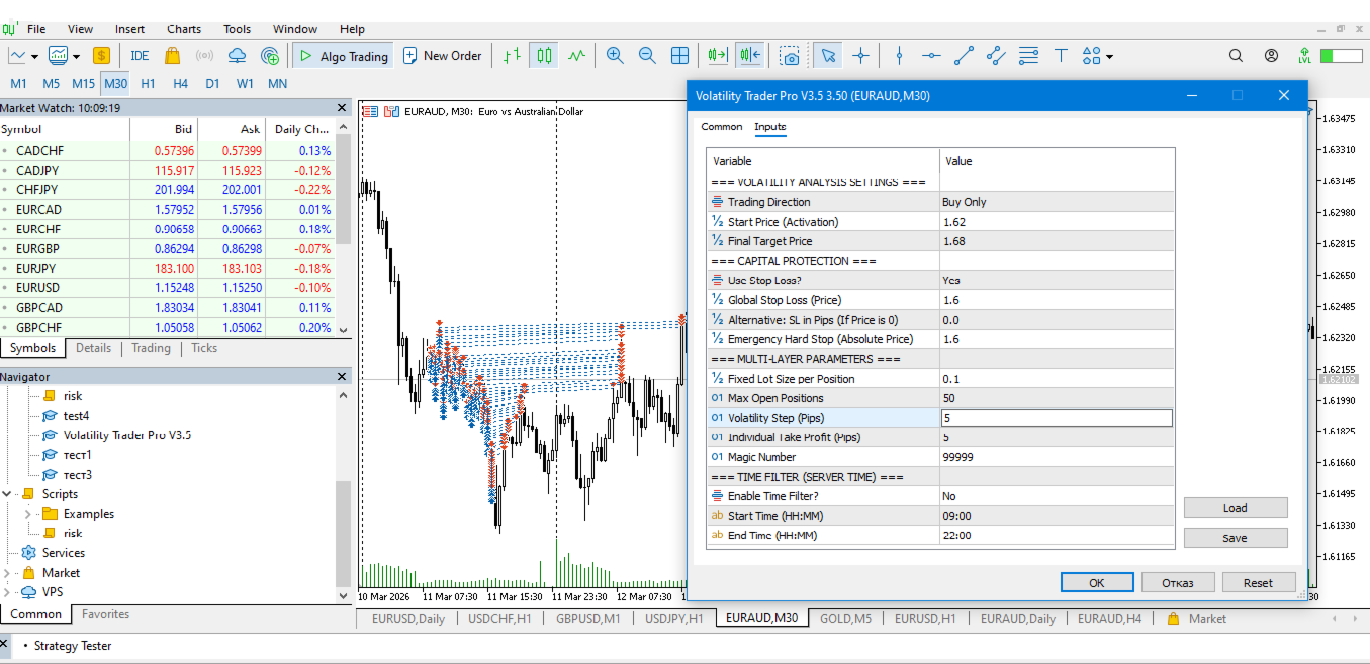
1. VOLATILITY ANALYSIS SETTINGS
This section defines where and in which direction the order sequence will start.
· Trading Direction: Choose between Buy Only or Sell Only. The robot is specialized and operates in a single direction to avoid conflicts during strong directional trend movements.
· Start Price (Activation Price): This is the trigger price. The EA will open its first trade only when the market price reaches this specific level.
· Final Target Price: This is the ultimate Take Profit price that defines your analysis as successful. Once hit, the EA closes all open orders, stops opening new ones, and ceases operation because the analysis goal has been fulfilled.
2. CAPITAL PROTECTION & RISK MANAGEMENT
The most critical section for your account's security.
· Use Stop Loss? (Enable Capital Protection): Option Yes/No. If enabled, every order in the sequence will have an individual protective stop.
· Global Stop Loss: Enter a specific price here where all orders should be closed if the market moves significantly against your position.
· Emergency Hard Stop: This is your "final exit." If the price crosses this level, the robot immediately closes all positions and stops working to protect your capital from a total loss.
3. MULTI-LAYER PARAMETERS
This section configures the mechanics of adding positions.
· Fixed Lot Size: The volume of each individual order in the sequence (e.g., 0.01 lots).
· Max Open Positions: The maximum number of trades the robot can open simultaneously (e.g., 10). This strictly limits your market exposure.
· Volatility Step Distance: The number of pips the price must move against you before the EA opens the next position in the sequence.
· Individual Take Profit (in Pips): The profit target for each individual trade. When the price moves the defined number of pips in your favor, the specific trade is closed at a profit.
· Magic Number: A unique identification number that allows the EA to recognize its own orders and not interfere with other experts running on the same account.
4. TIME FILTER (Server Time)
Controls when the robot is allowed to initiate new sequences.
· Enable Time Filter: If set to Yes, the robot will only open new trades within the specified interval.
· Start/End Time (HH:MM): The EA's operating hours based on server time (e.g., 09:00 to 22:00). Extremely useful for avoiding dangerous periods like the Asian session opening or high-volatility news events.
Performance Expectations
· During Sideways Movement (Range): The robot will open and close positions quickly, accumulating small but frequent profits from price corrections.
· During a Trend Against the Position: The robot will start opening additional trades. Thanks to the fixed step and position limit, the risk remains controlled. The first significant price correction is expected to close part or all of the positions at a profit.
· During Extreme Movements: If the market fails to correct and reaches the Global Stop Loss or Hard Stop levels, the robot will realize a controlled loss instead of allowing the account to be wiped out.
On-Screen Display (Dashboard Summary)
· STATUS: Shows whether the robot is active, outside of trading hours, or stopped due to a triggered emergency stop.
· ACTIVE TRADES: Displays how many trades are currently active out of the maximum allowed.
· LIVE PROFIT: Real-time floating profit/loss of the sequence, calculated in your account's base currency.
Risk Warning:
Trading foreign exchange (Forex) and other financial instruments on margin carries a high level of risk and may not be suitable for all investors. High leverage can work against you as well as for you. Before deciding to trade, you should carefully consider your investment objectives, level of experience, and risk appetite. There is a possibility that you could sustain a loss of some or all of your initial investment; therefore, you should not invest money that you cannot afford to lose.
Limitation of Liability:
By using this Expert Advisor, you agree that the developer and/or provider are not responsible for any financial losses or damages incurred through the use of this software. You are solely responsible for managing your risk settings and monitoring your account's activity.