Gold Correlation Assistant
- Утилиты
- Версия: 1.10

XAUUSD Correlation Assistant is an analysis panel for gold traders. It answers three questions
in one place: which markets move with gold right now, how strong and how stable those
relationships are, and whether the other markets currently agree with gold's trend.
What it calculates
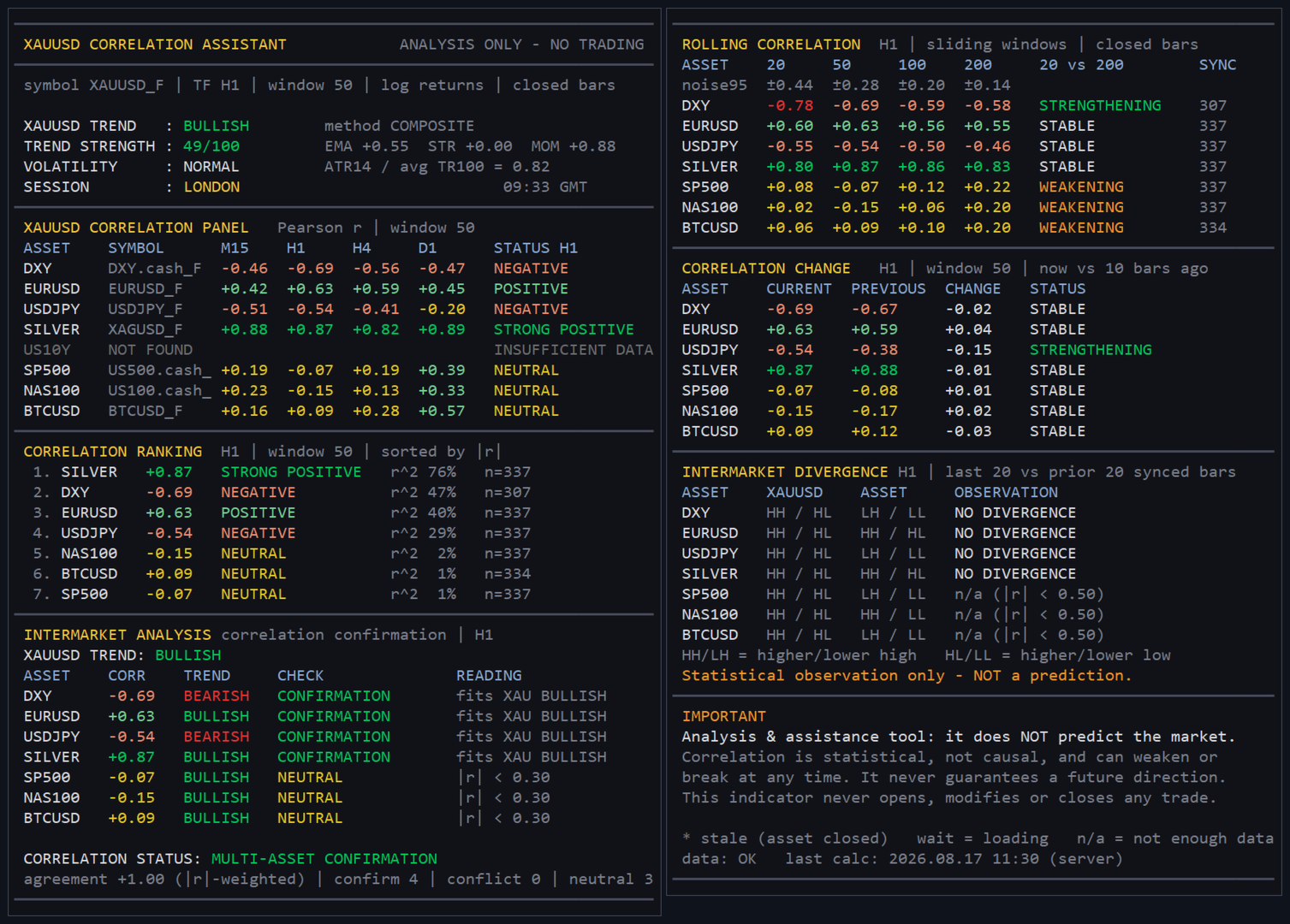
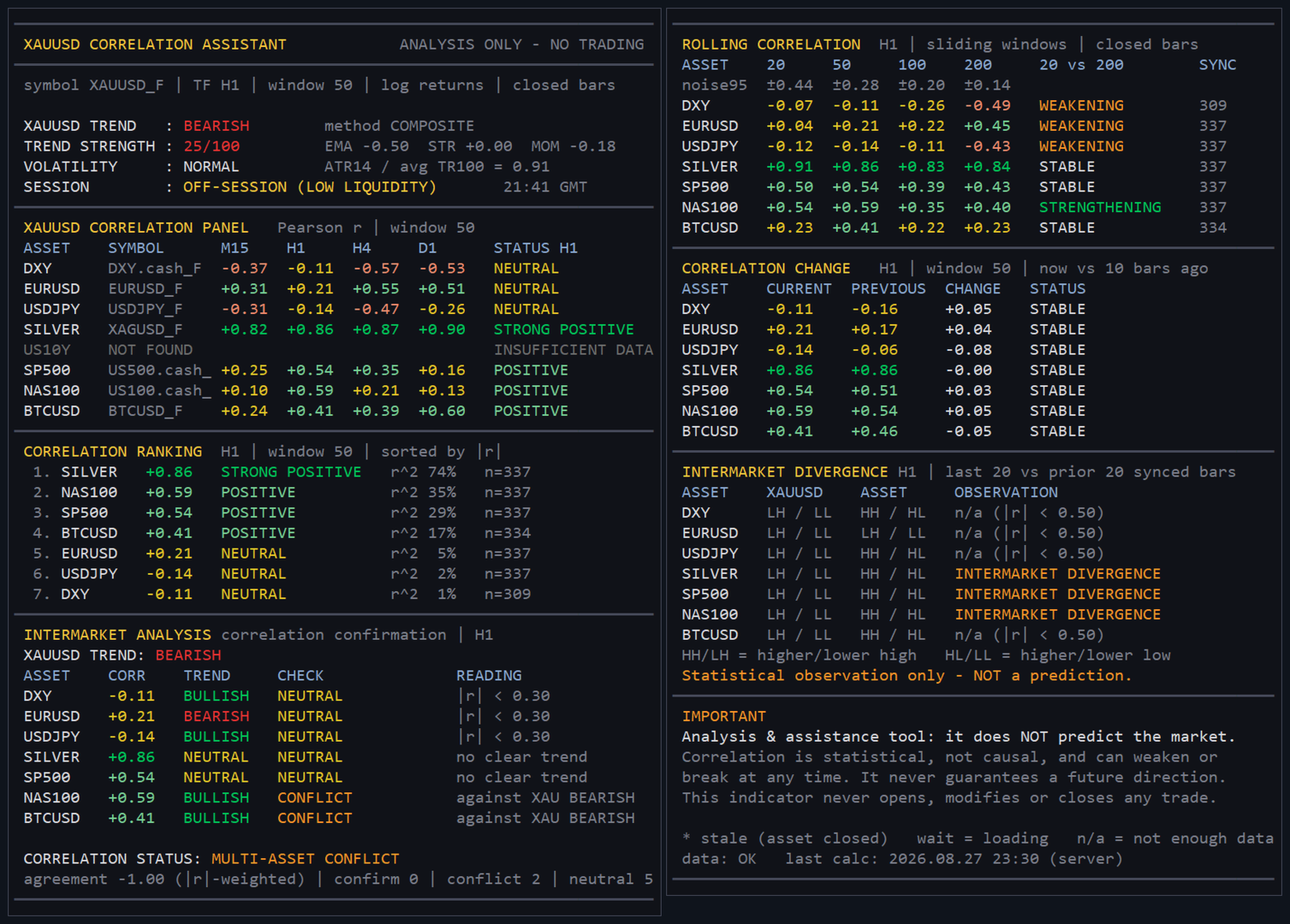
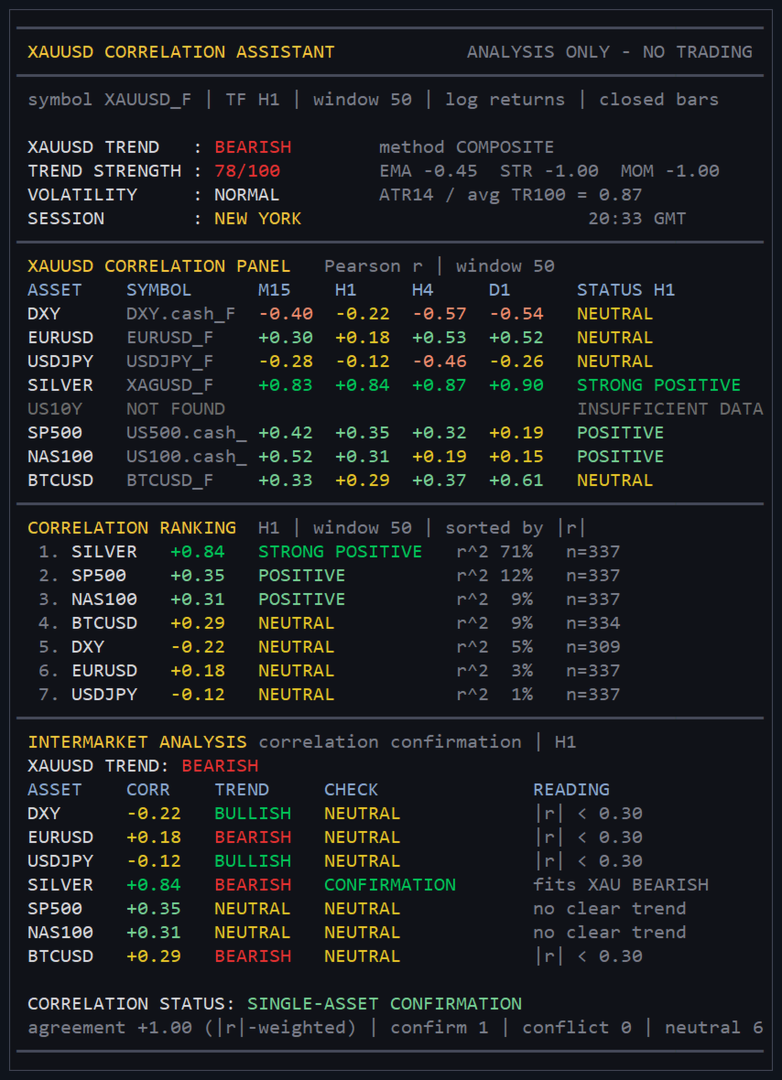
- Pearson correlation between the returns of gold and of each asset, on four timeframes
(M15, H1, H4, D1 by default) and four windows (20, 50, 100 and 200 returns). - The bars of the two markets are matched on their exact open time; a bar that exists on one
side only is skipped, never filled in. Only closed bars are used, so values do not change
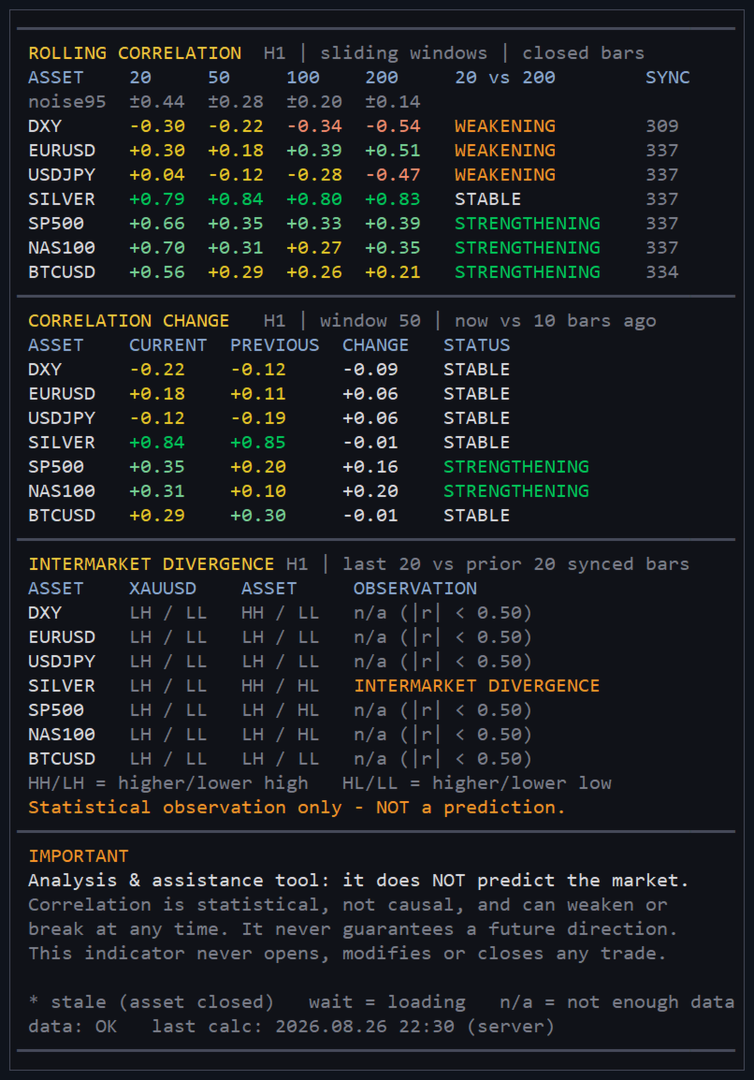
while a bar is forming. - Rolling correlation on the four windows, with the 95 % noise band of each window shown next
to it, so you can see when a value is too small to mean anything. - Change of the correlation compared with N bars earlier: strengthening, weakening, stable or
sign flip. - Trend of gold and of each asset: fast/slow EMA, swing structure and momentum, or a weighted
composite of the three. - Agreement check: given the sign of the correlation, is the asset moving the way gold's trend
implies? The panel summarises it as confirmation, conflict, mixed or neutral, weighted by the
strength of each correlation. - Intermarket divergence: the last 20 bars of gold and of the asset compared with the 20 before
(higher high / lower low), flagged when two correlated markets stop making the same moves. - Volatility of gold (ATR against its own average) and the current trading session.
Symbols at your broker
- Each asset is a list of possible names (for example US500|SPX500|SP500|USA500). The indicator
finds the name your broker uses, including prefixes and suffixes such as ".m", ".pro" or
"cash", searches outside Market Watch if needed and adds the symbol to it. - Assets your broker does not offer are shown as NOT FOUND (US 10-year yields and the dollar
index are missing at many brokers). Up to ten assets can be set. - Attach it to any chart: it finds the gold symbol by itself. If no gold symbol exists, it says
so on the chart.
What it is, and what it is not
- It describes the current relationships between markets. It does not predict prices and does
not tell you when to buy or sell. - In the author's tests (gold and seven assets, hourly bars, January 2024 to August 2026):
- the correlations shown were checked against an independent recalculation: they agreed to the
displayed precision on 4,024 of 4,025 readings (the last one differed by 0.005); - when |r| was 0.30 or more, the sign of the correlation was still the same over the next 50
hours in 83 % to 100 % of cases depending on the asset, while its size changed by 0.10
(silver) to 0.24 (US indices) on average; - the confirmation and conflict states did not anticipate gold's next 4 or 24 hours: gold did
not move further in the direction of its trend after a confirmation than after a conflict.
Use it to understand the market around gold, not as a trading signal.
- the correlations shown were checked against an independent recalculation: they agreed to the
- Correlation is statistical, not causal, and can weaken or reverse at any time.
Panel
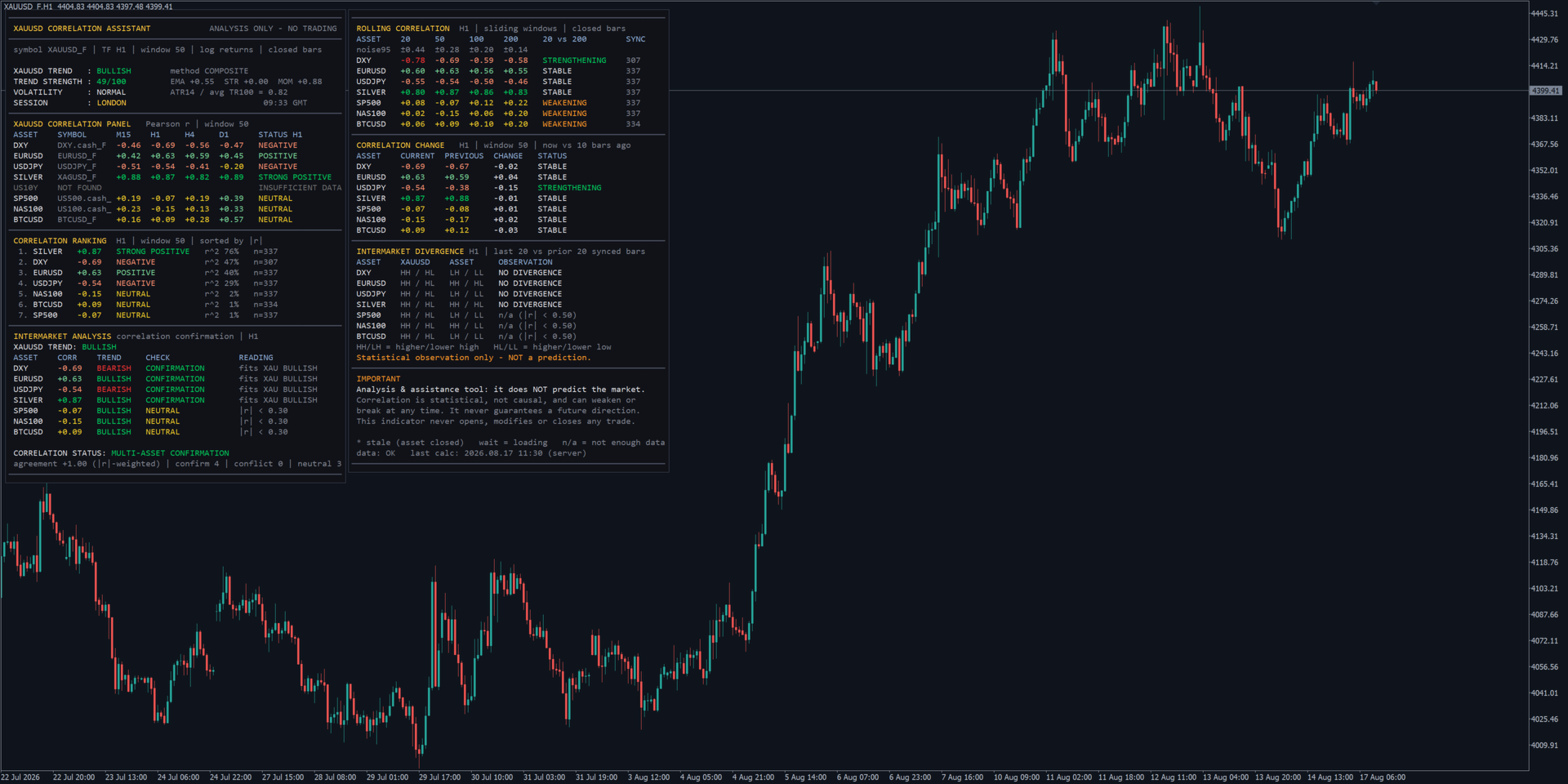
- Two panels: trend, volatility and session of gold, correlation matrix, ranking by strength and
agreement check on the left; rolling correlation, correlation change and divergences on the
right. Each section can be hidden, the panels can be stacked, and colours, font and position
are inputs. - It recalculates only when a bar closes, so it does not load the terminal between bars.
- Being an indicator, it can run on the same chart as your Expert Advisor.
Requirements
- MetaTrader 5. The more of the listed markets your broker offers, the more the panel shows.
- History for each asset on the four timeframes (the indicator loads it; the first display can
take a few seconds).
Strategy Tester (and the free demo)
- Run it in visual mode: the panel is drawn on the tester chart and follows the test.
- The tester cannot know your broker's time zone: the session and the GMT clock use the input
"Server offset in hours" (2 by default)