Vanguard Alpha
- Experts
- Versão: 3.14
- Ativações: 14

Vanguard Alpha is a selective, self-adjusting Expert Advisor for MetaTrader 5, built on one principle: act only when conditions are right, and let disciplined risk control do the rest.
Why Vanguard Alpha
Most automated systems hand you a long list of inputs that quietly go stale as markets change. Vanguard Alpha takes the opposite approach. Its internal calibration is managed by the system itself and keeps adjusting to how the instrument is behaving now, so you work with a short, readable set of controls instead of a wall of numbers.
The result is an EA that is patient by nature. It does not try to be active every hour. It can stay quiet for long stretches, and it is built to protect every position it does open.
What Sets It Apart
- Selective by design: the EA evaluates the market once per new bar and acts only when its internal criteria are satisfied. Most bars end with no action.
- Self-calibrating: key sensitivities are recalculated from the instrument's own recent behavior, so there is no need to hand-tune fixed levels for every symbol.
- Condition-aware: a built-in market condition filter (Filter A) works from the chart's own price data, with no external feeds or subscriptions. It can hold the EA back, scale exposure, or both.
- Event-aware: a news filter (Filter B) can pause new entries around high-impact US economic releases, using the built-in MQL5 Economic Calendar.
- Protection first: every position opens with a stop loss and is managed on every tick by a volatility-aware protective stop that only moves in your favor.
- Transparent: optional diagnostic logging lets you review what the system did and why it held back.
- Clean exposure: one position per symbol per chart. No grid, no martingale, no averaging, no hedging.
How It Works in Practice
- Watches. On each new bar of your Primary Timeframe, the EA refreshes its readings. If nothing qualifies, it does nothing.
- Cross-checks. It confirms context on a second, higher timeframe that you choose before any trade is considered.
- Filters. Filter A and Filter B can each stand the EA down or reduce its size when conditions are unfavorable.
- Sizes. Position volume is set by your chosen mode, with a hard maximum volume and broker limits always respected.
- Protects. Every trade carries a stop loss from the first moment. After entry, the protective stop adapts to current volatility and never moves against the position.
- Resets. When the position closes, the EA returns to watching. One position at a time keeps exposure simple to understand.
Risk and Capital Protection
- Position sizing modes: Fixed Lot, Equity Percent, or Volatility-Normalized Risk (default). In the default mode, wider protective stops automatically produce smaller positions, so the amount at risk per trade stays consistent.
- Maximum Volume ceiling applies in every mode.
- Trades are skipped, not forced, when the calculated volume falls below the broker minimum.
- A margin check runs before every order, using your broker's own calculation.
- Trading pauses if account balance or equity falls below a minimum safety level.
- Broker minimum stop distances are respected.
- A master switch lets you disable new entries at any time.
- An optional USD profit failsafe can close a position once floating profit reaches a level you set.
Who It Is For
Vanguard Alpha suits traders who value discipline over activity and prefer a compact, understandable setup. It is built for liquid instruments such as major currency pairs, gold and major indices, and works best on a stable connection, ideally a VPS.
It is not intended for anyone who expects constant trading or who wants aggressive recovery-style position handling.
Quick Start
- Attach the EA to one chart per symbol.
- Choose your Primary Timeframe and a higher Secondary Timeframe.
- Select a position size mode and set a Maximum Volume that fits your own risk limits.
- Leave Filter A and Filter B at their defaults for your first tests.
- Test in the Strategy Tester, then forward test on a demo account before going live.
Input Reference
| Group | Input | Default | What it controls |
|---|---|---|---|
| Core | Primary Timeframe | H1 | Timing and trade management. |
| Core | Secondary Timeframe | H4 | Higher timeframe used for broader context. Keep it above the Primary. |
| Core | Enable Trading | true | Master switch for all EA activity. |
| Risk | Position Size Mode | Volatility-Normalized | Fixed Lot, Equity Percent, or Volatility-Normalized Risk. |
| Risk | Fixed Volume | 0.01 | Lot size in Fixed Lot mode. |
| Risk | Risk Percent | 1.0 | Percentage of equity used by the percentage-based modes. |
| Risk | Maximum Volume | 0.20 | Hard lot ceiling in every mode. |
| Signal | Signal Parameter 1 | 10 | Primary signal sensitivity. |
| Signal | Signal Parameter 2 | 15 | Secondary signal timing. |
| Signal | Signal Filter Threshold | 0.0 | Optional quality filter. 0.0 disables it; higher is more selective. |
| Exit | Profit Failsafe (USD) | 0.0 | Closes a position at this floating profit. 0 disables it. |
| Filter A | Gate | true | Restricts new entries when the filter reading is too low. |
| Filter A | Scaling | true | Adjusts position size to the filter reading. |
| Filter A | Lookback | 500 | History used by the filter. Minimum 100. |
| Filter A | Step | 1.0 | Filter sensitivity. Must be above zero. |
| Filter A | Weight | 0.5 | Balance between Primary and Secondary Timeframe input (0 to 1). |
| Filter A | Min Score | -0.25 | Minimum reading for entries and lower scaling bound. |
| Filter A | Full Score | 0.35 | Reading at which scaling reaches maximum. Must exceed Min Score. |
| Filter A | Min Multiplier | 0.50 | Smallest size multiplier. |
| Filter A | Max Multiplier | 1.00 | Largest size multiplier. Not below Min Multiplier. |
| Filter A | Logging | false | Writes filter diagnostics to a file. No effect on trading. |
| Filter B | Enable | true | Turns the news filter on or off. |
| Filter B | Minutes Before | 30 | Entries paused this long before a high-impact event. |
| Filter B | Minutes After | 30 | Entries paused this long after a high-impact event. |
| Diagnostics | Diagnostic Logging | false | Records per-trade statistics to a file. No effect on trading. |
Testing and Optimization Notes
- Use the MT5 Strategy Tester with "Every tick based on real ticks", realistic spreads and commissions.
- Test across several years and varied market conditions, then confirm on a period not used for optimization.
- Optimize a few inputs at a time. Keep Risk Percent and Maximum Volume out of optimization and set them to your own limits.
- Prefer broad, stable parameter regions over isolated peak results.
- The MQL5 Economic Calendar is not available in the Strategy Tester, so the News Filter has no effect in backtests. Live behavior will differ in this respect.
- The EA may trade infrequently, so use long test periods to build a meaningful sample.
Suggested Optimization Approach
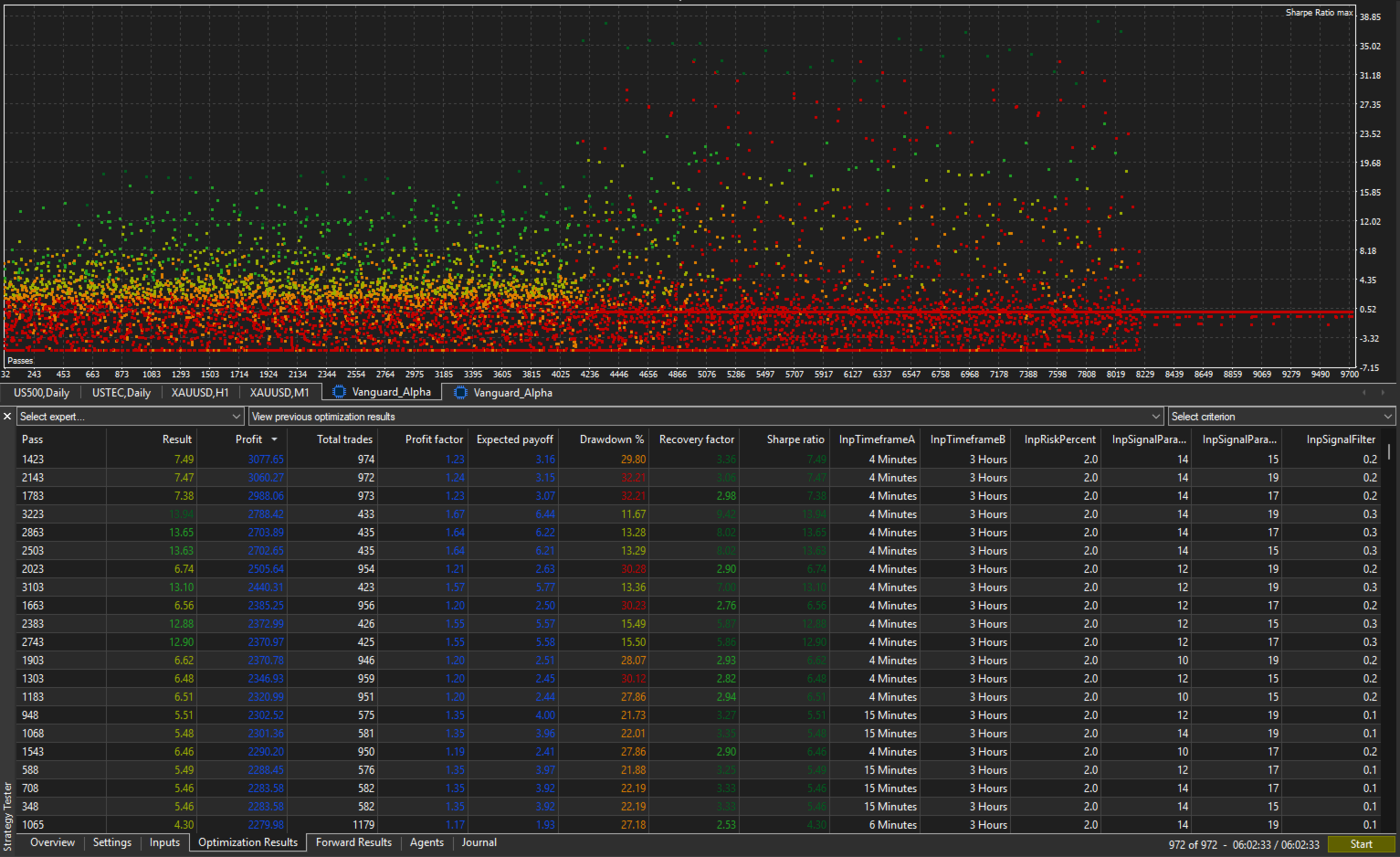
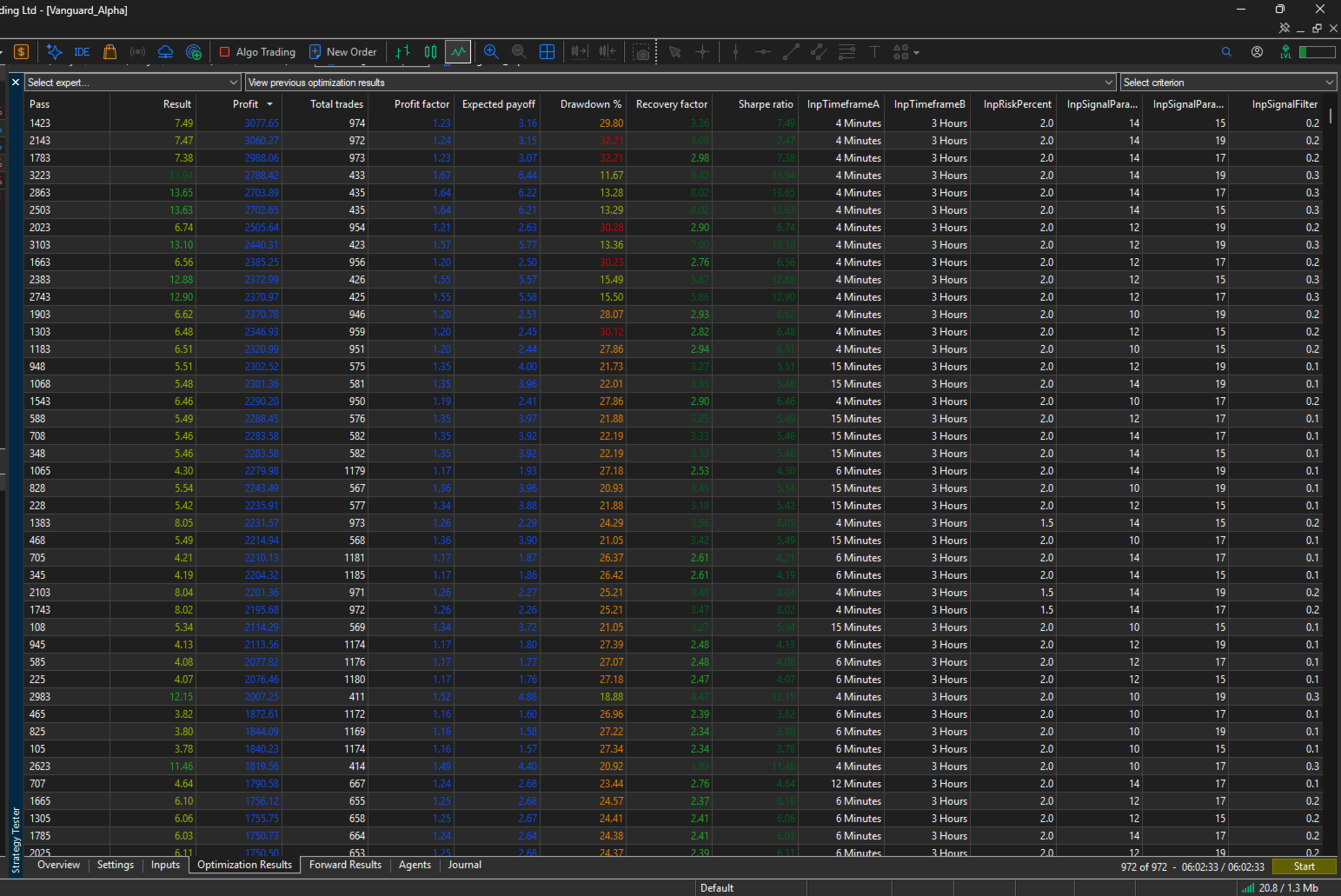
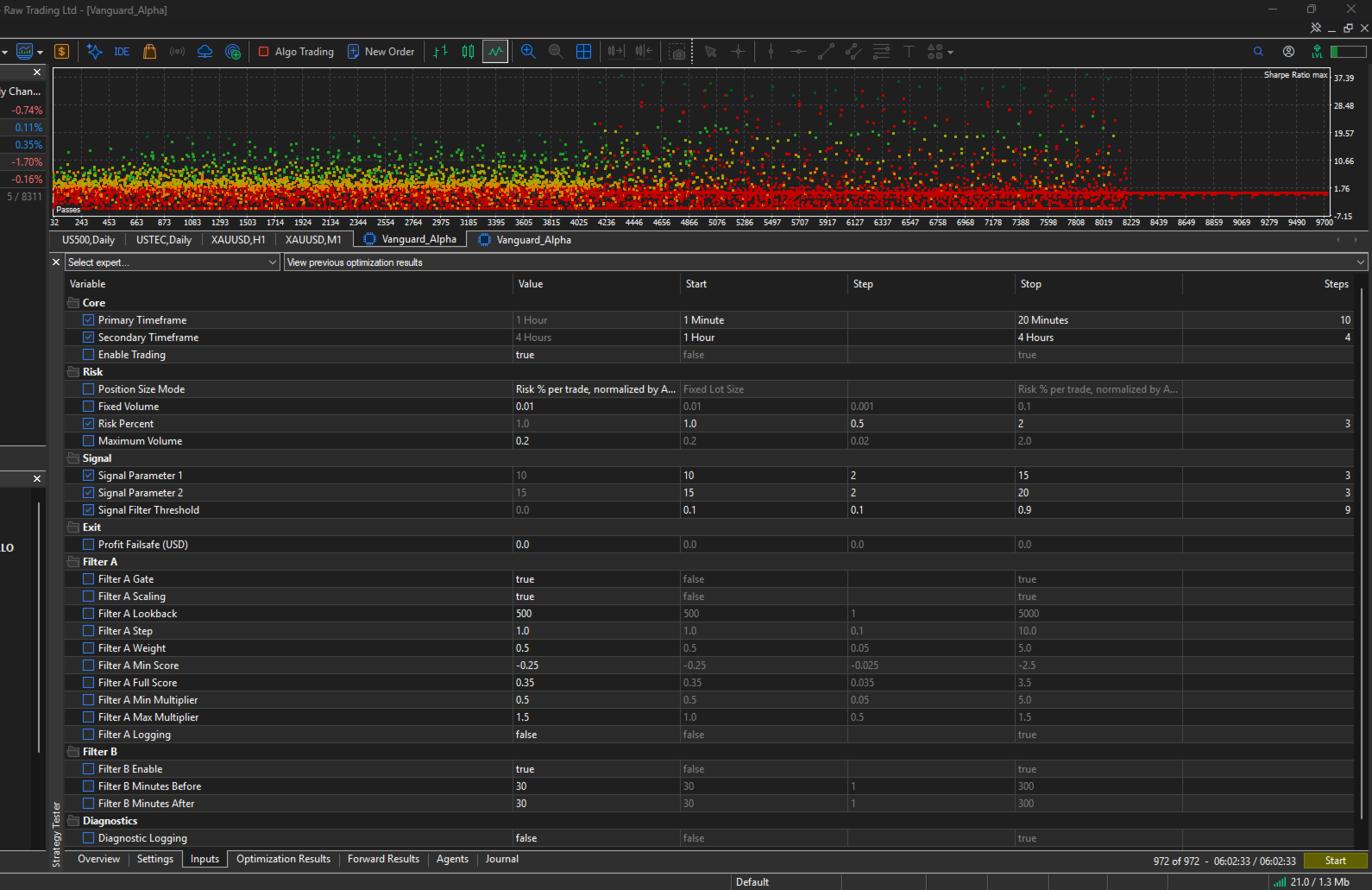
The ranges below are starting points for the MT5 Strategy Tester, drawn from the developer's own optimization work on gold. Every symbol behaves differently, so treat them as a place to begin, not as fixed settings, and run your own optimization on your instrument and broker data.
| Input | Suggested start | Step | Suggested stop | Notes |
|---|---|---|---|---|
| Primary Timeframe | M2 | - | M30 | Lower timeframes are sensitive to spread and execution quality. Use real ticks. |
| Secondary Timeframe | H1 | - | 1D | Keep it clearly higher than the Primary Timeframe. |
| Signal Parameter 1 | 8 | 2 | 16 | Extend the range if results cluster at either edge. |
| Signal Parameter 2 | 14 | 2 | 22 | Extend the range if results cluster at either edge. |
| Signal Filter Threshold | 0.1 | 0.1 | 0.9 | Higher values make entries more selective and reduce trade count. |
Keep these fixed during optimization: Risk Percent, Maximum Volume, Position Size Mode and the Filter B news settings. Set them to your own limits first, so that results compare like with like.
Recommended procedure:
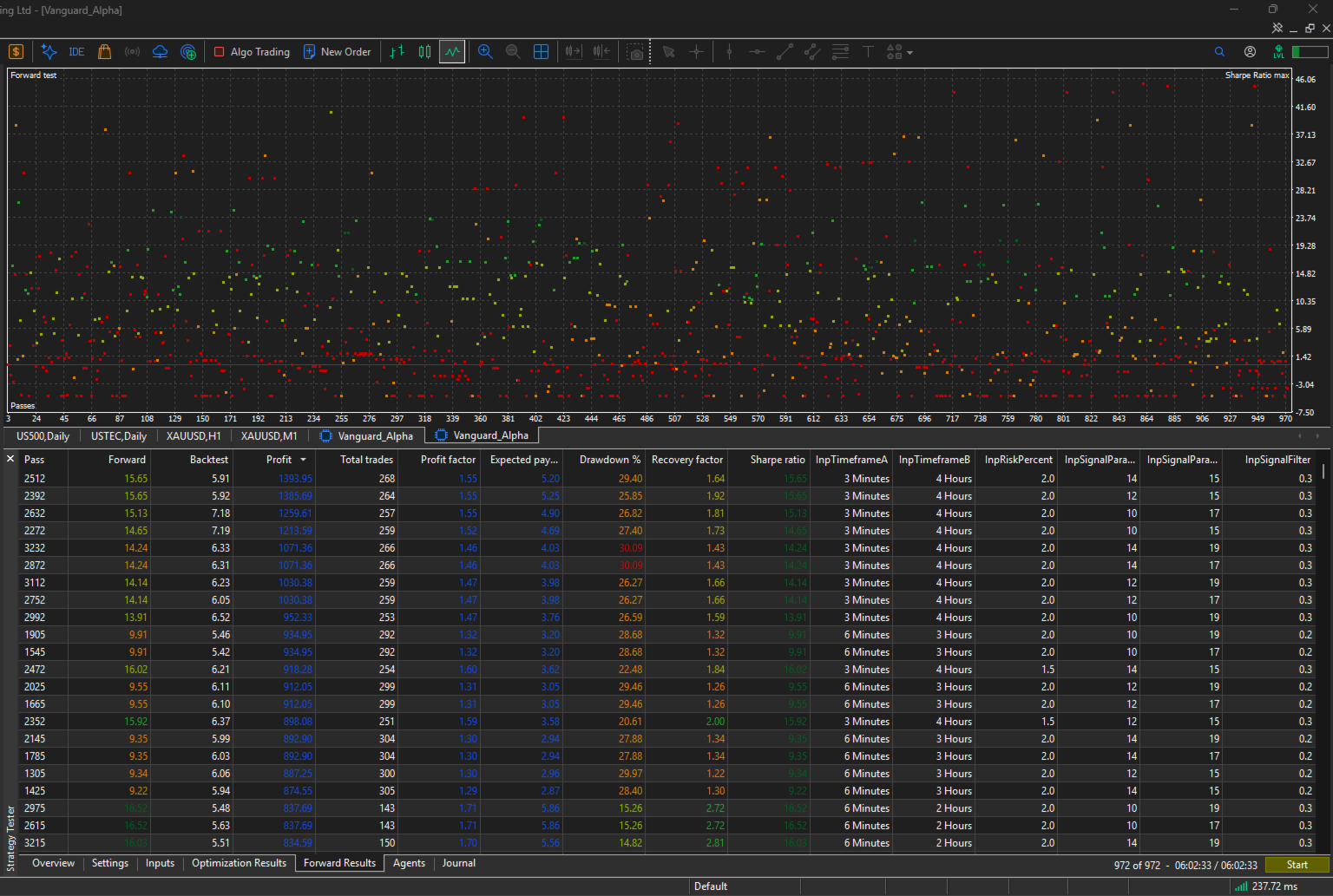
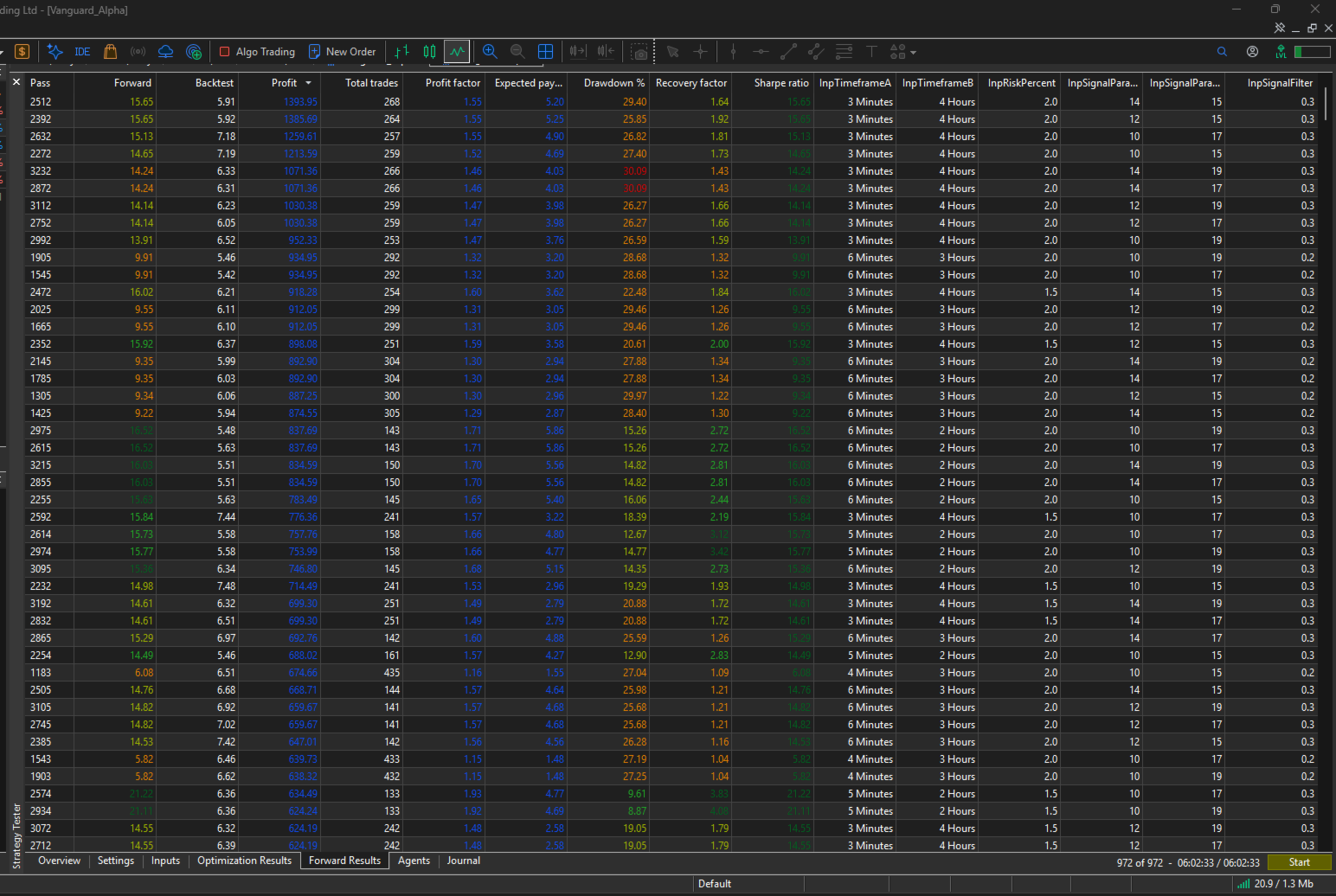
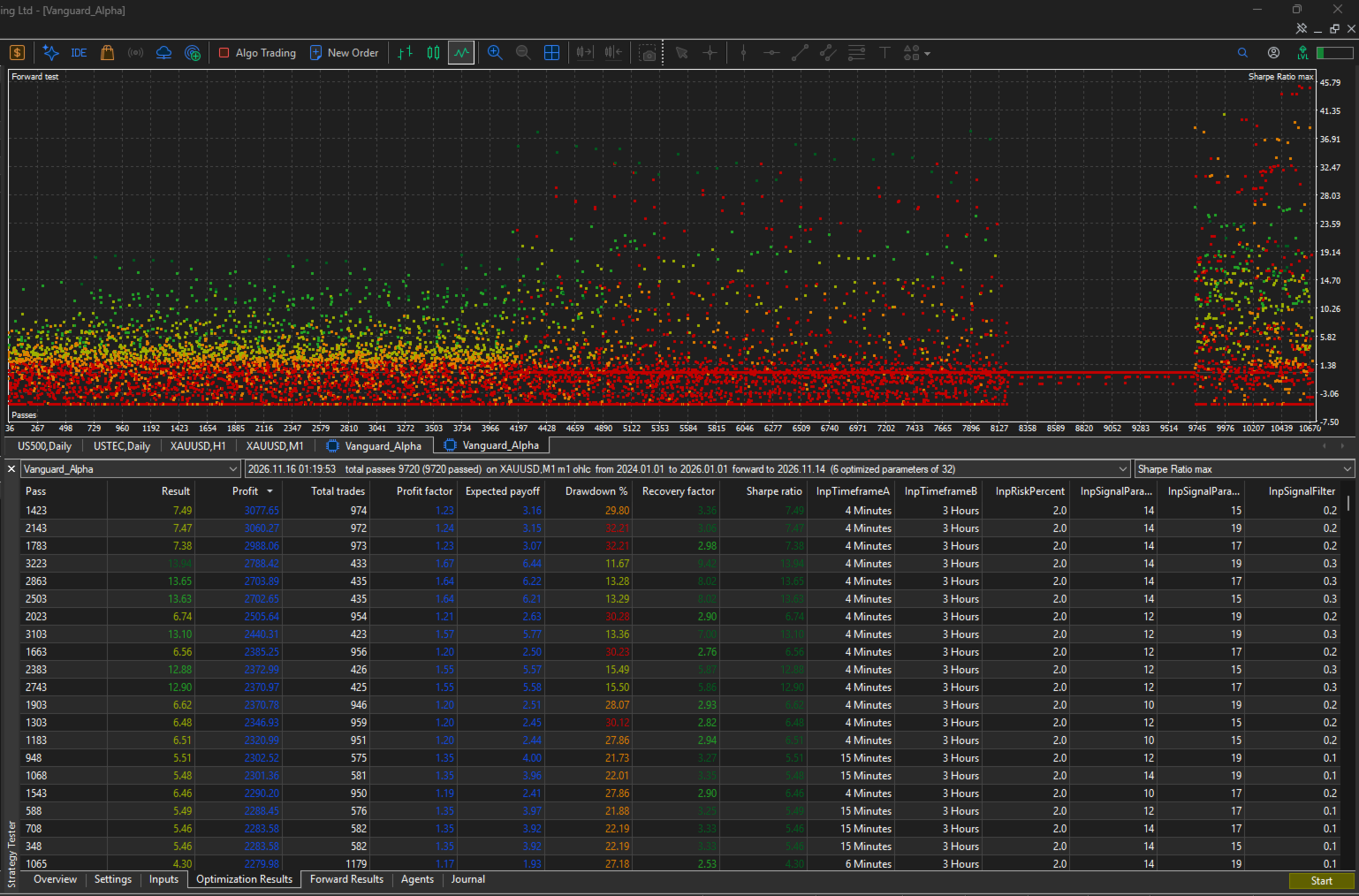
- Split your history. Optimize on an earlier period, for example two full years, and keep a later period as a forward window that the optimizer never sees. The MT5 forward option does this automatically.
- Start broad, then narrow. Run a coarse pass over the table above, then re-run a tighter range around the areas that look stable.
- Sort by more than profit. Compare drawdown, recovery factor, profit factor and total trades together. Be cautious with passes that have very few trades, since their statistics are thin.
- Look for plateaus. Choose settings whose neighbors also perform similarly. An isolated standout is more likely to be a coincidence than a reliable setting.
- Include Signal Filter Threshold in the optimization. It changes how selective the EA is, so it noticeably changes trade frequency and the character of the results. Compare its effect on both the optimization and forward periods.
- Check the forward period. Settings that hold up in both periods deserve more trust than settings that shine in only one.
- Stress test. Repeat the chosen settings with wider spreads, added slippage and a different broker feed if possible.
- Re-validate periodically. Market conditions change, so repeat the process every few months and avoid constantly changing settings in between.
A full optimization of all six inputs above can produce several thousand passes. On a typical multi-core PC this can take several hours, so plan accordingly, or use the MQL5 Cloud Network. Each pass counts toward the total, so adding a step or a wider range multiplies the run time.
Frequently Asked Questions
Does it use martingale, grid or averaging? No. It holds one position per symbol per chart.
Will it trade every day? Not necessarily. It is selective and may stay inactive for extended periods.
Can I run it on several symbols? Yes, one instance per symbol, each on its own chart. Do not run two instances on the same symbol.
Does it need external data or subscriptions? No. Filter A uses only the chart's own prices. Filter B uses the built-in MQL5 Economic Calendar.
What if I only want to see it work first? Test it in the Strategy Tester and on a demo account before using real funds.
Risk Warning
Trading leveraged financial instruments involves substantial risk of loss and is not suitable for every investor. Testing results do not guarantee future performance. Never risk capital you cannot afford to lose, use position sizing appropriate to your account, and always validate on a demo account first. The author assumes no responsibility for trading losses.