Trend State Signals
- Indicadores
-
Andrei Lukoianov
 I’m Andrei Lukoianov, a trader since 2008 and the founder of MarketStructureLab.
My team and I develop trading algorithms and indicators that help traders analyze markets, identify trading setups, and follow a structured plan. - Versão: 1.11
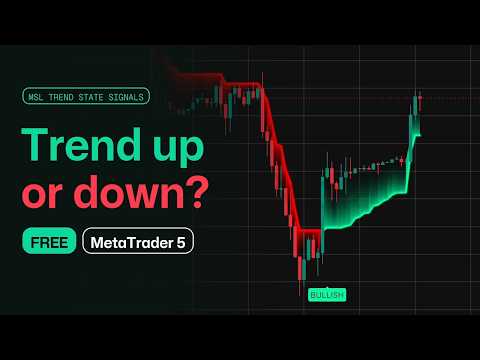
Trend State Signals is a free indicator for MetaTrader 5 by MarketStructureLab. It helps you see the current trend state and notice changes in direction through an adaptive line and BULLISH / BEARISH labels.
Use it to assess the market visually or as an additional confirmation tool in your trading strategy. Beginners get a clear guide on the chart. Experienced traders get an adjustable filter for market direction.
What you see on the chart
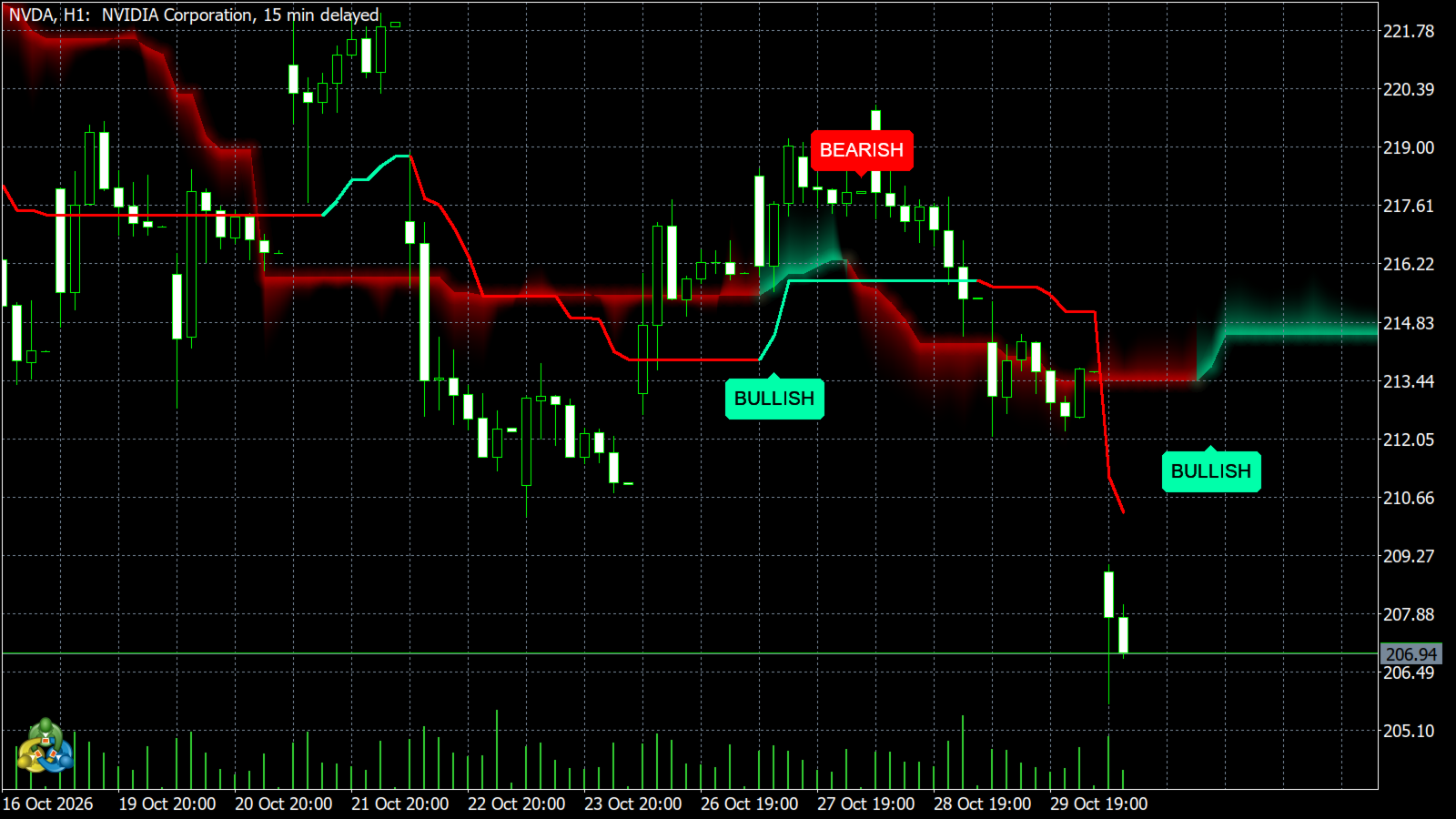
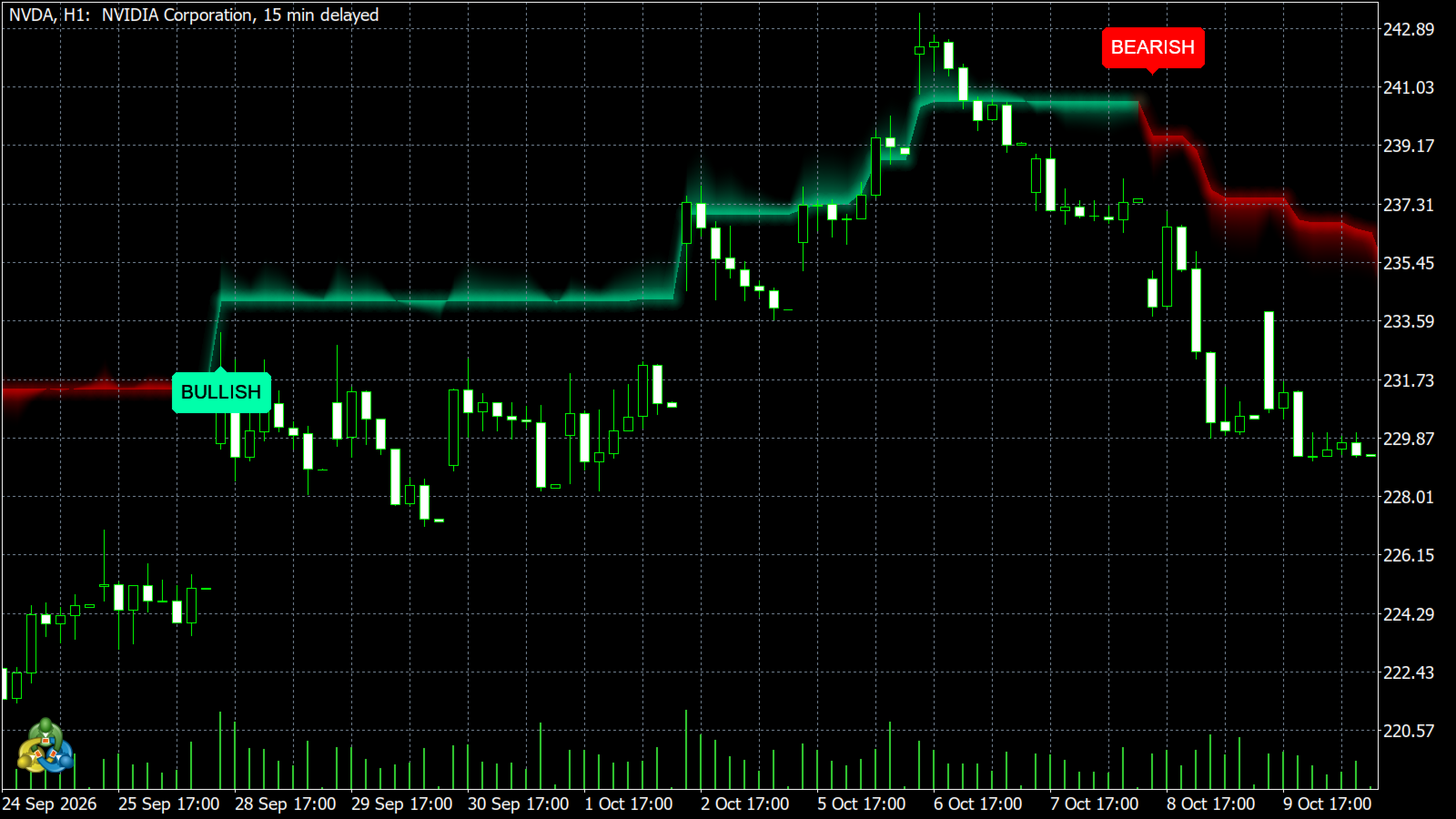
- Colored line: turquoise shows a bullish filter state, while red shows a bearish state. When the line is flat, the previous state remains active.
- BULLISH / BEARISH labels: mark changes between the two states.
- Ribbon and glow: make the line easier to see. The ribbon fades from the filter line toward the middle of each candle. It is a visual aid.
- Terminal alerts: notify you when the state changes. When you add the indicator to a chart, it displays past labels without sending alerts for those past signals.
How to use it
- Add the indicator to a chart and check the direction of the colored line.
- Watch for a BULLISH or BEARISH label. If confirmation is enabled, wait for the candle to close.
- Compare the state change with price structure, important levels or other conditions in your strategy.
A label marks a change in the direction of the filter. You can use it as additional confirmation of a possible trend change. It does not provide a complete trade setup, entry price, stop loss or profit target.
Instruments and timeframes
The indicator can be used on different instruments and chart timeframes available in MetaTrader 5. The author recommends starting with H1 and higher timeframes.
The indicator uses the timeframe of the chart where it is attached. This version does not analyze several timeframes at the same time. Adjust the settings to the instrument and its price movement.
How signals work
The filter measures absolute changes in the selected price and smooths them over time. This value is multiplied by the Range multiplier to create an adaptive threshold. The line moves when price rises above the previous filter value plus the threshold, or falls below the previous value minus the threshold.
An upward move sets the bullish state. A downward move sets the bearish state. If the line does not move, the previous state remains active.
Confirmation at candle close is enabled by default. Labels and alerts are confirmed for the closed candle when the first price update for the next candle arrives. The line and ribbon continue to update on the current candle. If confirmation is disabled, a signal on the current candle may change or disappear before that candle closes.
Settings
Calculation: choose the price source, Sensitivity length and Range multiplier. The default values are Close, 20 and 3.5. A higher multiplier usually requires a larger price movement before the line changes.
Appearance: adjust the state colors, line width, glow width and opacity, ribbon opacity, label size and label distance. Glow, ribbon and labels can be turned off separately. These settings do not change the filter calculation.
Alerts: terminal popup alerts can be turned on or off separately from labels. Push notifications and email alerts are not included in this version.
What to keep in mind
In sideways markets, the states may change frequently. The line may also react after a price reversal has already started. The colors and ribbon do not show the chance of a successful trade.
Values depend on the settings, price data and available chart history. Changes to that history may affect recalculated values.
The indicator does not open or close trades and does not guarantee profits. Use it together with your own analysis and risk management rules.
The product does not require DLL imports, WebRequest permission or an external subscription. Support is available through the product discussion page and MQL5 messages.