WaveTrace
- Indicadores
- Versão: 1.0
- Ativações: 5

WaveTrace: Volume ZigZag Waves, Higher-Timeframe Candles and Bar Timer
WaveTrace puts four chart-reading tools into one clean indicator, so you do not have to stack several separate indicators on your chart.
WHAT IT SHOWS
1) Volume ZigZag waves
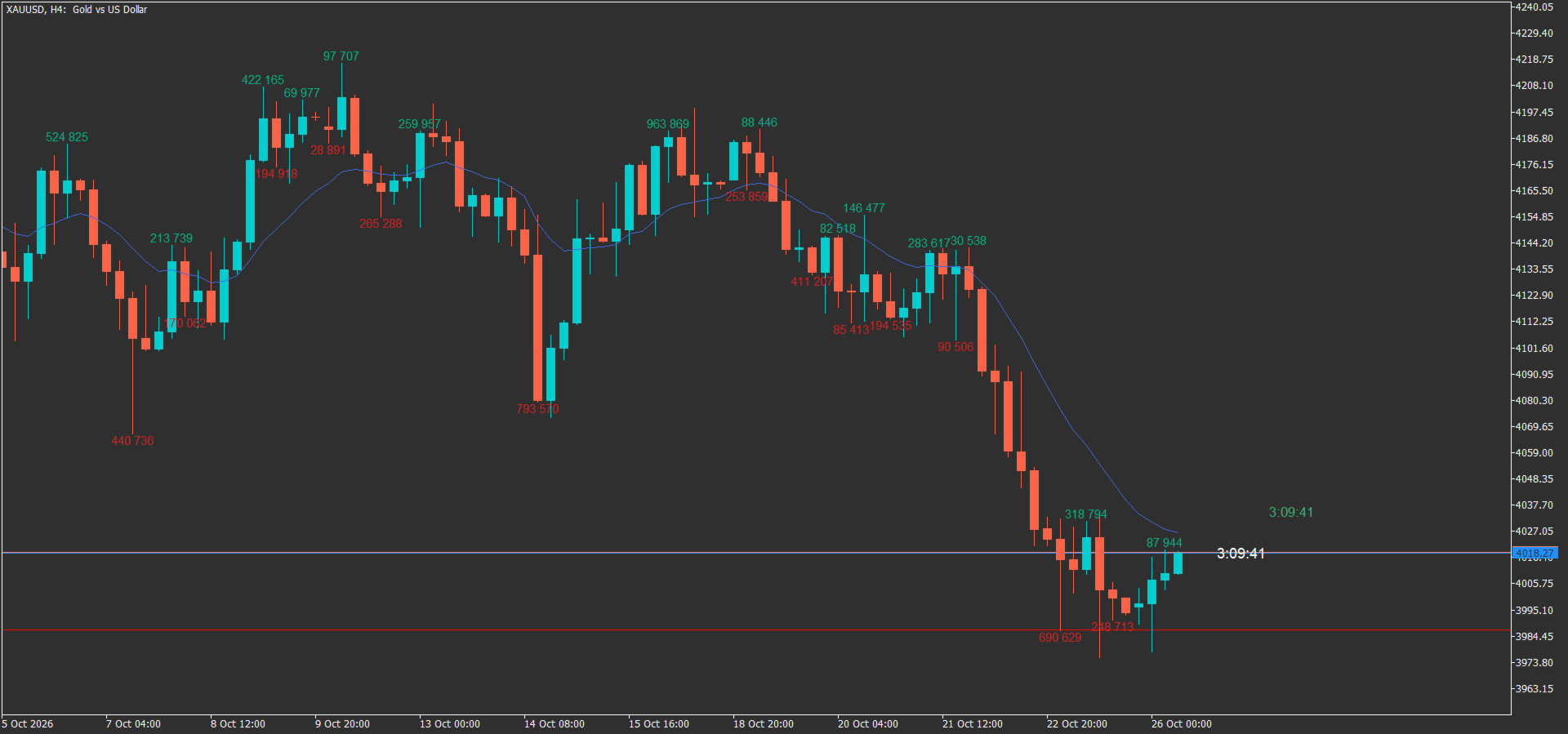
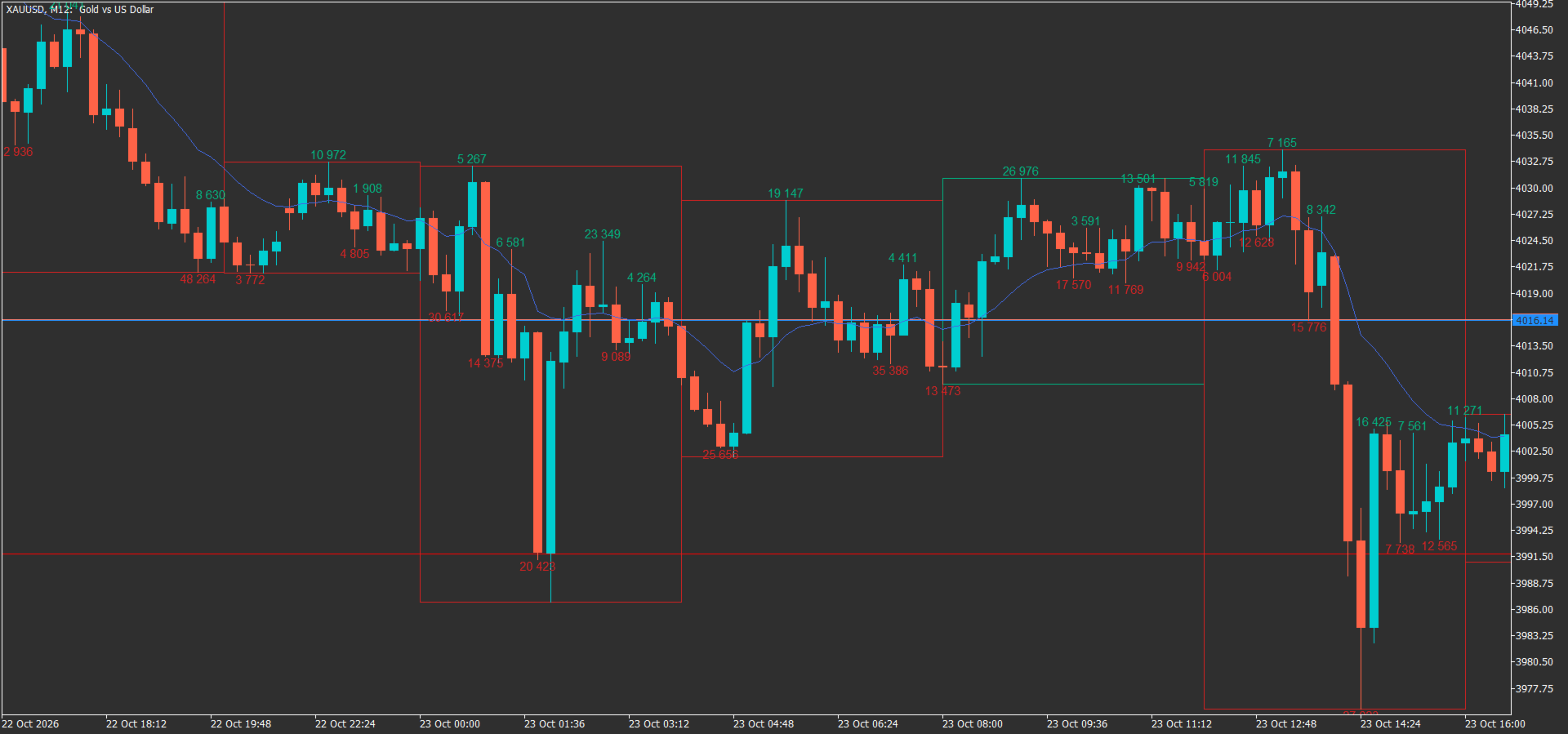
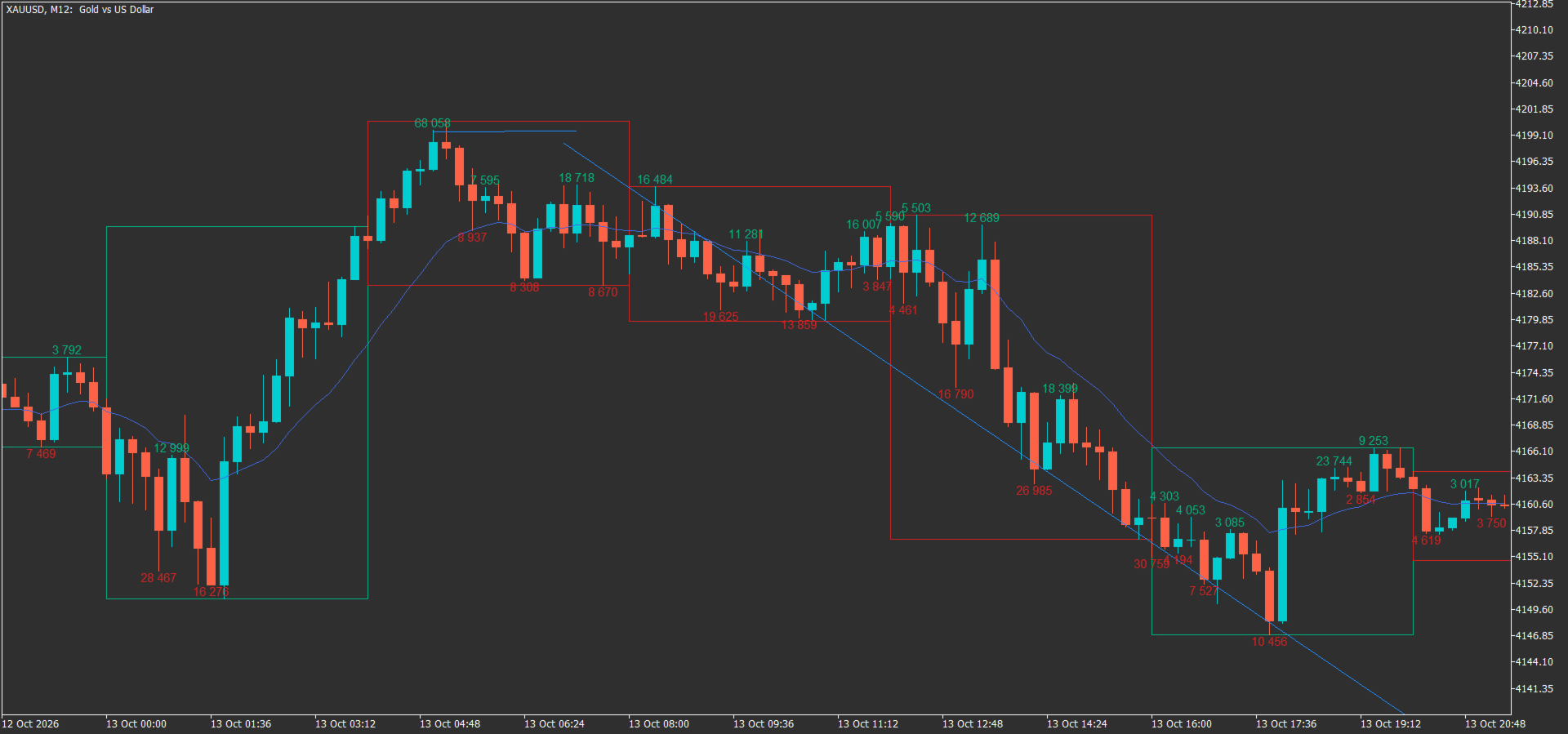
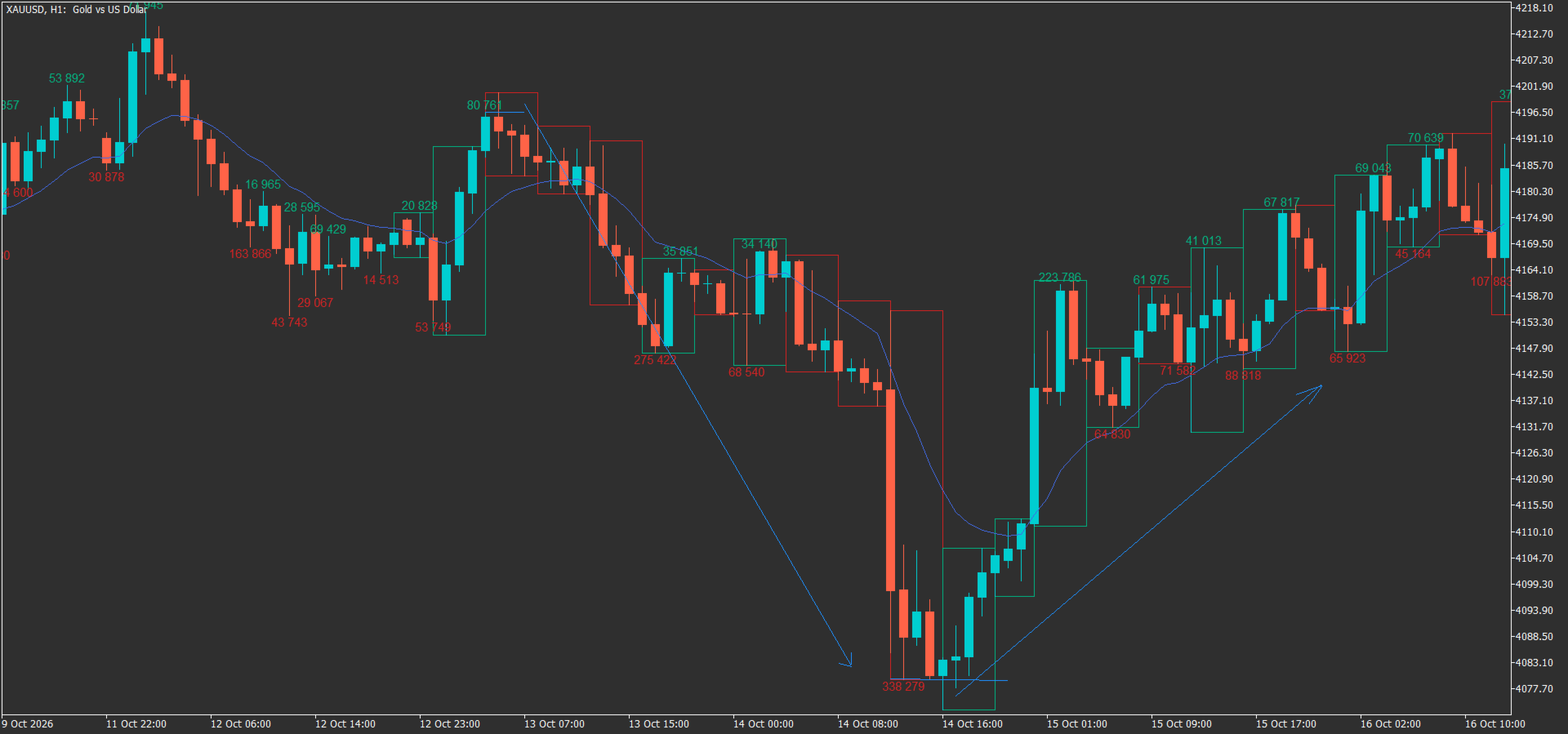
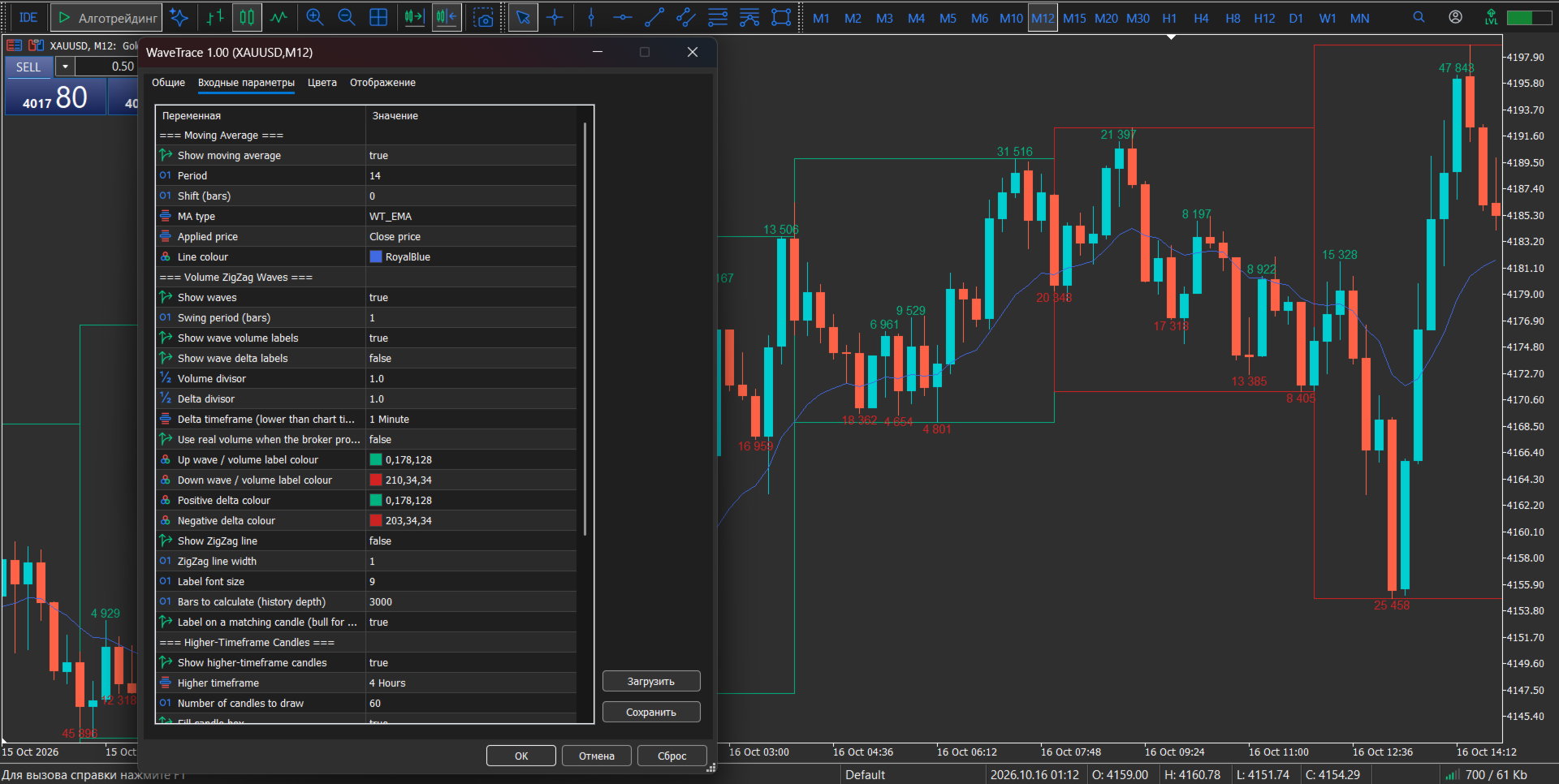
The indicator splits price into swing waves and shows the total volume traded inside each wave. Compare the volume of the current wave with the previous ones to judge whether a move is backed by participation or is running out of steam. An up wave turns down when price breaks the lowest low of the previous N bars, and a down wave turns up when price breaks the highest high of the previous N bars (N is the adjustable swing period).
- Up waves are drawn in one colour, down waves in another.
- The volume label sits above a bullish candle for up waves and below a bearish candle for down waves, so labels stay easy to read and do not clutter the chart.
- Optional delta label next to the volume. Delta is an approximation: volume of the lower timeframe candles, signed by candle direction.
- Tick volume is used by default. If your broker provides real volume, you can switch to it.
2) Higher-timeframe candles
Boxes showing the range and direction of higher-timeframe candles (H4 by default) drawn right on your current chart. See the bigger picture while you work on M5 to H1. The border colour shows whether the higher-timeframe candle is bullish or bearish.
3) Moving average
SMA, EMA, WMA or RMA, with adjustable period, shift, applied price and colour.
4) Bar countdown timer
Time left until the current candle closes, displayed next to the price.
KEY FEATURES
- Works on any symbol and any timeframe
- Clean, lightweight chart objects, no arrows and no sound alerts
- Every colour, size and display option is adjustable
- Each block (waves, volume labels, delta labels, HTF candles, MA, timer) can be switched on or off
- Does not open, close or modify trades
- Waves are fixed once the bar that confirms them has closed. The latest wave, built on the forming bar, can still change until that bar closes.
INPUT PARAMETERS
Moving Average: show, period, shift, type, applied price, colour.
Volume ZigZag Waves: show waves, swing period, volume labels, delta labels, volume and delta divisors, delta timeframe, real volume, colours, line width, font size, bars to calculate, label on a matching candle.
Higher-Timeframe Candles: show, timeframe, number of candles, fill, fill colour and opacity, border options.
Bar Timer: show, colour, font size.
HOW TO USE
Attach the indicator to a chart and adjust the swing period to your timeframe. A smaller value gives more, shorter waves, a larger value gives fewer, longer waves. Use the wave volume together with your own analysis: for example, compare how much volume a push into a level carried against the previous push.
NOTES
- Volume in forex and CFD markets is tick volume (the number of price changes), not exchange volume. It is a useful measure of activity, but it is not the same as exchange-traded volume.
- The delta value is an estimate and depends on the quality of the lower-timeframe history on your terminal. Make sure the delta timeframe history is loaded.
- This is an analysis tool. It does not generate trade signals and does not guarantee any result. Trading involves risk. Test on a demo account first.
SUPPORT
Questions and suggestions are welcome in the comments or by private message.