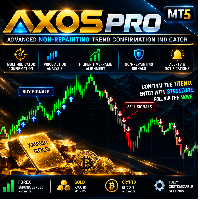
Axos Pure Price Action
- Indicadores
- Versão: 28.0
- Ativações: 9

AXOS Pure Price Action is a technical analysis indicator for MetaTrader 5 that combines price action, market structure, liquidity analysis, and concepts commonly associated with Smart Money Concepts (SMC) and ICT-style trading.
The indicator identifies potential supply and demand zones using liquidity sweeps, Break of Structure (BOS), and Premium/Discount validation. It also provides zone touch signals, estimated volume information, Fair Value Gaps (FVG), market structure references, and optional Moving Average filtering.
The indicator is intended to assist manual technical analysis. It does not automatically execute trades.
1. Supply and Demand Zone Detection
AXOS Pure Price Action uses a structured process to identify potential supply and demand zones.
With the relevant confirmation filters enabled, the detection process includes two conditions.
Break of Structure (BOS)
The indicator requires a qualifying Break of Structure before confirming a potential zone.
Premium and Discount Validation
The location of the potential zone is evaluated relative to the calculated Premium and Discount range.
-
Demand zones are accepted only within the Discount area.
-
Supply zones are accepted only within the Premium area.
Potential zones that do not satisfy the enabled conditions are excluded from the chart.
Confirmed zones are displayed using customizable colors:
-
Demand Zone: OrangeRed by default.
-
Supply Zone: RoyalBlue by default.
The maximum number of active zones can be adjusted in the indicator settings.
These conditions are intended to provide additional structural context for zone selection. They do not guarantee future price reactions.
2. Zone Volume Information
Each identified supply or demand zone can display calculated volume information.
The displayed values include:
-
Vol: Calculated volume associated with the zone.
-
B%: Estimated buying volume percentage.
-
S%: Estimated selling volume percentage.
Example:
Sell Zone | Vol: 681.9K (B:46% / S:54%)
The values are derived from the indicator's internal calculations using available broker price and volume data.
The buying and selling percentages are estimates. They do not represent verified institutional order flow, exact exchange-level transactions, or actual pending order quantities.
Volume information should be interpreted together with market structure and price behavior.
3. Zone Touch Signals
The indicator monitors price interactions with identified supply and demand zones.
When price revisits a zone, the indicator can display a directional arrow.
-
Green Arrow: Interaction with a demand zone.
-
Red Arrow: Interaction with a supply zone.
The touch signal system is designed to display one arrow during each continuous visit to a zone.
If price leaves the zone and subsequently returns, another arrow may be displayed.
This approach reduces repeated arrows during a single zone interaction while allowing separate retests to be identified.
The arrow colors and signal visibility can be customized.
Zone touch signals indicate detected price interactions. They do not independently confirm a reversal or guarantee a profitable trade.
4. Market Structure Analysis
AXOS Pure Price Action includes optional market structure visualization based on historical price swings.
The indicator can identify structural events commonly described as:
-
Break of Structure (BOS): A qualifying break of a previously identified structural level.
-
Change of Character (CHoCH): A structural event that may indicate a change in market direction.
Users can enable or disable market structure visualization and adjust the swing detection depth.
Market structure information can be used alongside supply and demand zones to evaluate the broader price environment.
5. Liquidity Levels and Sweeps
The indicator includes a liquidity analysis component based on selected price swing levels.
Potential liquidity reference levels may be identified near previous highs and lows.
These levels can be marked with the $$$ label.
When price moves through an identified liquidity level according to the indicator's rules, the level can be marked as swept.
Swept liquidity levels may change to a gray dashed appearance to distinguish them from active reference levels.
Available settings include:
-
Enable or disable liquidity visualization.
-
Display liquidity levels on both sides of the market.
-
Show or hide swept liquidity levels.
-
Adjust liquidity detection parameters.
-
Customize liquidity and swept-level colors.
These levels are inferred from price structure. They do not confirm the presence, location, or volume of actual institutional orders.
6. Fair Value Gaps (FVG)
The indicator includes optional Fair Value Gap detection.
Fair Value Gaps are identified using relationships between price candles and displayed as reference areas on the chart.
Bullish and bearish FVGs use separate customizable colors to distinguish them from supply and demand zones.
Users can configure:
-
FVG visibility.
-
Filled or unfilled FVG display.
-
Bullish FVG color.
-
Bearish FVG color.
-
Maximum number of active FVG areas.
FVGs represent potential price imbalance areas based on the indicator's calculation rules.
They do not guarantee that price will revisit or react to the identified area.
7. Premium, Discount and Equilibrium
The indicator includes Premium and Discount analysis based on a calculated price range.
The range is divided into three reference areas:
-
Premium: Upper portion of the calculated range.
-
Equilibrium: The 50% midpoint of the range.
-
Discount: Lower portion of the calculated range.
The range is determined using the indicator's configured lookback parameters.
When strict Premium/Discount validation is enabled, these areas are also used in supply and demand zone selection.
Under this condition:
-
Demand zones must be located within the Discount area.
-
Supply zones must be located within the Premium area.
The Premium, Equilibrium, and Discount reference levels can be displayed on the chart using customizable colors.
The visual display of these reference levels can be controlled separately from the relevant zone validation settings.
8. Moving Average Trend Filter
AXOS Pure Price Action includes an optional Moving Average filter.
The filter provides additional trend-based conditions for the indicator's analysis.
Available settings include:
-
InpUseMAFilter: Enables or disables the Moving Average filter.
-
InpMAPeriod: Defines the Moving Average period.
-
InpMAMethod: Selects the Moving Average calculation method.
The default Moving Average configuration uses a 200-period Exponential Moving Average (EMA).
Users can adjust these parameters according to their preferred analytical approach.
9. Zone Detection and Management
The indicator provides additional controls for supply and demand zone detection.
Available parameters include:
-
InpRequireBOS: Enables the BOS confirmation requirement.
-
InpMaxActiveZones: Maximum number of active zones displayed.
-
InpMinMoveBars: Movement-related bar requirement used by the detection algorithm.
-
InpSwingLookback: Lookback period used for swing analysis.
-
InpMaxBars: Maximum number of historical bars processed.
These settings allow users to adjust the detection process and the number of zones displayed.
Changing detection parameters may affect which zones are identified.
10. Indicator Input Settings
The following inputs are available for configuration.
Trend Filter
-
InpUseMAFilter
-
InpMAPeriod
-
InpMAMethod
Market Structure
-
InpShowStructure
-
InpSwingDepth
Liquidity
-
InpShowLiquidity
-
InpBothSidesLiq
-
InpShowSweptLiq
-
InpLiqBars
-
InpLiqColor
-
InpLiqSweptColor
Zone Touch Signals
-
InpShowTouchSignals
-
InpBuyArrowColor
-
InpSellArrowColor
Fair Value Gaps
-
InpShowFVG
-
InpFVGFill
-
InpBullFVGColor
-
InpBearFVGColor
-
InpMaxActiveFVG
Premium and Discount
-
InpShowPDZones
-
InpStrictPDRule
-
InpPDCookback
-
InpPremiumColor
-
InpEQColor
-
InpDiscountColor
Zone Detection
-
InpRequireBOS
-
InpMaxActiveZones
-
InpMinMoveBars
-
InpSwingLookback
-
InpMaxBars
Supply and Demand Visual Settings
-
InpBuyZoneColor
-
InpSellZoneColor
-
InpBorderColor
-
InpTextColor
The available parameters allow users to customize the indicator's analytical components and chart appearance.
11. Markets and Timeframes
AXOS Pure Price Action can be applied to financial instruments supported by MetaTrader 5, including:
-
Forex currency pairs
-
Gold (XAUUSD)
-
Cryptocurrencies
-
Stock indices
The indicator can be used on different chart timeframes.
Its behavior may vary depending on the instrument, timeframe, broker data, and selected input settings.
Users should evaluate the indicator on their preferred instruments and timeframes before using it for live trading decisions.
12. Suggested Analysis Workflow
A possible workflow for using AXOS Pure Price Action is:
-
Select a trading instrument and timeframe.
-
Apply the indicator to the chart.
-
Review the identified liquidity levels and market structure.
-
Examine supply and demand zones confirmed by the enabled detection conditions.
-
Review the Premium/Discount location of the identified zones.
-
Observe price behavior when it approaches a previously identified zone.
-
Examine any displayed zone touch signals.
-
Consider relevant FVG areas, volume estimates, and optional trend filtering.
-
Evaluate possible trade setups using an independent trading plan.
-
Determine entry, stop loss, take profit, and position size according to personal risk management rules.
The indicator provides technical reference information and does not automatically determine or execute trading positions.
13. Important Information
AXOS Pure Price Action is a technical analysis tool, not an automated trading system.
Supply and demand zones, liquidity levels, market structure events, FVGs, and directional arrows are generated according to the indicator's internal calculation rules.
The appearance of a zone or signal does not guarantee a price reversal, trend continuation, or successful trade.
Volume values and estimated buying and selling percentages are calculated using available broker data. They should not be interpreted as verified institutional order flow or complete market-wide transaction data.
Historical chart examples and previous price reactions do not guarantee future results.
Trading financial instruments involves risk. Users should evaluate market conditions, test the indicator with their selected settings, and apply appropriate position sizing and risk management.
AXOS Pure Price Action does not automatically open, modify, or close trades.