Account Headroom MT5
- Utilitários
-
Abraao Moreira
 Desenvolvedor MQL5 | Indicadores, Expert Advisors e ferramentas de trading
 - Versão: 1.0
- Ativações: 20
Account Headroom MT5 shows what each Expert Advisor and each strategy is doing on your prop account, and how close the account is to the limits you track. It is an indicator. MetaTrader 5 does not allow indicators to call OrderSend(), and this indicator contains no trading functions. It never opens, modifies or closes a position.
What it adds to MetaTrader 5
- Results by magic number, by strategy name or by symbol, with manual trades on their own row
- Dated, editable rule presets that store how the daily loss is calculated
- Consistency rule: the share of total profit that came from the best single day
- Alerts on screen, as push notifications to the MetaTrader mobile app, and by e-mail
- CSV export of daily results and results by source
Results by source
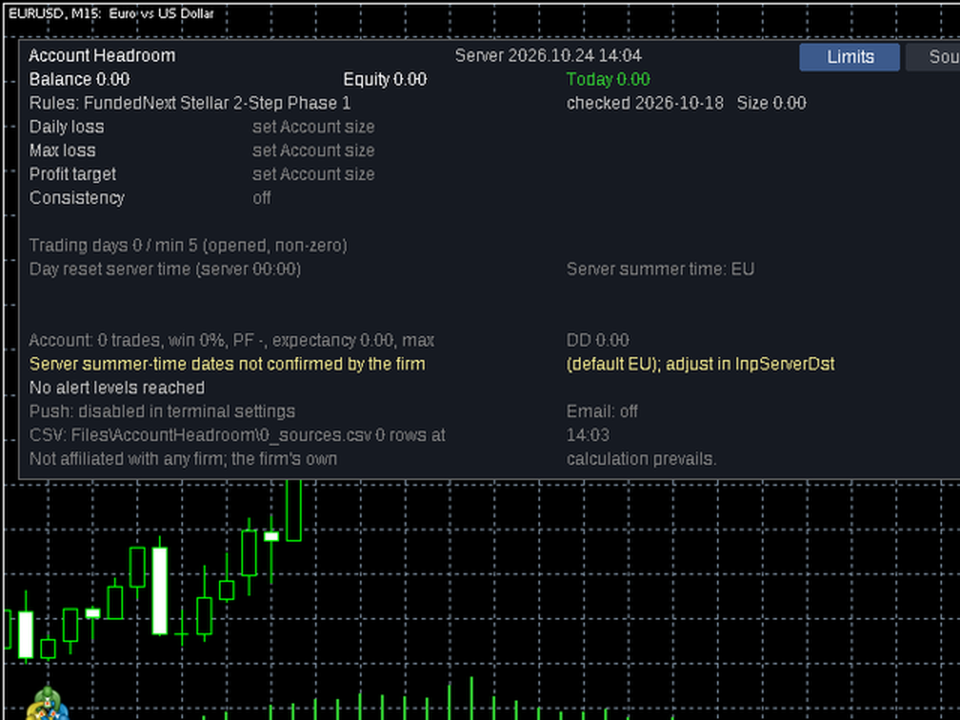
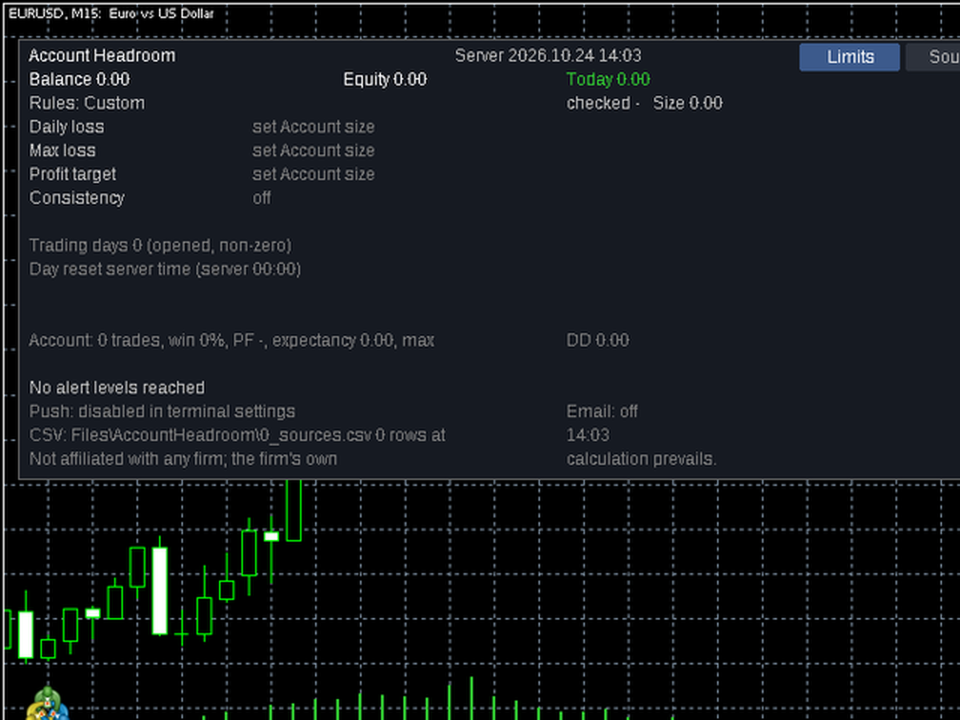
MetaTrader shows one balance for the whole account. When several Expert Advisors or strategies share the account, Account Headroom separates them. Each row shows trades, net result (closed, with commission and swap), today's result, floating profit, win rate, profit factor and maximum drawdown. You can give each magic number a readable name. Because it is an indicator, it can run on the same chart as your Expert Advisor.
Rule presets
The included presets are designed to track limits similar to those published by FTMO (2-Step, 1-Step and Instant Account) and FundedNext (Stellar 1-Step and Stellar 2-Step). Each preset stores the percentage limits, the daily loss calculation method, the day reset time and time zone, and the date on which the values were last checked against the firm's public rules page. Every value can be edited, so you can also set up other rules yourself.
Limits tracked
- Daily loss, with the calculation method of the preset or your own, or a fixed daily floor
- Maximum loss: static, trailing on the highest day-reset balance, or trailing on the highest closed balance
- Profit target
- Consistency rule
- Minimum trading days
Alerts
Choose the warning levels for each limit (default 50, 75 and 90 percent; 100 is always added). Alerts report the current state only, for example how much of a limit is used and how much room is left. They appear in the terminal and can be sent as push notifications to the MetaTrader mobile app, using the MetaQuotes ID set in Tools, Options, Notifications. E-mail alerts work if e-mail is configured in your terminal. Each rule sends each level at most once per day.
Exports
Daily results and results by source are written to CSV files in the terminal's MQL5\Files\AccountHeadroom folder.
Privacy
The indicator reads only your account history and open positions inside the terminal. It does not collect personal data, makes no internet requests and uses no DLLs. Nothing leaves the terminal except the push and e-mail alerts you enable.
About the demo
The Market runs indicator demos only in the visual mode of the Strategy Tester. The tester has no real account history and does not send push notifications or e-mails, so the demo shows an empty panel and no alerts.
Stability and support
We test each new MetaTrader 5 build. When a problem is reported and we can reproduce it, we ship a fix within 72 hours; the update appears after the Market's automatic check. The manual explains every setting and formula. Support is provided in the product comments and in MQL5 private messages. Each purchase includes 20 activations. The indicator is tested on MetaTrader 5 for Windows run under Wine on Linux; it has not been tested on a real Mac.
Before you install
Some firms restrict third-party tools or Expert Advisors on certain accounts, for example by account size. Check your firm's current rules before installing. This tool does not recommend any broker, firm, instrument or trade. Check whether the firm or broker you use is authorized in your country.
Disclaimer
FTMO and FundedNext, and the program name FundedNext Stellar 1-Step/2-Step, are trademarks of their respective owners. This product is not affiliated with, endorsed by or sponsored by any of them. Firm names are used only to identify the rule set a preset is meant to track. Presets reflect our reading of each firm's public rules on the date shown ("Rules checked on"). Firms change rules without notice and calculate limits on their own servers; their calculation always prevails. Check your firm's current rules, including any restriction on third-party tools, before relying on this panel. This tool does not trade, give signals or guarantee any result. Alerts are informational only.