TrendStack MTF Trend Dashboard
- Indicadores
- Versão: 1.0

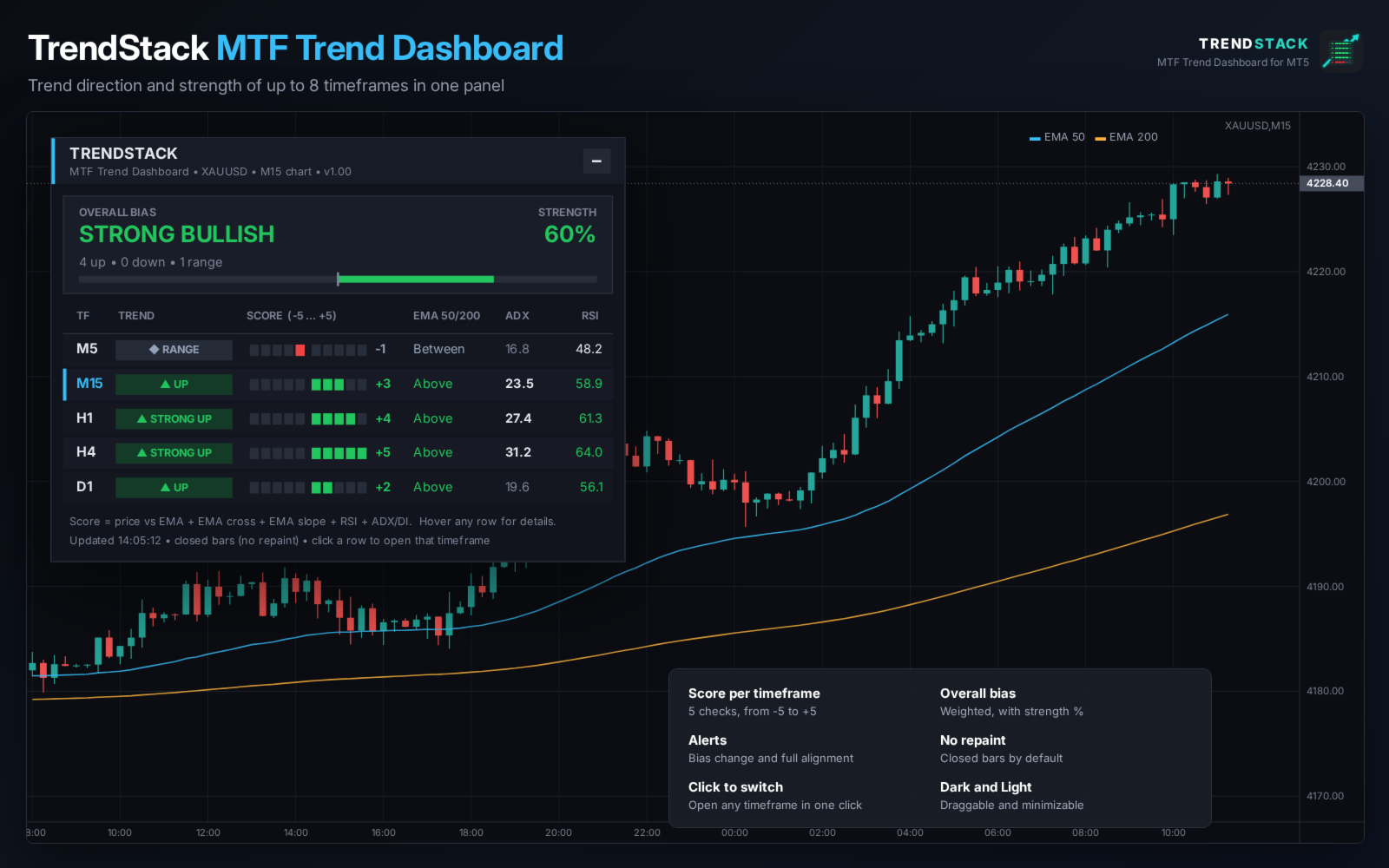
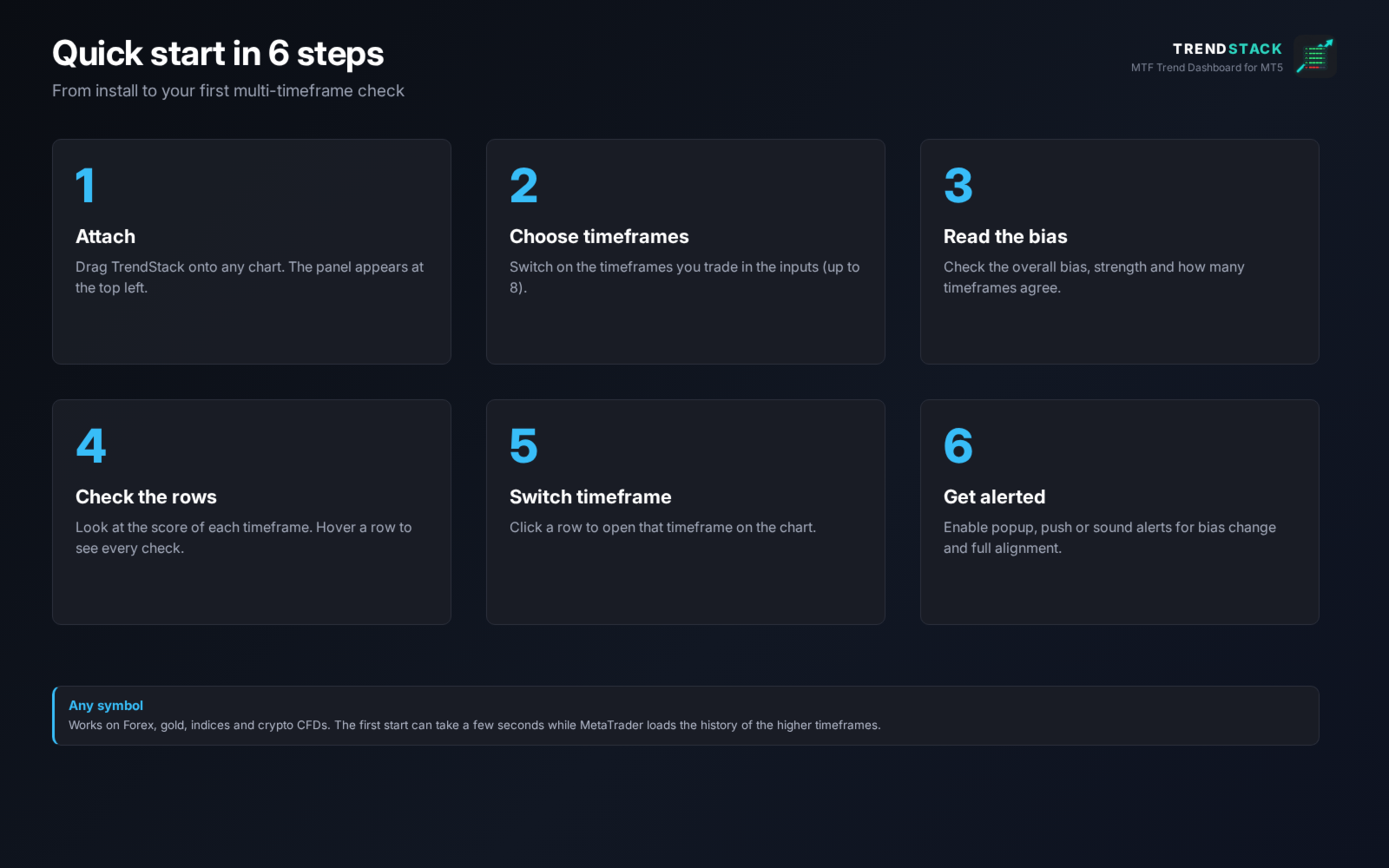
TrendStack is a free indicator for MetaTrader 5 that shows the trend of up to 8 timeframes in one compact panel. Instead of switching charts to check M15, H1, H4 and D1, you see the direction and strength of every timeframe at a glance, together with one overall bias for the symbol.
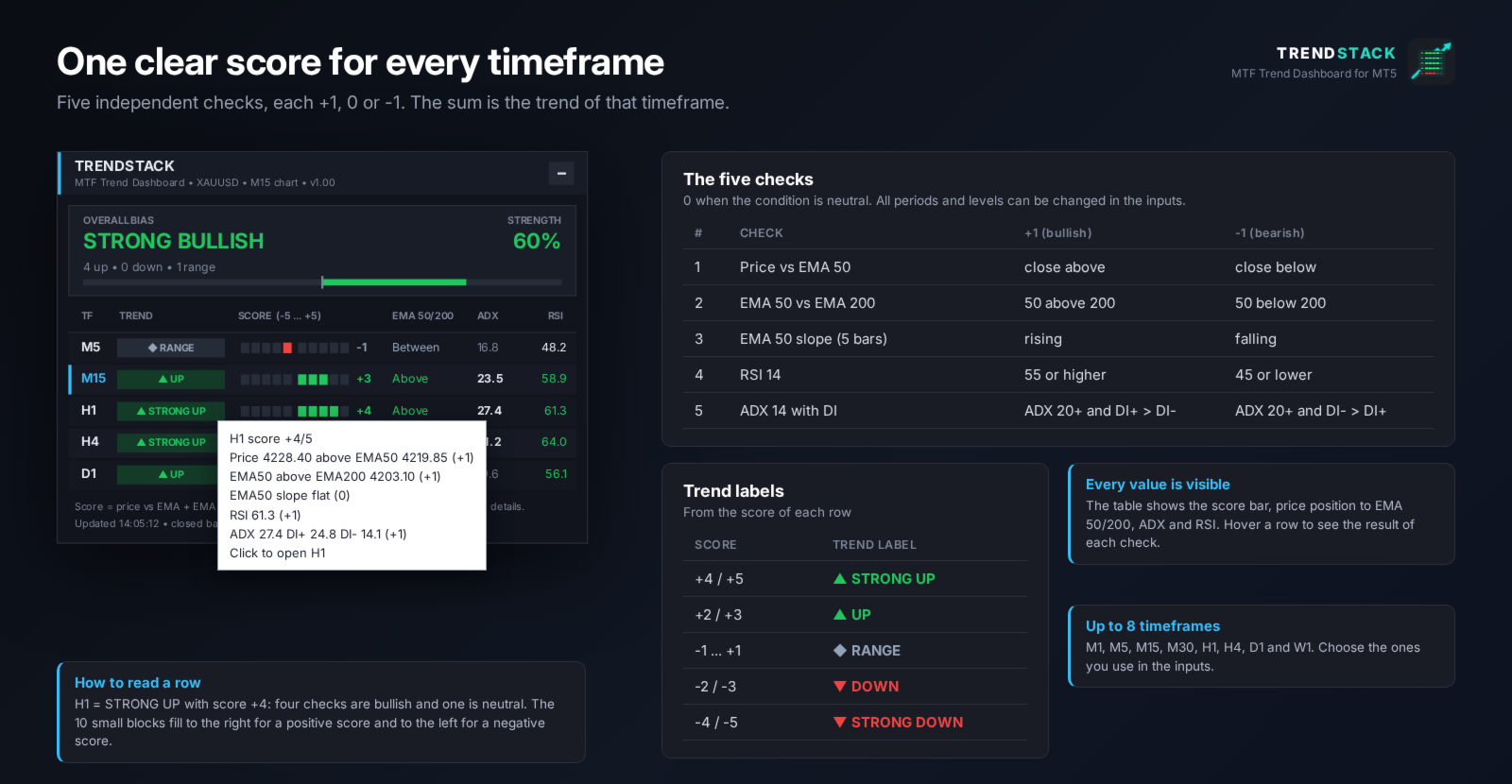
Every value has a clear reason. Each timeframe gets a score from -5 to +5 based on five simple checks, and you can hover a row to see the result of each check.
SCORE PER TIMEFRAME
Five independent checks, each +1 (bullish), 0 (neutral) or -1 (bearish):
1. Close above or below the fast EMA (default 50).
2. Fast EMA above or below the slow EMA (default 200).
3. Slope of the fast EMA over the last 5 bars.
4. RSI at or above 55, or at or below 45.
5. ADX at or above 20, with the direction of DI+ and DI-.
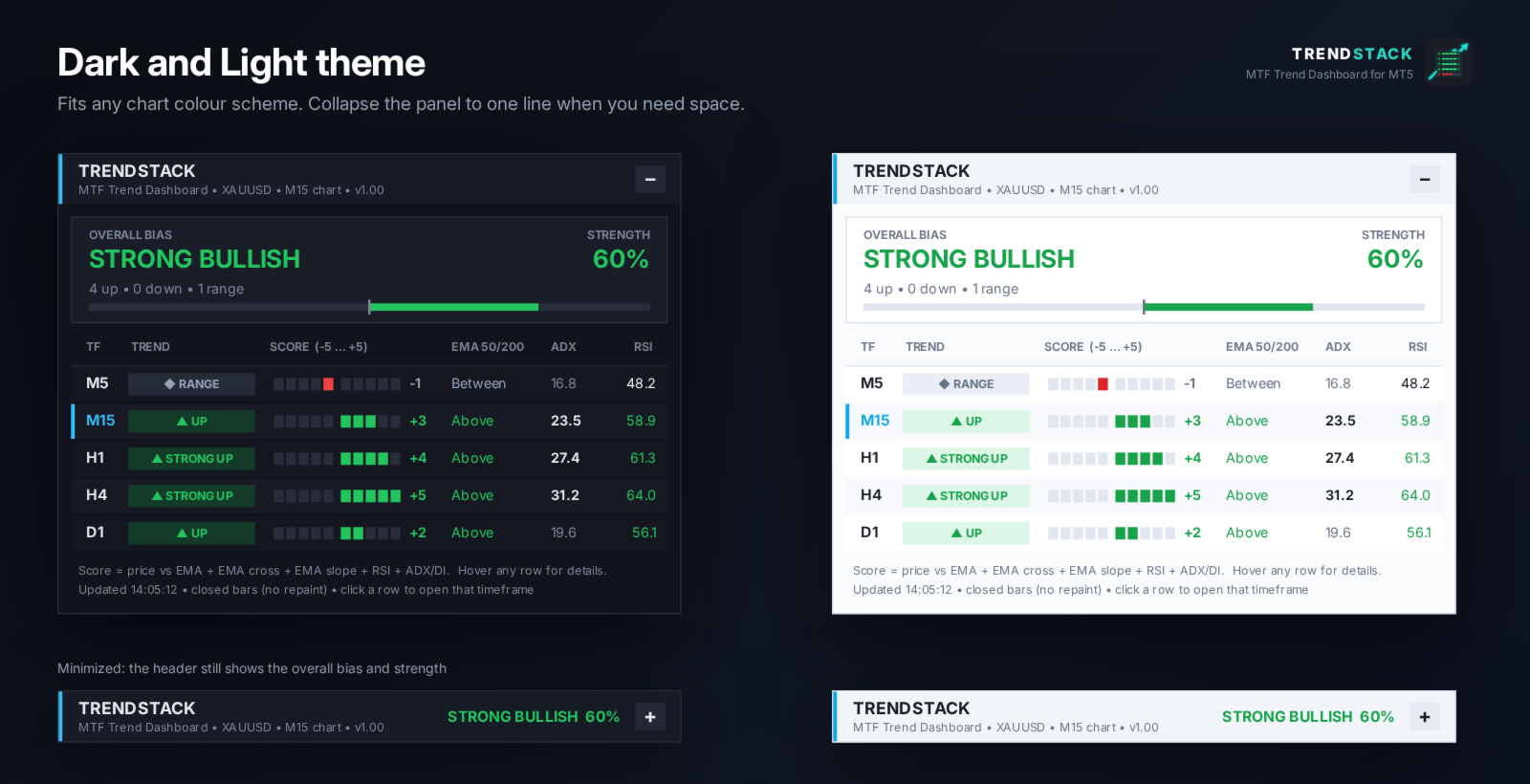
The sum is shown as a label: STRONG UP (+4/+5), UP (+2/+3), RANGE (-1 to +1), DOWN (-2/-3) or STRONG DOWN (-4/-5), with a score bar and the EMA position, ADX and RSI values of that timeframe.
OVERALL BIAS
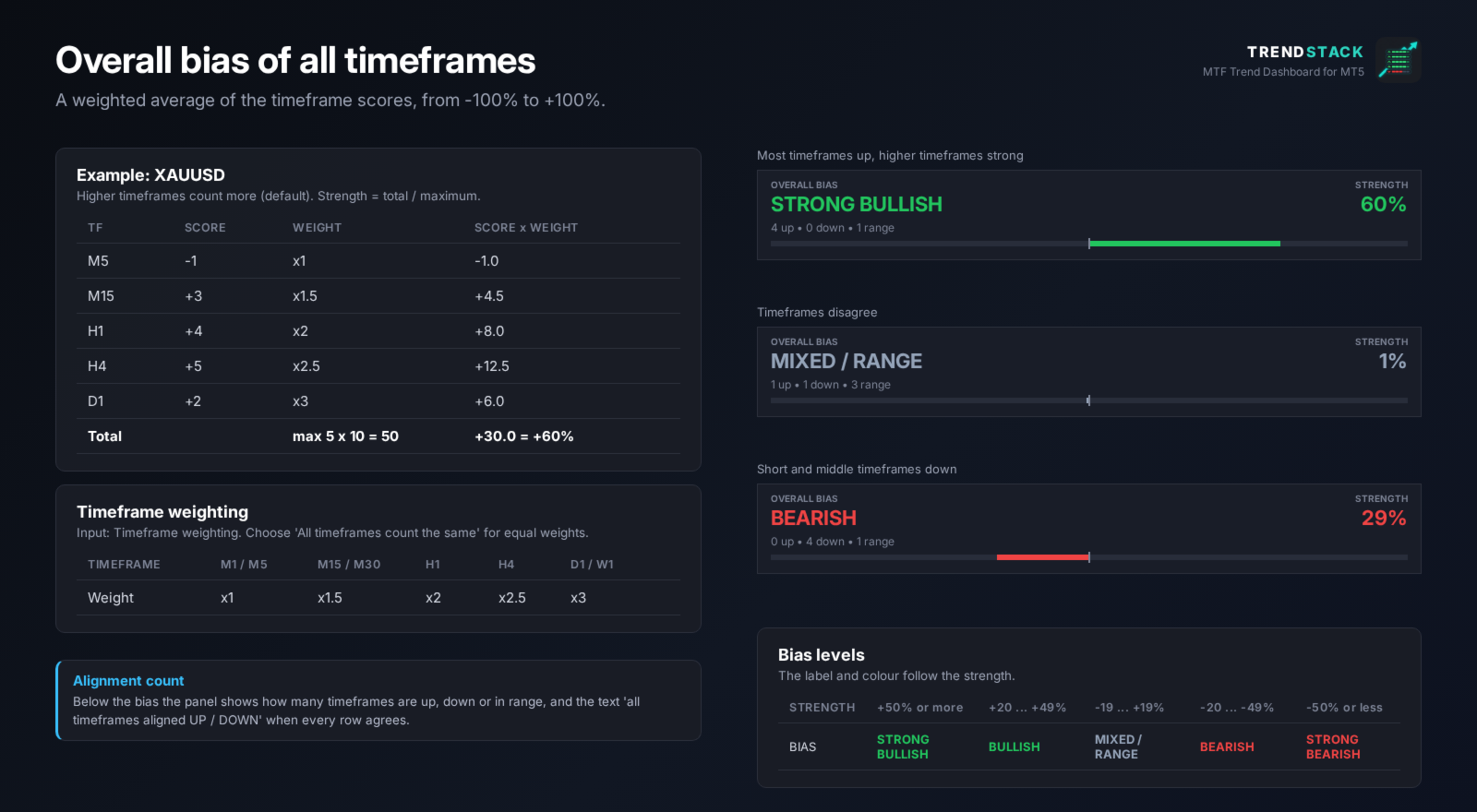
- Weighted average of all timeframe scores, from -100% to +100%.
- By default higher timeframes count more (M1/M5 x1, M15/M30 x1.5, H1 x2, H4 x2.5, D1/W1 x3). Equal weights are available.
- Labels: STRONG BULLISH, BULLISH, MIXED / RANGE, BEARISH, STRONG BEARISH.
- Alignment count: how many timeframes are up, down or in range, and a note when all of them agree.
ALERTS
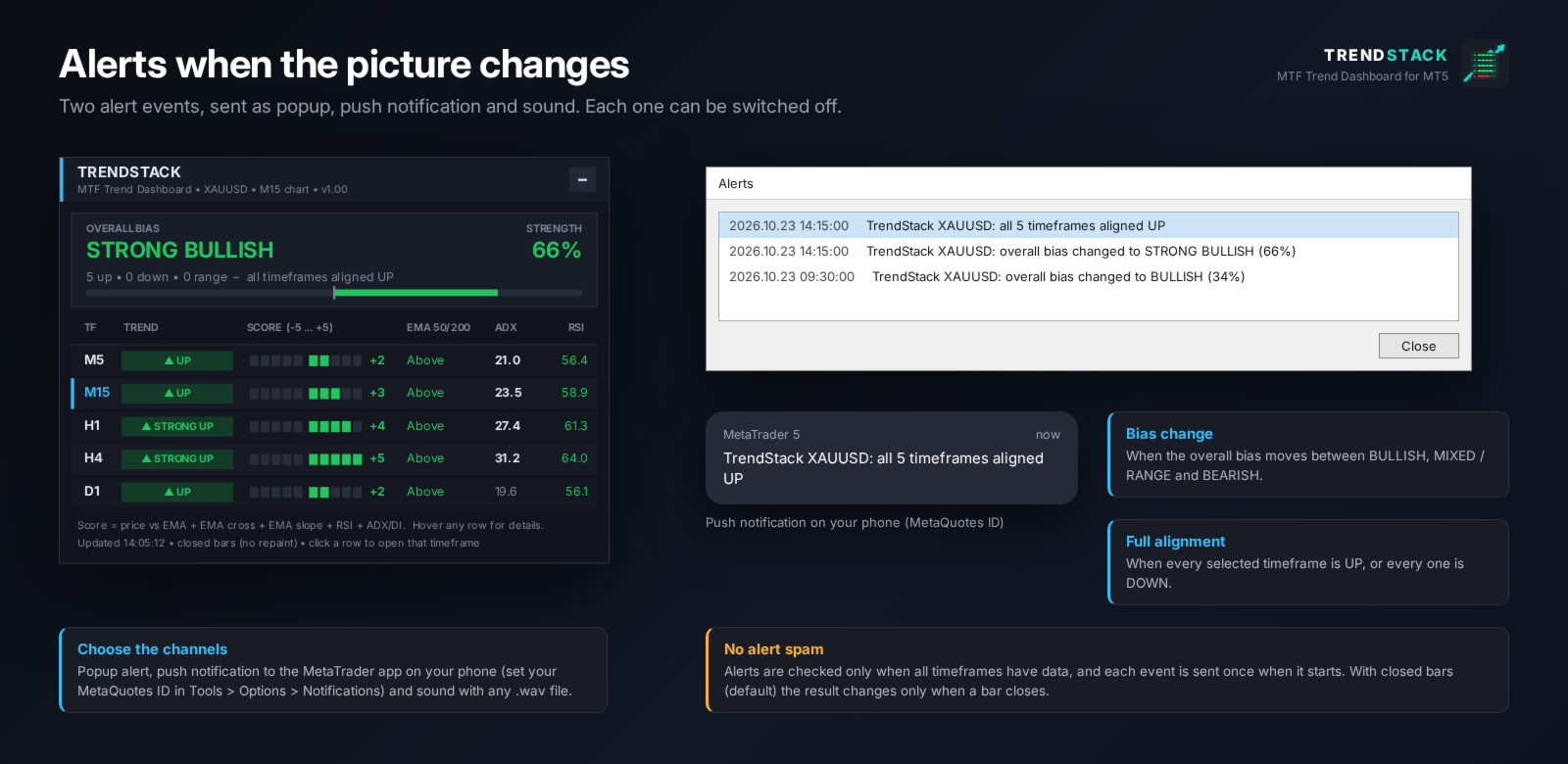
- When the overall bias changes between bullish, mixed and bearish.
- When all selected timeframes are aligned up or aligned down.
- Popup, push notification to the MetaTrader mobile app and sound. Each event is sent once.
PANEL
- Choose any of M1, M5, M15, M30, H1, H4, D1 and W1.
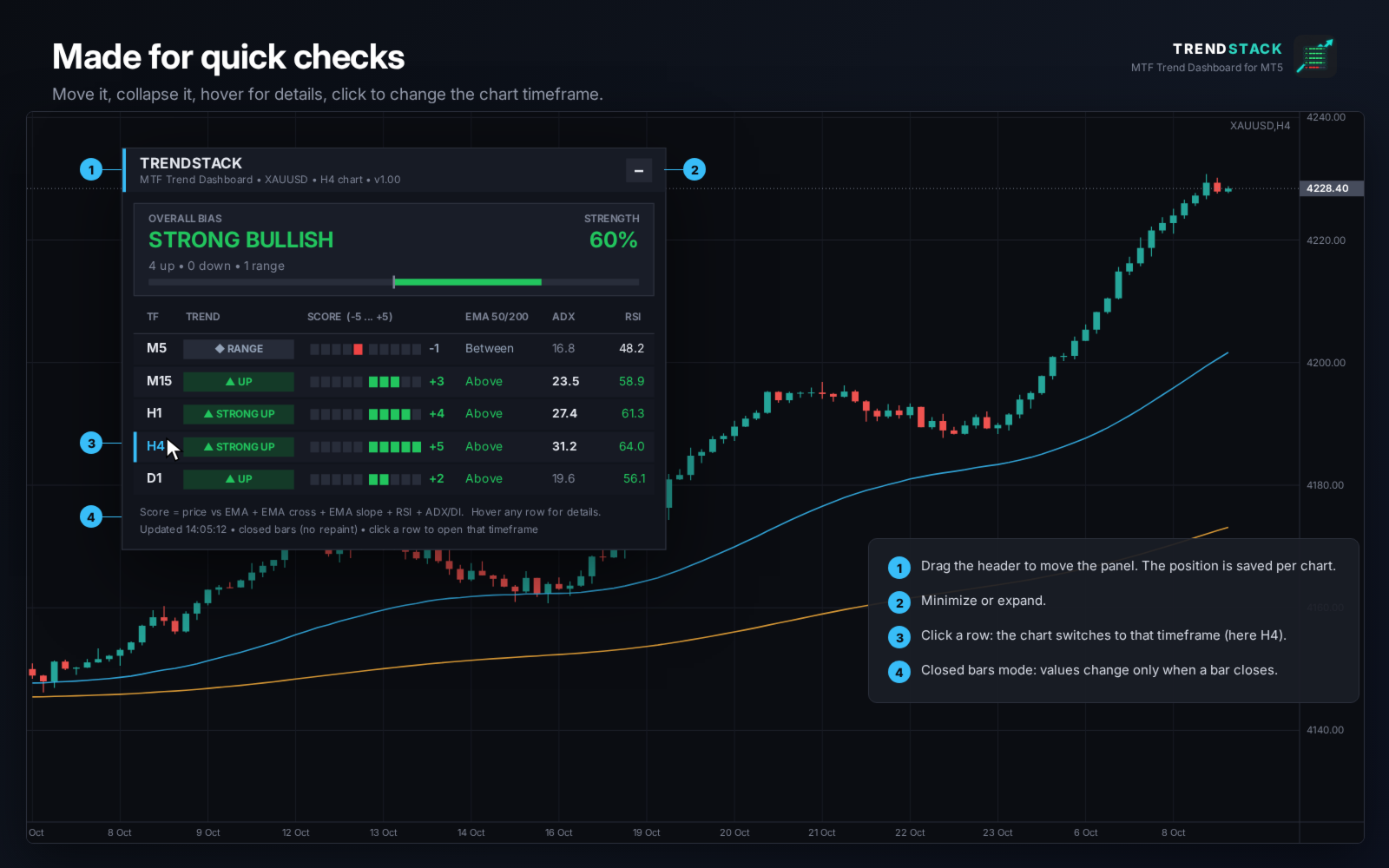
- Closed bars mode (default): values are taken from the last closed bar and do not repaint.
- Click a row to switch the chart to that timeframe.
- Dark and Light theme. Drag the header to move the panel, collapse it to one line that still shows the bias and strength.
- Position and minimized state are remembered per chart.
INPUT PARAMETERS
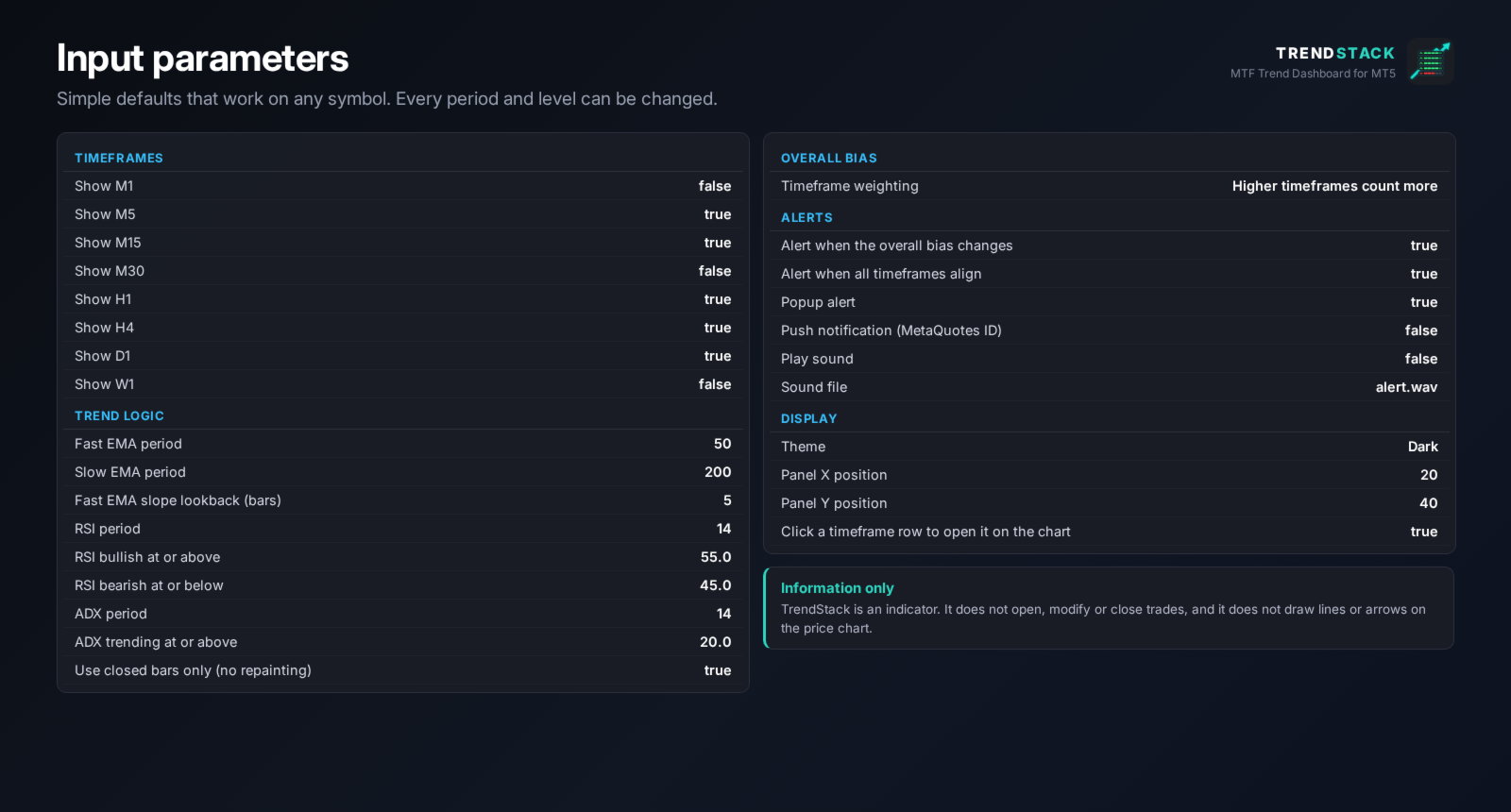
- Timeframes: show or hide each of the 8 timeframes.
- Trend logic: fast and slow EMA, slope lookback, RSI period and levels, ADX period and trend level, closed bars only.
- Overall bias: timeframe weighting.
- Alerts: bias change, full alignment, popup, push, sound and sound file.
- Display: theme, panel position, click a row to open the timeframe.
NOTES
- TrendStack is an information tool. It does not open, modify or close trades.
- Works on any symbol: Forex, metals, indices and other CFDs.
- On the first start MetaTrader may need a few seconds to load the history of the higher timeframes. Rows show LOADING until the data is ready.
- The dashboard describes the current state of the market. It does not predict future prices.