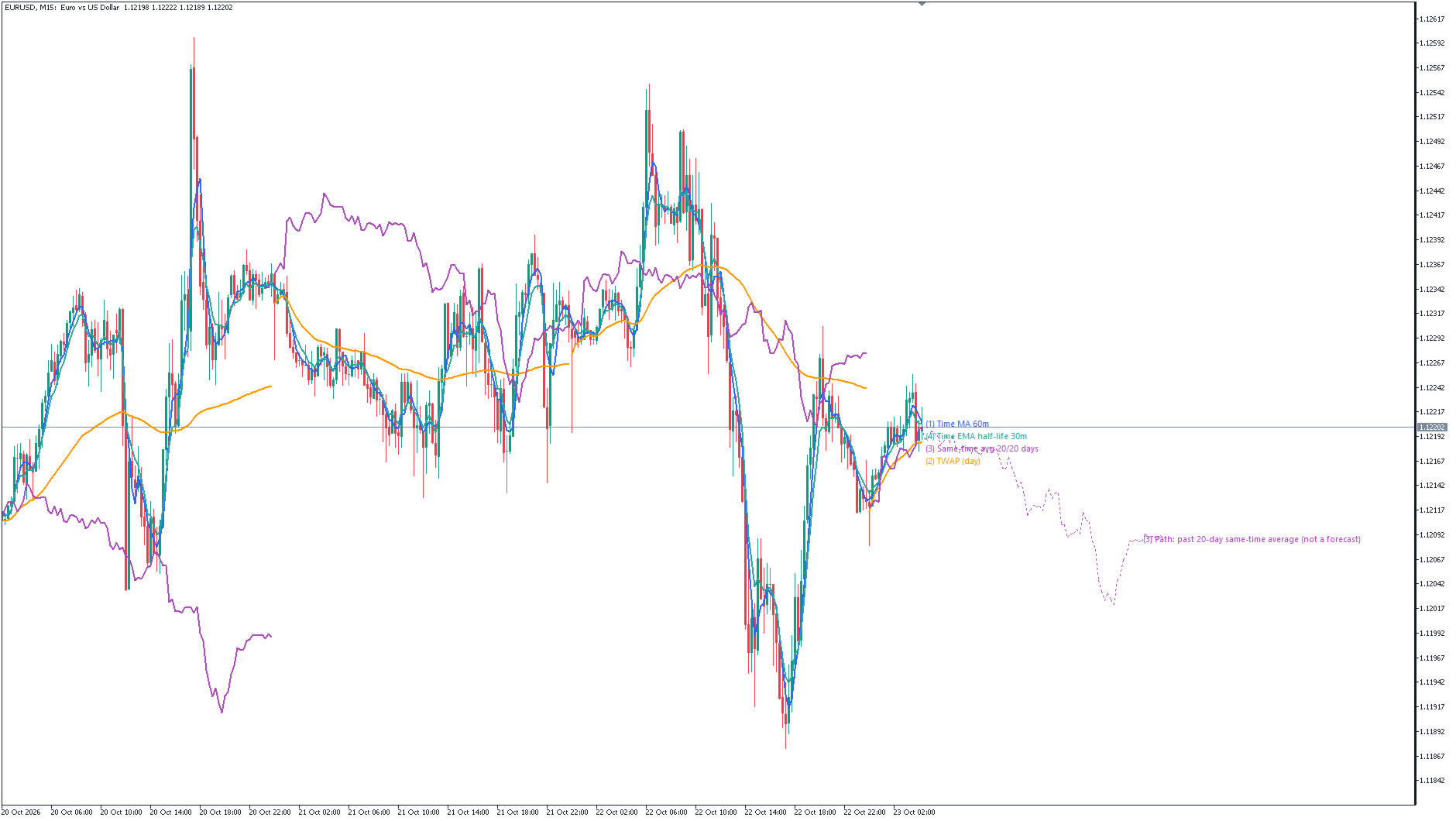
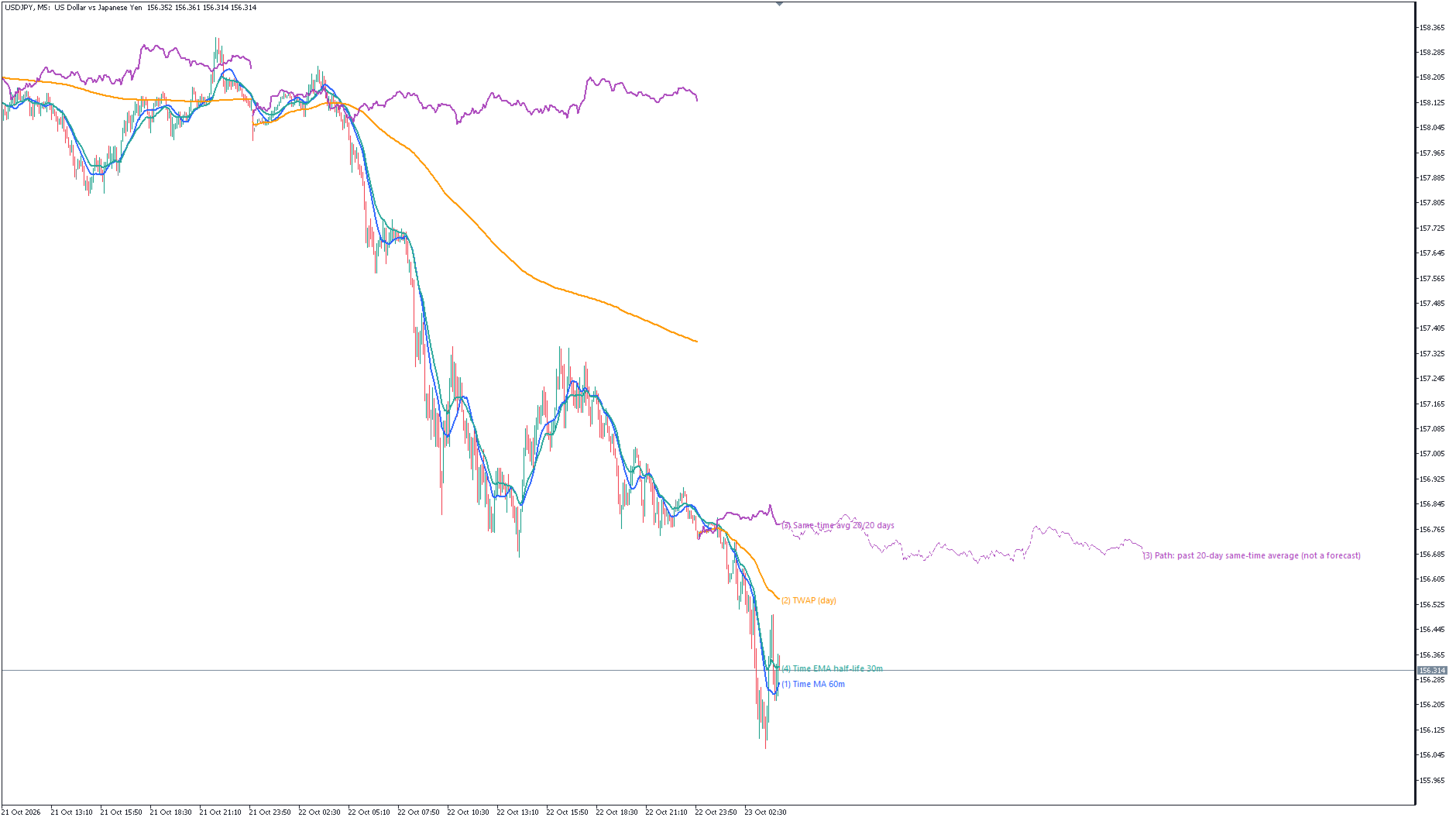
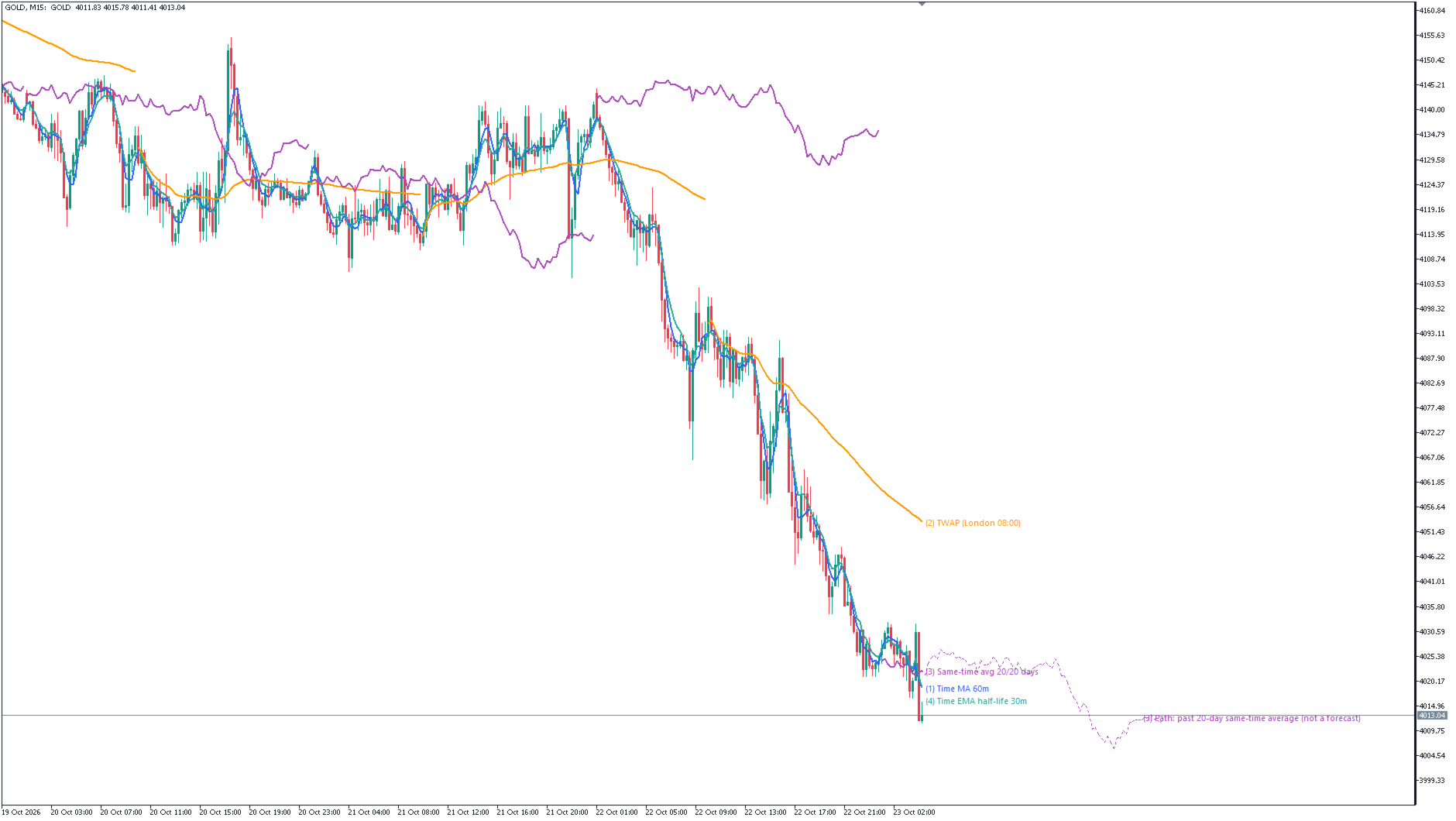
Time Average Lines with Intraday Path
- Indicadores
- Versão: 1.0
- Ativações: 5

Time Average Lines draws four averages that are measured by time, not by the number of bars. When you switch timeframes, each line still averages the same length of time. The main line (3) averages how far price had moved from the day's open at the same clock time on past days, and the rest of today is shown as a dotted path that joins those past averages. The path is a summary of the past, not a forecast.
THE FOUR LINES
- (1) Time MA: average close of the bars that started within the last N minutes (60 by default). On M1 and on M15 alike it is "the last 60 minutes".
- (2) TWAP: average of (open + high + low + close) / 4 of each bar since the reset time. Reset by day (default), week, Tokyo 09:00, London 08:00 or New York 08:00. London and New York follow UK and US daylight saving time.
- (3) Same-time average: day open + the average of (close - day open) at the same clock time over the last N occurrences (20 by default). Intraday timeframes only.
- (4) Time EMA: an exponential average whose weight halves every N minutes of real elapsed time (half-life 30 minutes by default). After a gap such as a weekend, older values lose weight by the length of the gap.
FEATURES
- Only four main settings (minutes, reset, occurrences, half-life). Set any of them to 0 to hide that line.
- Line names at the right edge, spread up and down so they do not overlap.
- Dotted path for the rest of today for line (3) (on / off).
- Alert when the close of a closed bar crosses the line you choose (off by default). Pop-up, sound, push notification and / or e-mail.
- Chart text and alerts in English or Japanese.
- Several copies can run on one chart (for example two TWAPs with different resets).
HOW LINE (3) AND THE PATH WORK
- "Days" are not calendar days. Line (3) averages the last N closed bars that existed at that clock time (server time, 1-minute resolution). If a time has no bar on some day (holidays etc.), it goes further back.
- With fewer than N occurrences in the history, it averages what is available and shows the count, for example "12/20 days".
- The day and its open start at 00:00 server time.
- The path joins the past same-time averages for the remaining times of today. It is not a forecast and does not mean that today will move that way.
- The path is drawn to the end of the day even on holidays and early-close days. Weekend times are skipped (except for symbols where 10% or more of the last 500 bars are on Saturday or Sunday).
- The path is redrawn only when a new bar opens.
- Line (3) and the path are not shown on D1 and higher timeframes.
IMPORTANT
- Not a buy / sell signal. It does not show a tendency of any time of day, a win rate or a profit. Past charts do not guarantee future results.
- Values of closed bars do not change afterwards. The value of the forming bar moves with price, like any moving average. Past values can change only in these cases: line (2) is recalculated once if the terminal was offline at start (see below), and the part right after the calculation start can change when everything is recalculated (for example after history is loaded) and the start moves forward.
- With the Tokyo, London or New York reset, TWAP also resets once at the Monday week open (a short segment from the week open to the first reset time).
- The day and week resets of TWAP and the day open of line (3) use server time (day from 00:00, week from Sunday 00:00).
- Tokyo, London and New York times are converted with the server's GMT offset and the server DST rule, which you choose in the settings (EU by default). If it does not match your server, the reset can be one hour off.
- If the terminal is not connected at start, the server is assumed to be GMT+2 (GMT+3 during DST). When the real offset is known and differs, everything is recalculated once. Only then can past values of line (2) (Tokyo / London / New York) change.
- The number of bars calculated is capped (200000 by default, 0 = all). Older bars get no lines. The start is aligned to the start of a server week. Right after the start, lines (1) and (3) use fewer bars.
- Memory: about 64 bytes per chart bar. It depends on the bars loaded in the chart, not on the cap. A "Max bars in chart" setting of 100000 to 500000 is recommended. With "Unlimited", M1 charts with a long history can use about 0.6 GB.
- If the period of line (1) is not longer than the chart's bar (for example 60 minutes on H1), line (1) equals the close of that bar.
- Alerts use the close of closed bars. They are not checked on the bar where TWAP resets or on the first bar of the day for line (3). Push notifications and e-mail need the terminal's settings.
- Line names are hidden while the chart is scrolled back. Names of the second and later copies get a prefix such as "#2".
- Up to 100 copies per chart. Names are laid out for the first 20 copies.
- Objects whose names start with "TAL_<number>_" are treated as this indicator's drawings and are cleaned up. Do not use such names for your own objects.
OTHER
- MetaTrader 5 only (the MT4 version is a separate product). Works on any symbol. Lines (1), (2), (4) on all timeframes, line (3) and the path on intraday timeframes.
- Works with templates and after a terminal restart.
- No DLLs, no external files, no internet access.
- iCustom buffers: 0 = (1), 1 = (2), 2 = (3), 3 = (4).
- Support through MQL5 messages, reply within 3 business days: installation, settings and bug reports only. Questions about market views, trade decisions or how to read a result cannot be answered.