Fusion Gold Indicator EA
- Experts
- Versão: 1.23

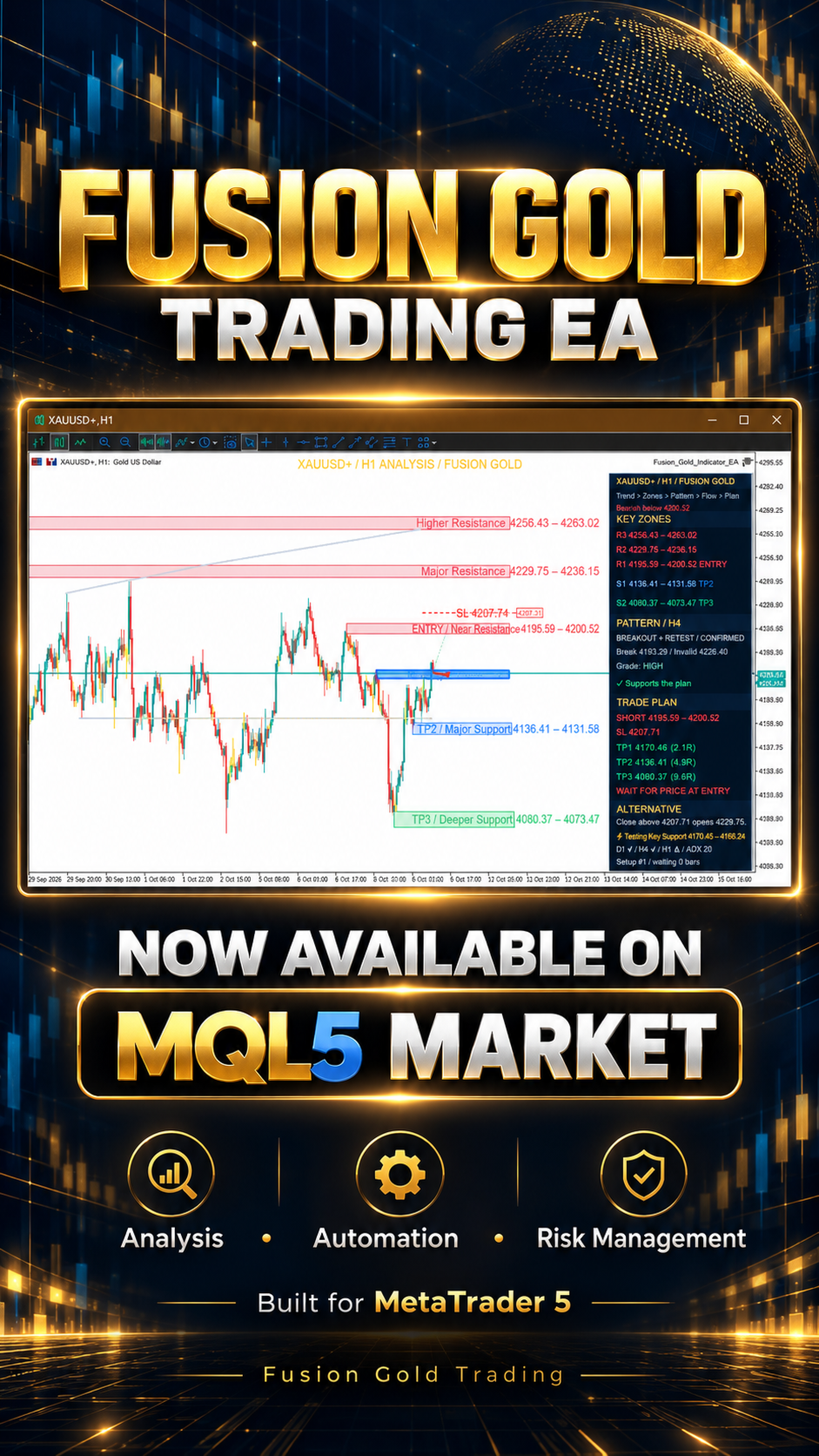
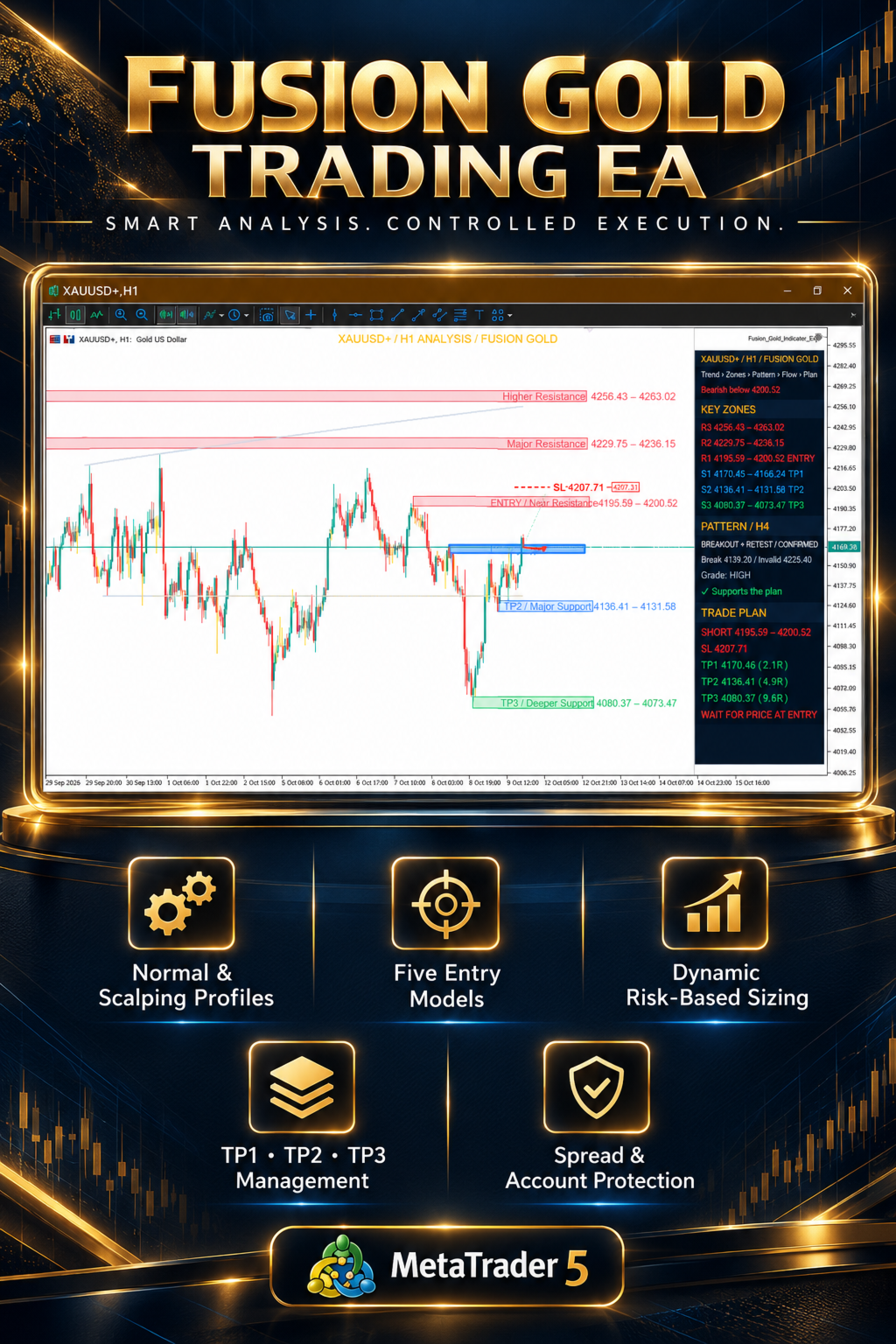
Fusion Gold Trading EA is a professional MetaTrader 5 analysis and automated trading system designed primarily for Gold, including XAUUSD and broker-specific symbol variants.
The product combines market-structure analysis, support and resistance zones, multi-timeframe confirmation, entry planning, automated execution, position sizing and active trade management inside one Expert Advisor.
It can operate as a visual analysis system or as a fully automated trading EA.
Main Features
-
Automatic market analysis
-
Automated trade execution
-
Normal and Scalping trading profiles
-
Multi-timeframe trend confirmation
-
Dynamic support and resistance zones
-
Market-structure and momentum analysis
-
Five selectable entry models
-
Percentage-risk or fixed-lot sizing
-
Broker-attached Stop Loss and Take Profit
-
Three profit targets
-
Optional staged profit-taking
-
Breakeven management with adjustable profit buffer
-
Optional ATR trailing stop
-
Optional protected re-entry
-
Spread, distance and reward-to-risk filters
-
Daily equity and maximum drawdown protection
-
Duplicate-entry prevention
-
Persistent trade and recovery records
-
Integrated dashboard and performance summary
-
English and Arabic display options
-
No external DLL required
Two Operating Modes
Indicator Mode
Indicator Mode provides chart analysis without opening new trades.
It displays:
-
Current market direction
-
Entry zone
-
Stop Loss
-
TP1, TP2 and TP3
-
Support and resistance zones
-
Higher-timeframe trend context
-
Pattern and structure information
-
Setup status and execution conditions
Turning off the dashboard only hides the display. Use Indicator Mode when trading must remain disabled.
EA Bot Mode
EA Bot Mode enables automatic execution and trade management.
Before sending an order, the EA checks:
-
Trading permissions
-
Account identity
-
Quote availability and freshness
-
Current spread
-
Entry distance
-
Stop and target geometry
-
Minimum reward-to-risk
-
Broker volume restrictions
-
Available risk budget
-
Existing symbol exposure
-
Account protection limits
-
Whether the setup has already been submitted or consumed
A valid chart setup does not automatically guarantee an order. Every execution must pass the complete safety and broker-validation process.
Normal and Scalping Profiles
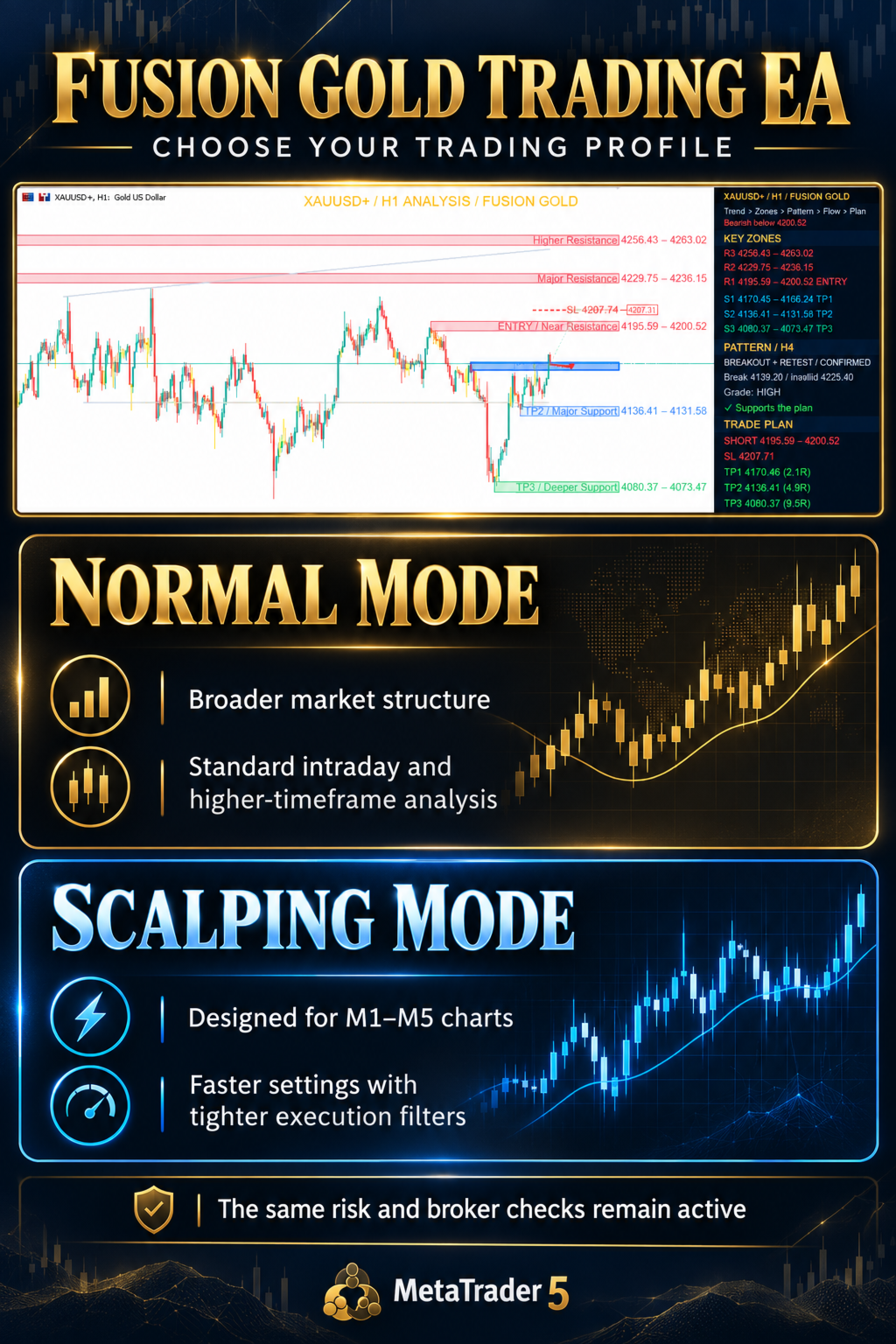
Normal Mode
Normal Mode is intended for broader market movement and standard intraday or higher-timeframe analysis.
It uses slower trend settings, wider setup distance allowances and longer setup lifetimes.
Scalping Mode
Scalping Mode is designed for M1 to M5 charts.
It uses faster trend settings, shorter setup lifetimes, tighter entry-distance controls and an additional spread-to-ATR filter.
Scalping Mode does not mean uncontrolled high-frequency trading. All standard execution, spread, risk and account-protection checks remain active.
Five Entry Models
1. Market on Dashboard Setup
Requests market execution when a new eligible dashboard setup is published.
This is the default entry model under the Automatic preset.
2. Limit on Dashboard Setup
Places a strict limit order at the selected entry-zone price.
It does not replace the limit order with a market or stop order.
3. Market on Signal
Waits for the analytical signal to be confirmed by a candle closing inside the entry zone, then requests market execution.
4. Limit or Market on Signal
Waits for the confirmed signal and selects either an executable limit order or market execution according to the current price and broker restrictions.
5. Pending on Setup
Uses the legacy pending-order model. The permitted pending-order type follows the selected entry policy and the position of the current market price.
Custom entry models can be selected when Settings Control is set to Custom Inputs.
Risk-Based Position Sizing
The EA supports:
-
Percentage-of-equity risk sizing
-
Fixed total lot sizing
-
Maximum total lot protection
-
Broker minimum, maximum and volume-step validation
-
Stop-based monetary risk calculation
-
Shared risk across multiple layers
The EA rounds volume down when required. It does not increase volume to satisfy the broker’s minimum lot size if that would exceed the configured risk budget.
If the calculated risk cannot support the broker’s minimum volume, the trade is skipped.
Profit Management
The EA supports TP1, TP2 and TP3.
With staged profits enabled, the default distribution is:
-
TP1: 40% of the original position
-
TP2: 40% of the original position
-
TP3 runner: remaining 20%
Actual partial volumes depend on the broker’s minimum lot and volume step.
The EA does not enlarge a position or close the full trade early merely to force an unavailable partial split.
When staged profits are disabled, a single selected target can be used.
Breakeven Protection
Breakeven management can move the Stop Loss beyond the filled entry price after the configured activation conditions are confirmed.
The default policy waits for verified TP1 partial execution before making breakeven eligible.
The breakeven offset is measured in symbol points and can be adjusted in the inputs.
Broker stop-distance rules, freeze levels, modification cooldowns, commissions, swap, slippage and gaps still apply. Breakeven protection cannot guarantee that the final account result will be positive.
Optional ATR Trailing Stop
ATR trailing is disabled by default.
When enabled, it can manage the remaining position using:
-
Closed-candle ATR
-
Adjustable ATR period
-
Adjustable ATR multiplier
-
Minimum profit threshold in R
-
Optional TP2 confirmation
-
Optional breakeven-first requirement
The trailing stop only tightens. It does not move farther away from the market.
Account Protection
The EA includes configurable protection for:
-
Daily equity decline
-
Maximum equity drawdown
-
Maximum nominal account risk
-
Excessive spread
-
Excessive entry distance
-
Stale quotes
-
Existing symbol exposure
-
Duplicate setup submission
-
Uncertain trade-server outcomes
Account-protection limits block new exposure. They do not automatically liquidate every open position.
Trade Recovery and Duplicate Protection
Fusion Gold Trading EA maintains persistent records for submitted setups, order intentions, original risk, partial exits and management policy.
This helps prevent the same setup from being submitted repeatedly after:
-
Chart reattachment
-
Input changes
-
Terminal restart
-
History reconciliation
-
Uncertain order-server responses
Do not delete recovery records as a routine troubleshooting step.
Avoid running competing instances with the same account, symbol and Magic Number.
Dashboard and Display
The integrated dashboard can show:
-
Current trading mode
-
Market bias
-
Setup status
-
Entry range
-
Stop Loss
-
Profit targets
-
Reward-to-risk information
-
Pattern status
-
Execution block reason
-
Account-protection status
-
Position-management stage
-
Broker-backed performance summary
Available dashboard sizes include Off, Tiny, Small, Normal and Large.
The dashboard can be hidden without disabling the EA. Use Operating Mode or Pause New Entries to control trading.
Recommended Testing
Before using the EA on a live account:
-
Test it in the MT5 Strategy Tester.
-
Use your broker’s exact symbol name.
-
Select Every tick based on real ticks where available.
-
Include realistic spread, commission, deposit and leverage.
-
Review the Journal, orders, fills, partial volumes and Stop Loss modifications.
-
Run additional forward testing on a demo account.
-
Confirm every input before enabling automated trading.
Results can vary significantly between brokers because of symbol specifications, spread, execution policy, liquidity, commission, tick data and minimum lot restrictions.
Important Information
-
Designed primarily for Gold and XAUUSD.
-
Broker-specific Gold symbols are supported when attached to the correct chart.
-
No external DLL is required.
-
The EA does not use martingale.
-
The EA does not use an unbounded grid.
-
The EA does not guarantee that every setup will produce a trade.
-
Pending orders may expire or remain unfilled.
-
Market orders may experience slippage.
-
Partial exits require sufficient broker-supported volume.
-
Automated management requires the EA and terminal to remain operational and authorized.
-
Historical performance does not guarantee future results.
Fusion Gold Trading EA is a structured analysis, execution and risk-management tool. It is not a guarantee of profit. Always test the product carefully and use risk settings appropriate for your account, broker and experience.