AES Session Range Breakout
- Experts
-
Ruben De Jesus Milla Vasquez
 AES Trading Technologies 🛠️
Algorithmic Trading & Custom Software Solutions
We develop professional, high-performance trading software, custom indicators, and automated ecosystem integrations for traders and trading communities.
Our Services: - Versão: 1.20
- Atualizado: 13 outubro 2026
- Ativações: 5
AES Session Range Breakout is an Expert Advisor that trades the breakout of the opening range of a trading session.
How it works
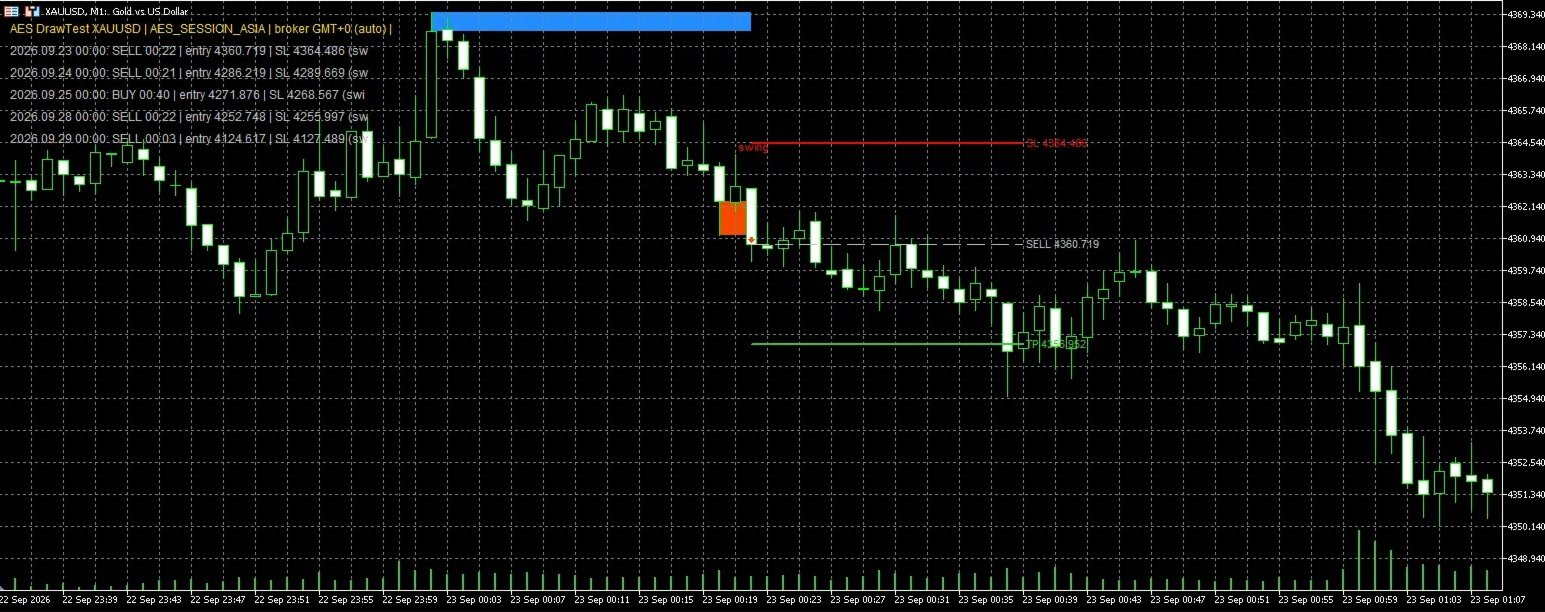
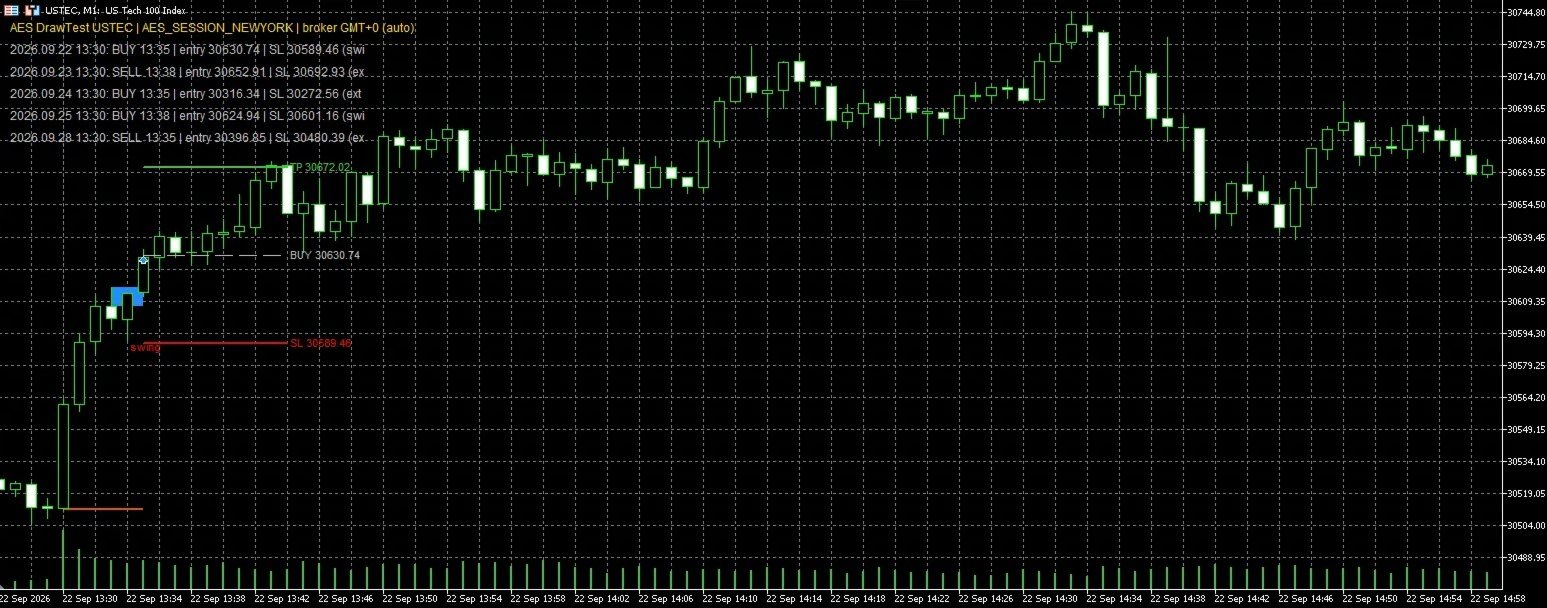
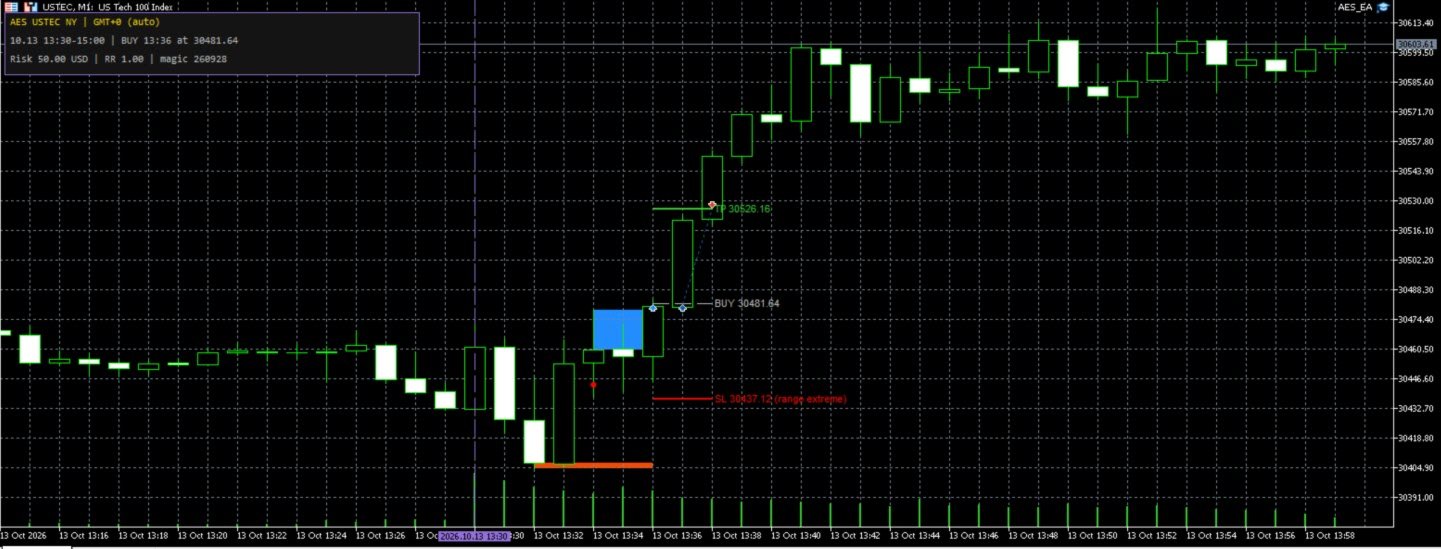
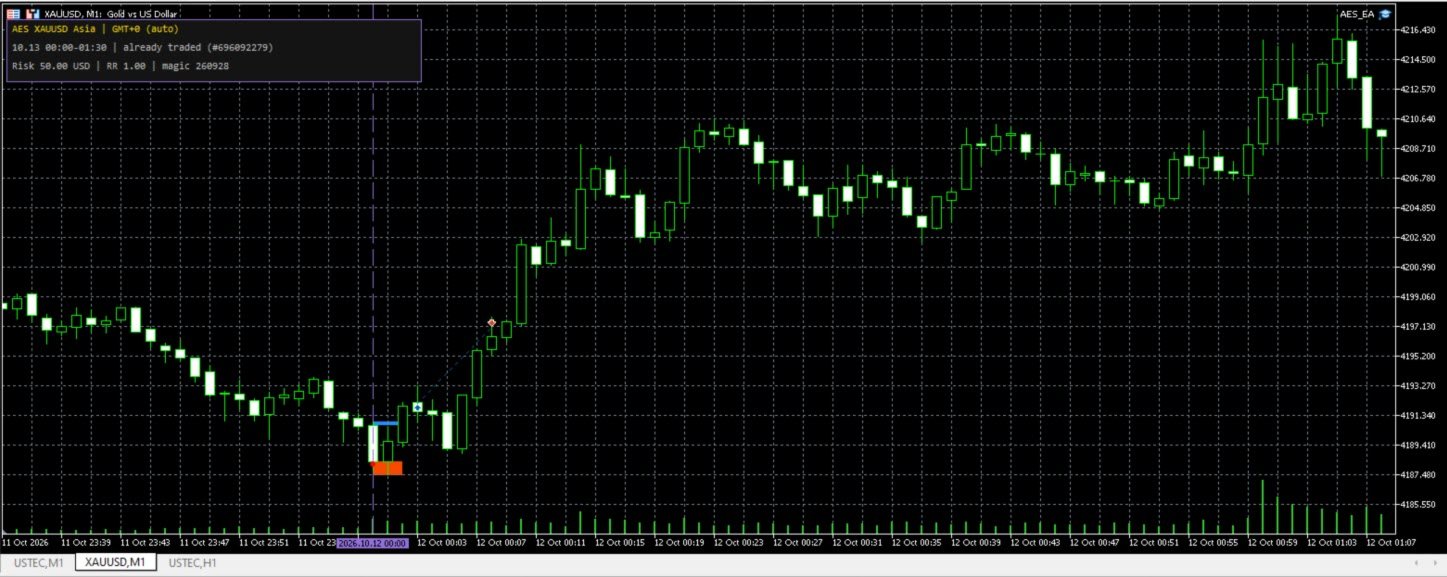
- At the session open, the EA builds an upper and a lower zone from the first one-minute candles.
- A zone becomes active only after confirmation. A trade is opened when a one-minute candle closes beyond an active zone.
- The stop loss is structural: it is placed beyond the last swing (or the range extreme) with a small margin.
- The take profit uses a fixed reward:risk ratio (1:1 by default).
- One trade per session at most. The EA does not use grid, martingale or averaging.
Notifications
- Optional push notification, e-mail and popup alert when a trade is opened, when it is closed and when a session ends without a trade. All off by default.
- Push requires your MetaQuotes ID in Tools > Options > Notifications; e-mail requires the mail server in Tools > Options > Email.
Presets
- Nasdaq - New York session (default): opens at 09:30 New York time, entries during 90 minutes.
- Gold - Asia session: opens at 00:00 UTC, entries during 90 minutes.
- Custom: your own session time, time zone, entry window and distances.
All distances can be set as a percentage of price, so the same settings work across brokers and price levels, or as absolute price.
Broker time
On live charts the EA detects the broker's current GMT offset automatically. Session times follow New York, London or UTC rules, including daylight saving changes. The Strategy Tester cannot detect the broker time, so there the EA always uses the manual values: set "Manual: broker GMT offset in winter" and "Manual: broker DST rule" to match your broker (for example GMT+2 with US DST, or GMT+0 without DST). With wrong values the sessions are shifted and the test results do not represent the strategy.
Inputs
- Preset and Distance units: choose the session preset and whether distances are % of price or absolute price.
- Custom group: session, time zone, entry window, confirmation bars, formation limit, minimum breakout, stop margin and maximum slippage. Used only with Preset = Custom.
- Optional filters (off by default): wait for the first opposite candle, minimum and maximum stop distance, maximum spread.
- Risk: % of balance, fixed amount in account currency or fixed lots; optional maximum lots; reward:risk ratio.
- Execution: maximum seconds after the breakout candle close to enter; magic number (use a different one on each chart of the same symbol).
- Broker time: automatic on live charts, manual values for the Strategy Tester.
- Chart: panel, panel corner, number of past sessions drawn and colors.
How to test
Use the Strategy Tester on M1 with "Every tick based on real ticks", set the broker time inputs for your broker, and load the preset files from the guide in the Comments tab.
Notes
- The EA reads one-minute data internally, so it can be attached to any timeframe.
- Recommended symbols: Nasdaq 100 and Gold CFDs with low spreads. The EA works on any symbol; other symbols require your own testing.
- Past results do not guarantee future results. Trading involves risk.