Dark Hunter MT5
- Experts
- Versão: 1.27
- Ativações: 11

Dark Hunter is a multi-pair Expert Advisor for MetaTrader 5. It uses rule-based overnight trading with configurable session times, price bands and trading filters.
The EA can manage up to 28 configured forex pairs from one chart. In paired-limit mode, it places buy and sell limit orders around a calculated price centre and manages their targets and protective stops.
Features
-
Multi-pair operation from one chart.
-
Configurable trading sessions based on broker server time.
-
Fixed-lot or automatic position sizing.
-
Price-band, spread, trend and volatility filters.
-
Pending-order expiry and configurable opposite-order cancellation.
-
Portfolio margin protection that considers existing positions and pending orders.
-
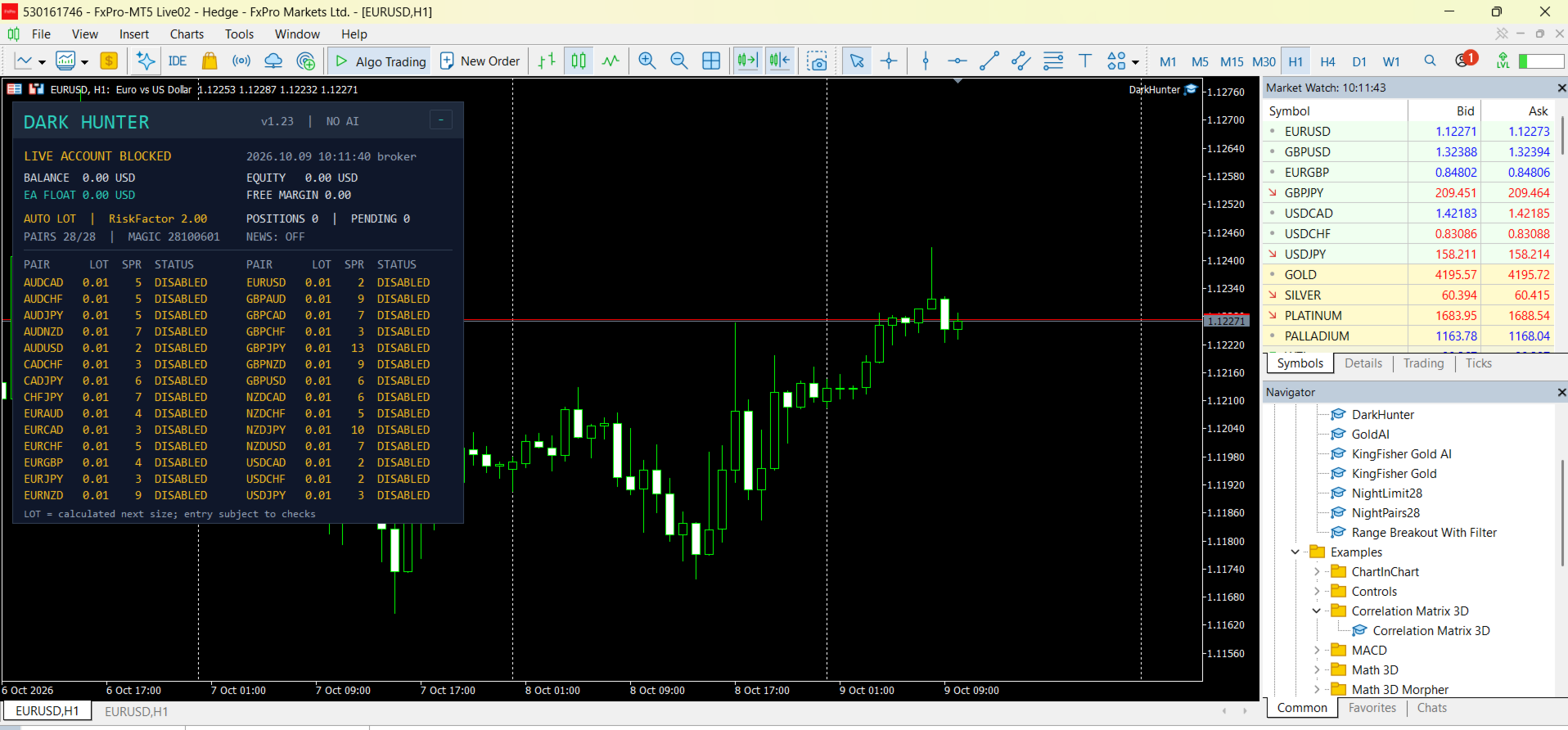
Optional chart dashboard showing account information, pair status, spread and calculated lot size.
-
Optional news filtering using a user-supplied local CSV file.
Setup
Attach Dark Hunter to one forex chart and enable algorithmic trading. With OneChartSetup enabled, the EA manages the symbols specified in Pairs.
Check your broker’s symbol names and configure SymbolPrefix or SymbolSuffix when required. The default entry session runs from 23:00 to 01:00 broker server time. Review these times for your broker before use.
Main inputs
-
OneChartSetup: enables management of multiple pairs from one chart.
-
Pairs: specifies the forex pairs to monitor.
-
Magic: identifies orders and positions managed by this EA.
-
EnableTrading: controls new entries.
-
SymbolPrefix / SymbolSuffix: supports broker-specific symbol names.
-
StaticLotsize: sets a fixed trading volume. Set to zero to use automatic sizing.
-
RiskFactor: controls automatic lot sizing. This value is not a percentage of account risk.
-
MaxPortfolioMarginPercent: limits estimated portfolio margin exposure as a percentage of current equity.
-
StopLoss: sets the stop distance in symbol points, not pips.
-
UsePairedLimits: enables paired buy and sell limit entries.
-
CancelOppositeOnFill: requests cancellation of the opposite pending order after a fill, subject to broker restrictions.
-
EntryStartMinute / EntryEndMinute: sets the entry window in minutes after midnight, using broker server time.
-
MaxSpreadPts: sets the spread limit in points. Zero disables this particular limit.
-
PendingLifetimeMinutes: sets pending-order lifetime.
-
MaximumHoldingMinutes: enables a timed position exit. Zero disables this exit.
-
ShowChartPanel: displays or hides the dashboard.
-
TickDrivenScanning: selects tick-driven scanning independently of dashboard visibility.
-
UseNewsFile: enables filtering from the configured local news CSV file.
Trading conditions
Results depend on spreads, commissions, swaps, execution, leverage and available margin. The EA can skip entries when broker restrictions or its filters prevent trading. The dashboard’s calculated lot size does not guarantee an order will be placed.
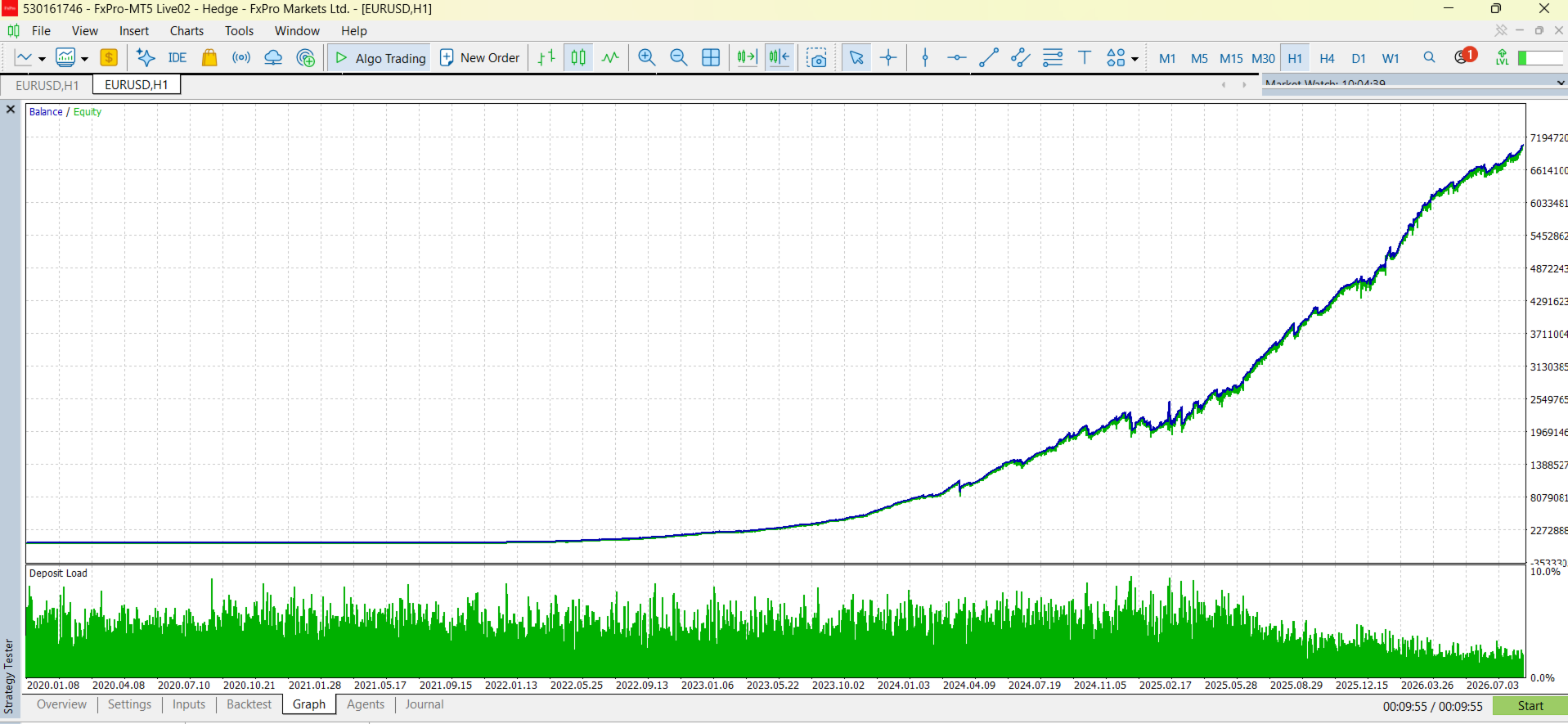
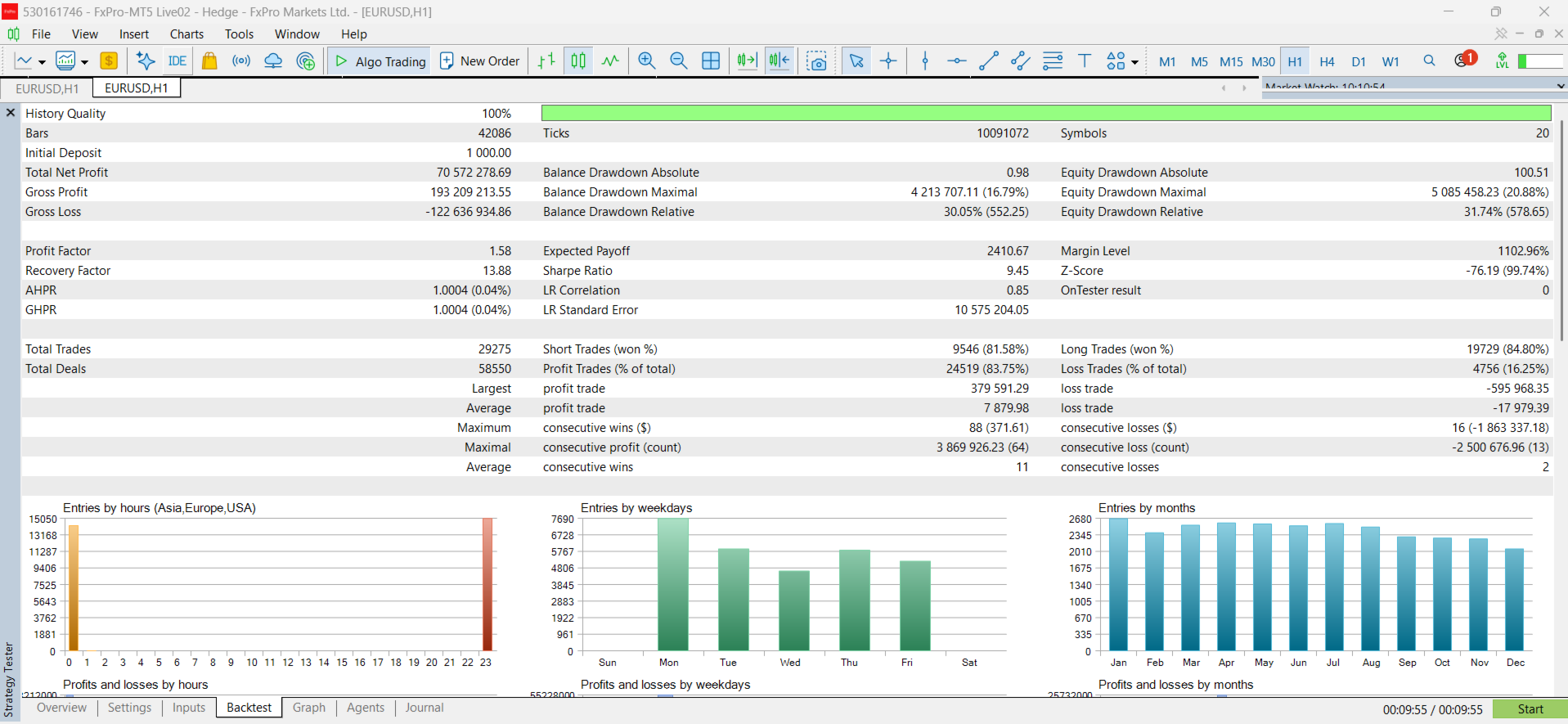
Test the settings on your broker’s historical data and a demo account before live use. Backtest results do not guarantee future performance.