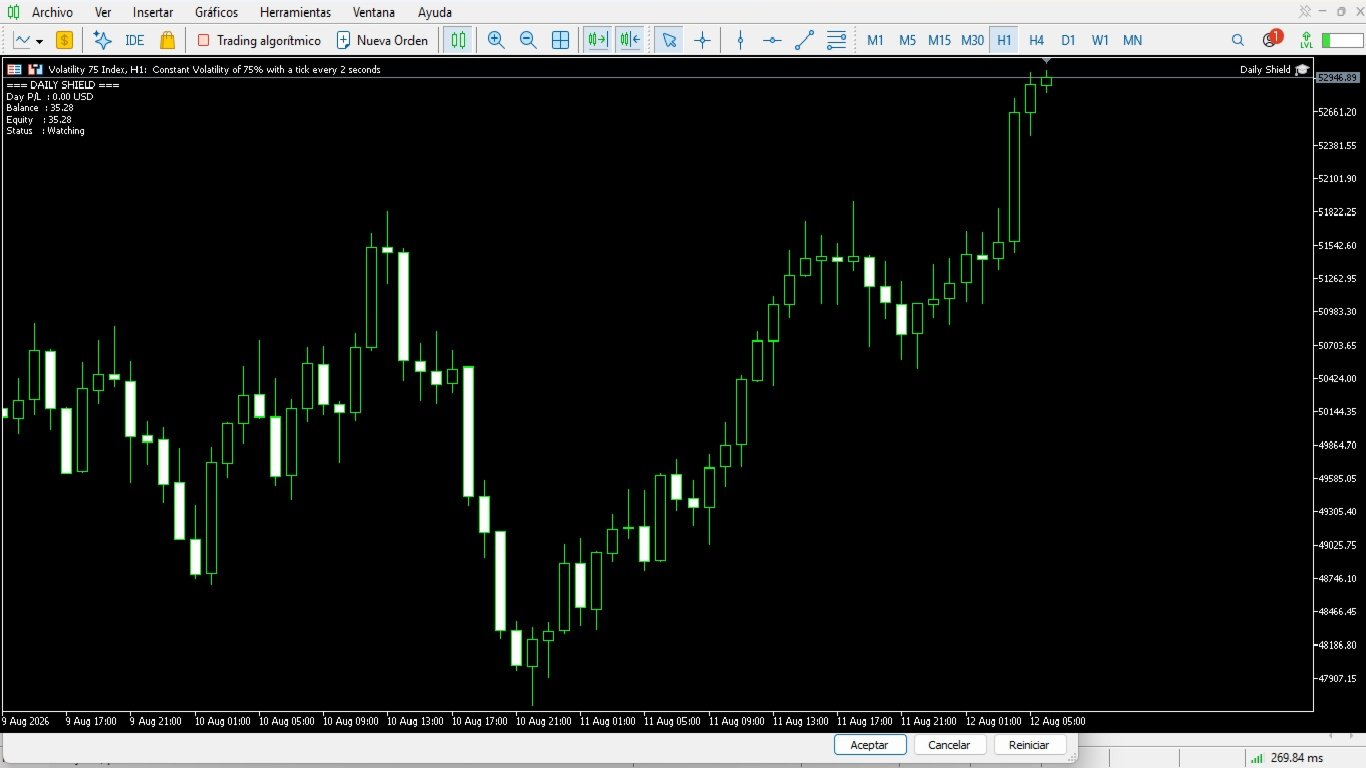
Daily Shield
- Experts
- Versão: 1.7
- Ativações: 5

Daily Shield — Daily T P and S L Guardian
Product Description
- Expert Advisor guardian that monitors the daily account result and automatically stops trading when the configured limit is reached.
- Daily T P limit configurable in three ways:
- Fixed amount in USD.
- Percentage of the day's starting balance.
- Target balance to reach.
- Daily S L limit configurable in three ways:
- Fixed amount in USD.
- Percentage of the day's starting balance.
- Minimum balance not to go below.
- Daily result calculated in two modes:
- By equity (includes floating profit/loss).
- By closed deals (day's deals: profit + swap + commission).
- When any limit is reached, it automatically executes:
- Closing of all open positions.
- Deletion of all pending orders.
- Stopping of third-party EAs by closing their charts.
- Notification via on-screen alert, mobile push and/or email.
- Optional police mode: while the block is active, it keeps closing positions, deleting orders and re-closing charts of EAs that are re-attached.
- Automatically resets every server day, releasing the block.
- Allows configuring the active time window and weekdays when the guardian is active.
- The blocked state persists across terminal restarts (global variables).
- 100% safe: no DLLs, no external EX4/EX5 imports, no iCustom().
- Compatible with hedging and netting accounts.
- Works on MetaTrader 5.
Parameter Configuration Guide
General Settings
- Calculate with equity (includes floating) — true/false
- true : daily P/L is calculated using equity (includes floating positions).
- false : daily P/L is calculated using only closed deals.
- Day offset in minutes — -1440 to 1440 , default 0
- Shifts the start of the day relative to server time (0 = server midnight).
- Release block on new day — true/false
- true : the block is automatically released at the start of the new day.
- false : the block is kept until manually released.
- Symbols to stop — text, empty by default
- List of symbols whose EAs will be stopped (comma or space separated).
- Empty = stops EAs on all symbols.
- Start hour — 0 to 23 , default 0
- Server hour when the guardian starts monitoring.
- End hour — 0 to 23 , default 23
- Server hour when the guardian stops monitoring.
- If the end hour is lower than the start hour, the window crosses midnight.
- Monday to Sunday active — true/false
- Enables or disables monitoring on each day of the week.
Daily Take Profit
- Daily TP enabled — true/false
- Enables or disables the daily profit limit.
- TP mode — Fixed USD / % of balance / Target balance
- Fixed USD: triggers when the indicated amount is gained.
- % of balance: triggers when the indicated percentage of the day's starting balance is gained.
- Target balance: triggers when the indicated balance is reached.
- TP value — number
- Amount in USD, percentage or target balance, depending on the selected mode.
Daily Stop Loss
- Daily SL enabled — true/false
- Enables or disables the daily loss limit.
- SL mode — Fixed USD / % of balance / Minimum balance
- Fixed USD: triggers when the indicated amount is lost.
- % of balance: triggers when the indicated percentage of the day's starting balance is lost.
- Minimum balance: triggers when the balance falls to the indicated value.
- SL value — number
- Amount in USD, percentage or minimum balance, depending on the selected mode.
Actions on Trigger
- Close open positions — true/false
- Closes all open positions when the limit is reached.
- Delete pending orders — true/false
- Deletes all pending orders when the limit is reached.
- Police mode — true/false
- While the block is active, keeps closing positions, deleting orders and closing charts of EAs that are re-attached.
- On-screen alert — true/false
- Shows a visual alert when the limit is reached.
- Push notification — true/false
- Sends a push notification to mobile (requires enabling notifications in the terminal).
- Email — true/false
- Sends an email when the limit is reached (requires configuring email in the terminal).
- Email subject — text
- Subject of the email message.
- Email recipient — text
- Recipient email address.