Risk Control Panel MT5
- Utilitários
- Omar Abo Hatab
- Versão: 1.0
- Ativações: 5
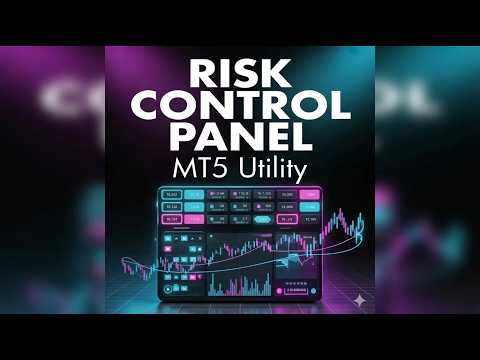
The Risk Control Panel provides precise trade risk management directly from the chart. Set your risk in account currency, and the tool automatically calculates the appropriate lot size based on Stop Loss distance, ensuring consistent position sizing without manual calculations.
The interactive panel allows placement and adjustment of Stop Loss, Take Profit levels (TP1 and TP2, optional), Break Even, and Trailing directly on the chart.
Special Launch Offer
Get the Risk Control Panel for $30 for the first 5 buyers. After that, the price will increase to $79.
Key Features
• Dynamic Risk Management – Define risk in account currency; lot size is calculated automatically.
• Flexible Take Profit – Use one or two Take Profit levels with adjustable partial exit percentages.
• Break Even & Trailing – Automate protection of open profits.
• Interactive Chart Panel – Adjust SL, TP1, TP2, BE, and TR directly from the chart.
• Active Trade Tracking – Monitor and manage multiple trades with clear P&L visibility.
• Keyboard Shortcuts & Execution – Execute and update trades via hotkeys or panel buttons.
• MT5 Integration – Fully integrated with charts for a seamless workflow.
Ideal for day traders and scalpers, it improves execution precision, reduces manual errors, and provides real-time trade control.
How to Use
1. Panel Overview
The panel includes four sections:
• Risk Settings
• Line Controls
• Active Trades
• Execution
2. Risk Settings
Risk (Account Currency)
Defines the amount to risk per trade.
Calculated Lots
Automatically calculated based on Stop Loss distance and risk.
Lot Calculation Logic:
- Risk ÷ (Stop Loss distance × tick value)
- Adjusted to broker constraints:
- Rounded down to nearest valid lot step
- Not below minimum lot
- Not above maximum lot
Direction
Indicates Long or Short based on Stop Loss position relative to price.
3. Trade Lines
SL (Stop Loss)
Required for risk calculation.
TP1 (Optional)
First profit target.
TP2 (Optional)
Second profit target for partial closing.
TP2 Percentage (Partial Close Logic):
- Defines remaining position after TP1
- Example:
- TP2 % = 50
- At TP1 → 50% closed
- Remaining 50% runs to TP2
Rounding Behavior:
- Based on original lot size
- Rounded down to valid lot step
- Ensures minimum lot remains open
- If not possible (very small lot), TP1 may be skipped
BE (Break Even)
Moves Stop Loss to entry when triggered.
TR (Trailing Stop)
Activates after trigger level and adjusts Stop Loss continuously.
4. Opening a Trade
- Set Stop Loss
- Set TP1 and/or TP2
- Optionally enable BE and TR
- Define risk
- Click EXECUTE
5. Trade Management
- Drag lines to adjust SL/TP in real time
- Navigate trades using arrows
- Click Update to modify a trade
Partial Close at TP1 (if TP2 is active):
- Closes portion based on TP2 %
- Remaining position continues to TP2
- All volumes respect broker constraints
6. Break Even & Trailing
Break Even (BE)
Moves Stop Loss to entry after trigger.
Trailing (TR)
Activates after trigger and adjusts Stop Loss to lock profits.
7. Keyboard Shortcuts
S → Toggle Stop Loss
1 → Toggle TP1
2 → Toggle TP2
B → Toggle Break Even
T → Toggle Trailing
Space → Execute Trade
Shortcuts are fully customizable in input settings.
8. Important Notes
- Always set a Stop Loss before executing a trade
- Ensure risk matches account size and strategy
- Test on a demo account before live use