Zarion
- Experts
- 버전: 1.16
- 활성화: 5

IMPORTANT! After purchase, please send me a private message on MQL5 — I will provide the installation guide, recommended settings, and help you with the initial setup of the Expert Advisor.
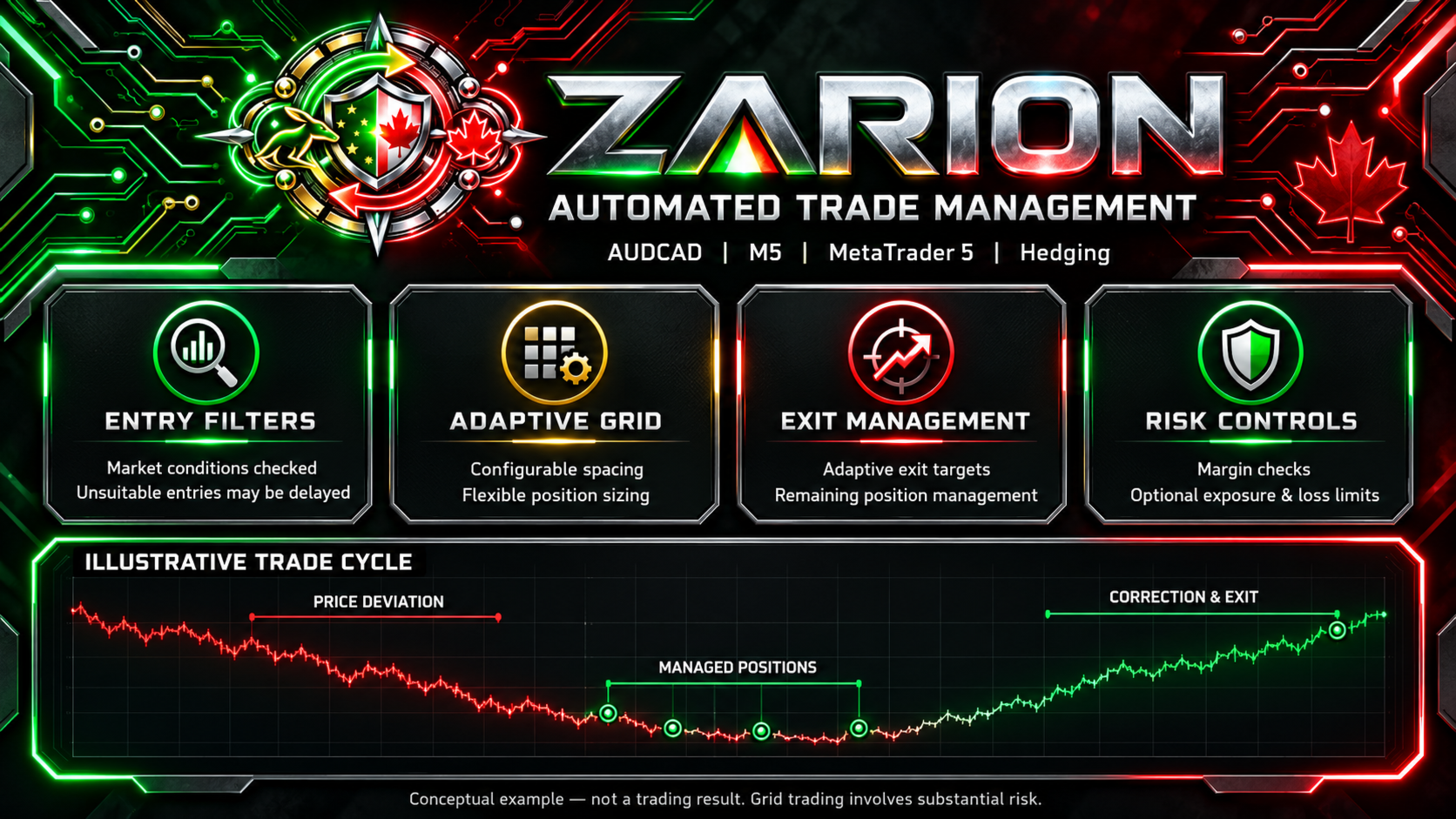
Zarion is a trading Expert Advisor for MetaTrader 5 based on a counter-trend price mean-reversion approach.
The system combines an internal first-entry model, a flexible grid architecture, adaptive position management, and multi-level trading exposure control.
Zarion’s primary trading style is Counter-Trend / Mean Reversion.
The Expert Advisor identifies price deviations and opens positions in anticipation of a subsequent correction. After the first entry, Zarion automatically manages the trading cycle: it calculates distances between trades, the volume of subsequent positions, and exit conditions.
The primary instrument used for the development and historical testing of the trading model is AUDCAD M5. The default settings are intended for this instrument. Other currency pairs require separate parameter selection and testing.
Internal Entry Model
The first entry is generated by Zarion’s built-in calculation model.
Before a position is opened, the signal passes an additional multi-stage verification process. Protection modules evaluate current market conditions and may restrict the start of new trading cycles when unfavorable conditions are detected.
Depending on the market situation, Zarion may skip the initial signal or wait for more suitable conditions.
The main parameters of the entry model and internal protection algorithms are built into the Expert Advisor. Users can enable or disable the available protection modules through the settings.
The exact formulas, signal selection criteria, and internal position management rules are part of Zarion’s closed-source logic and do not require manual configuration.
All calculations are performed inside MetaTrader 5. No additional custom indicators, DLLs, external libraries, or third-party services are required.
Flexible Grid Architecture
If price continues to move against the initial position, Zarion may add subsequent trades.
The distance between entries is configurable and can change as the trading cycle develops.
Three calculation modes are available:
- Fixed Distance — a constant distance between positions.
- Multiplied Distance — distance adjustment using a multiplier.
- Custom Distances — individual distances for successive levels.
Users can configure the base distance, distance multiplier, a custom sequence of distances, and the maximum number of positions per direction.
In the default configuration, grid spacing increases as the grid becomes deeper. This distributes subsequent entries across a wider price range.
BUY and SELL positions are managed as separate trading directions.
Dynamic Exit Management
Zarion automatically calculates closing conditions according to the state of open positions and the current trading exposure.
The Expert Advisor supports adaptive exit targets, gradual position reduction, and separate management of the remaining volume.
As the grid develops, the calculated target may change to account for the difference between a normal trading cycle and a more complex situation with increased exposure.
Additional mechanisms are available to protect accumulated profit on the initial and remaining positions.
Users can configure the base target, the sensitivity of the adaptive calculation, protection modules, and an optional break-even mode.
The selection of positions for combined closing and the sequence of actions are determined by Zarion’s internal algorithm.
Flexible Lot Management
Zarion supports several methods for calculating the initial volume:
- Fixed Lot — a fixed trading lot.
- Balance Based — calculation based on account balance.
- Equity Based — calculation based on account equity.
- Free Margin Based — calculation based on free margin.
- Automatic Low — an automatic mode with lower volume.
- Automatic Medium — the standard automatic mode.
- Automatic High — an automatic mode with higher volume.
In dynamic modes, the initial volume changes with the selected account metric.
The following options are available for subsequent positions:
- Zarion’s managed progression;
- fixed base lot;
- last lot plus base lot;
- sum of open lots plus base lot;
- custom multipliers;
- Martingale;
- Fibonacci sequence;
- algebraic progression;
- arithmetic progression;
- geometric progression.
In Custom mode, individual multipliers can be assigned to successive grid levels.
All modes are connected to trading volume calculations. Automatic Low, Medium, and High represent different position sizing levels and do not guarantee a particular level of risk.
Trading Controls
Zarion allows users to configure:
- new cycle direction: BUY, SELL, or both;
- initial lot and its calculation method;
- overall volume adjustment factor;
- maximum positions per direction;
- calculation method for subsequent lots;
- individual volume multipliers;
- base distance and distance calculation mode;
- individual distances between entries;
- base profit target and adaptive exit management;
- profit protection and remaining position management;
- optional break-even mode;
- spread limits and permitted order price deviation;
- trading days and hours;
- additional volume, margin, and floating loss limits;
- capital conversion for lot calculations;
- information panel display.
Additional module parameters take effect when the corresponding switch is enabled.
Changing the lot mode, grid spacing, or protection limits changes the Expert Advisor’s behavior. New parameter combinations must be tested separately.
Main Features
- Counter-Trend / Mean Reversion — counter-trend trading in anticipation of a price correction.
- Internal Entry Model — automatic generation of the initial signal.
- Multi-Level Entry Protection — additional assessment before a trading cycle begins.
- Flexible Grid — fixed, changing, or individually configured distances.
- Adaptive Management — exit conditions that change according to the state of positions.
- Gradual Exposure Reduction — management of open volume throughout the trading cycle.
- Profit Protection — additional mechanisms for managing individual positions.
- Flexible Initial Lot — fixed, dynamic, and automatic modes.
- Multiple Volume Progressions — different algorithms for subsequent trades.
- Custom Sequences — individual distances and multipliers.
- Exposure Control — margin checks and open volume limits.
- Emergency Margin Protection — possible forced position reduction when protection conditions are reached.
- Monetary Limits — additional floating loss limits.
- Trading Schedule — configurable days and hours for new entries.
- Persistent Trading State — restoration of internal trading state after a terminal restart.
- No DLL Required — no additional external components are needed.
Trading Instruments
Zarion’s primary instrument is AUDCAD.
The underlying model and default configuration were developed for AUDCAD M5.
Other instruments have different price behavior, trading costs, and margin requirements. Transferring settings therefore requires separate testing of the initial lot, entry distances, volume progression, and exit parameters.
Results from one instrument do not establish the effectiveness of the same configuration on other currency pairs.
Operating Conditions
- Platform: MetaTrader 5.
- Trading style: Counter-Trend / Mean Reversion.
- Primary instrument: AUDCAD.
- Working timeframe: M5.
- Account type: Hedging.
- Execution: ECN / RAW Spread with low trading costs.
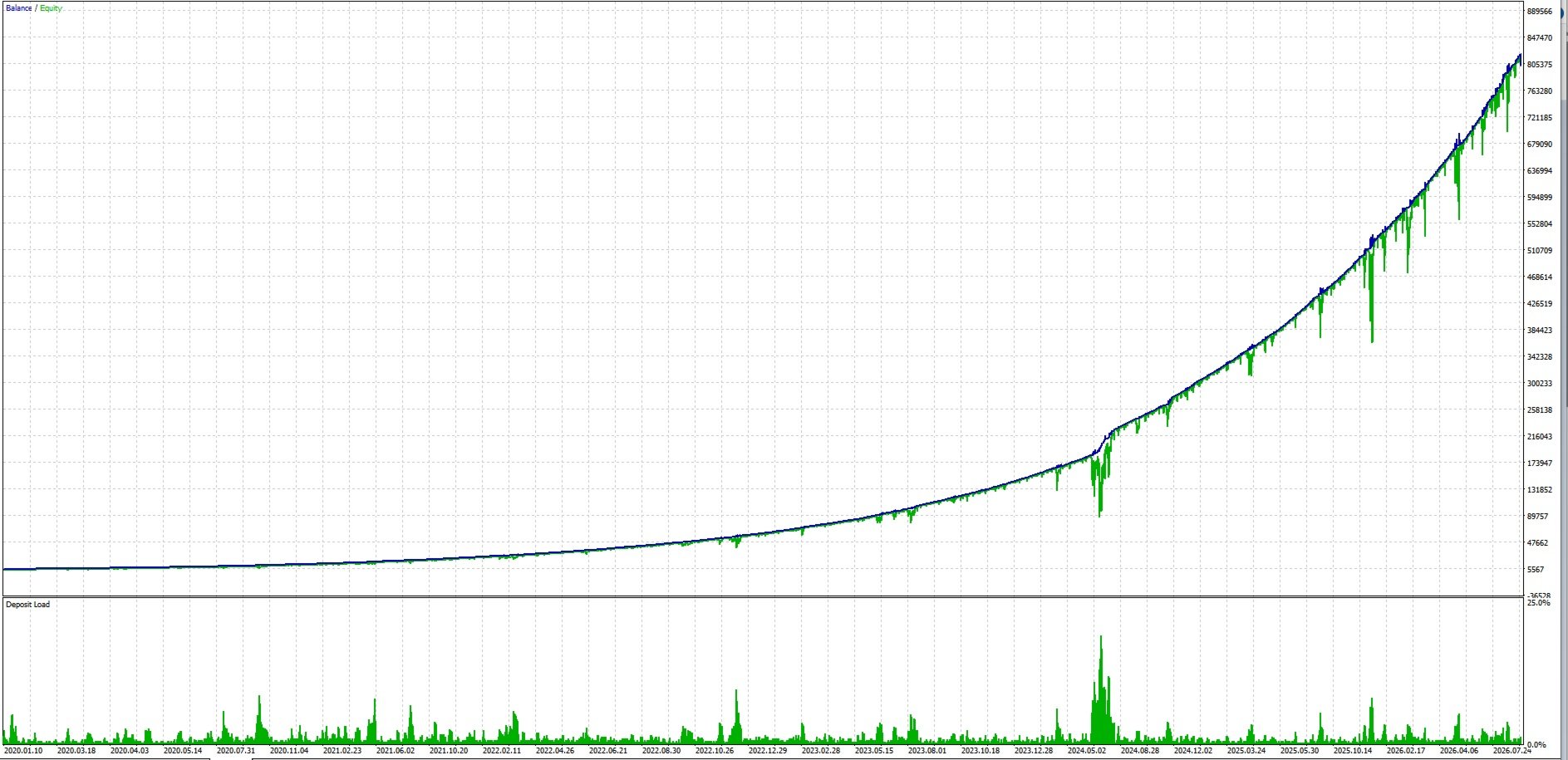
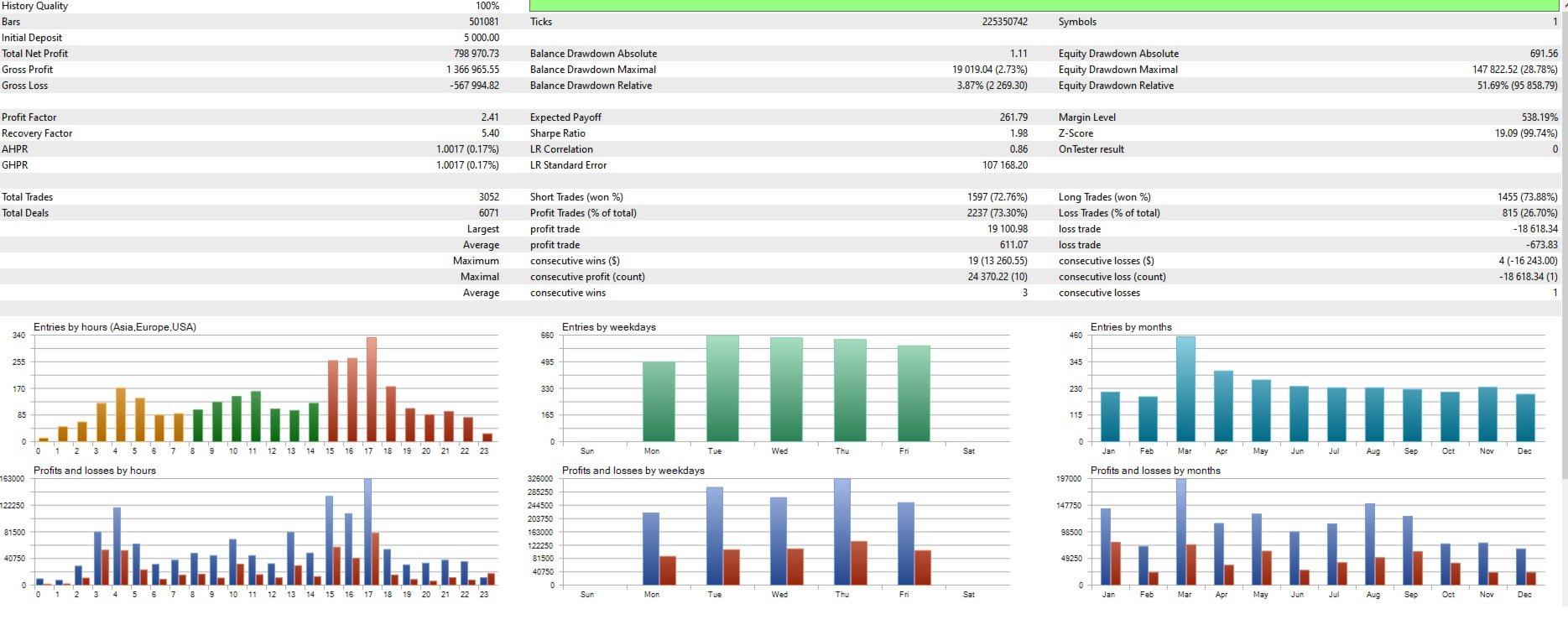
- Leverage used in the supplied historical tests of the trading model: 1:500.
- VPS: for continuous operation and position management.
Calculated exits and protection actions are performed by the Expert Advisor. The terminal must remain running, and algorithmic trading must be enabled.
Before using a different configuration, test it in the Strategy Tester under conditions corresponding to the selected trading account.
Important
Zarion uses grid mechanics with the possibility of increasing the volume of subsequent positions.
The most difficult conditions for a counter-trend system are prolonged directional price movements without sufficient corrections.
Under these conditions, total trading volume, used margin, and floating drawdown may increase significantly. Individual trading cycles may remain open for an extended period.
Built-in filters and protection mechanisms are intended to manage risk, but they do not eliminate the possibility of substantial losses.
Emergency margin protection and enabled monetary limits may close positions at a loss. Individual trades may also have a negative result when several positions are closed together.
Particular attention should be paid to the initial lot, volume multipliers, grid spacing, maximum number of positions, and protection settings.
Before trading on a real account, test the Expert Advisor in the Strategy Tester and on a demo account. Select trading volume according to account size and the drawdown you are prepared to accept.
Historical results and backtesting results do not guarantee similar returns in the future.