The SmartEntry EA
- Experts
- 버전: 1.4
- 업데이트됨: 2 10월 2026
- 활성화: 10

The SmartEntry EA [Save 50% from $269] Available until the end of September 2026
The SmartEntry EA is an automated trading system for MetaTrader 5.
It evaluates market conditions using Smart Money Concepts, Fair Value Gaps, an EMA trend filter and higher-timeframe confirmation. When its conditions are confirmed, the EA prepares and manages pending orders according to its internal rules.
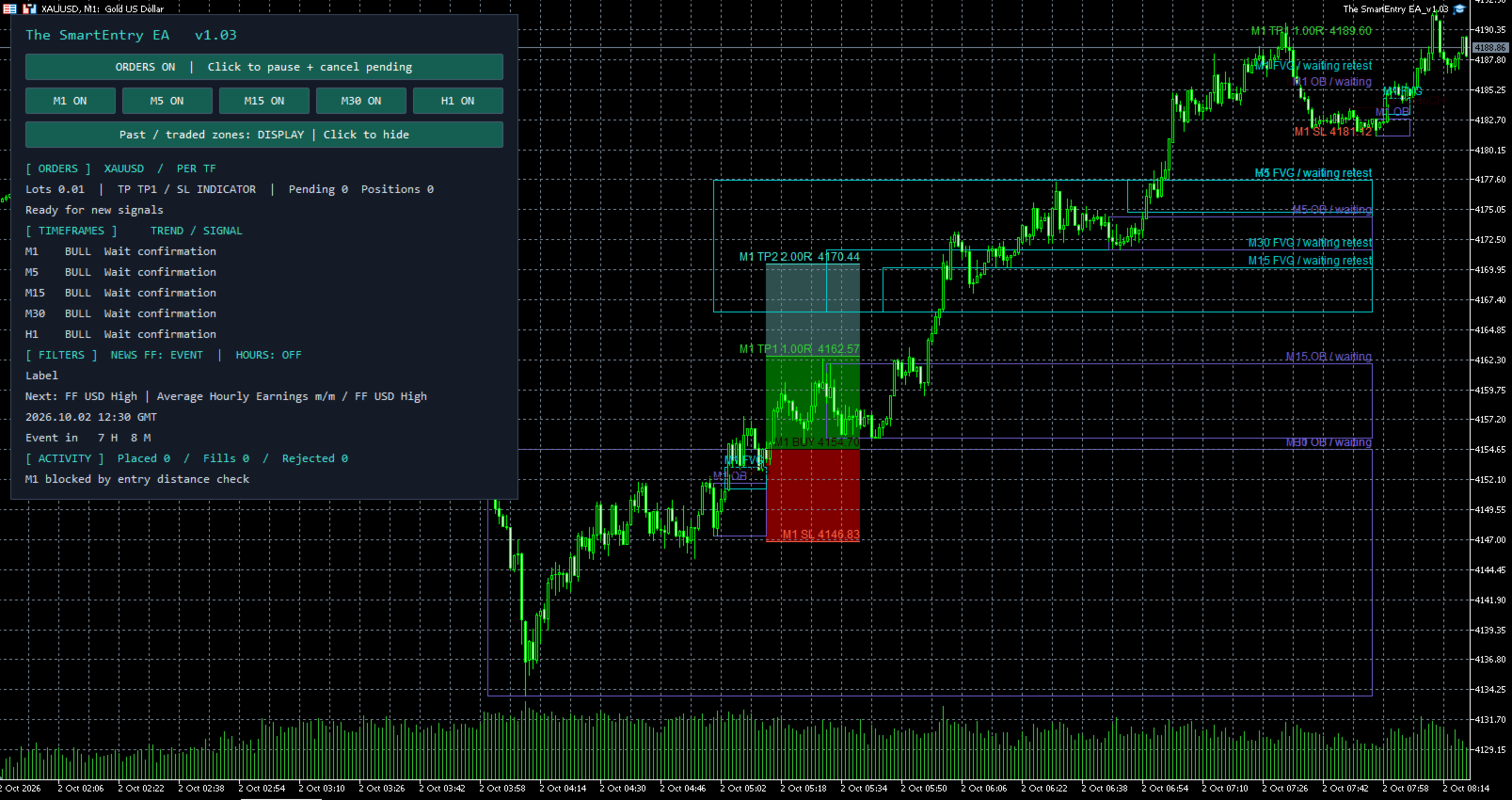
The EA monitors M1, M5, M15, M30 and H1 from a single chart. The chart timeframe does not limit the internal timeframe analysis.
The EA does not open a trade on every candle. A trade plan is created only when the required conditions are available.
Main features
- Monitors M1, M5, M15, M30 and H1 independently.
- Uses pending orders based on the calculated trade plan and current market price.
- Fixed lot size per order.
- Does not use Martingale or lot multiplication after losing trades.
- Supports hedging and netting accounts.
- Displays a dashboard with trading status, signal zones and news status.
- Provides buttons to pause new entries or pause individual signal timeframes.
- Includes economic-news and US employment-news filters.
- Supports optional trailing stop management.
Take Profit and Stop Loss
Take Profit options:
- NONE — no initial Take Profit.
- INDICATOR_TP1 — use the first system-calculated target.
- INDICATOR_TP2 — use the second system-calculated target.
- MANUAL — use a distance from entry specified in broker points.
Stop Loss options:
- NONE — no initial Stop Loss.
- INDICATOR_SL — use the system-calculated invalidation level.
- MANUAL — use a distance from entry specified in broker points.
Default settings are INDICATOR_TP1 and INDICATOR_SL .
TP/SL settings apply to new trade plans. Existing positions and pending orders continue to use the levels assigned when they were created.
Account and risk considerations
Use a low-spread account and include commissions when assessing trading costs.
The recommended minimum starting capital is USD 500. Actual capital requirements depend on the selected symbol, lot size, leverage, broker contract specifications and the number of simultaneous positions.
The EA uses a fixed lot size. Fixed lots do not represent fixed percentage risk, because stop distances and symbol values can vary.
When independent timeframe orders are enabled, multiple timeframes can hold positions at the same time. Consider total exposure across all active positions.
Hedging and netting accounts
On a hedging account, independent timeframe orders can be enabled. This allows each enabled timeframe to manage its own trade plan.
On a netting account, disable independent timeframe orders before starting the EA. The EA then uses shared order management.
News filter
The EA can pause new entries around selected economic events and US employment news.
With default settings:
- General medium- and high-impact news pauses entries 30 minutes before and 30 minutes after the event.
- US employment news pauses entries 60 minutes before and 30 minutes after the event.
- Pending orders managed by the EA are cancelled during an active news window.
- Existing market positions are not forcibly closed by the news filter.
For live use, allow the Forex Factory calendar endpoint in MT5:
Tools > Options > Expert Advisors > Allow WebRequest for listed URL
Add:
If calendar data is unavailable or does not cover the current period, the EA displays a warning and the affected news filter is bypassed. The filter cannot protect against unscheduled news or all market volatility.
Installation
- Install the product through the MQL5 Market in MetaTrader 5.
- Attach the EA to one chart of the symbol you want to trade.
- Enable Algo Trading in MT5.
- Select the lot size and exit modes appropriate for the account.
- Confirm the dashboard status and the Experts log after initialization.
- Keep MT5 or a VPS running while the EA has pending orders, open positions or trailing-stop management.
The embedded signal engine is included. No separate indicator installation is required.
Strategy Tester
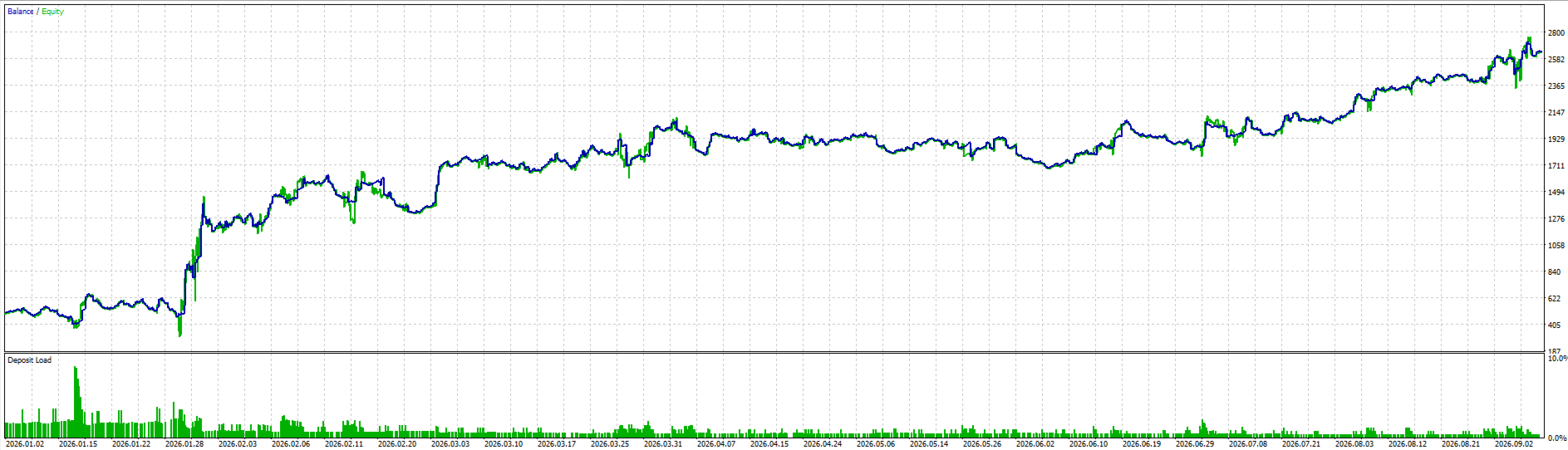
The EA can be tested using the MT5 Strategy Tester. For meaningful results, use the intended broker symbol, suitable tick modelling, realistic spread assumptions and a period that includes different market conditions.
The Strategy Tester cannot download the live calendar feed through WebRequest. To test the news filter, provide a compatible historical calendar cache covering the test period. Without suitable news data, the test continues with the news filter bypassed.
Important information
Trading involves risk and can result in loss of capital. Market conditions, spreads, commissions, slippage, execution and symbol specifications affect results.
Historical testing and previous performance do not guarantee future results. Test the EA on a demo account and confirm its behaviour with your broker before using it on a live account.