Fortis EA MT5
- Experts
- 버전: 1.51
- 업데이트됨: 24 9월 2026
- 활성화: 10

FORTIS EA is an Expert Advisor designed to automate a trading approach based on the detection of key technical areas and dynamic position management.
The algorithm analyzes several timeframes to identify favorable market conditions, then waits for its own confirmation criteria before entering a trade. Its internal logic is designed to reduce unnecessary entries and manage open positions in a structured way as market conditions evolve.
The exact entry logic, technical criteria, and internal decision rules are intentionally kept confidential.
FORTIS EA includes:
- automatic opportunity detection
- multi-timeframe market analysis
- dynamic basket management
- minimum spacing between new positions
- configurable maximum number of positions
- automatic lot sizing based on account balance
- dynamic profit target management
- configurable basket trailing stop
- protection filter during abnormal market movements
- spread control
- automatic Friday closing
- fully customizable parameters
Installation and Setup
FORTIS EA is designed to remain simple to use.
After installing the EA in MetaTrader 5:
- Open the chart of the desired instrument.
- Select the M15 timeframe.
- Drag FORTIS EA onto the chart.
- Enable algorithmic trading permissions.
- Load the .set file corresponding to the market you want to trade.
- Check the initial lot size and money management settings.
- Enable Algo Trading in MetaTrader 5.
The EA will then operate automatically.
For best operation, MetaTrader 5 should remain running continuously. Using a VPS is strongly recommended so that dynamic position management and trailing functions can operate without interruption.
Main Settings
FORTIS EA offers many advanced settings, but in most cases only a few parameters need to be adjusted.
Initial Position Size
The initial lot size can be set manually or configured to automatically increase or decrease according to the account balance.
Example:
- Reference balance: €10,000
- Reference lot size: 0.10 lot
The EA can then automatically adjust the initial lot size as the account balance changes.
Maximum Number of Positions
This parameter limits the maximum exposure of the strategy.
A lower value provides a more conservative approach, while a higher value gives the position management system more flexibility.
Minimum Distance Between Positions
This setting prevents multiple positions from being opened too close to each other.
The distance is calculated according to market volatility.
Basket Trailing Stop
FORTIS EA can allow profitable market movements to continue instead of immediately closing the basket once its target has been reached.
Both the trailing distance and the trailing update frequency are configurable.
Volatility Protection
FORTIS EA includes a protection system capable of temporarily suspending new entries when the market experiences unusually aggressive or abnormal movements.
Friday Closing
The EA can automatically close all open positions at a predefined time on Friday and prevent new entries until Monday.
.set Files Included
Every FORTIS EA buyer will receive the recommended .set files.
These files contain preconfigured settings prepared for the supported markets, allowing users to run the EA without having to manually configure every parameter.
Updated .set files may also be provided when new configurations or optimizations are validated.
Experienced users remain free to modify the settings to adapt FORTIS EA to their own:
- account size
- broker
- trading conditions
- preferred level of exposure
Important Information
FORTIS EA uses dynamic multi-position management and does not rely on a traditional fixed Stop Loss.
For this reason, the initial lot size, maximum number of positions, and exposure settings should always be adapted carefully to the available account balance.
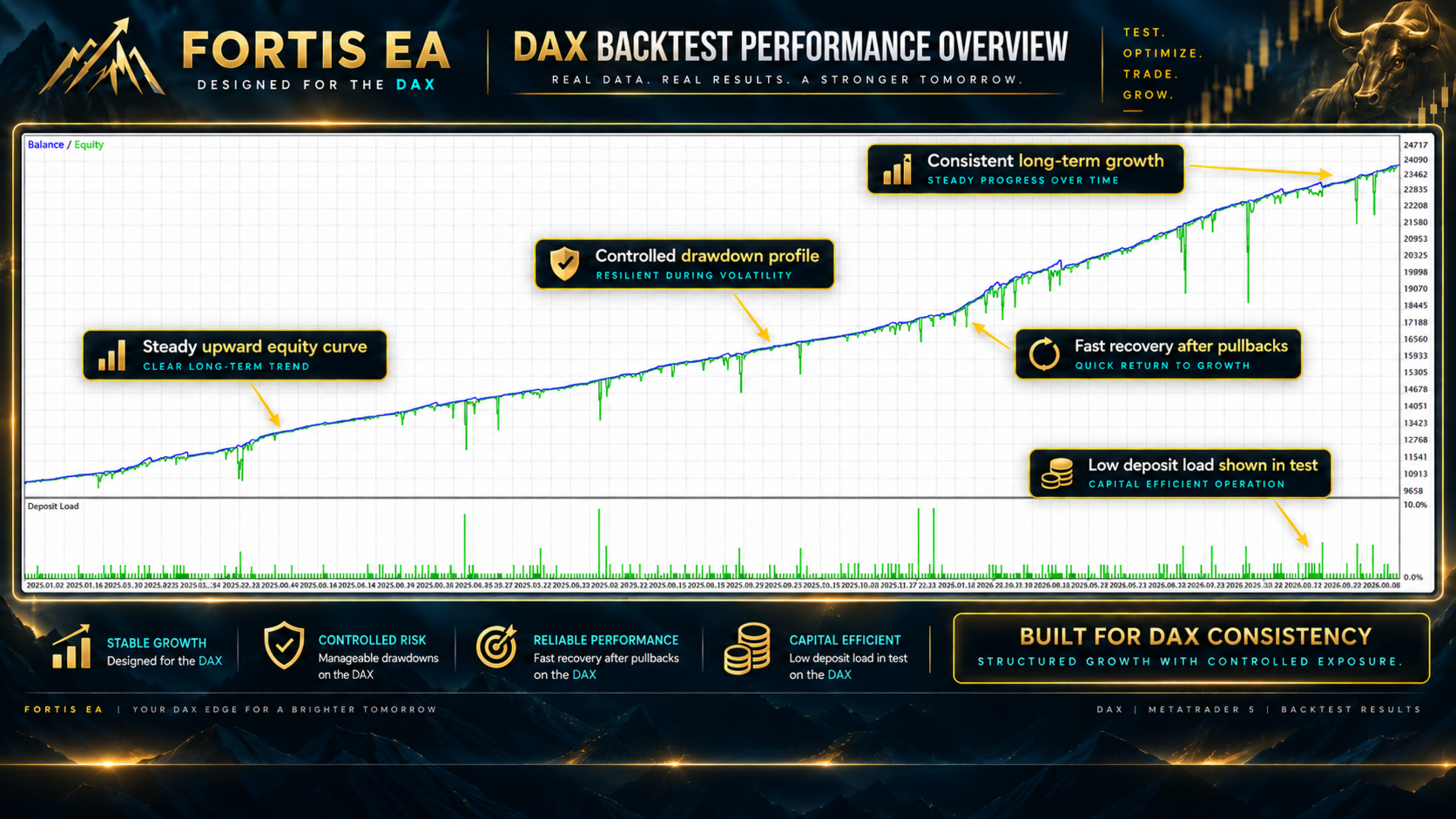
Backtesting and initial use on a demo account are recommended before using the EA on a live trading account.
FORTIS EA — structured, automated and configurable algorithmic trading, designed to let the system manage the market while you remain in control of the exposure.