TheYenMaster
- Experts
-
BKapital Holding B.V.
 Developing software and automated trading systems for more then 5 Years'.
 - 버전: 1.0
- 활성화: 10
The Yen Master
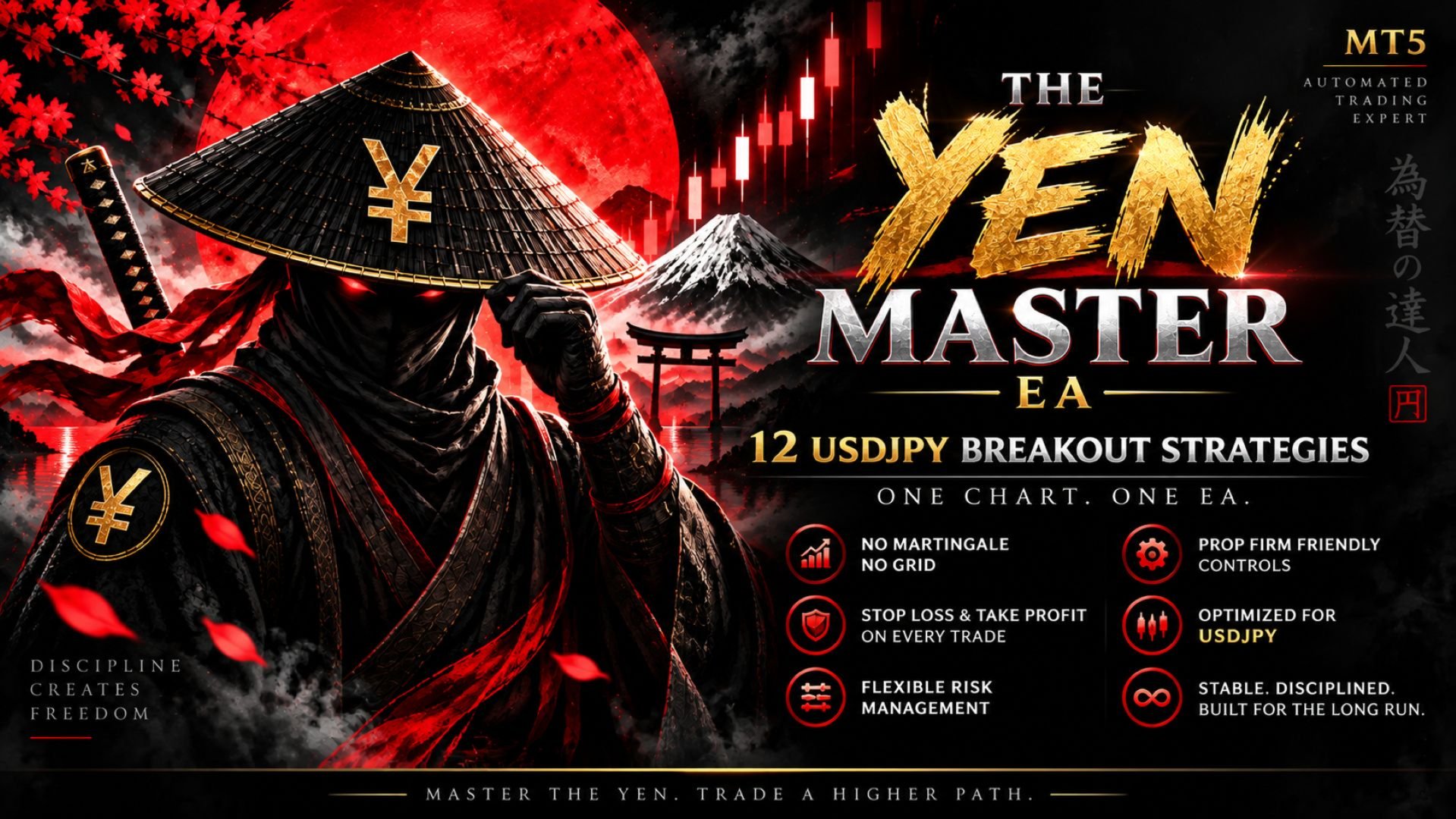
The Yen Master is an Expert Advisor for USDJPY that runs twelve independent breakout strategies on one chart. Each strategy has its own levels, stop loss, take profit and trade management.
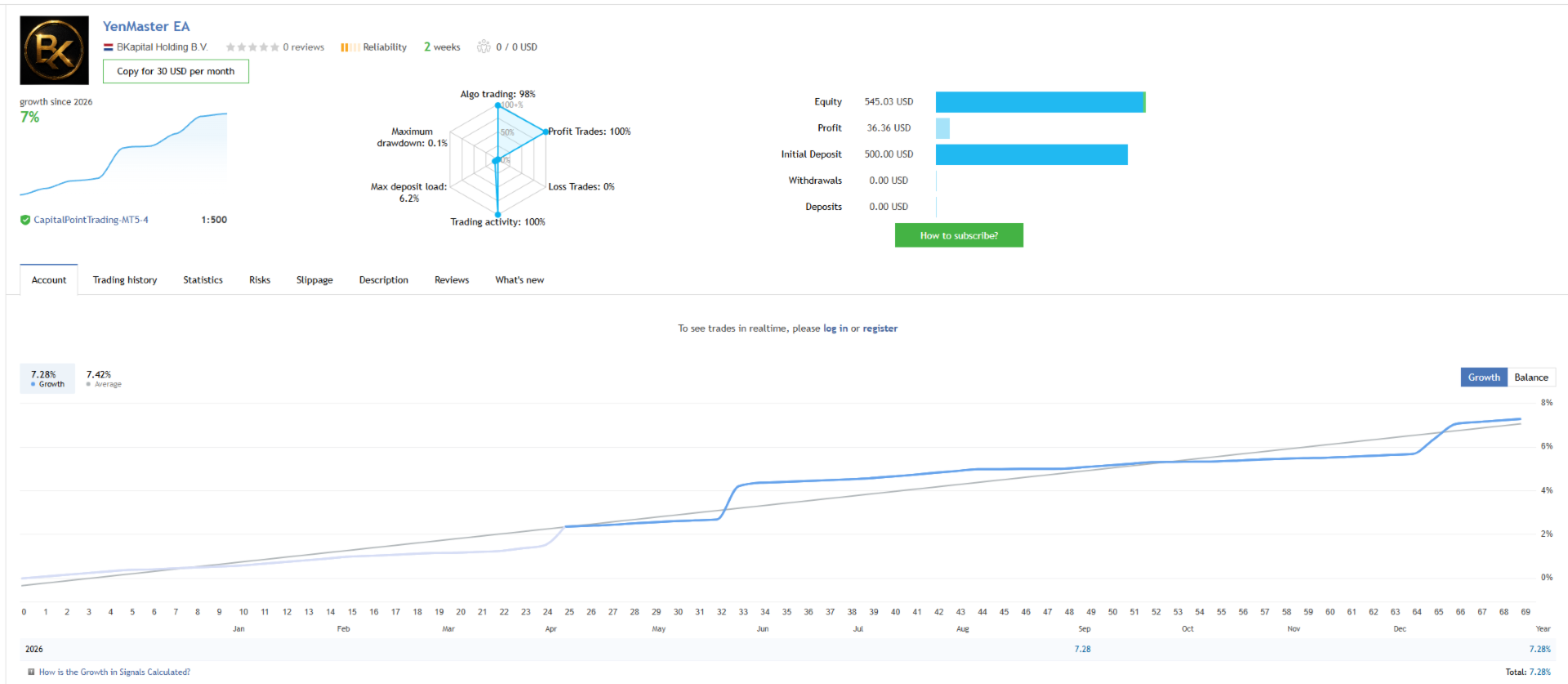
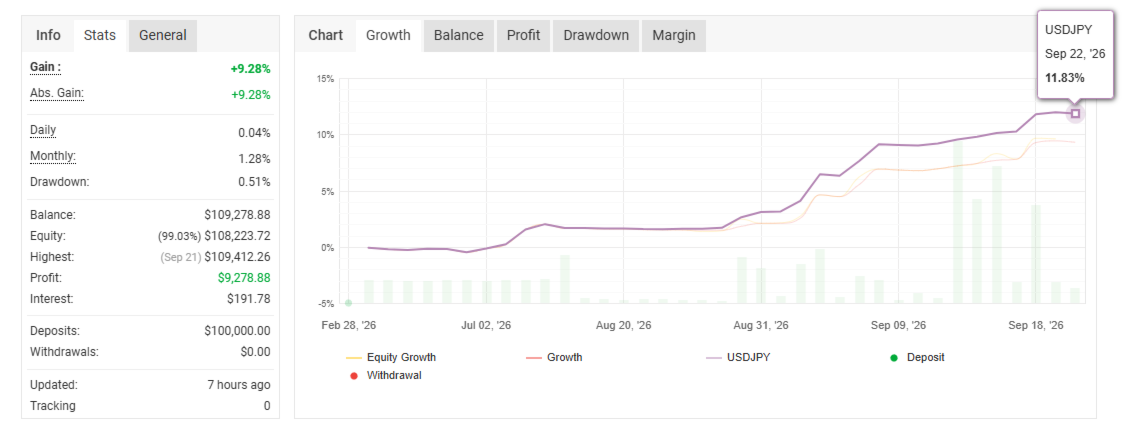
Live monitoring: the Expert Advisor runs on a public signal, so you can compare its live trading with the backtest.
How it trades
The Expert Advisor trades breakouts of support and resistance levels on USDJPY. It finds swing highs and swing lows on the H1 and H4 charts and places stop orders just beyond levels that have not yet been broken. When price breaks a level, the order is filled and the trade follows the direction of the breakout.
Strategy design
The twelve strategies use different timeframes, stops, targets and trade management, so they trigger under different market conditions. They run together as one portfolio.
Main features
- No martingale, no grid
- Every trade has a stop loss and a take profit
- Daily loss limit, total loss limit, equity stop and equity target
- News filter and trading hours filter
- Simple setup: attach to one chart, choose a trade frequency and a risk mode
Testing
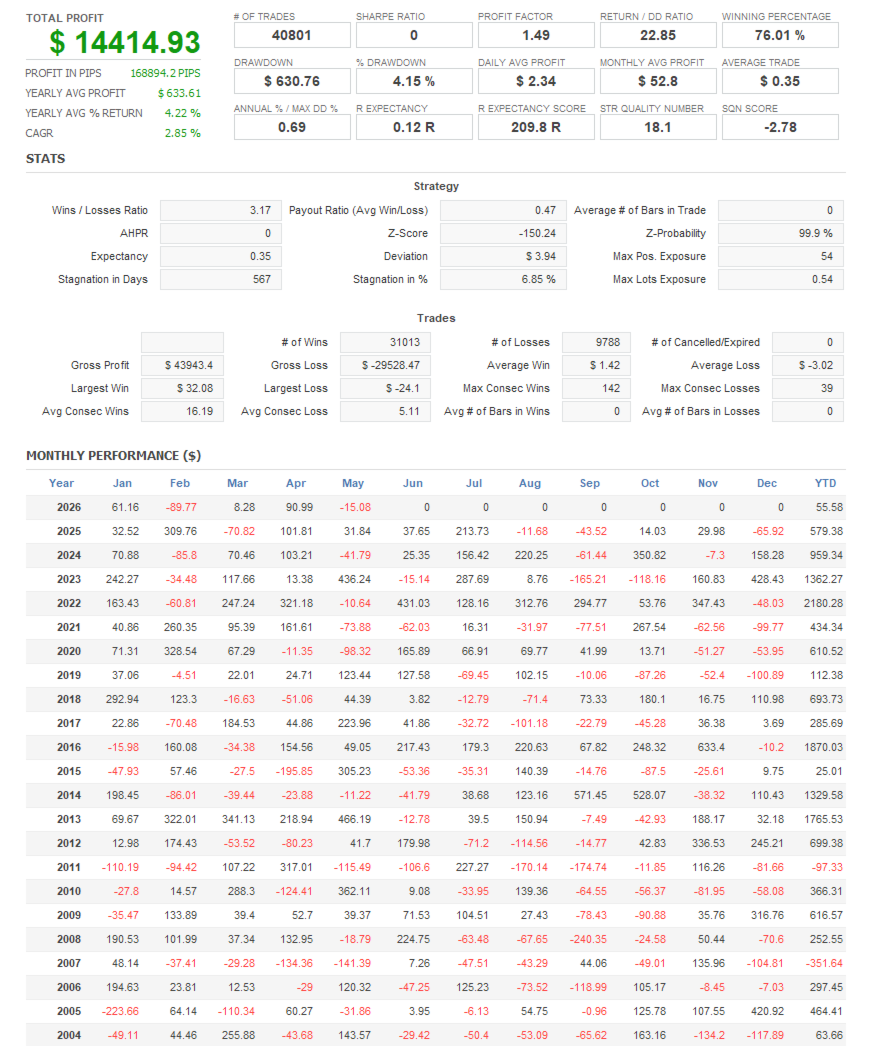
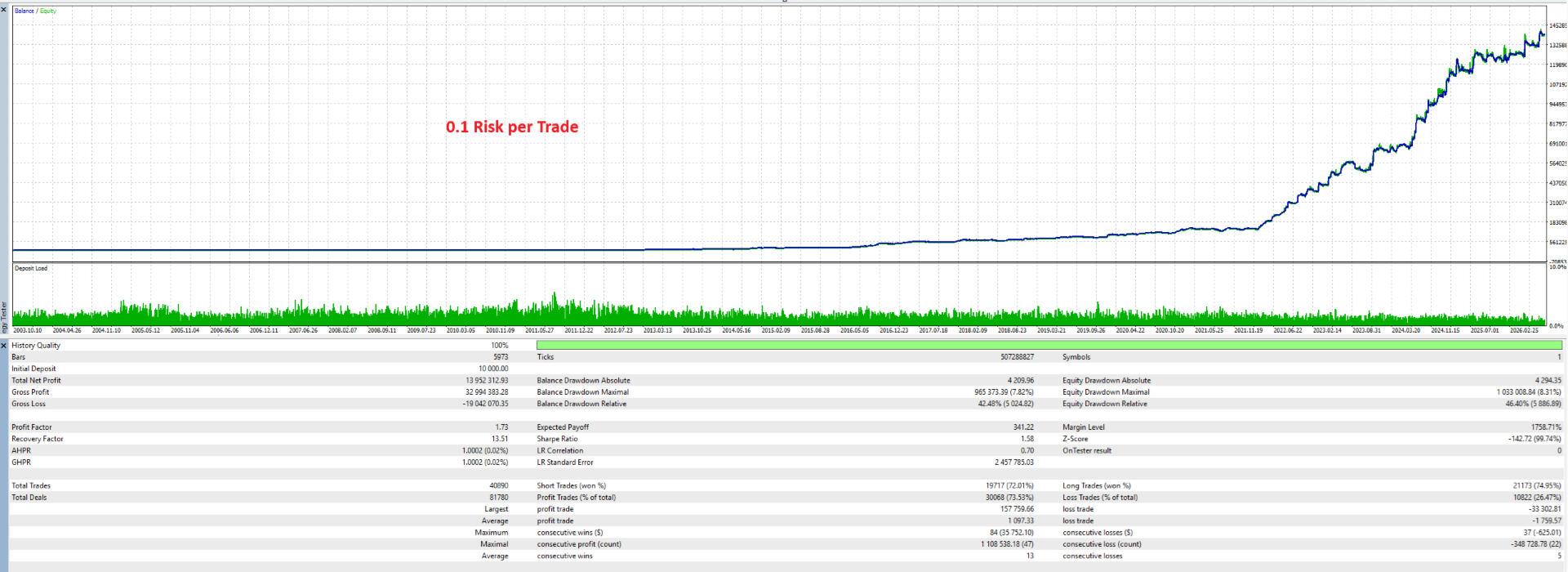
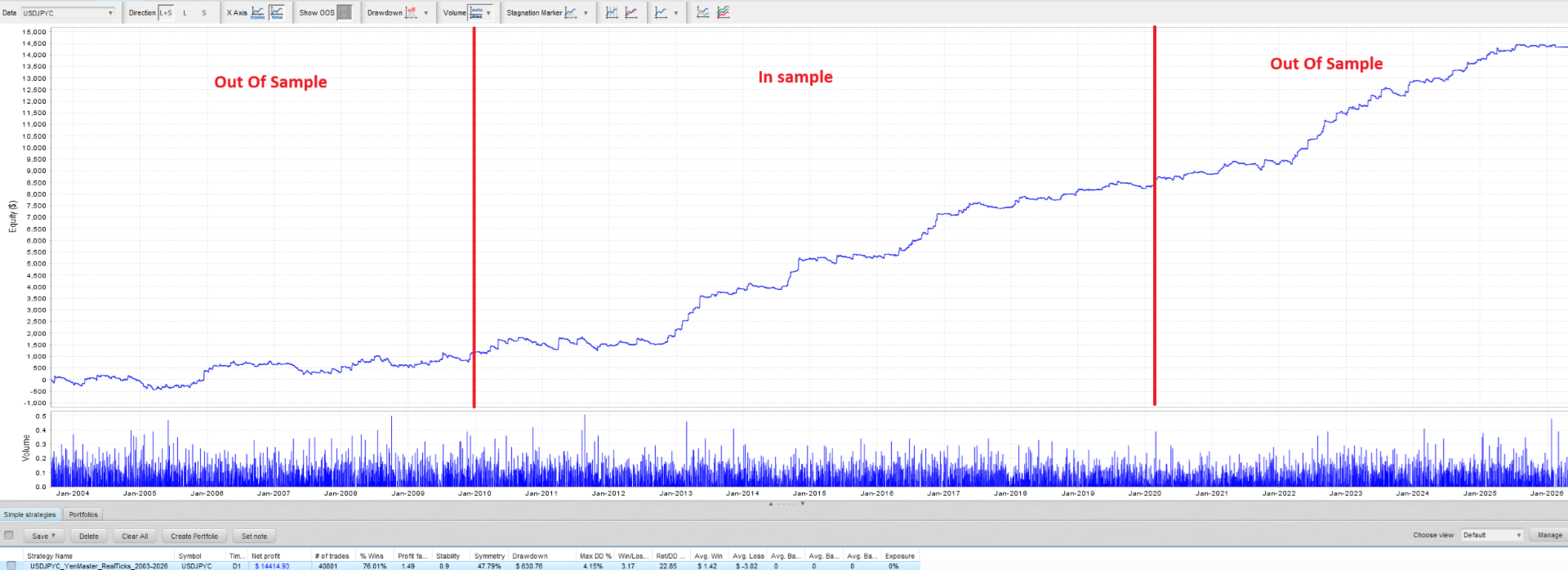
Every strategy was tested in the Strategy Tester on real tick data from 2003 to 2026, not only on 1 minute bar data, which can overstate results. The test period includes the 2008 financial crisis, the 2011 intervention and the 2022 yen weakness. The Expert Advisor was verified trade by trade against the original strategy code: it reproduces all 6 575 trades of the verification run with identical entry, exit, price and volume.
Backtest reports are shown in the screenshots. These are historical simulations, not real trading results. Past results do not guarantee future results. You can repeat the test yourself with the model "Every tick based on real ticks".
Setup
- Attach the Expert Advisor to one USDJPY chart. The chart timeframe does not matter.
- Choose a Trade Frequency: Low, Moderate or High.
- Choose a Risk Mode: Fixed lot, Automatic, or Risk % per trade.
The twelve strategies are built in, so no set files are needed.
Trade Frequency
- High: all 12 strategies
- Moderate: 9 strategies
- Low: 6 strategies, one variant of each design family
Risk management
- Fixed lot: the same lot size for every strategy.
- Automatic: each strategy is sized from its own historical maximum drawdown, so every strategy carries a similar share of account risk. You set the % of balance a strategy may lose in its largest historical drawdown.
- Risk % per trade: each trade risks a fixed % of your balance, calculated from its stop loss.
In Automatic and Risk % mode, the lot size increases with new balance highs and does not decrease after a loss. Pending orders are resized when the balance changes by 5 %. An order is skipped if free margin is insufficient. A maximum lot per order can be set.
Account protection
- Max daily loss (%): when the closed plus floating result of the day reaches the limit, all positions are closed, pending orders are deleted and trading pauses until the next day.
- Max total loss (%): when equity falls this far below the start balance, all positions are closed and the Expert Advisor stops.
- Equity stop and equity target: all positions are closed and the Expert Advisor stops at a fixed equity level.
- A stop remains active after a chart reload or terminal restart. Trading resumes when you press RESET HALT on the panel.
These limits can be set to match the daily and total loss rules of an account.
News filter
- Non-Farm Payrolls: no new trades around the release, with optional closing of open positions and deletion of pending orders. You set the minutes before and after.
- Economic calendar (live trading only): uses the MetaTrader 5 economic calendar for USD and JPY events of the selected importance, with the same options.
Trading hours
- Monday start: no new trades before this time on Monday.
- Friday close: all positions are closed and trading stops at this time on Friday, to avoid weekend gaps.
- Both can use broker server time or GMT.
On-chart panel
The panel shows balance, equity, floating profit, margin level and the result of the day, with status bars for the daily and total loss limits. It also shows the status of the news, calendar, trading hours and spread filters, and one row per strategy with its orders, positions, profit and trade count. Buttons: PAUSE ENTRIES, CLOSE ALL (with confirmation) and RESET HALT. The font size is adjustable and a light and dark theme are available.
Parameters
Strategies
- TradeFrequency: Low (6 strategies), Moderate (9) or High (12)
Trading
- TradeDirection: buy and sell, buy only or sell only
- MagicNumber: base magic number; strategy N uses base plus N minus 1
- TradeComment: comment prefix for the orders
- MaxSpreadPoints: no new orders above this spread, in points (0 = off)
- MaxSlippagePoints: maximum slippage, in points
- ForceSymbol: leave empty to trade the chart symbol
Risk
- RiskMode: Fixed lot, Automatic, or Risk % of balance per trade
- FixedLot: lots per strategy in Fixed lot mode
- AutoRiskPercent: in Automatic mode, the % of balance each strategy may lose in its largest historical drawdown
- RiskPercent: in Risk % mode, the % of balance lost when a stop loss is hit
- MaxLot: largest order size the Expert Advisor sends
Account protection
- MaxDailyLossPercent: daily loss limit in % of the equity peak (0 = off)
- MaxTotalLossPercent: total loss limit in % of the start balance (0 = off)
- StartBalanceOverride: start balance for the total loss rule (0 = balance when the Expert Advisor first starts)
- EquityStop: stop when equity falls to this value (0 = off)
- EquityTarget: stop when equity reaches this value (0 = off)
Time filters
- TimeReference: broker server time or GMT
- MondayStart: no new trades before this time on Monday, HH:MM (empty = off)
- FridayClose: close all positions and stop at this time on Friday, HH:MM (empty = off)
Non-Farm Payrolls filter
- NfpFilter: filter on or off
- NfpMinutesBefore and NfpMinutesAfter: the window around the release
- NfpClosePositions: close open positions when the window starts
- NfpDeletePendings: delete pending orders when the window starts
- BrokerGmtOffsetSummer and BrokerGmtOffsetWinter: the GMT offset of your broker, used for the release time and the GMT time filters (3 and 2 for most brokers)
Economic calendar filter
- CalendarFilter: filter for USD and JPY events (live trading only)
- CalendarMinImportance: minimum event importance
- CalendarMinutesBefore and CalendarMinutesAfter: the window around each event
- CalendarClosePositions and CalendarDeletePendings: what to do when the window starts
Panel
- ShowDashboard: show the panel
- DashboardInTester: show the panel in the Strategy Tester (visual mode)
- DashboardCorner, DashboardX, DashboardY: position
- DashboardFontSize: panel size
- DashboardTheme: dark or light
- DashboardRefreshSeconds: refresh interval
Advanced (keep default values)
- SignalTimeframe: M5, the timeframe the strategies were verified on
- ExitTimeframe: M1, the stop management timeframe the strategies were verified on
- ManageEveryTick: manage stops on every tick instead
- VirtualExpiry: pending order expiry managed by the Expert Advisor (default); off uses broker expiry
Recommended setup
- Symbol: USDJPY, any timeframe
- Account: hedging account, as several strategies can hold positions at the same time; raw spread account recommended
- Broker server time: GMT+2 or GMT+3
- A virtual private server is recommended for continuous operation during the trading week
Risk notice
The Yen Master is a rule based breakout system. It will have losing days, losing weeks and drawdowns. Every trade is protected by a stop loss, and you control the size of the risk through the risk settings.