Cross Pair Forge MT5
- Experts
-
Kestutis Balciunas
 금융 시장에서 16년 이상의 실전 경험을 바탕으로, 저는 MT4/MT5용 고성능 외환 거래 전략, 기술적 지표 및 자동화된 전문가 자문 시스템(Expert Advisors) 개발을 전문으로 합니다. 제 작업은 정확성, 일관성 및 실제 적용 가능성을 위해 정밀하게 설계된 거래 시스템을 아우릅니다.
 - 버전: 1.2
- 활성화: 10
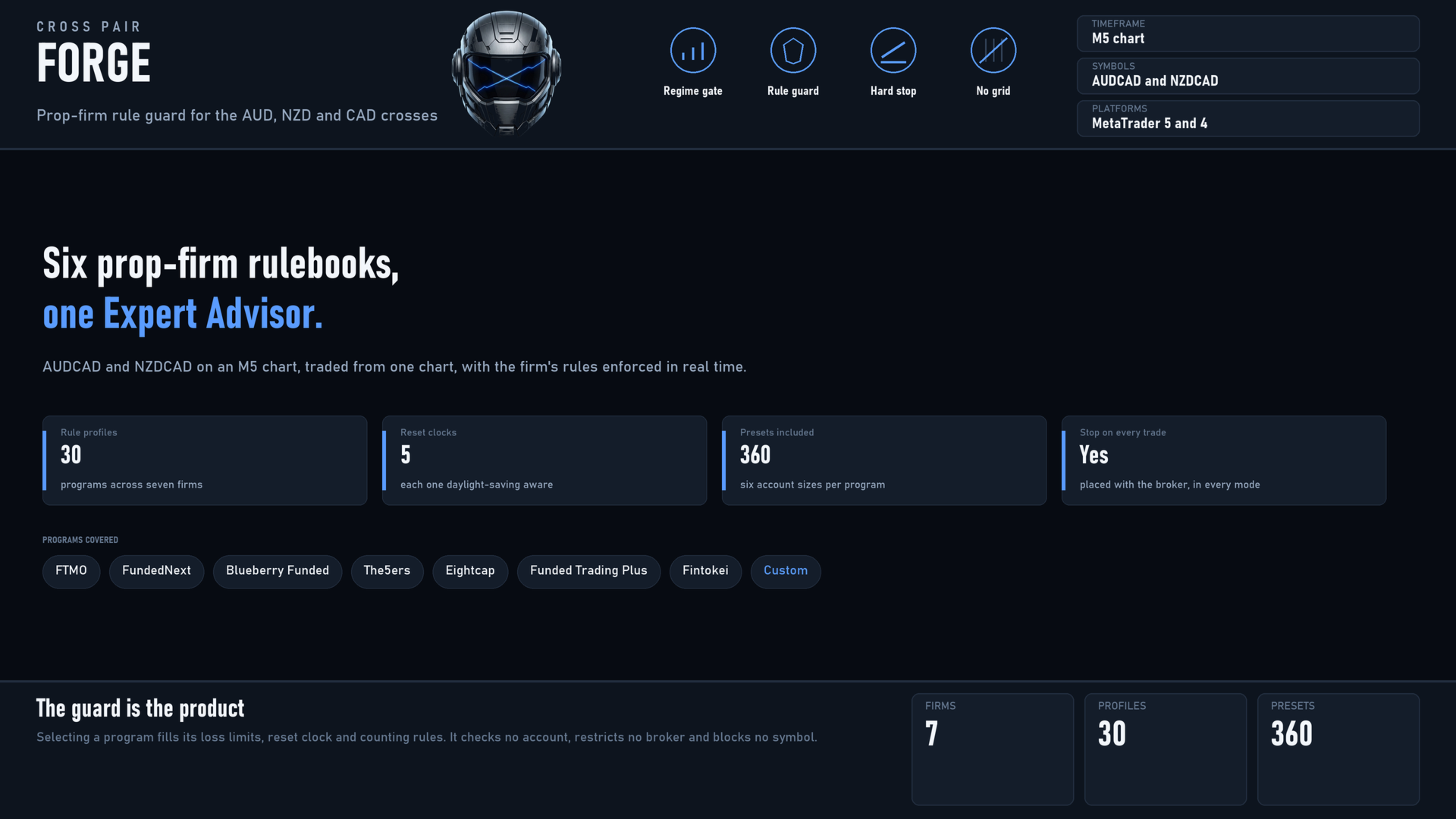
Cross Pair Forge is a momentum-reversal Expert Advisor for AUDCAD and NZDCAD, traded from a single M5 chart, with a prop-firm rule guard built in. Signals come from a weighted read of RSI and Stochastic across M5, M15, H1 and H4, an H1 regime gate that keeps the EA out of markets that are not moving, and an H1 supply and demand check that stops it buying into supply or selling into demand. Every ticket carries a stop loss placed with the broker, and the guard halts trading before the daily-loss and max-loss lines of whichever firm program you select.
HOW IT WORKS
- Entry: a turn away from a recent momentum extreme, confirmed across four timeframes, allowed only when the regime gate is open and no opposing supply or demand zone sits at the price. Three alternative engines are included: pullback with the hourly trend, reversion from extremes, and an adaptive mode that picks between them by hourly ADX.
- Exit: stop and target sized from ATR so the same settings behave sensibly on any instrument, a break-even move, a partial close that banks part of the trade, an ATR trailing stop on what is left, and an optional exit when momentum turns.
- Position policy: one position per symbol in compliant mode. Series and lot-scaling code is included for the firms that permit it, ships switched off, and is forced off while compliant mode is on.
- Guard: daily-loss floor, static or trailing max-loss floor, an optional lock that fixes the floor at your starting balance once profit reaches a level, profit-target latch, minimum trading days, profitable-day counting, consistency gate, minimum holding time, and a size ratchet that never increases size after a losing trade.
- Session and execution: Friday flatten measured in GMT rather than broker time, spread filter, news filter from the terminal calendar, exposure caps, and an on-chart dashboard.
FIRM RULE PROFILES
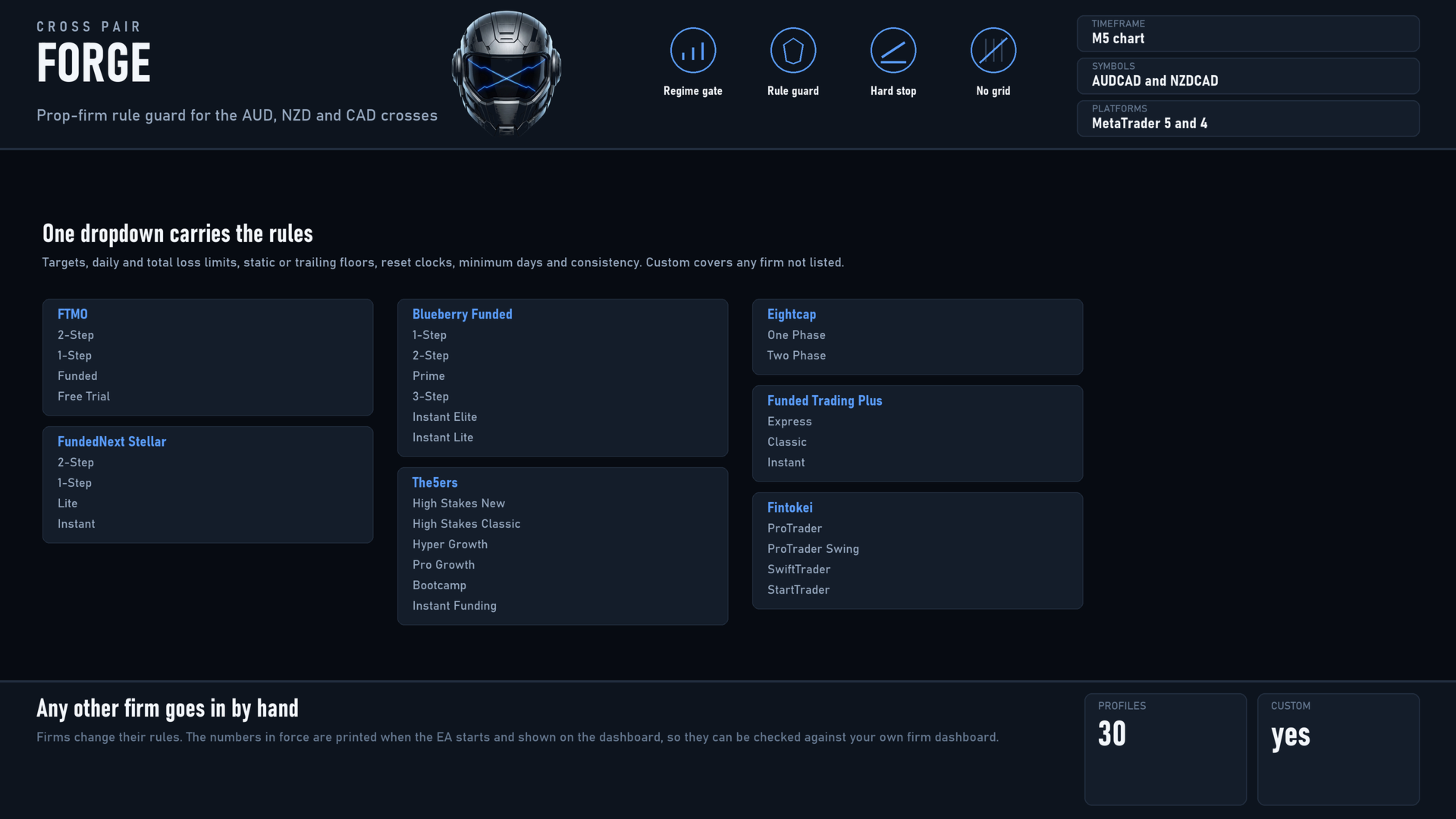
One dropdown fills the rule numbers for the program you are trading. It sets targets, daily and total loss limits, whether the floor is static or trailing, the reset clock, minimum days and the consistency rule. It does not check your account, restrict your broker or block any symbol.
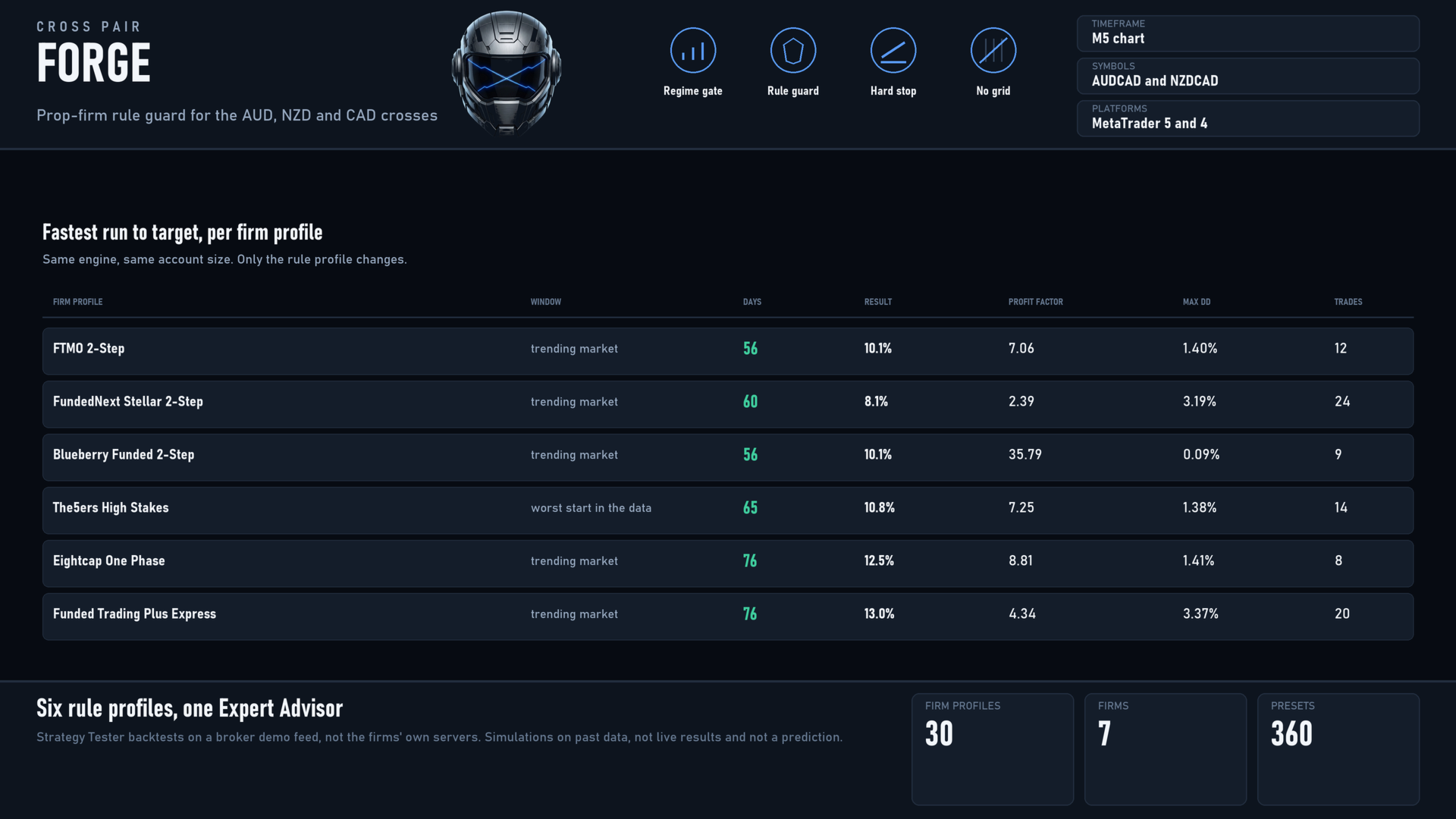
Included: FTMO 2-Step, 1-Step, Funded and Free Trial. FundedNext Stellar 2-Step, 1-Step, Lite and Instant. Blueberry Funded 1-Step, 2-Step, Prime, 3-Step, Instant Elite and Instant Lite. The5ers High Stakes New and Classic, Hyper Growth, Pro Growth, Bootcamp and Instant Funding. Eightcap One Phase and Two Phase. Funded Trading Plus Express, Classic and Instant. Fintokei ProTrader, ProTrader Swing, SwiftTrader and StartTrader. Custom lets you enter any other firm's rules by hand.
Firms change their rules. The numbers in force are printed when the EA starts and shown on the dashboard so you can check them against your own firm dashboard.
KEY FEATURES
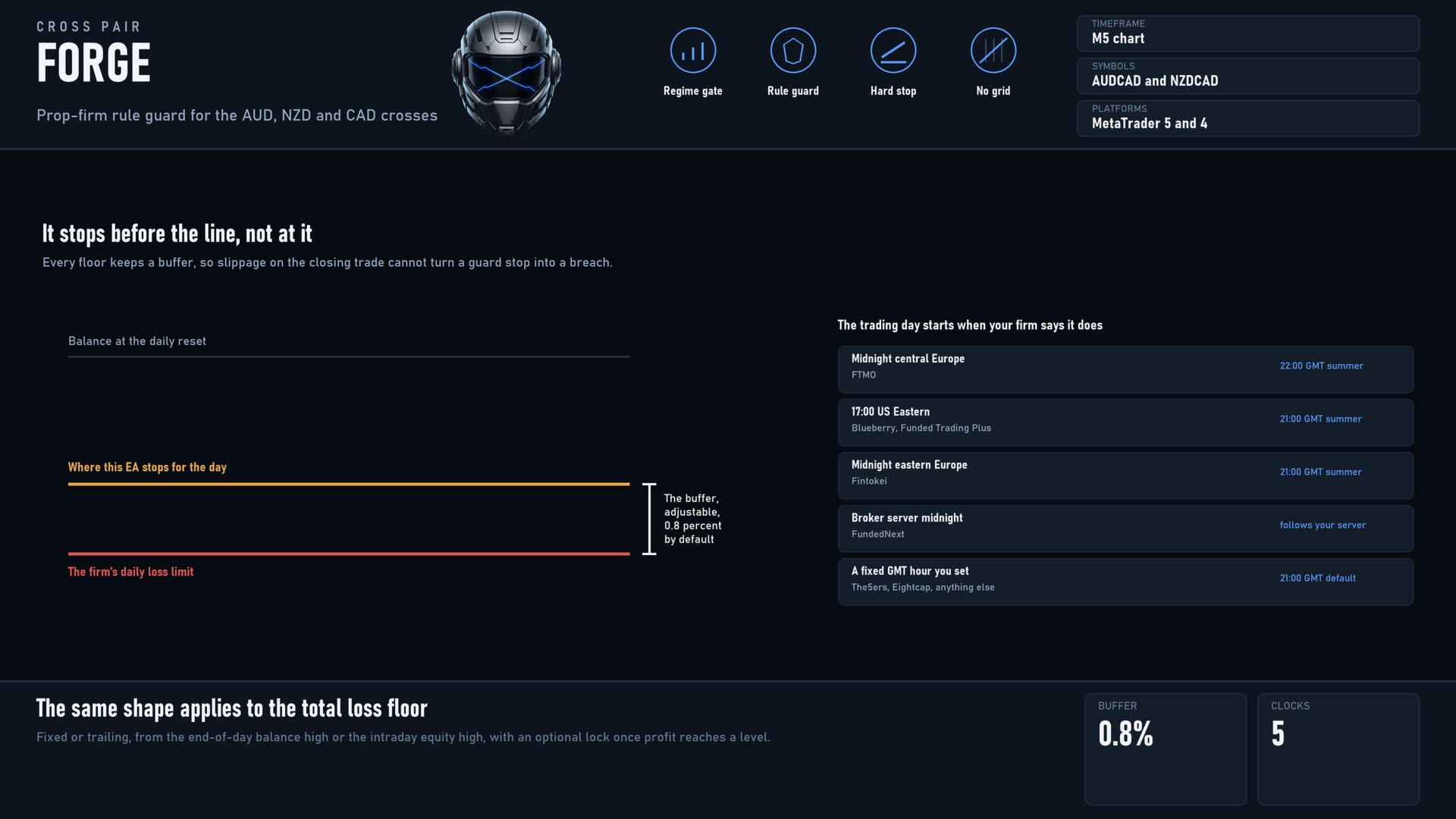
- Stops before the line, not at it. Every floor keeps a buffer, so slippage on the closing trade cannot turn a guard stop into a breach.
- Daily reset on the firm's own clock: midnight central Europe, 17:00 US Eastern, midnight eastern Europe, broker midnight or a fixed GMT hour, each following daylight saving.
- Trailing floors done the way each firm measures them, from the end-of-day balance high or the intraday equity high, with an optional lock once profit reaches a set level.
- Target latch closes a little above the target and pauses, so the closing spread still leaves the account above the line.
- Minimum trading days counted, and where a firm requires it, only days that closed in profit are counted.
- Consistency handled as a gate on finishing the phase rather than a block on entries, because blocking entries would deadlock the account after the first day.
- Size ratchet for firms that treat any increase after a loss as martingale.
- Minimum holding time respected when the EA closes on reaching the target. Protective stops are exempt by design.
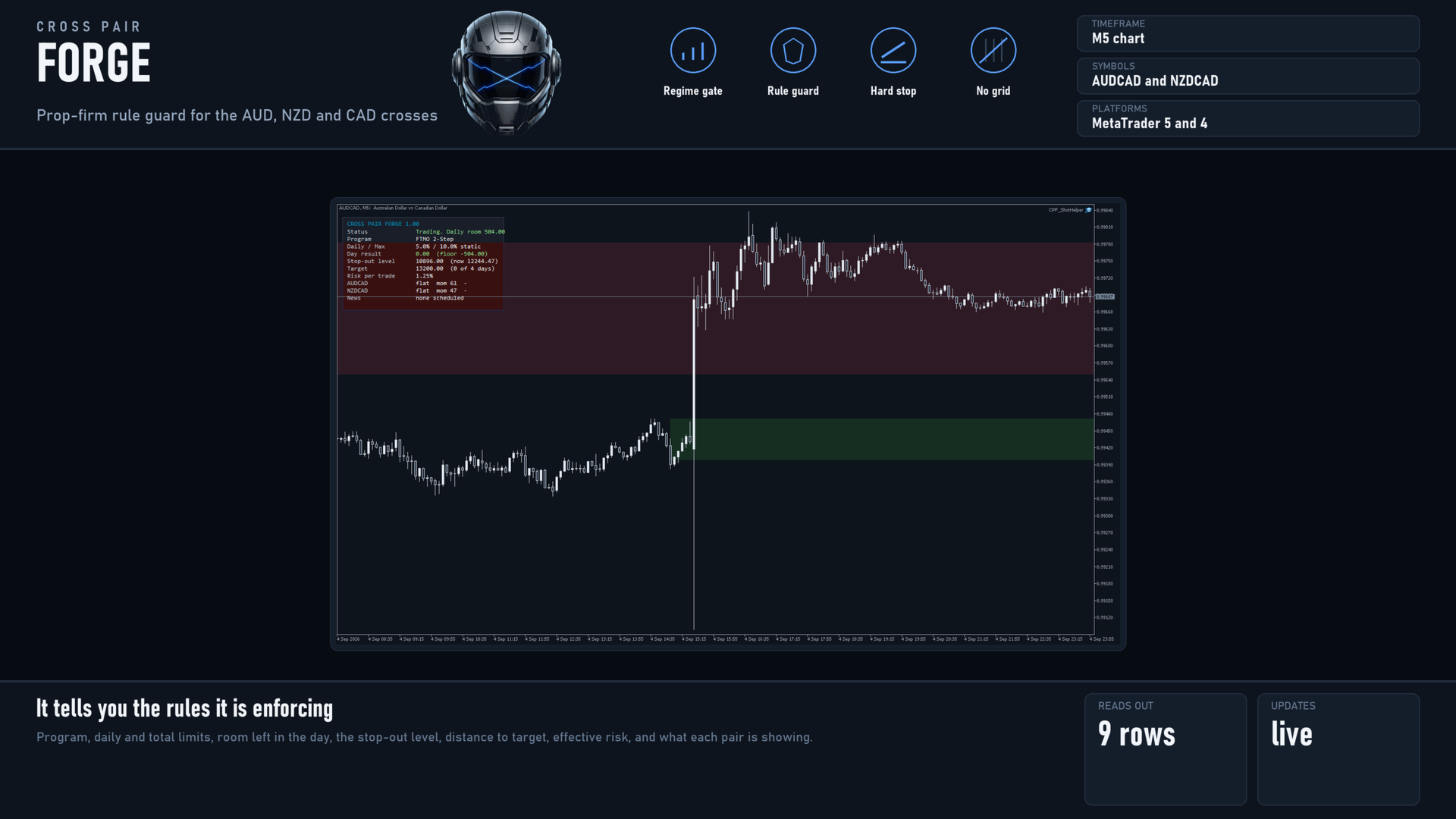
- Dashboard: the rules in force, the day's result against its floor, the stop-out level, distance to target, effective risk, what each pair is showing, and the next scheduled release.
WHAT THE TESTING SHOWED
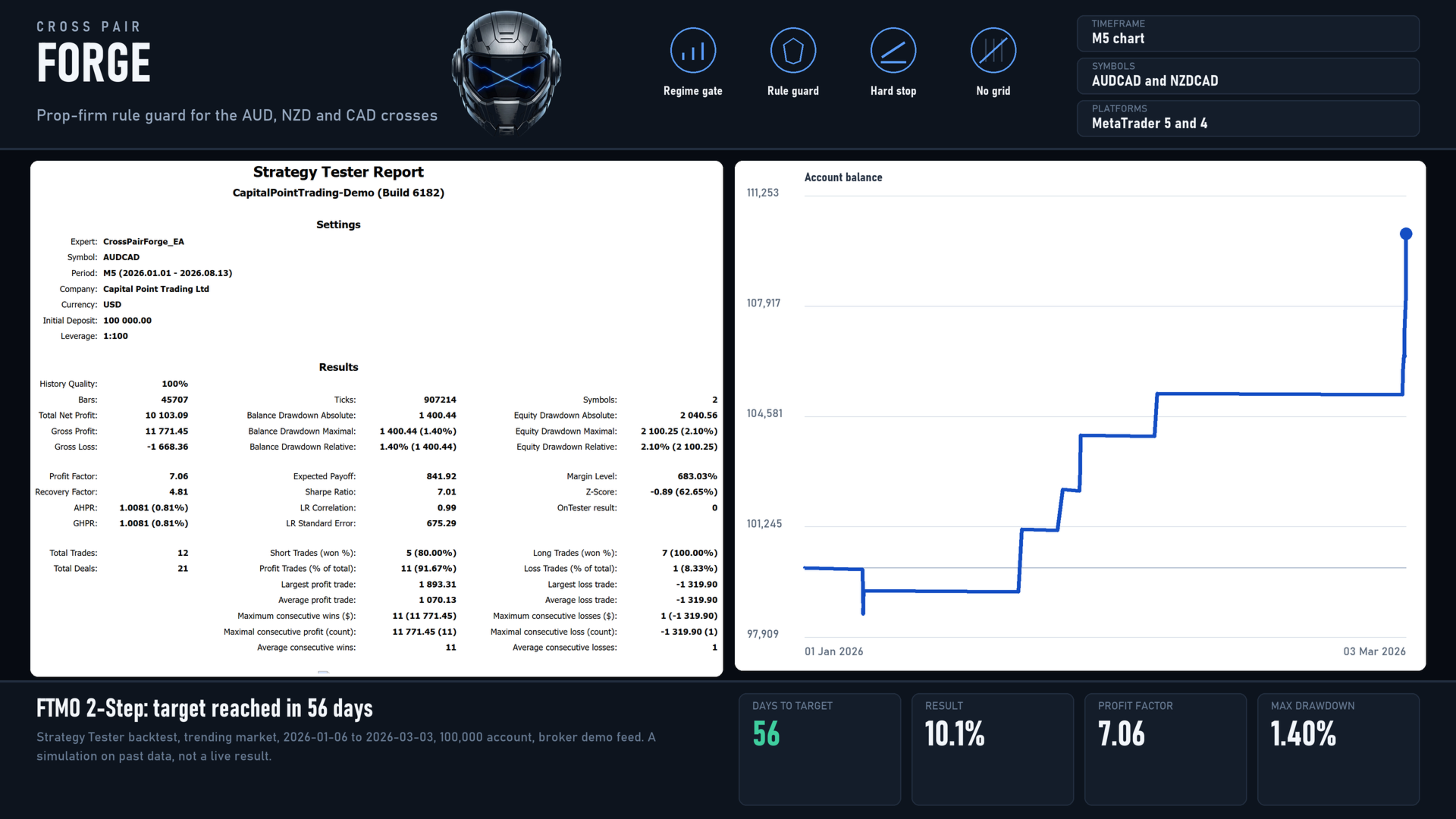
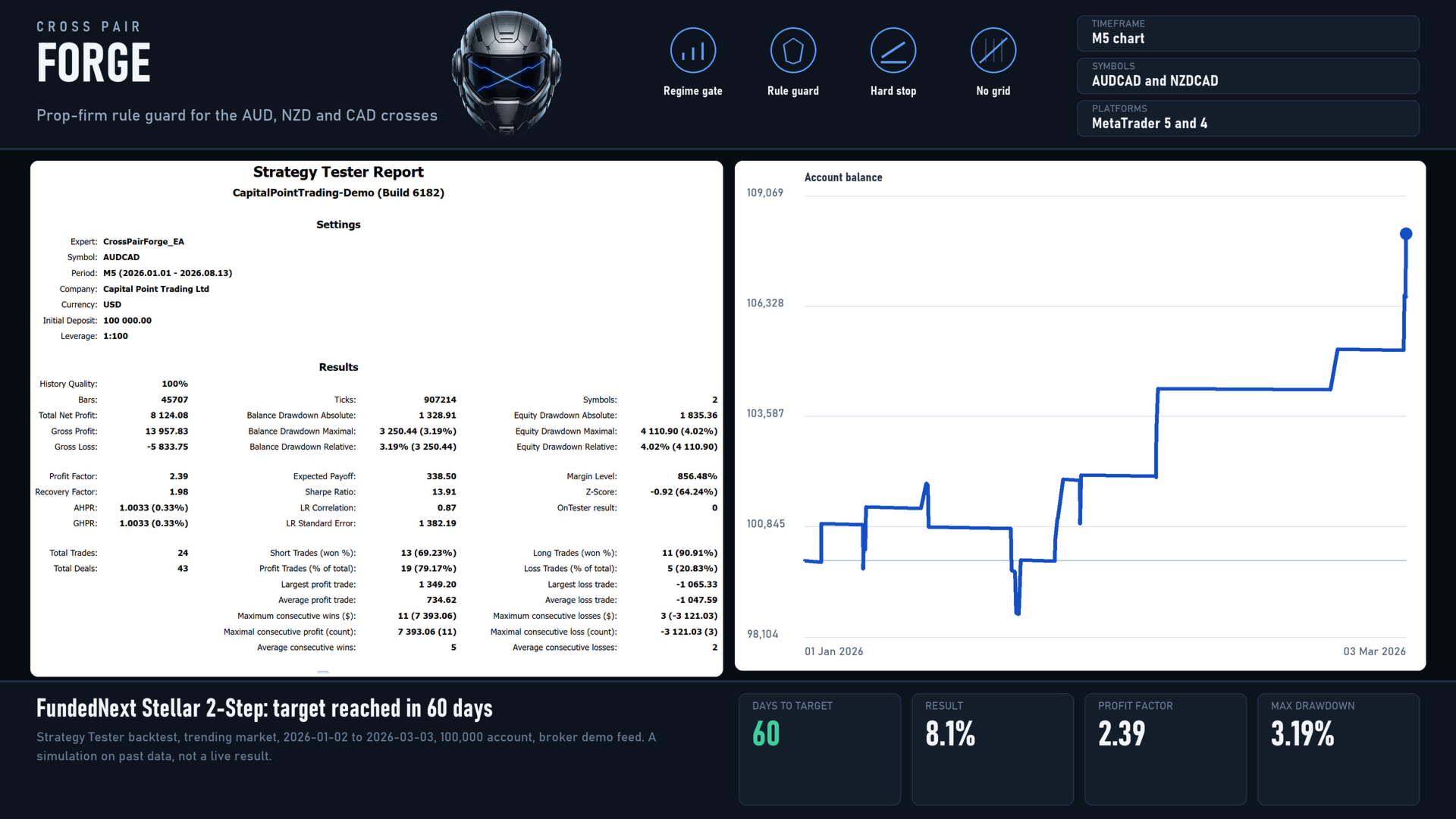
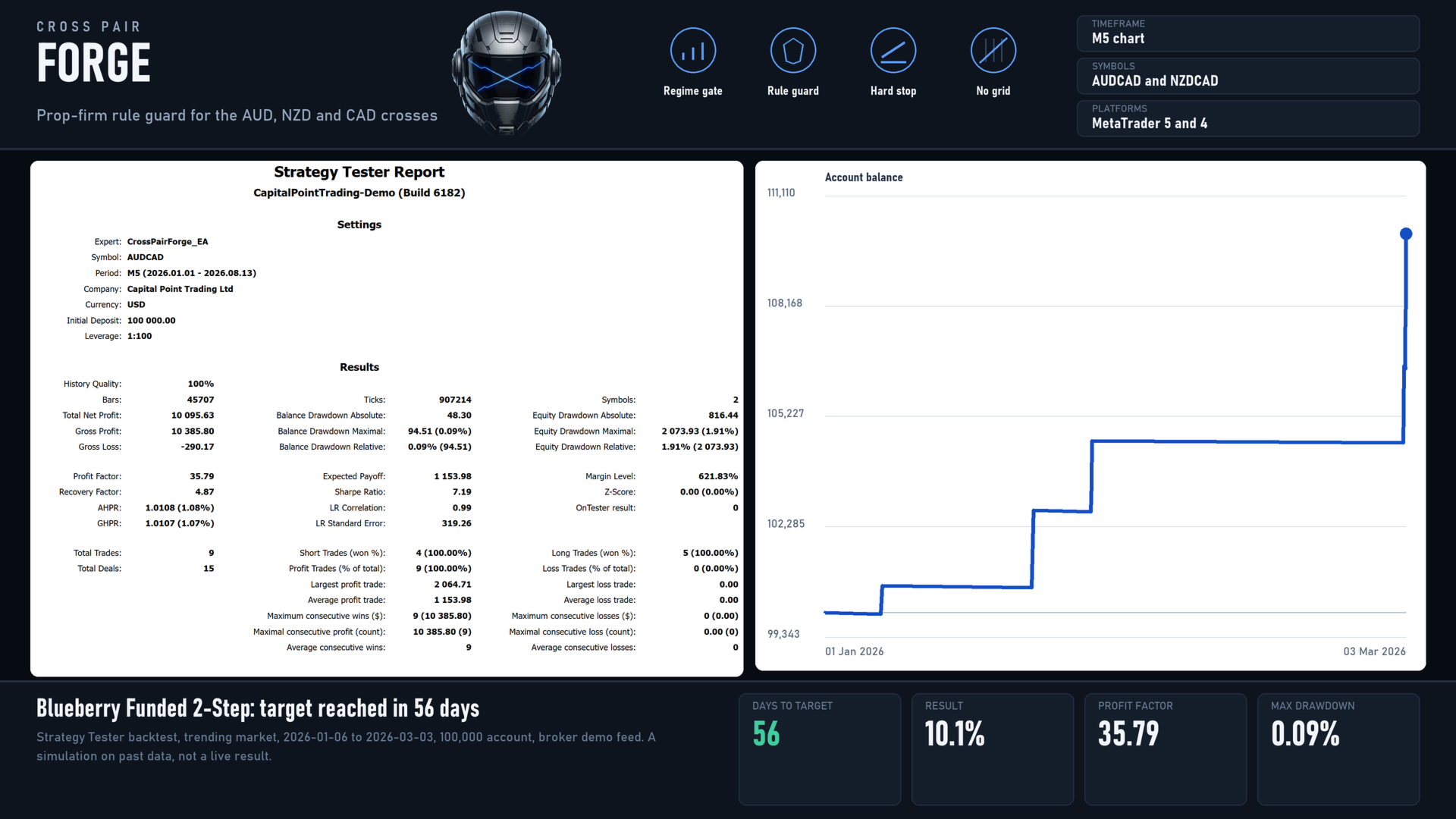
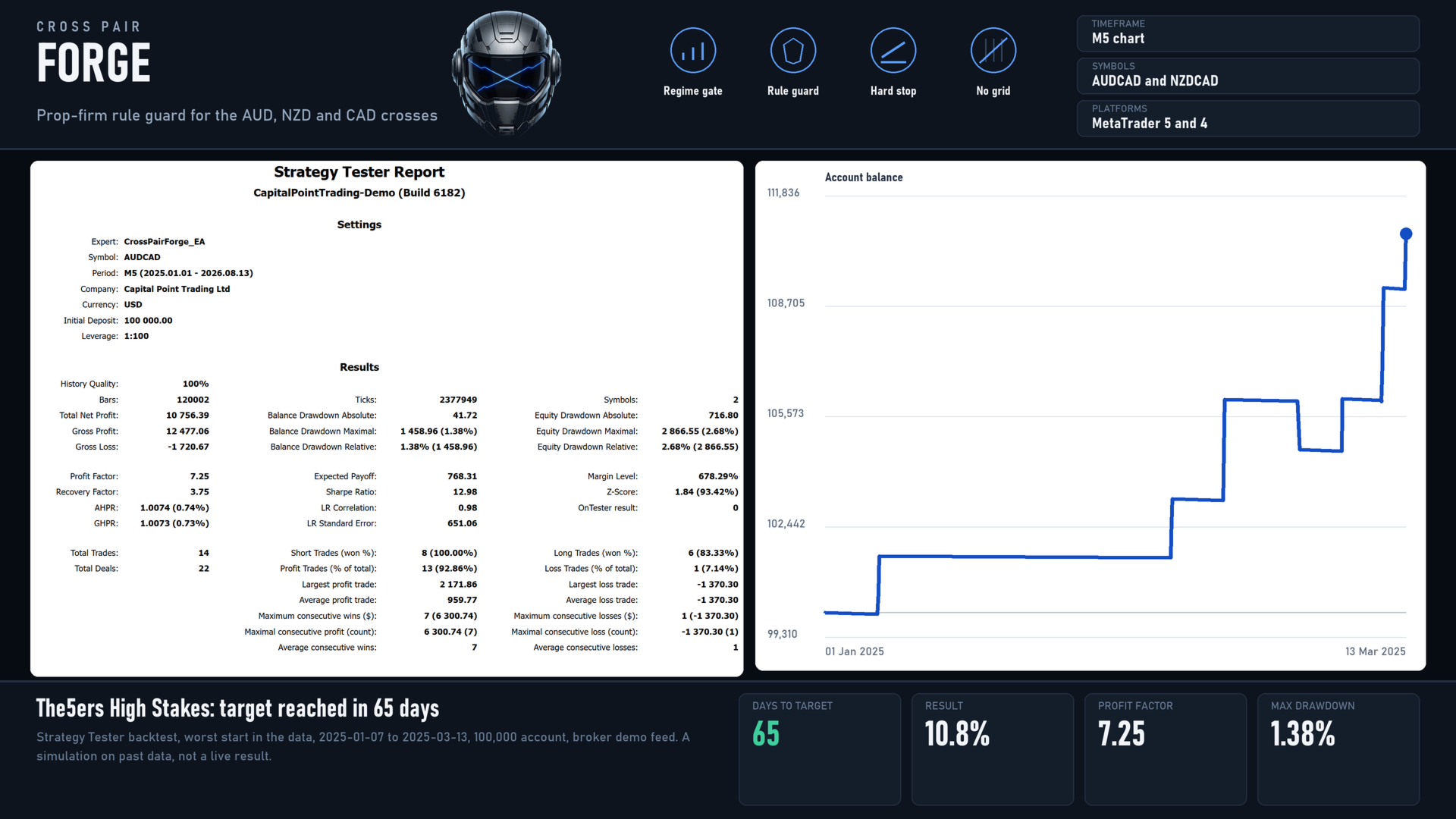
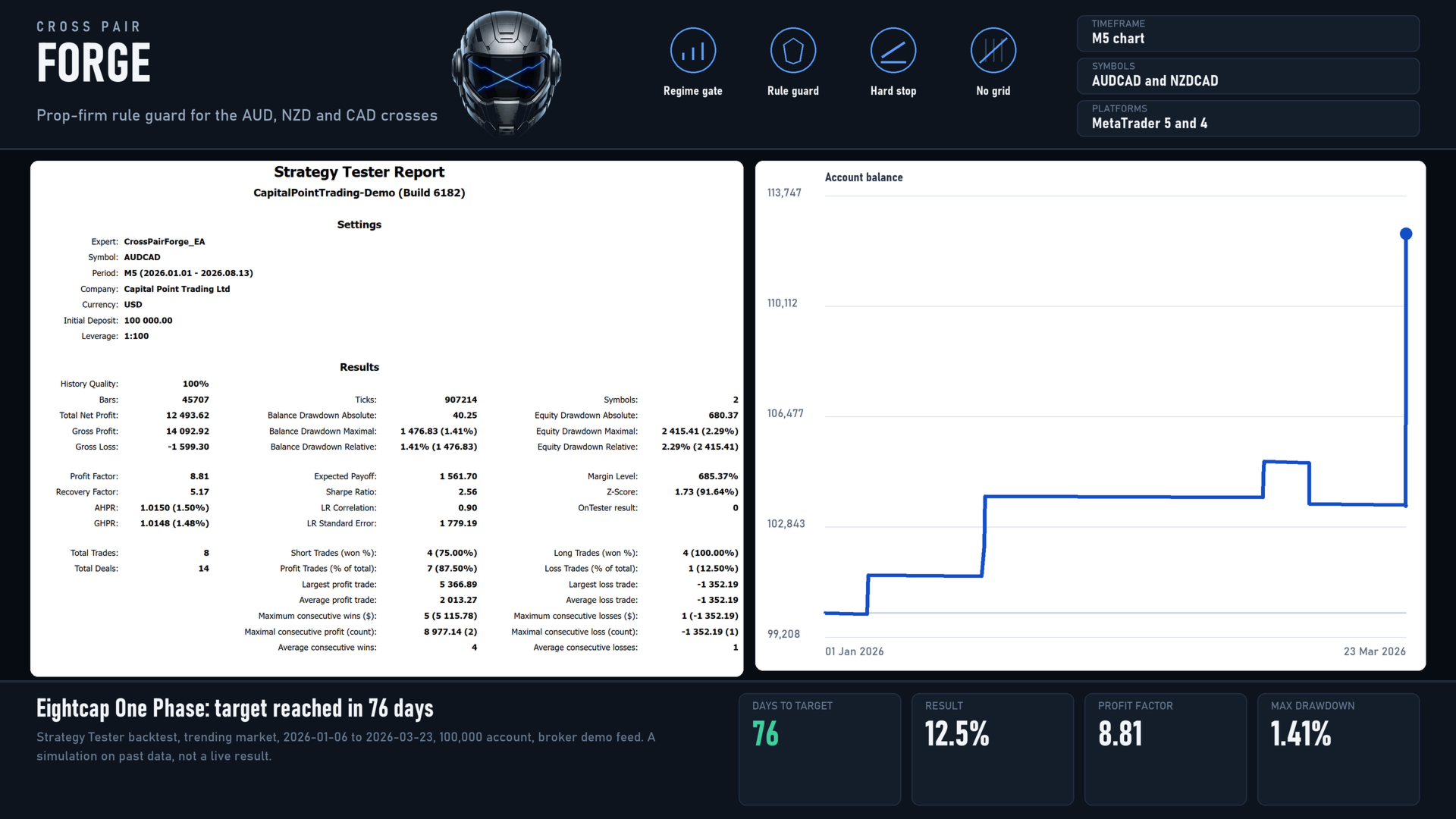
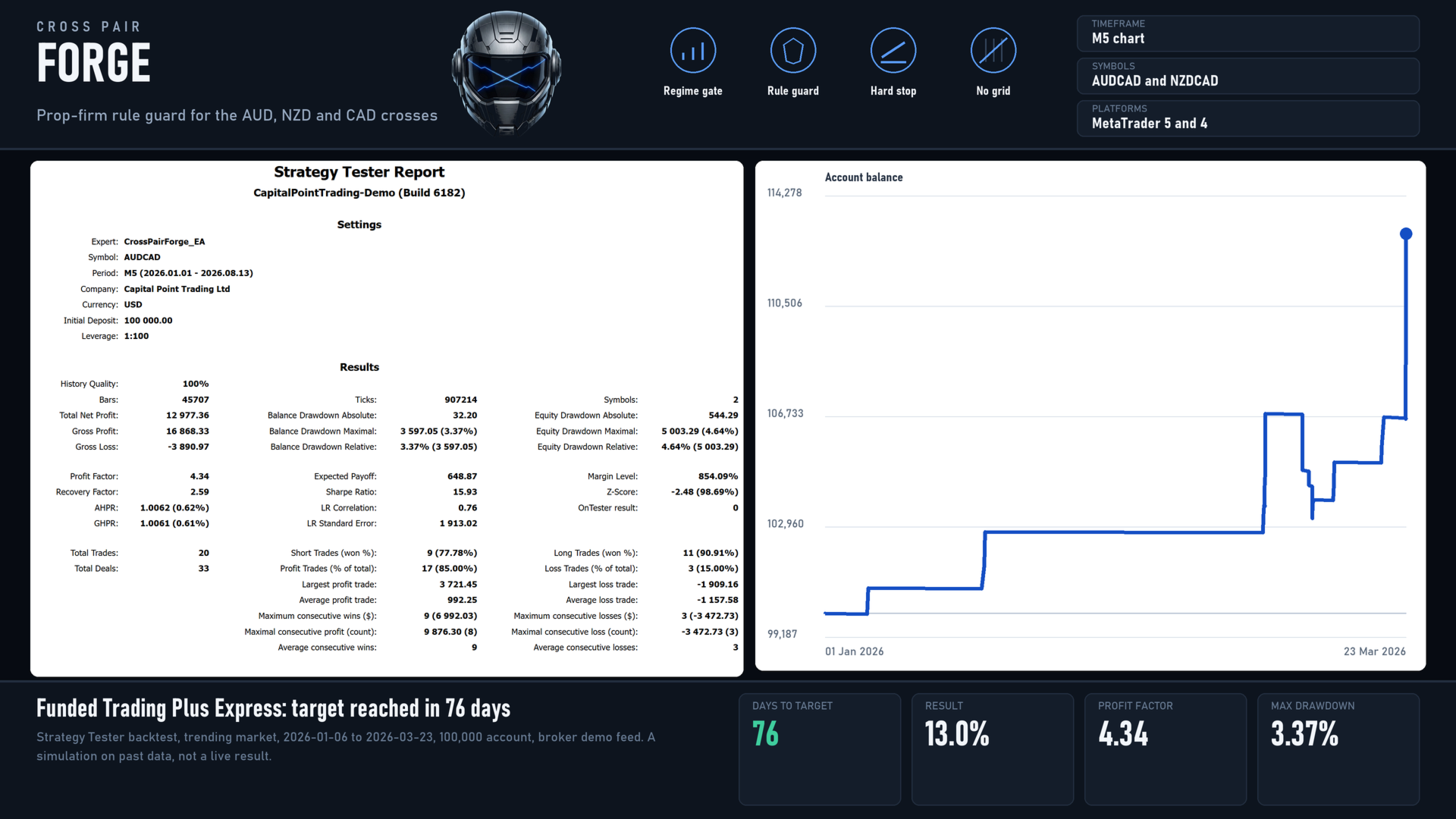
These are Strategy Tester results on historical data, not live trading results, and they are not a prediction.
- The fastest phase measured on these pairs was 56 calendar days, about 40 trading days, from a favourable start. In flat markets the same settings took 99 to 140 days where they reached the target at all. Across 18 measured runs, 13 reached the target inside the window and 5 did not. A pass inside 14 days was never observed.
- On one firm's feed a flat half-year produced almost no progress at all: it did not lose, and it did not advance.
- The first half of 2025 was a shock period in which this engine lost at every setting tested. Lower risk settings survive it. That is why each program has a conservative setting as well as a standard one.
- Weeks with no trades are the regime gate working as intended. Forcing frequency is how challenge accounts are usually lost.
WHAT THIS EA DOES NOT DO
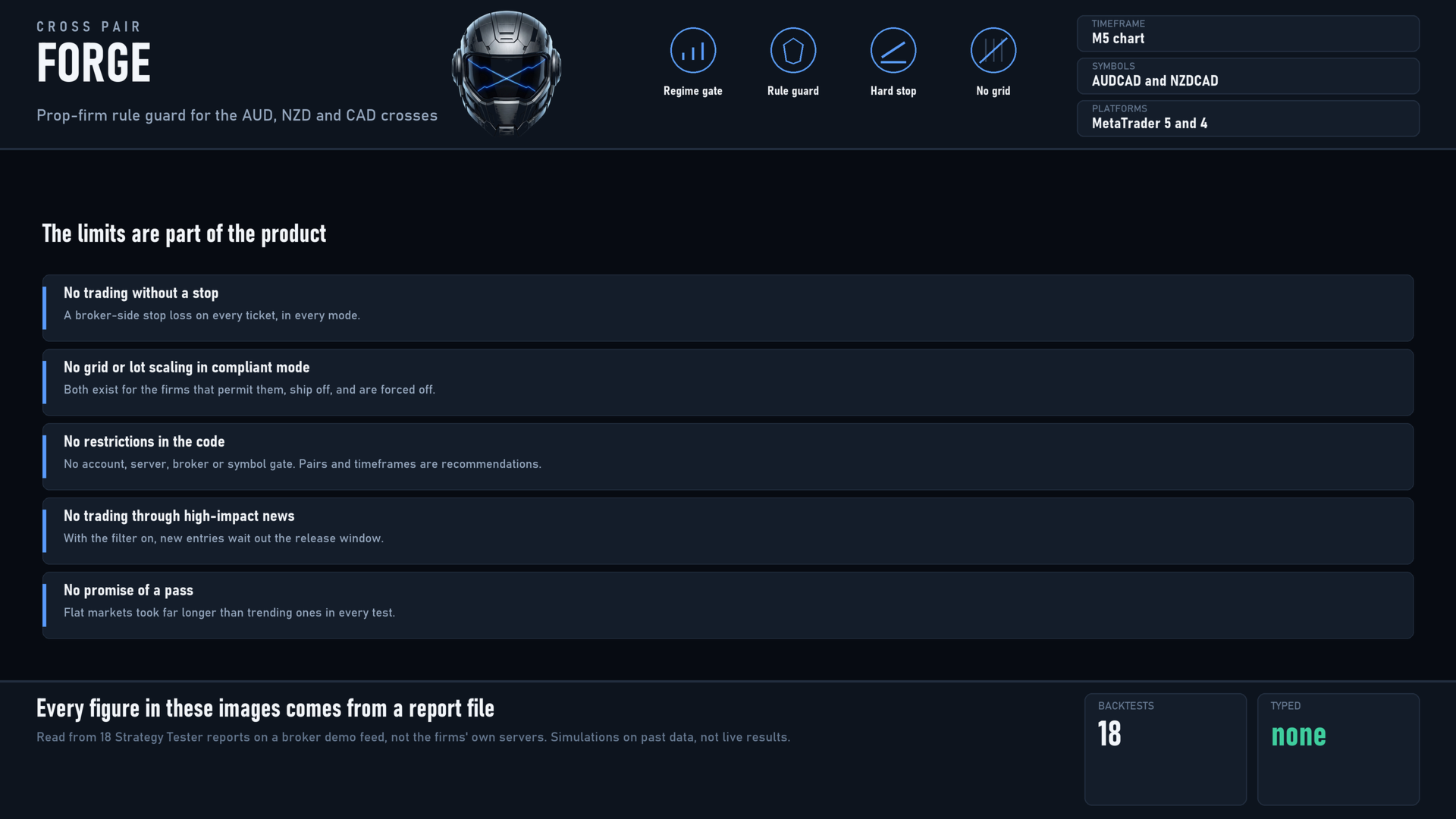
- It does not trade without a stop loss, in any mode.
- It does not run a series or scale lots up in compliant mode. Both ship switched off.
- It contains no account, server, broker or symbol restrictions. Everything here is a recommendation.
- It does not open new trades around high-impact releases when the news filter is on.
- It does not promise a pass. No setting can make a market move.
RECOMMENDED SETUP
- AUDCAD on M5, one chart, one instance. The EA trades NZDCAD from the same chart. Do not attach it twice.
- Choose your firm program and phase, set your account size, and enter the engine values for your firm from the setup guide.
- Risk between 0.75 and 1.5 percent per trade depending on the program. Higher does not pass faster; it fails sooner.
- Check your broker's symbol names. Some feeds add a suffix.
- A VPS is recommended so the guard keeps counting while your machine is off.
INPUTS
Grouped as: firm profile, basic, position sizing, personalized, signal engine, exit management, series, account protection, session and execution, news filter, challenge guard, cushion risk, dashboard.
REQUIREMENTS
- MetaTrader 5, hedging account.
- FundedNext charges a separate fee to run an expert advisor, and expert advisors are not permitted on its free trial or competition accounts. Without that fee the server rejects every order and the dashboard says so.
- The5ers and Funded Trading Plus charge commission per lot. That cost is already inside the engine values documented for those firms.
- The news filter uses the terminal's built-in economic calendar. Nothing needs to be whitelisted.
- A MetaTrader 4 version is listed separately.
SETUP GUIDE AND SUPPORT
The full settings manual is a blog post on this site. It carries the rule numbers each firm profile applies, the engine values measured per firm, the risk ladder per program, a reference for every input, and the troubleshooting order to work through when the EA is not trading:
The MetaTrader 4 version of this product:
Support is through the Comments tab of this product, or a private message on this site. Please use those rather than any other channel, so the answer stays next to the product where the next buyer can find it.
RISK WARNING
Trading carries substantial risk. Past performance does not guarantee future results, and historical test results are not a prediction of future results. The EA can lose money. Never risk capital you cannot afford to lose.