DipRip
- Experts
- 버전: 10.17
- 업데이트됨: 15 9월 2026
- 활성화: 10

DipRip — ICC Multi-Timeframe Trend Continuation EA
DipRip is a fully automated Expert Advisor built around a structured, rules-based reading of market structure across two timeframes. Instead of chasing every breakout or trading on a single indicator signal, DipRip waits for a higher-timeframe trend to be confirmed, watches for a genuine pullback, and only enters once price proves it's ready to continue — the classic Identification → Correction → Continuation (ICC) sequence used by discretionary trend traders, fully automated.
How It Works
- Identification — DipRip analyzes your chosen Anchor timeframe (default H4) for a confirmed trend using swing-point structure: a real sequence of higher highs and higher lows (or lower highs and lower lows), not just a moving-average crossover.
- Correction — Once a trend is identified, the EA waits for the Entry timeframe (default M15) to show a genuine counter-trend structure — a healthy pullback, not noise.
- Continuation — When price breaks back through the M15 structure in the direction of the higher-timeframe trend, DipRip treats this as confirmation and executes.
This keeps the EA out of choppy, range-bound conditions and focused on trading with established momentum, at a point where risk-to-reward is typically most favorable.
Key Features
- Multi-Timeframe Structure Engine — Independent swing-point detection and trend-quality filtering on both the Anchor and Entry timeframes, with configurable lookback, minimum swing size, and minimum trend-progress thresholds to filter out weak or ambiguous structure.
- Smart Pyramiding — Optionally scale into a confirmed trend with additional entries as price continues to break structure in your favor, with configurable spacing (ATR-based) and a hard cap on simultaneous positions.
- Scale-Out Profit Taking — Automatically bank partial profits at configurable R-multiples while letting the remainder run.
- ATR-Adaptive Trailing Stop — Trails price using a volatility-aware buffer rather than a fixed pip distance, so the stop adapts to current market conditions instead of getting clipped by normal noise.
- Break-Even Management — Optional automatic move-to-breakeven once a trade reaches a configurable profit threshold.
- Full Margin & Volume Safety Layer — Every order is checked against account equity, free margin, and the broker's maximum aggregate volume limits before it's sent; lot sizes are automatically reduced rather than rejected outright whenever possible.
- Risk-Based Position Sizing — Every trade is sized from a percentage-of-balance risk input and the actual stop-loss distance, not a fixed lot size.
- Built-In Visual Panel — A clean on-chart dashboard shows current structure on both timeframes, trade phase, open positions, margin usage, and live R-multiple — everything you need at a glance, with zero performance cost during back-testing.
- Spread & Session Filters — Optional maximum-spread and trading-hours filters to keep the EA out of illiquid conditions.
Why DipRip
Most trend EAs either enter too early (on the first sign of momentum, before a real trend is confirmed) or too late (after the move is already extended). DipRip's two-stage confirmation process — structural trend identification and a confirmed pullback break — is designed to find entries closer to the start of a continuation leg, with a defined, structure-based stop from the outset rather than an arbitrary fixed distance.
The EA is built to run unattended: every trade decision, position size, and risk parameter is calculated automatically from live account and market data, with configurable safety limits throughout so a single volatile session can't blow past your intended risk.
Recommended Use
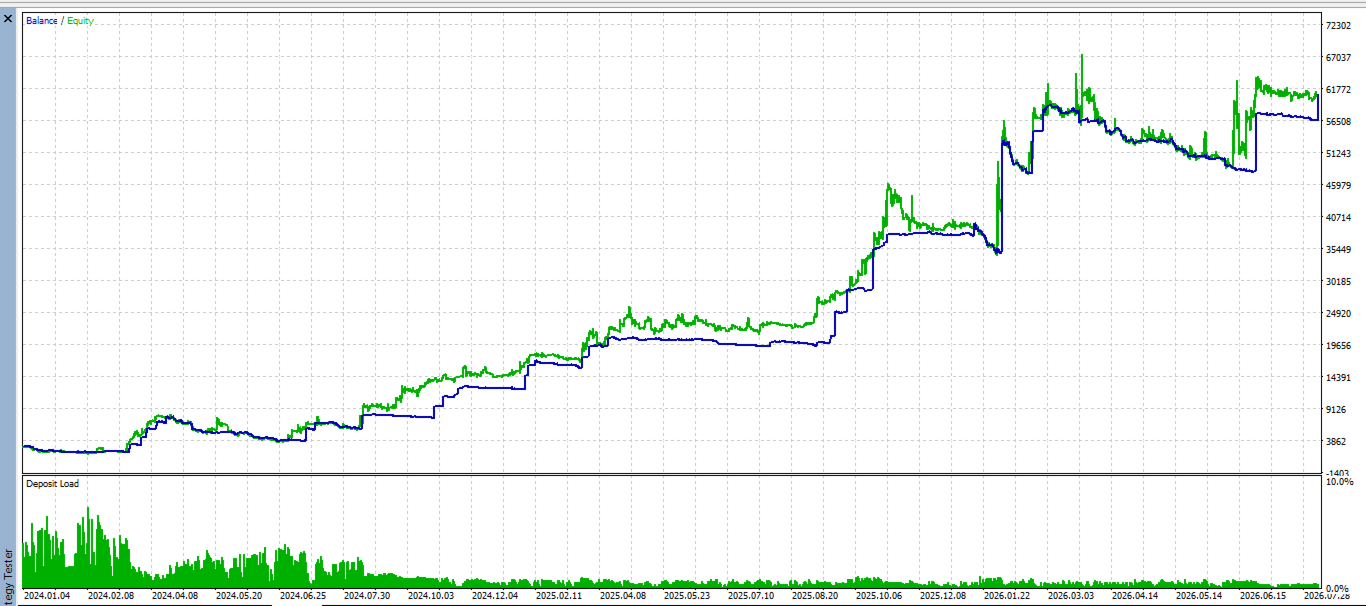
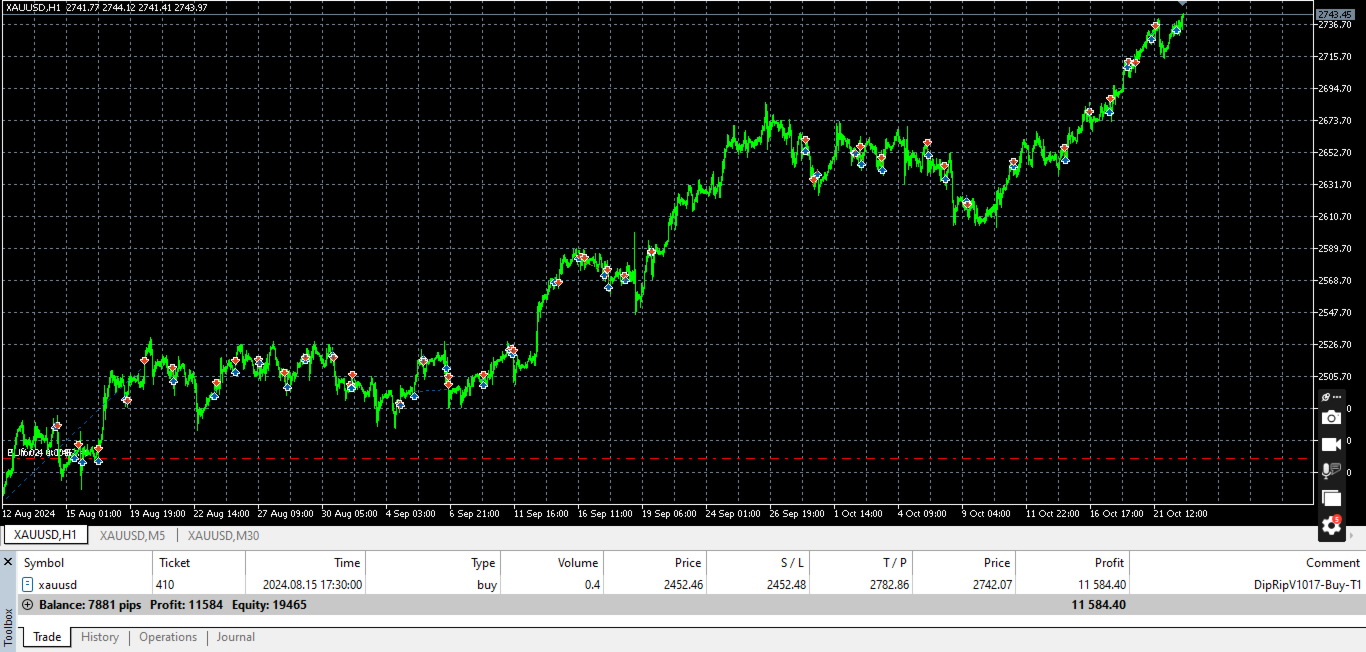
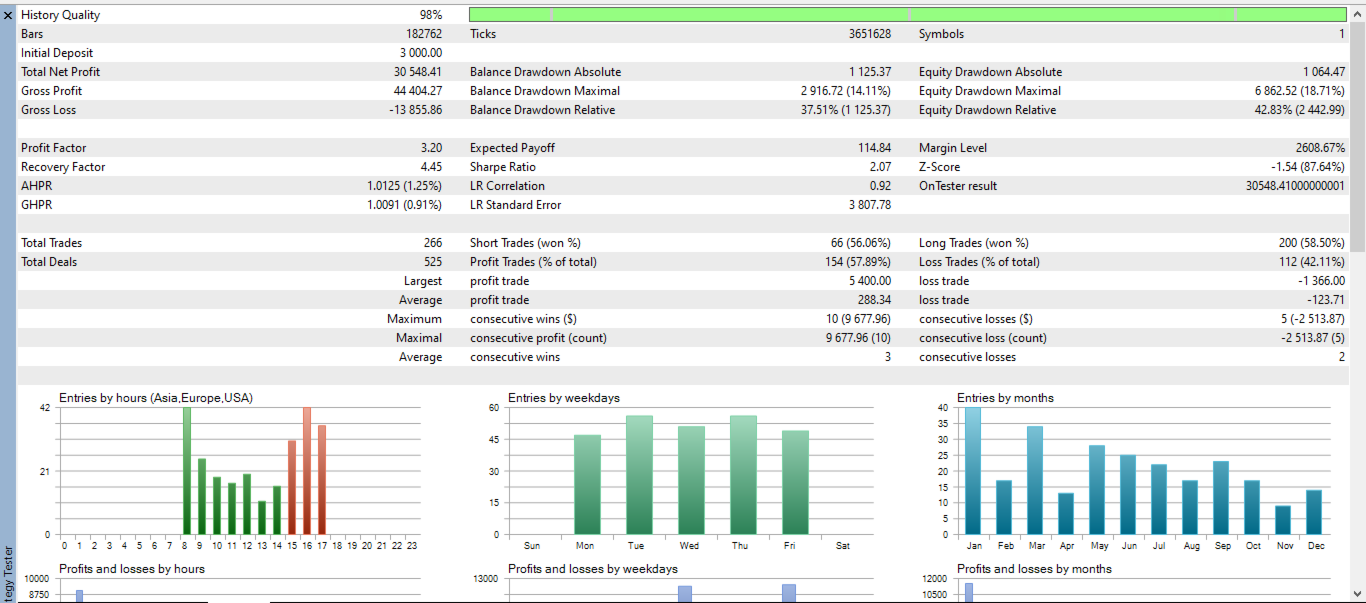
- Works on any liquid symbol with clean directional structure — tested extensively on major forex pairs and XAUUSD.
- Default timeframe pairing is H4 (Anchor) / M15 (Entry); both are fully configurable to suit your trading style, from faster intraday cascades to slower swing-trading setups.
- Recommended to run on a VPS for consistent execution, particularly if using tighter timeframe pairings.
- As with any automated strategy, backtest and forward-test on a demo account first to confirm settings suit your broker's spread and execution conditions before trading live.
Inputs Overview
| Group | What You Control |
|---|---|
| Timeframes | Anchor (trend) and Entry (trigger) timeframe selection |
| Swing Detection | Pivot sensitivity, history depth, minimum swing size |
| Trend Quality Filter | Minimum confirmed swings and progress thresholds required before a trend is accepted |
| Risk Management | Risk % per trade, minimum R:R, minimum/buffer stop distances |
| Pyramiding & Scaling | Max simultaneous positions, entry spacing, partial-profit levels |
| Trailing Stop | ATR or fixed-pip trailing, activation threshold |
| Trade Management | Break-even, max open trades, re-entry behavior |
| Margin Management | Maximum margin usage %, automatic lot reduction |
| Filters | Max spread, optional session-hours restriction |
| Display | On-chart panel and swing-level visualization toggles |
Risk disclaimer: Past performance and backtest results are not indicative of future results. Forex and CFD trading carries a high level of risk and may not be suitable for all investors. Always test thoroughly on a demo account and trade with capital you can afford to lose.