Venom Limit Engine Pro
- 지표
- 버전: 1.8
- 활성화: 5

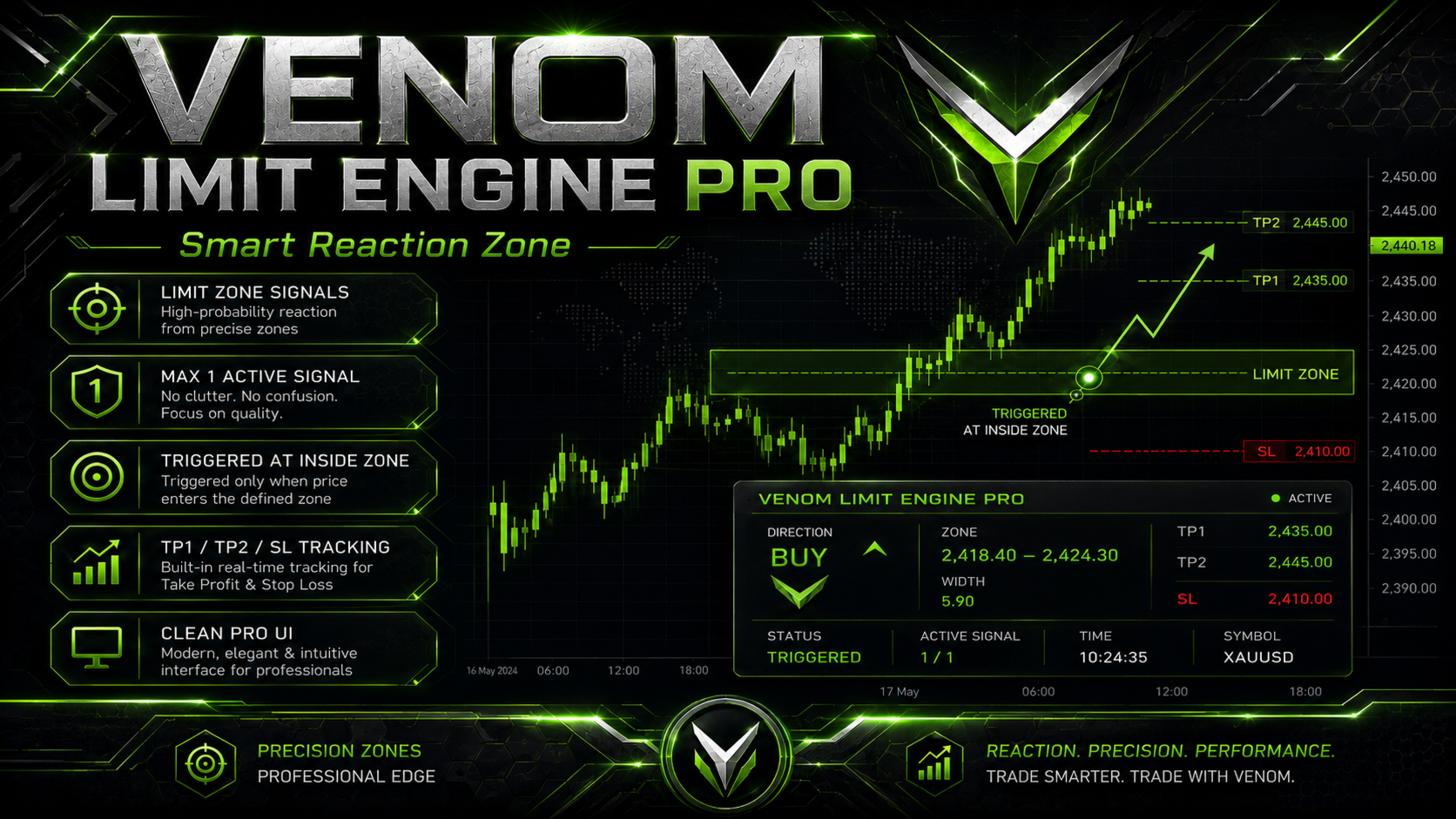
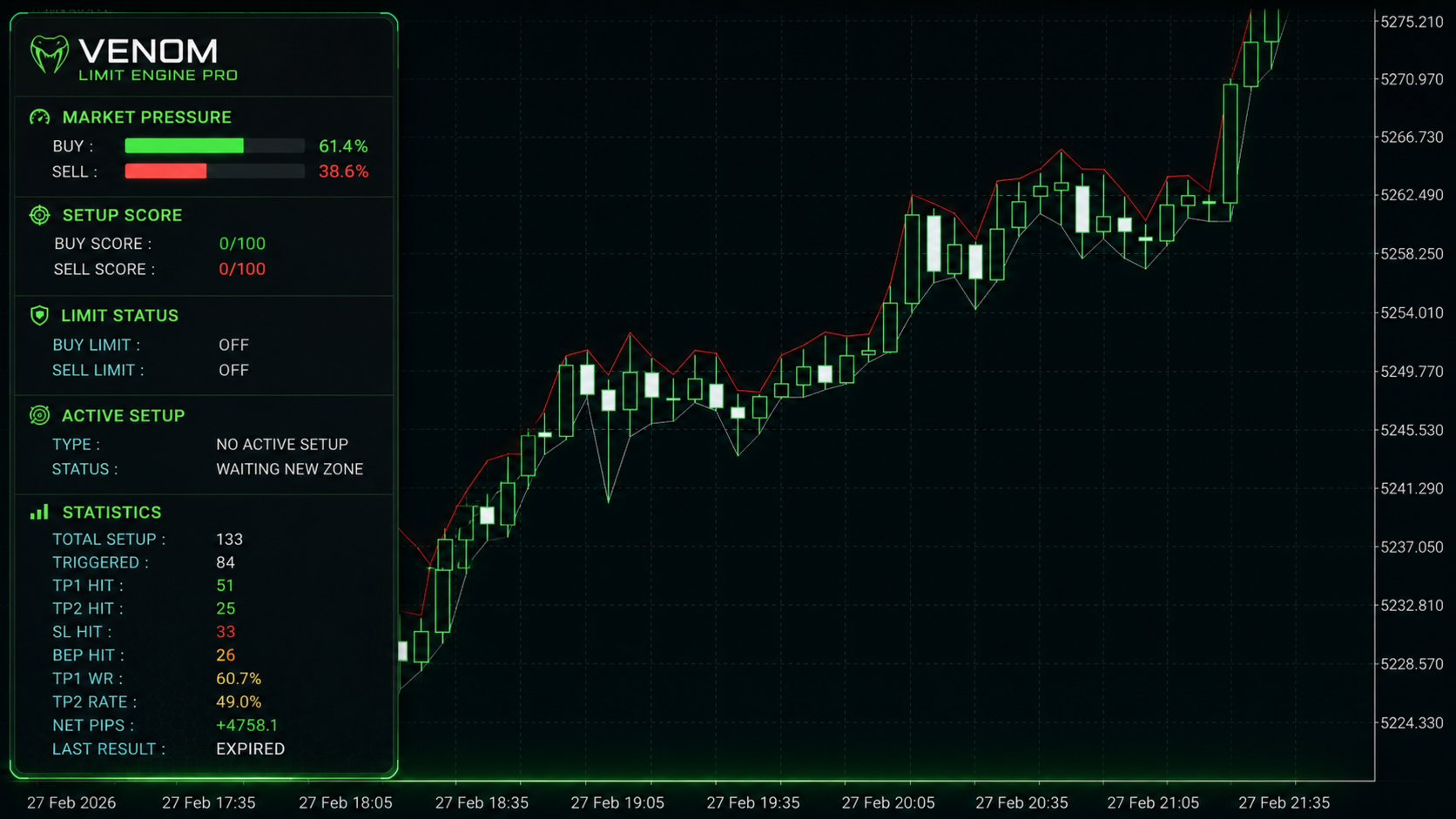
Venom Limit Engine Pro is a non-trading market indicator designed to help traders identify reaction zones, especially on Gold / XAUUSD and the M5 timeframe.
The indicator uses a Smart Reaction Zone approach. It analyzes key market areas such as support, resistance, price reaction zones, momentum, candle pressure, and limit entry areas. Instead of giving a simple buy or sell arrow, Venom Limit Engine Pro creates a structured limit zone and waits for price to enter the zone before the setup is considered active.
The main goal of the indicator is to help traders read cleaner entry areas with clear signal status, risk levels, and target tracking.
Main Features:
-
Smart Reaction Zone analysis
-
XAUUSD M5 optimized setup
-
Can be attached to different trading symbols
-
Limit zone signal system
-
Fixed 30-pip signal zone
-
Max 1 active signal to reduce chart confusion
-
Trigger validation only when price enters the defined zone
-
TP1 Signal and TP2 Signal tracking
-
SL, BEP, Expired, and active setup status
-
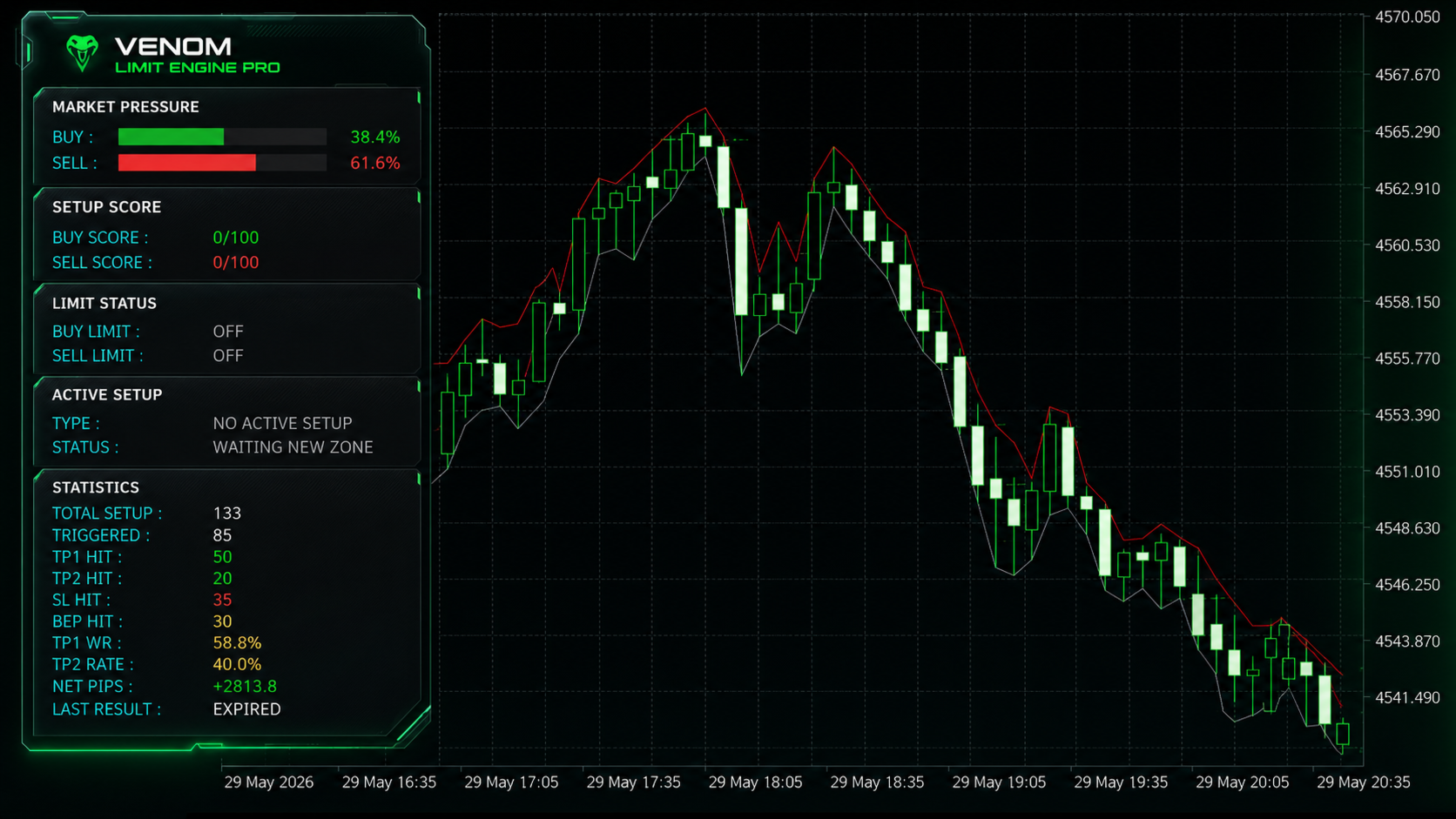
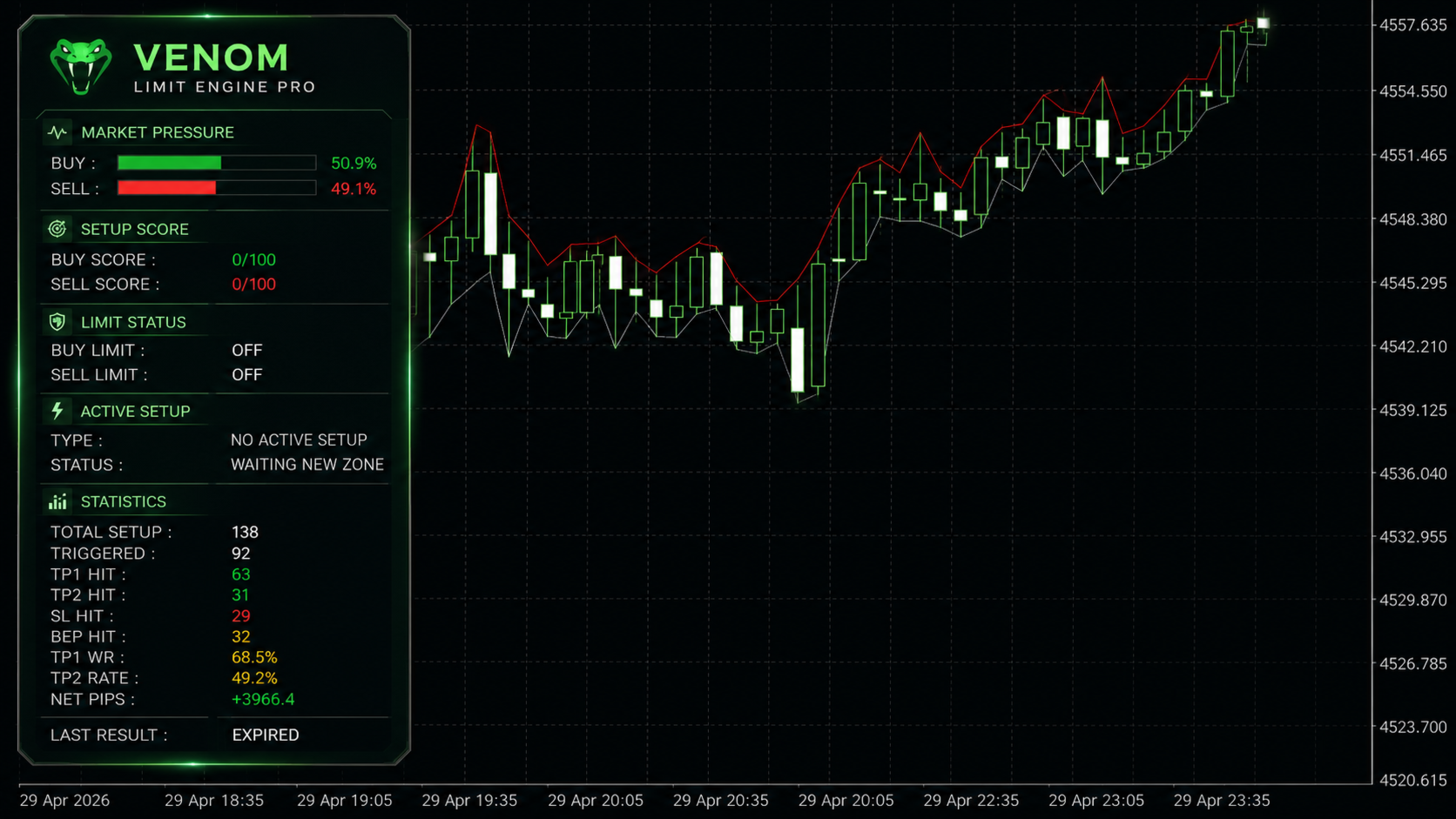
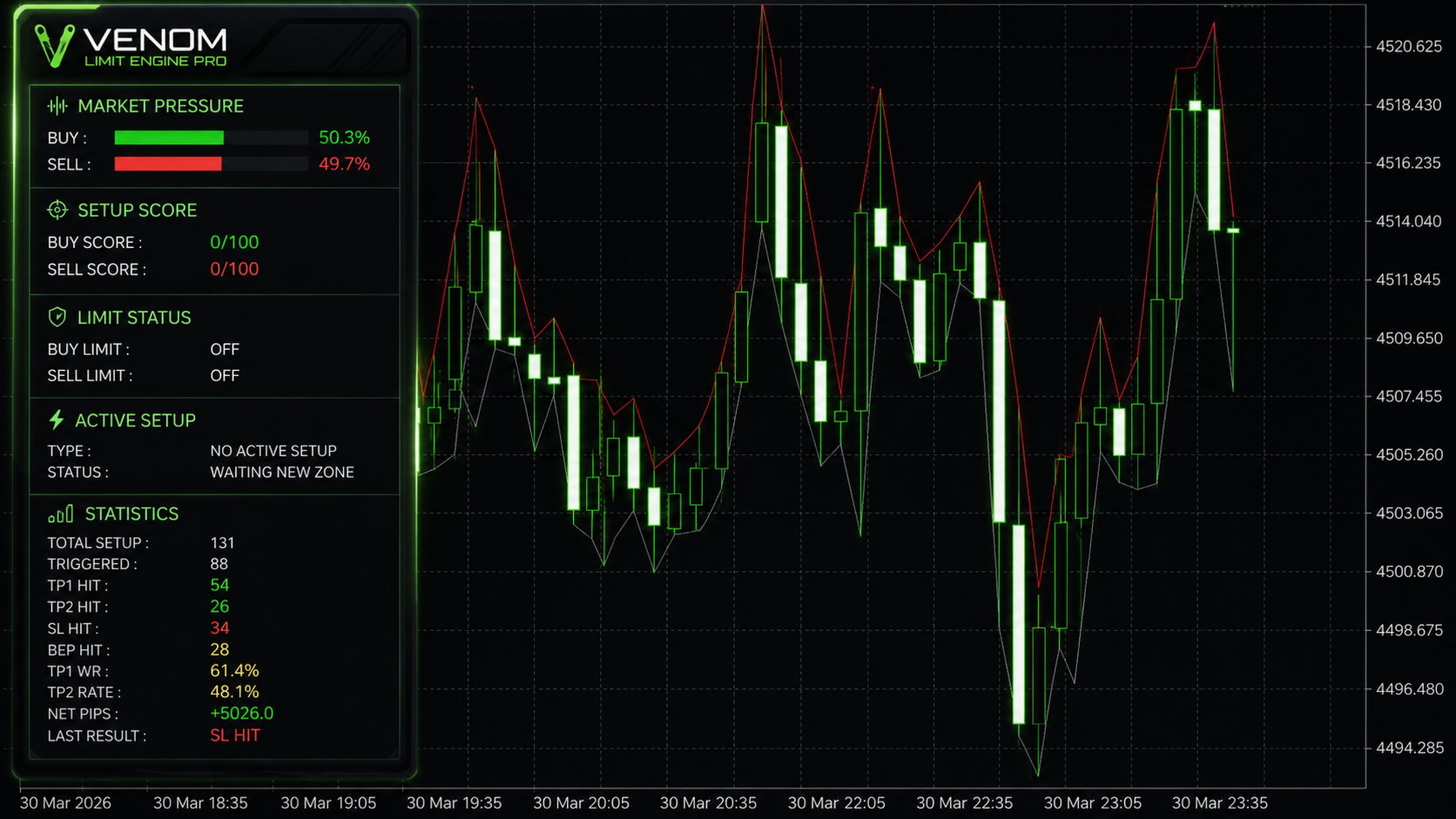
Market pressure panel
-
Buy and sell setup score
-
Built-in statistics panel
-
Net pips tracking
-
Professional chart panel
-
MT5 Alert and Push Notification support
-
Auto digit adjustment for 2-digit and 3-digit brokers
-
Custom trading hours setting
-
Non-trading indicator, no automatic order execution
How It Works:
Venom Limit Engine Pro scans the market and evaluates potential reaction areas. When a valid setup is found, the indicator displays a limit zone. The setup remains in Waiting Zone status until price enters the defined zone.
Once price enters the zone, the signal status changes to Active Signal. The indicator then tracks the result based on TP1 Signal, TP2 Signal, SL, BEP, or Expired status.
Symbol Compatibility:
Venom Limit Engine Pro can be attached to different trading symbols, depending on the broker’s available instruments. However, the default settings and main optimization are designed for Gold / XAUUSD, especially on the M5 timeframe.
For the best experience, XAUUSD M5 is the recommended symbol and timeframe. Users who want to use it on other pairs or instruments should test and adjust the settings first.
Trading Time Settings:
Venom Limit Engine Pro can run 24 hours while the market is open. Users can also customize when the indicator should be active through the Trading Hours settings in the input menu.
This allows users to choose specific trading sessions based on their own preference, such as London session, New York session, or any preferred market hours.
Recommended Usage:
-
Recommended Symbol: XAUUSD
-
Recommended Timeframe: M5
-
Recommended Style: Manual trading with risk management
-
Best used as a market analysis and signal-support tool
Important Notes:
Venom Limit Engine Pro does not open trades automatically. It is an indicator for market analysis and manual decision support.
Trading involves risk. This indicator does not guarantee profits or future results. Always use proper risk management and test the settings before using them on a live account.
Main Input Parameters:
-
AutoDigitAdjust: Automatically adjusts point-based inputs for 2-digit and 3-digit brokers.
-
SignalZonePips: Defines the signal zone width in pips.
-
MaxSpreadPoints: Maximum allowed spread filter.
-
LimitGuardBufferPoints: Safety buffer for valid limit zone placement.
-
UseOneActiveSignalOnly: Allows only one active signal at a time.
-
UseAlert: Enables MT5 popup alerts.
-
UsePushNotification: Enables MT5 push notifications.
-
DrawObjects: Enables or disables chart objects.
-
DrawNeonPanel: Enables the visual information panel.
-
PanelX / PanelY: Adjusts panel position on the chart.
-
PanelWidth / PanelHeight: Adjusts panel size.
-
StartHour / EndHour: Sets the active trading hours.
-
MinADX: Minimum ADX value for momentum validation.
-
ATRPeriod: ATR period used for volatility calculation.
-
M15Lookback / H1Lookback: Lookback values for key level analysis.