Chemmax Hot Smart Trend EA
- Experts
- 버전: 1.80
- 업데이트됨: 17 3월 2026
- 활성화: 5

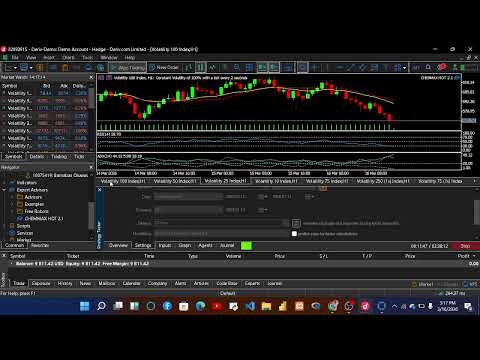
CHEMMAX HOT is a structured multi-symbol Expert Advisor designed for the MetaTrader 5 platform.
The system focuses on identifying fresh trend momentum across selected volatility indices using multiple confirmation filters.
The EA scans several instruments and executes trades only when strong trend conditions are detected.
The strategy combines momentum confirmation, trend strength analysis, and higher-timeframe filtering to improve trade selection.
Key Features• Multi-symbol scanning engine
• Signal ranking system that selects the strongest setups
• ADX trend strength filter
• RSI momentum confirmation
• Higher timeframe trend alignment
• Distance-from-trend filter to avoid late entries
• Built-in trade exposure control
• Structured stop loss and take profit logic
CHEMMAX HOT is designed to detect early stages of trend momentum.
The system evaluates several market conditions before opening a position.
Trade signals are generated using a combination of:
• EMA and SMA crossover dynamics
• RSI momentum confirmation
• ADX trend strength filter
• Higher timeframe trend alignment
• Distance-from-EMA filter to avoid overextended entries
When multiple signals appear simultaneously, the EA evaluates them using an internal ranking system and executes only the strongest opportunities.
Optimized SymbolsThe EA is optimized for the following instruments:
Volatility 10 Index
Volatility 10 (1s) Index
Volatility 75 Index
Volatility 50 Index
Volatility 250 (1s) Index
Volatility 75 (1s) Index
Platform: MetaTrader 5
Recommended timeframe: H1
For continuous operation, using a VPS is recommended.
Strategy Tester NoteFor MQL5 Market validation and demo compatibility, the default tester mode uses Validation Safe Mode, which limits Strategy Tester operation to the current chart symbol.
To test the full multi-symbol portfolio logic in Strategy Tester:
Open EA Inputs and set:
UseValidationSafeMode = false
Default behavior:
UseValidationSafeMode = true → single-symbol tester mode
UseValidationSafeMode = false → full multi-symbol portfolio mode
This setting is provided only for Strategy Tester compatibility and does not affect the core trading logic.
Important Risk NoticeAutomated trading involves financial risk.
Past performance does not guarantee future results.
It is strongly recommended to test the EA on a demo account before using it on a live trading account.
Platform Requirements-MetaTrader 5 terminal
-Broker supporting the listed symbols
-Stable internet connection or VPS recommended.