Odysseus one
- Experts
- 버전: 1.59
- 업데이트됨: 21 9월 2026
- 활성화: 10

MetaTrader 5 EA Combining Three XAUUSD Strategies in One System
Odysseus one is an Expert Advisor for MetaTrader 5 that combines three independent strategies — X1, X2, and X3 — within a single EA. Each strategy operates independently and can be enabled or disabled individually.
The EA centralizes essential settings, including lot management, risk control, spread filtering, high-impact news filtering, trading time control, and Slippage Guard. An integrated Dashboard provides real-time monitoring directly on the chart.
Designed for XAUUSD / Gold trading.
LIMITED TIME BUY 1 GET 1 FREE offer. Buy Odysseus one and get Apex one EA for FREE ($899 value). Contact me to claim your bonus. Offer stands while this message exists.
3 Strategies in One EA
Odysseus one includes three independent strategies — X1, X2, and X3. Each strategy has its own conditions for identifying trading opportunities and managing orders.
Users can run a single strategy, combine selected strategies, or enable all three simultaneously through the EA settings.
Orders from each strategy are managed separately, allowing the EA to track and control their trading activity systematically.
Lot & Risk Management
Odysseus one supports two lot-sizing modes:
-
Fixed Lot — Uses a predefined fixed lot size.
-
Risk Percent — Calculates the lot size based on the selected risk percentage and the Stop Loss distance of each trade.
Lot settings are managed centrally and can be applied across all three strategies. The actual lot size remains subject to each strategy's conditions and the broker's trading requirements.
Risk Percent represents the risk per trade, not the maximum total account risk. If multiple strategies hold positions at the same time, the combined exposure may exceed the selected risk percentage.
High-Impact News Filter
Odysseus one includes a High-Impact / Red News Filter that retrieves economic calendar data through WebRequest and filters events by selected currency. The default currency is USD.
When the News Filter is enabled, the EA can:
-
Cancel Pending Orders before high-impact news
-
Send requests to close EA positions before the news period
-
Pause new entries during the news window
-
Resume trading after the news window when strategy conditions are met
The default news protection period is:
30 minutes before / 30 minutes after high-impact news
The News Filter applies to X1, X2, and X3.
WebRequest Setup
For Live and Demo accounts, add the following URL:
https://nfs.faireconomy.media/
under:
Tools → Options → Expert Advisors → Allow WebRequest for listed URL
If WebRequest or the required news data is unavailable, the Dashboard will display NEED WEBREQUEST, and the EA will suspend new trade entries until the required data becomes available.
Trading Time Control
Trading hours can be managed centrally, including:
-
Daily trading stop time
-
Friday trading control
-
Time periods in which new entries are permitted
-
Order management according to the EA's configured conditions
This allows all three strategies to operate within predefined trading hours.
Spread Filter & Slippage Guard
The Spread Filter checks the current spread against the configured conditions before allowing applicable trading operations, helping prevent new entries when the spread exceeds the specified limit.
The Slippage Guard manages positions when the EA detects that an order has been executed with slippage exceeding the configured threshold.
Slippage Guard operates after an order has been executed. It cannot prevent slippage or guarantee the execution price of an order.
Actual execution depends on market liquidity, spread, connection and execution speed, and the broker's trading infrastructure.
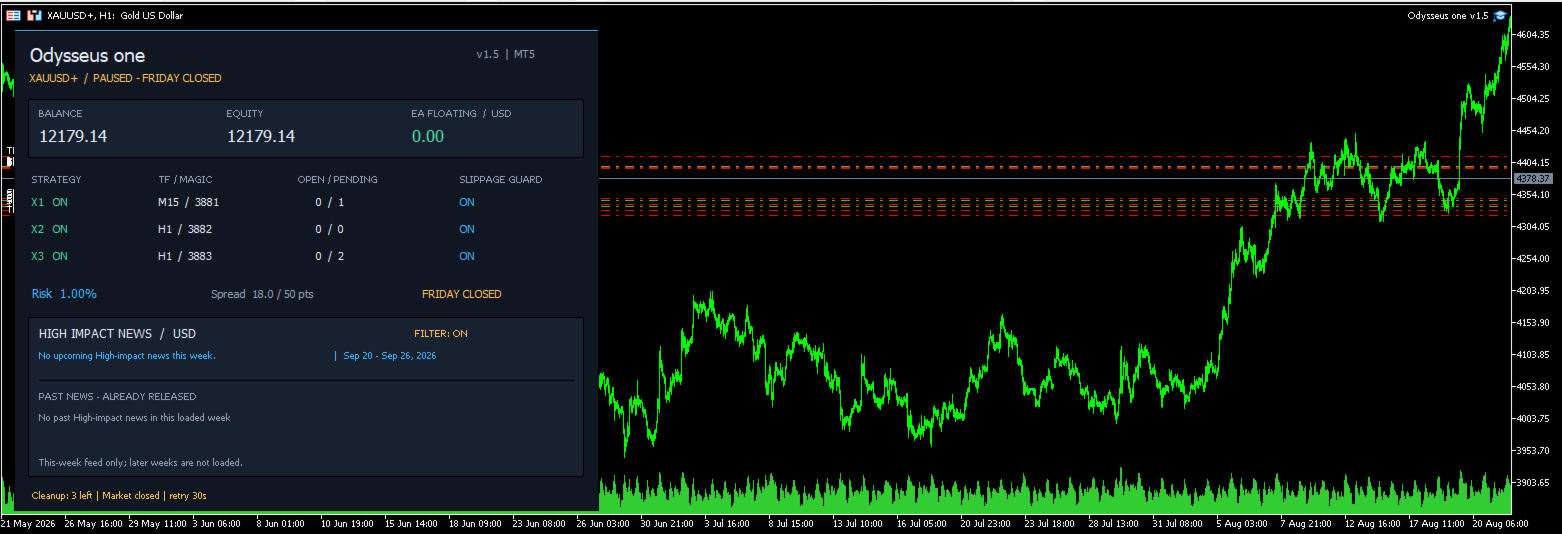
Dashboard
The integrated Dashboard displays important EA information directly on the chart, including:
-
Balance and Equity
-
EA Floating Profit/Loss
-
X1, X2, and X3 operating status
-
Number of Positions and Pending Orders
-
Lot Mode
-
Current Spread
-
Slippage Guard Status
-
Trading / Pause Status
-
Up to 4 upcoming High-Impact news events
-
Previous news events with date and time
News information depends on the period of data currently loaded by the News Feed and should not be considered an unlimited forward economic calendar.
Trading Requirements & Operating Conditions
| Item | Details |
|---|---|
| Instrument | XAUUSD / Gold, using your broker's Gold symbol |
| Platform | MetaTrader 5 |
| Account Type | Hedging Account |
| Recommended Broker | Vantage or a broker offering ECN / RAW / Low Spread account conditions |
| Recommended Leverage | 1:500 |
| Minimum Initial Deposit | $500 with 1:500 leverage |
| Recommended Initial Deposit | $1000 with 1:500 leverage |
| Broker Conditions | Check Spread, Commission, Slippage, Margin Requirements, and Minimum Trading Volume |
| Continuous Operation | Keep MT5 running on an internet-connected computer or VPS during the intended trading hours |
| Testing | Real Tick testing is recommended, along with testing on a Demo account from the broker you intend to use |
The minimum and recommended deposit amounts do not guarantee a specific level of risk or trading performance. Actual exposure depends on Lot Size, Risk Percent, the number of simultaneous positions, and market conditions.
Gold symbol names may vary between brokers, such as XAUUSD , XAUUSD.a , XAUUSDm , or other variations. Always verify the correct Gold symbol on your trading account before using the EA.
Strategy Tester
Odysseus one supports the MetaTrader 5 Strategy Tester.
For backtesting, the following option can be enabled:
Tester Only: Run Without Online News Filter
This allows the EA to run a backtest without retrieving online news data.
When this option is enabled, the backtest does not include the behavior of the Online News Filter. Backtest results should therefore be evaluated separately from live operation with the News Filter enabled.
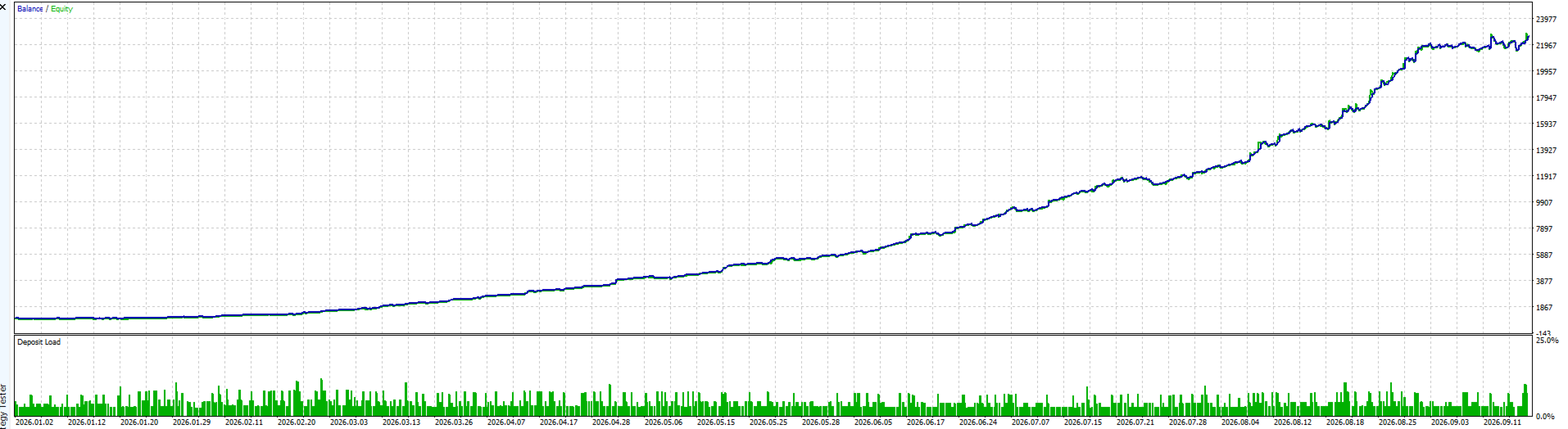
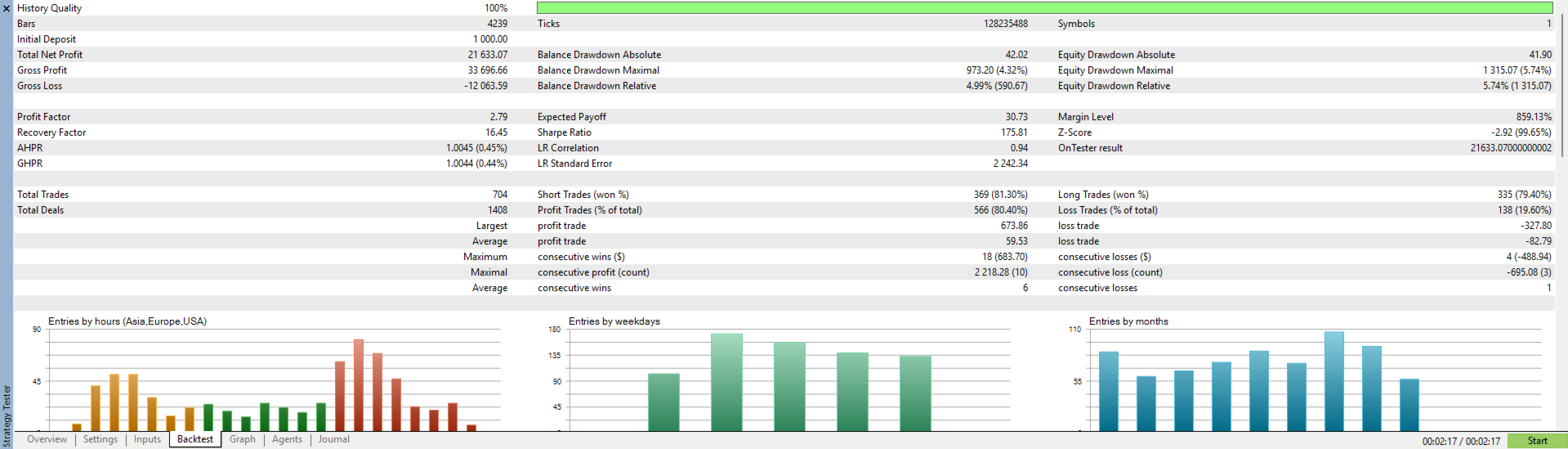
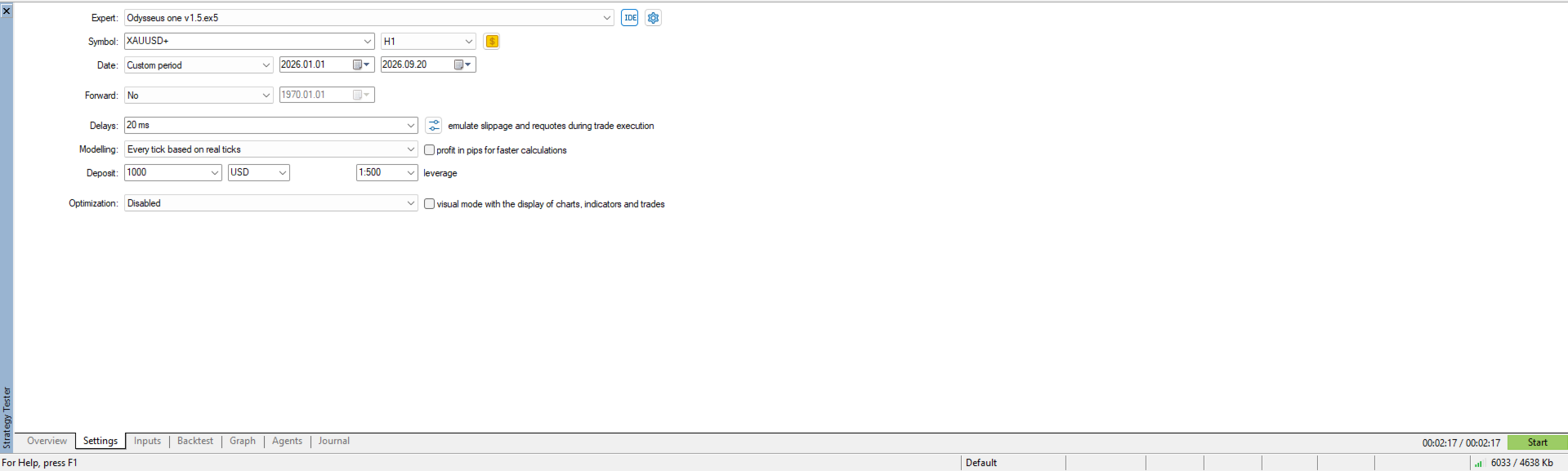
For more representative testing, Every tick based on real ticks is recommended, with testing conditions configured as closely as possible to the broker and account environment intended for live use.
Important Information
Actual trading results may vary depending on price data, Spread, Commission, Swap, Slippage, Liquidity, Margin Requirements, and the broker's order execution environment.
Under certain conditions, such as market closure, low liquidity, or rejected broker requests, opening, modifying, closing, or cancelling orders may be delayed or may not be executed at the requested price.
Backtest results and past trading performance do not guarantee future results.
Testing the EA on a Demo Account under the conditions of the broker you intend to use is recommended before trading with real funds.