RSI Multiple
- Experts
-
Steve Zoeger
 Hello to my Fx friends. Forex is so diverse that you can't really single out any particular indicator or strategy. The ever-changing market and the ever-changing economic conditions around the world mean that there are many different ways to trade, so I have developed many different robots. These
 - 버전: 3.4
- 활성화: 20
-
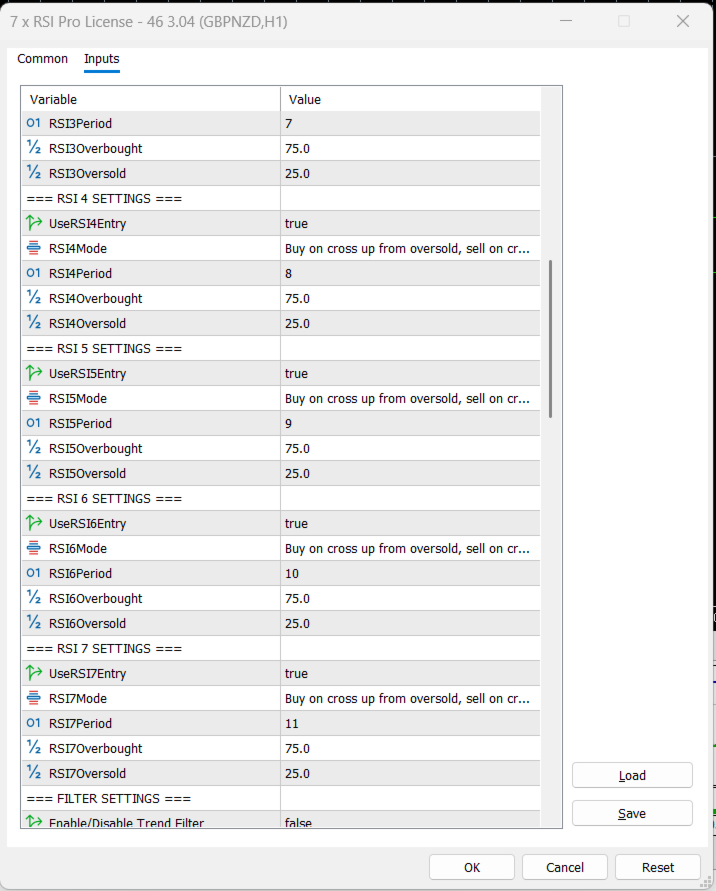
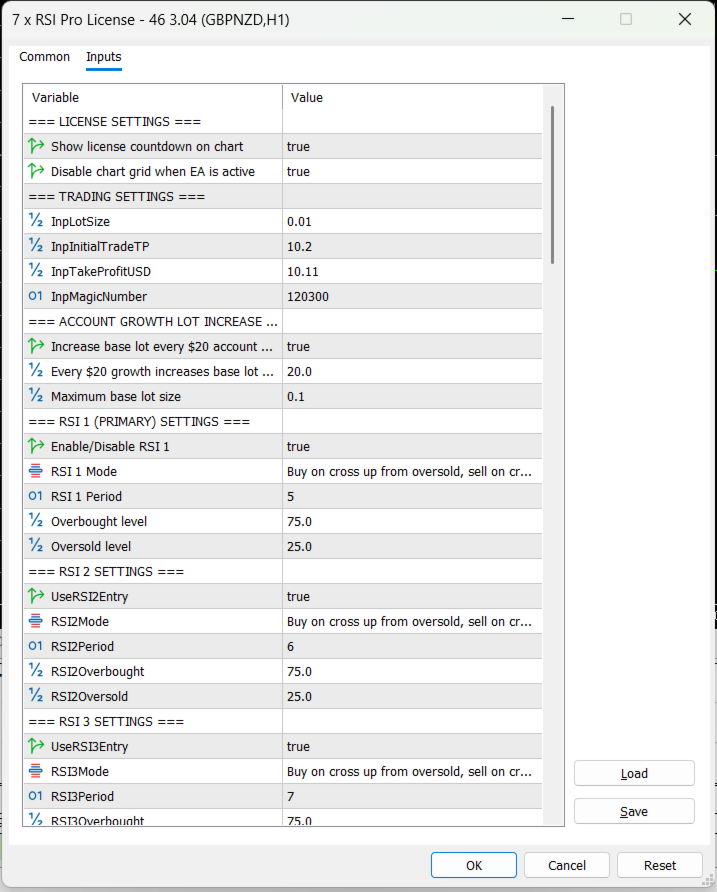
Core Entry Logic – The EA uses seven independent RSI indicators with user‑definable periods and overbought/oversold levels.
-
Signal Alignment Requirement – A trade is only taken when all enabled RSIs generate the same directional signal (buy or sell) on the current bar.
-
RSI Signal Definition – Buy signal occurs when RSI crosses up from oversold; sell signal when RSI crosses down from overbought (configurable per RSI).
-
First Trade Placement – When all RSIs align and all filters pass, the EA opens the first trade with an initial take‑profit target in USD.
-
Subsequent Martingale Trades – If the market moves against the initial position, additional trades are opened according to the selected martingale type.
-
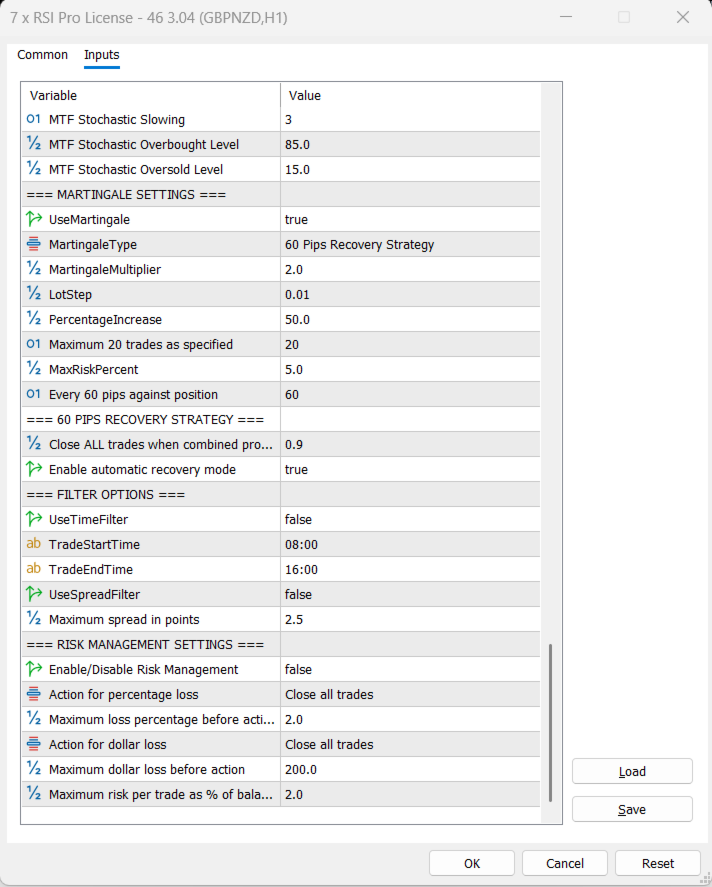
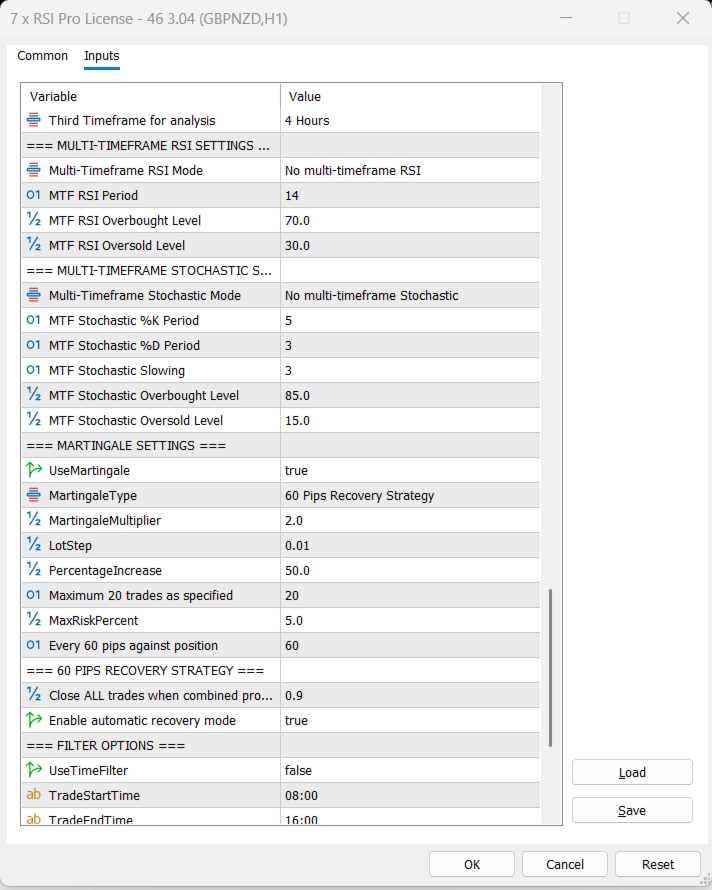
60‑Pips Recovery Strategy – Opens a new trade every time price moves 60 pips against the open position; all trades are closed when combined profit reaches a preset USD target.
-
Alternative Martingale Types – Supports simple multiplier, fixed step, percentage increase, Fibonacci, and safe risk limit.
-
Maximum Martingale Trades – A hard limit (default 20) prevents over‑exposure.
-
Per‑Trade Risk Cap – Optional maximum risk per trade as a percentage of account balance.
-
Global Risk Management – Can close all trades or stop trading when account drawdown exceeds a percentage or dollar loss threshold.
-
Account Growth Lot Adjustment – Base lot size automatically increases by 0.01 for every $20 of account growth, up to a user‑defined maximum.
-
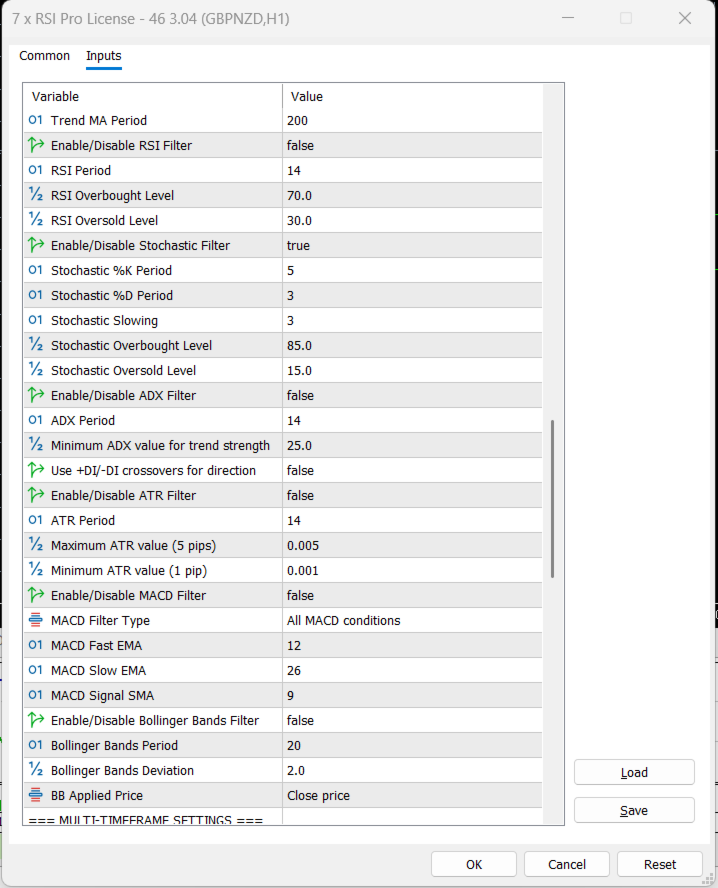
Comprehensive Filter Suite – Includes trend filter (MA), RSI filter, stochastic filter, ADX, ATR, MACD, and Bollinger Bands.
-
Multi‑Timeframe RSI Confirmation – RSI signals can be validated on higher timeframes (second and third) with multiple confirmation modes.
-
Multi‑Timeframe Stochastic Confirmation – Optional stochastic filter can also be applied on higher timeframes.
-
Time Filter – Restricts trading to user‑defined hours (e.g., 08:00–16:00).
-
Spread Filter – Blocks trades if the current spread exceeds a specified maximum (in pips).
-
Market Open Detection – Automatically detects trading sessions and only processes signals when the market is open, preventing false entries.
-
Chart Grid Control – Optionally disables the chart grid for cleaner visual monitoring while the EA is active.
-
Real‑Time Display – Shows license countdown, open trades count, and total profit/loss directly on the chart.
-
Works on Any Symbol – Fully compatible with forex, indices, commodities, and any other instrument supported by MetaTrader 5.
-
Works on Any Timeframe – The RSI periods and alignment logic adapt to any chart timeframe; multi‑timeframe settings can be independently selected.
-
Automatic Lot Normalisation – Lot sizes are automatically rounded to the broker’s minimum, maximum, and step requirements.
-
Margin Safety Check – Verifies sufficient free margin and ensures margin level stays above a safe threshold before opening a trade.
-
Trade Comment Labelling – Each trade is labelled (e.g., “7x RSI Initial” or “7x RSI Martingale#2”) for easy identification in the terminal.
-
Recovery Target Monitoring – Continuously monitors total profit of all open trades and closes the entire basket when the recovery target is hit.
-
Retry Logic for Closing – Prevents excessive close attempts with cooldown and retry limits to avoid broker errors.
-
Bar‑Based Evaluation – Only evaluates entry signals once per new bar, reducing unnecessary calculations and log spam.
-
Log Reduction During Market Closure – Prints “Market closed” only once per bar when the market is closed, avoiding log flooding.
-
Configurable Magic Number – Unique identifier allows the EA to manage only its own trades, even when multiple instances run on different charts.
-
Easy Setup – Simply attach to any chart, adjust the 30+ input parameters to match your strategy, and let the EA handle entries, martingale, and recovery automatically.