
SimpleGridBot
- Experts
- 버전: 2.0
- 업데이트됨: 9 10월 2026
- 활성화: 5

SimpleGridBot MT5 – transparent grid trading with basket exit and built-in margin protection
A grid EA you can fully understand and control. No black box: you set the distance, lot size and exits, and the EA does exactly that. No hidden logic.
What sets it apart
- Basket take profit with auto-restart: when the current grid run reaches your profit target, everything is closed and a fresh grid starts, or the EA stops, as you choose.
- Margin-level protection: the EA stops opening new positions when the margin level falls below your limit, and can close all positions at a second, lower level to avoid a broker stop-out. Both limits are adjustable and can be switched off.
- Robust order handling: automatic fallback between order filling modes, trading-session check and stop-level handling for brokers with minimum distances.
How it works
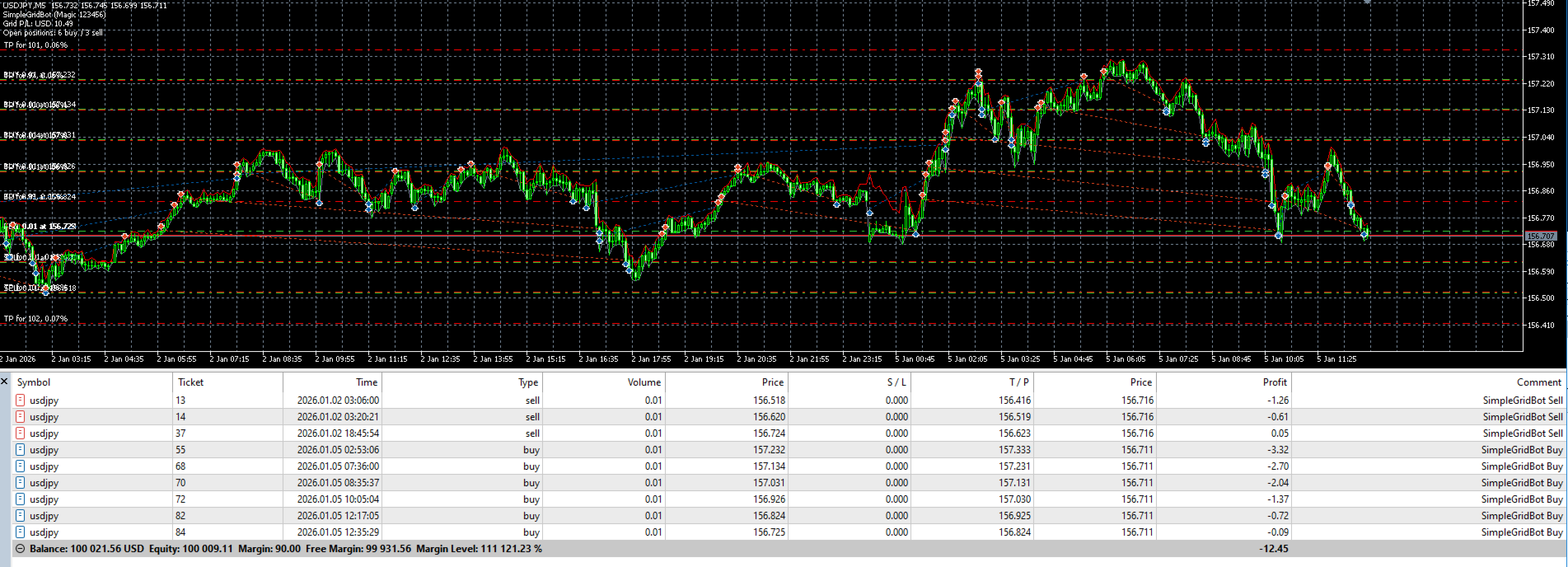
- Buy grid: a new Buy opens each time price falls by the grid distance below the lowest open Buy.
- Sell grid: a new Sell opens each time price rises by the grid distance above the highest open Sell.
- Every position has its own take profit. A stop loss and a maximum number of orders per side are optional.
- When a position closes, its level becomes tradable again as soon as price revisits it.
Quick start
- Attach the EA to one chart on a demo account (hedging account, AutoTrading on).
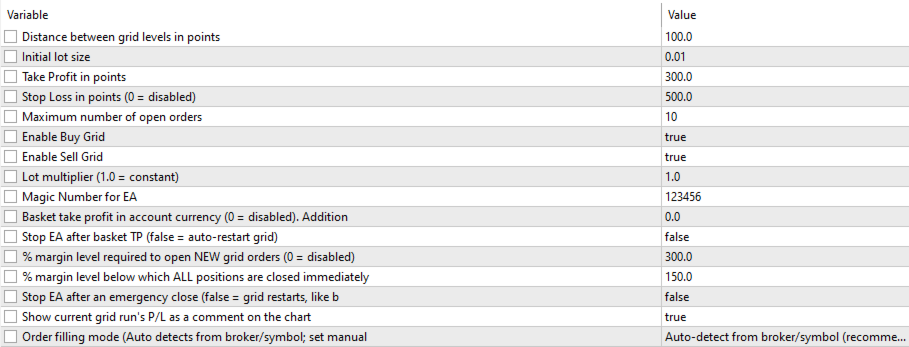
- Choose grid distance and lot size to fit your symbol and account size.
- Optional: set a basket take profit to bank the whole grid run at your target.
- Review the margin-protection levels and adjust them to your account.
- Check the chart display for current P/L and open positions.
More features
- Optional lot multiplier.
- Switch the Buy or Sell grid on or off to trade only one direction.
- On-chart display: P/L of the current grid run, open Buy/Sell count, basket target.
- The EA pauses outside the symbol’s trading session instead of sending orders that would be rejected.
- Magic number for running several instances on different symbols.
FAQ
- Are set files included? No. A grid has to be set up for each market and each trader’s risk preference.
- Does it work on netting accounts? The EA is designed for hedging accounts.
- What does the emergency close do? If the margin level falls to your set limit, all positions of the EA are closed to avoid a forced stop-out. The grid can then restart automatically or the EA stops, as you choose. Closing at that point locks in the loss, so set the levels deliberately.
Actively maintained and updated based on user feedback.
Risk warning
Grid strategies can build up large floating losses in strong trends, especially without a stop loss and with a lot multiplier. Margin protection reduces, but does not remove, this risk. Past results do not guarantee future results. Only trade with capital you can afford to lose.






































사용자가 평가에 대한 코멘트를 남기지 않았습니다