Black Digger
- Experts
- 버전: 1.4
- 업데이트됨: 10 4월 2026
- 활성화: 5

Black Digger Trading Robot
Black Digger is a sophisticated trading robot designed primarily for trading commodities, such as WTI and crude oil, on both spot and futures markets. When trading futures, be aware of contract expiration dates. The robot features a minimalist yet powerful interface, offering full control over critical trading processes. It is highly recommended to test the robot in a strategy tester to identify the optimal timeframe (H2, H3, H4, or H6++), as different accounts may have varying rules.
Order Execution
- Trade Mode: Choose between Buy only, Sell only, or both Buy & Sell (recommended for balanced performance).
- Reverse Option: Flip trade directions (e.g., Long to Short) if desired.
Exit Rules
Exit rules are calculated using coefficients based on the ATR (Average True Range) indicator, not pips or points, ensuring dynamic and market-adaptive exits:
- Take Profit (TP): Configurable via Profit Target Coefficient (default: 6.8).
- Stop Loss (SL): Configurable via Stop Loss Coefficient (default: 5.0).
- Trailing Stop: Adjustable with Trailing Stop and Step Coefficients.
- Breakeven Stop: Move SL to breakeven with customizable coefficients.
- Signal-Based Exits: The robot can close positions based on signal logic, independent of TP or SL levels.
Signal Logic
- Entry Signals: Based on customizable indicators like Keltner Channels (KC) and Bears/Bulls Power.
- Exit Signals: Driven by Kaufman Efficiency Ratio and other configurable parameters.
Versatility
While optimized for WTI and crude oil, Black Digger can be adapted for forex pairs, cryptocurrencies, and metals with additional configuration of default settings.
Input Parameters
Below are the key input parameters for Black Digger:
- Risk Management:
- Fixed Lot Size (default: 0.01)
- Exit Rules:
- Profit Target Coefficient
- Stop Loss Coefficient
- Trailing Stop & Breakeven Stop settings
- Trade Settings:
- Trade Mode (Buy, Sell, or Buy & Sell)
- Reverse Trades (true/false)
- Max Trades Per Day (default: 0, unlimited)
- Magic Number (default: 11)
- Custom Comment (default: "BlackDigger")
- Signal Parameters:
- Keltner Channel Period (default: 11)
- Bears/Bulls Power Periods (default: 66/16)
- Kaufman Efficiency Ratio Period (default: 31)
How to Use Black Digger
- Testing:
- Test the robot in a strategy tester using a demo account before live trading.
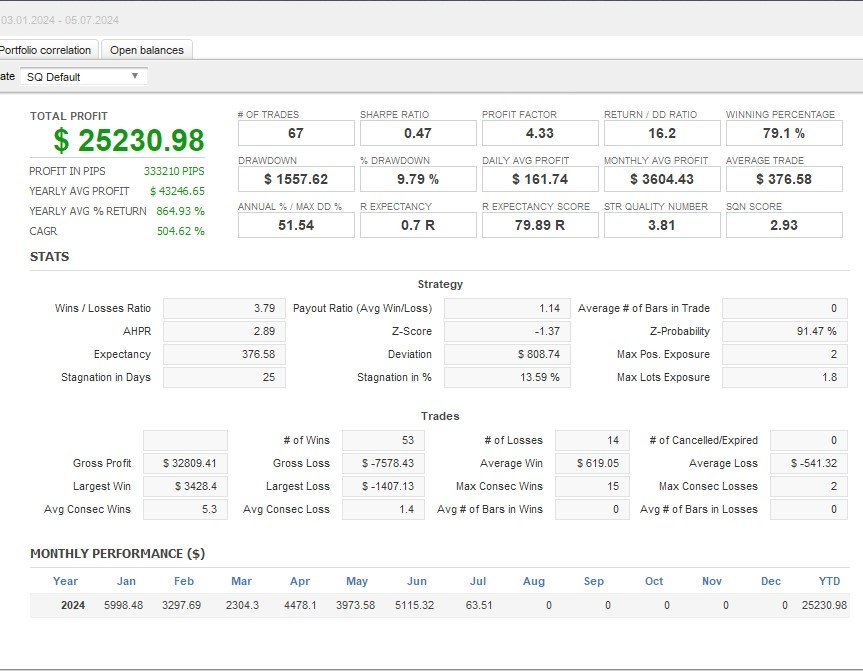
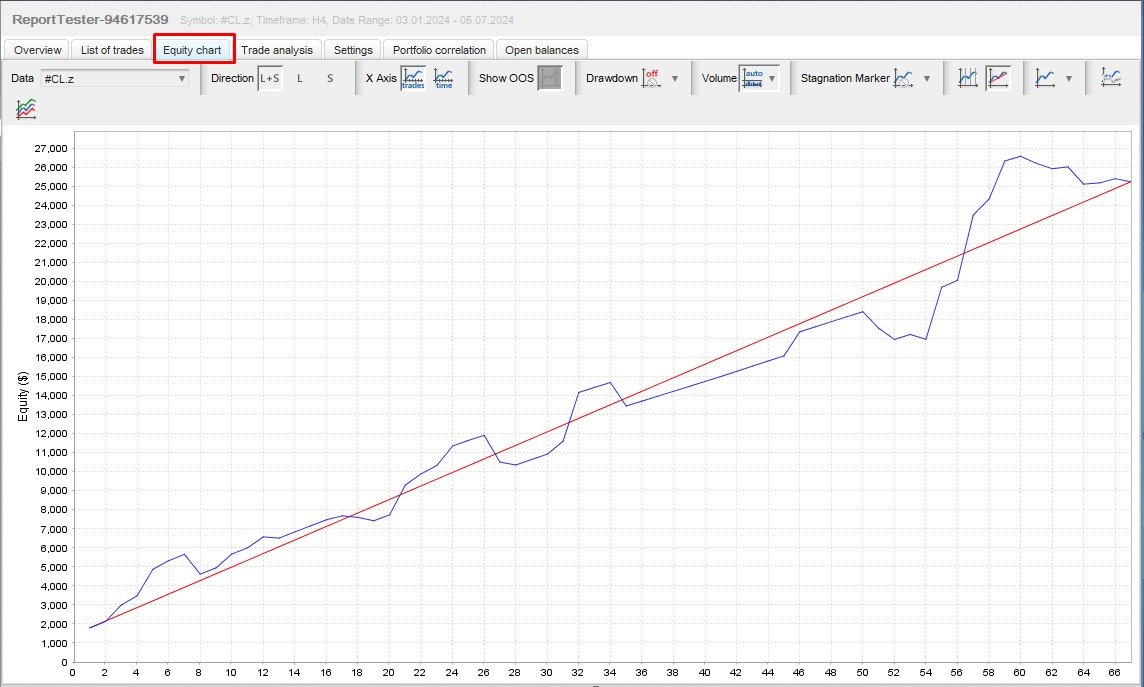
- Select your instrument (WTI or crude oil, spot or futures) and timeframe (H2, H4, or H6 recommended).
- Define start and end dates for testing.
- Experiment with risk settings (%-based or fixed lot) and leverage to understand risk calculations.
- Configuration:
- Use default settings for simplicity or adjust risk parameters based on your strategy.
- Choose your preferred trade mode, order type, and time restrictions.
- Fine-tune signal and exit parameters if trading non-commodity instruments.
- Live Trading:
- After testing, deploy the robot on your chosen timeframe and instrument.
- Monitor performance and adjust settings as needed.
Important Notes
- Warning: Black Digger is offered exclusively via the MQL5 website. Beware of scams if offered elsewhere.
- Testing: Always test on a demo account before using it on a live account.
- Support: Contact the developer via DM for assistance (link provided on MQL5).
- All my apps: Link
- Installation Guide: Refer to MQL5’s installation guide.
- Testing Guide: Learn how to test trading robots at MQL5’s testing guide.
Conclusion
Black Digger combines a minimalist design with powerful features, offering traders full control over risk, order execution, and signal logic. Test thoroughly to optimize performance and elevate your trading strategy with Black Digger.