 MetaTrader 5
 Experts
 지표
지표 라이브러리
라이브러리 유틸리티
유틸리티 위젯
위젯 규칙
규칙MetaTrader 5용 새 트레이딩 유틸리티 - 37
 다음은 MetaTrader 5의 거래를 단순화하는 거래 프로그램입니다. 유틸리티의 설명과 목적을 읽으려면 유틸리티 위에 마우스를 놓으십시오.
과도한 거래, 감정적인 주문 또는 과도한 계좌 손실로 고민한 적이 있습니까?
Risk Guardian EA MT5는 당신만의 전용 위험 관리 도우미입니다 — 자동으로 거래를 열지 않으며, 대신 다음을 도와줍니다: 일일 리스크 엄격히 관리
연속 손실 후 복수 거래 방지
거래 규율 강화
장기적으로 안정적인 자산 곡선 유지 이 EA는 거래 전략이 아니며, 수동 거래 또는 다른 EA를 위한 포괄적인 자본 위험 관리 보호를 제공합니다. 주요 기능
일일 손익 보호 당일 청산된 주문의 총 손익을 실시간 계산 일일 손실 한도 도달 시 거래 금지 제한 기간 동안 열린 신규 포지션은 강제로 청산 연속 손실 관리 연속 손실 자동 감지 한도 도달 시 냉각 기간(예: 2시간) 시작 냉각 기간 동안 열린 신규 포지션은 즉시 청산 포지션 보유 시간 제한 최대 보유 시간을 초과하면 자동으로 포지션 청산 다중 시간대 EMA 추세 필터 진입 시 M5와 M15 EMA 추세가 모두

DF Fib Trader Pro DF Fib Trader Pro는 MetaTrader 5용으로 설계된 자동 거래 시스템입니다. 피보나치 기반 가격 수준과 추세 및 구조 분석을 결합하여 진입 및 청산 시점을 정의합니다. EA는 롱 포지션과 숏 포지션을 모두 지원하며, 내장된 위험 관리 매개변수를 포함합니다.
핵심 기능: • 피보나치 되돌림 및 확장 로직을 사용하여 진입, 손절매, 이익실현 시점을 표시합니다. • 랏 크기 및 손절매/이익실현 수준 설정 가능 • 진입 시점 1개 또는 2개 선택 가능 • 시장 상황에 따라 고정 또는 동적 손절매 및 이익실현 지원 • 다양한 시간대 및 통화쌍 지원 • 최대 스프레드, 슬리피지, 거래 빈도 제어 옵션 포함 • 자동 거래 관리: 손익분기점, 트레일링 손절매, 부분 청산 옵션 • 원하는 경우 시장가 주문 지원 입력 개요: • 위험 관리: 랏 크기, 거래당 위험, 최대 거래 수 • 진입 조건: 피보나치 레벨 선택, 추세 필터 옵션 • 청산 관리:
FREE
Multiple Orders Utility EA (MT5 버전) Multiple Orders Utility MT5는 큰 가격 변동을 기다리지 않고 작은 가격 움직임으로 빠르게 수익을 얻을 수 있도록 설계되었습니다. 유용성:
이 유틸리티는 사용자가 지정한 수량 또는 브로커가 허용하는 최대 수량만큼, 동일한 통화쌍에서 동일한 방향으로 여러 주문을 동시에 엽니다. 전략:
100 200핍을 노리는 대신(이는 비현실적이거나 시간이 오래 걸릴 수 있음), 짧은 이익 목표로 여러 주문을 동시에 여는 것이 핵심입니다.
예를 들어, 각 20 25핍 목표로 5개의 주문을 열면, 가격이 단 25핍만 움직여도 총 125핍의 이익을 얻을 수 있습니다. 이 유틸리티는 사용하기 쉽지만, 스톱로스(SL)와 테이크프로핏(TP)이 작기 때문에 진입 전 시장 분석과 가격 방향 예측이 확실해야 합니다. SL:TP 비율은 1:1 또는 1:2를 권장합니다. 스톱로스 없이 거래하는 것은 절대 금물입니다! 위험을 줄이기
Manual Orders Variety Utility EA 는 사용자가 차트 버튼 클릭만으로 Buy(매수) , Sell(매도) , Buy Stop(매수 스톱) , Sell Stop(매도 스톱) , Buy Limit(매수 지정가) , Sell Limit(매도 지정가) 등 다양한 주문을 수동으로 발주할 수 있도록 제작된 보조형 전문가 어드바이저입니다. 기능 특징: 사용자의 설정에 따라 차트 버튼을 통해 단일 또는 다중 주문을 한 번의 클릭으로 수동 발주 가능. 이미 열린 거래를 종료하거나, 아직 체결되지 않은 대기 주문을 삭제 가능. 손익분기점 설정(Breakeven) 및 **트레일링 스톱(Trailing Stop)**과 같은 거래 관리 기능 제공. 사용자가 원할 경우, 이 EA가 열지 않은 거래도 관리 가능. 현재 캔들이 종료되기까지 남은 시간을 보여주는 캔들 카운트다운 시계를 제공하며, 사용자가 차트 내 원하는 위치로 배치 가능. 스프레드 계산기 를 통해 현재 차트의 통화쌍 스프레드

“세 가지 스크립트, 하나의 목표: 거래를 더 빠르고, 더 안전하고, 더 수익성 있게”
MT5에서 수익을 극대화하고 투자를 한 번에 보호하는 세 가지 도구: 1️⃣ Breakeven Command — 손절가를 즉시 손익분기점으로 이동해 수익 중인 거래를 무위험으로 전환.
2️⃣ MultiTakeProfit — 여러 레벨에서 부분 익절, 트렌드를 살려 더 큰 이익을 노리기.
3️⃣ SetStopLossAllTicket — 모든 오픈 포지션에 수초 만에 손절 지정, 개별 수정 불필요. 주요 장점: 초고속, 간편한 실행 거래 전 과정의 완전한 통제 데이/스윙/스캘핑 트레이더에 적합 MetaTrader 5 100% 호환 시간을 절약하고, 수익을 지키며, 자신 있게 거래하세요. 1. Breakeven Command
원클릭으로 수익 중인 거래를 안전하게. 복잡함 없이 이익을 보호하고 싶은 트레이더에게 최적: 손절가를 즉시 브레이크이븐으로 이동해 리스크를 제거합니다.
즉시

“세 가지 스크립트, 하나의 목표: 거래를 더 빠르고, 더 안전하고, 더 수익성 있게”
MT5에서 수익을 극대화하고 투자를 한 번에 보호하는 세 가지 도구: 1️⃣ Breakeven Command — 손절가를 즉시 손익분기점으로 이동해 수익 중인 거래를 무위험으로 전환.
2️⃣ MultiTakeProfit — 여러 레벨에서 부분 익절, 트렌드를 살려 더 큰 이익을 노리기.
3️⃣ SetStopLossAllTicket — 모든 오픈 포지션에 수초 만에 손절 지정, 개별 수정 불필요. 주요 장점: 초고속, 간편한 실행 거래 전 과정의 완전한 통제 데이/스윙/스캘핑 트레이더에 적합 MetaTrader 5 100% 호환 시간을 절약하고, 수익을 지키며, 자신 있게 거래하세요. 1. Breakeven Command
원클릭으로 수익 중인 거래를 안전하게. 복잡함 없이 이익을 보호하고 싶은 트레이더에게 최적: 손절가를 즉시 브레이크이븐으로 이동해 리스크를 제거합니다.
즉시
“세 가지 스크립트, 하나의 목표: 거래를 더 빠르고, 더 안전하고, 더 수익성 있게”
MT5에서 수익을 극대화하고 투자를 한 번에 보호하는 세 가지 도구: 1️⃣ Breakeven Command — 손절가를 즉시 손익분기점으로 이동해 수익 중인 거래를 무위험으로 전환.
2️⃣ MultiTakeProfit — 여러 레벨에서 부분 익절, 트렌드를 살려 더 큰 이익을 노리기.
3️⃣ SetStopLossAllTicket — 모든 오픈 포지션에 수초 만에 손절 지정, 개별 수정 불필요. 주요 장점: 초고속, 간편한 실행 거래 전 과정의 완전한 통제 데이/스윙/스캘핑 트레이더에 적합 MetaTrader 5 100% 호환 시간을 절약하고, 수익을 지키며, 자신 있게 거래하세요. 1. Breakeven Command
원클릭으로 수익 중인 거래를 안전하게. 복잡함 없이 이익을 보호하고 싶은 트레이더에게 최적: 손절가를 즉시 브레이크이븐으로 이동해 리스크를 제거합니다.
즉시

### FTBP 텔레그램 패널 - 차트 위 알림 센터
**FTBP 텔레그램 패널**은 단순한 익스퍼트 어드바이저가 아니라, 텔레그램으로 거래에 대한 즉각적인 알림을 받고 터미널의 시각적 스타일을 관리하고자 하는 트레이더를 위한 모든 기능을 갖춘 도구입니다. 이 제품은 완전히 무료입니다!
### 주요 기능
* **즉각적인 텔레그램 알림:** 티커, 볼륨 및 재정 결과를 포함하여 모든 개설 및 마감 거래에 대한 알림을 받습니다. * **대화형 제어판:** 표준 `F7` 설정 창은 잊어버리십시오. 모든 기능은 차트에서 직접 편리하고 직관적인 패널로 관리됩니다. * **유연한 인터페이스:** 패널을 단일 버튼으로 최소화하고 차트 전체에서 자유롭게 이동할 수 있어 분석에 방해가 되지 않습니다. * **차트 사용자 정의:** "색상" 탭에서 세 가지 전문적인 색 구성표(어둡게, 밝게, 파란색) 사이를 즉시 전환하여 눈의 피로를 줄일 수 있습니다. * **수동 보고서:** 언제든지 지난
FREE

The product is used to trade base on any Alert signal in MT5 Easy to setup, simple format with custom keyword All option to management orders as trailing stop, breakeen, partial close, time filter, news filter ... Option to auto open grid orders How to setup and guide: Let read all details about setup and download indicator for auto get Alert Signal here Do not buy if you even can not install demo EA to your VPS ( some VPS block download EA from mql5 market)
We always bring customers high q
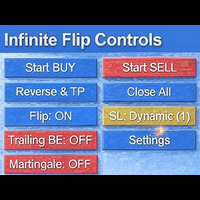
FlipPro Unlimited EA Manual
1. Introduction
FlipPro Unlimited is an Expert Advisor (EA) designed for the MetaTrader 5 (MT5) trading platform. It is a versatile trading tool that allows users to initiate buy or sell positions with customizable stop loss (SL) mechanisms, and it supports automated flipping of trade directions upon hitting SL. The EA includes features like dynamic or fixed SL, trailing to breakeven (BE), martingale pending orders, target profit closure, and a common take profit (

️ Equity Protector EA – Auto SL & Trailing Stop for MT5 Protect your capital. Automate your risk. Maximize your control. The Equity Protector EA is a powerful risk management tool designed for Meta Trader 5 traders who prioritize capital preservation and smart trade automation. Whether you're a scalper, swing trader, or long-term investor, this EA ensures your account stays protected while optimizing trade exits with precision. Key Benefits Drawdown Shield
Automatically monitors your accoun

Combine up to 30 indicators into one signal, trail stops with 9 options, use auto currency lots, partially close positions, display 4 major candle stick patterns on your chart, break even, use risk reward and more. Signal matrix can send alerts and notifications when all or most of the indicators you turn ON are bullish or bearish. You get easy one-click trading, easy multi-timeframe analysis while using up to 30 indicators, and a fully minimizable non-intrusive interface. Download the demo her

Click Average EA – Smart Position Averaging for MT5 Simplify Your Trading Strategy with one-click position averaging! This expert advisor automatically calculates the weighted average price of your open positions and adjusts Take Profit levels dynamically—saving you time and maximizing efficiency. Key Features: One-Click Averaging – Instantly balance multiple positions with a single button. Weighted Price Calculation – Precise averaging based on volume for accurate TP placement. Magic Numb
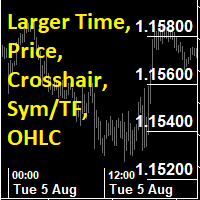
This utility indicator provides accessibility and readability, by displaying a larger price scale, time scale, crosshair, and symbol name/tf/ohlc information. All features are sizeable and can be styled separately, and are optional to show.
All Features optional to use font, size and color options
Price Scale
option to hide the default MT5 price scale option to show horizontal lines at price levels prices drawn can be at round numbers (ie automatic rounding to multiples of 5/10/20/25 points),
FREE

ProTrader Command Professional Trading Analytics & Risk Management System Transform your MetaTrader 5 into a professional trading platform with real-time analytics, automated risk management, and performance tracking. Core Features Real-Time Trading Dashboard Professional MT5 Interface Enhancement Live account metrics displayed directly on your chart Performance indicators with color-coded status alerts Position overview showing all trades at a glance Risk status monitoring with visual warnings
FREE

What It Does Scans Multiple Symbols Simultaneously From all pairs for the signal in real time. Detects Overbought/Oversold Conditions Using customizable RSI thresholds (e.g., 80 for overbought, 20 for oversold) and Alerts You Instantly . Send you Notifications to MT5 in your PHONE Using MetaQuotes ID Pop-up Alerts Telegram Push Messages Whether you're at your desk or on the move, you’ll know the moment a signal hits.
FREE

Free MetaTrader 5 indicator that displays "CALL IT A DAY" when London & New York sessions close. Customizable alerts, session tracking, and a guilt-free reminder to log off. Perfect for workaholic traders!
Tired of staring at charts when the market’s already clocked out? Session Guardian is your sassy trading assistant that slaps a giant "CALL IT A DAY" on your screen when both London and New York sessions are closed—because even traders deserve happy hour. Key Features:
Big, Bo
FREE

You only need to load this EA into a single chart. Key Features:
Session Lockdown Blocks ALL trades outside London/NY sessions Instant position closing at session end NEW: Pre-close alerts (configurable minutes before session end) Smart Daily Limits Profit Target: Set $ or % goals to lock in gains Loss Limit: Hard-stop protection against bad days NEW: Choose between Balance (closed P&L) or Equity (including floating P&L) Dual-Layer Protection Prevention: Stops orders before e
FREE

Guardian Shield EA - Risk & Profit Protection System ️ Ultimate Account Protection Guardian Shield is a specialized utility Expert Advisor designed to provide comprehensive risk management and profit protection for your trading account. It monitors all running positions in real-time and takes immediate action when predefined profit or loss thresholds are reached. Key Features Advanced Risk & Profit Guardian Real-time Monitoring : Continuously tracks total P&L across all positions Du
FREE

Bitcoin Manager Panel is designed for traders to take advantage of automated trading and catch in a fast mode strategy positions which reach to fibonacci levels. It is mostly created for crypto currency trading because of high volatility and fibonacci retracement respecting levels. All in all it has a module Fibo as it can be seen on the panel which if clicked it will plot fibonacci indicator automatically and trade only when an important level of fibo is found and broken.

Advanced Risk Manager EA is a non-trading account protection utility for MetaTrader 5. It does not open trades — it monitors your account in real time and enforces configurable risk rules automatically. How It Works At the start of each trading day, the EA records your opening balance. Every tick, it recalculates your live P&L. If your daily loss reaches the configured threshold, all open positions are closed instantly and trading is locked until the next day. Optionally, it locks trading once a
What It Does Scans Multiple Symbols Simultaneously From all pairs for the signal in real time. Detects Overbought/Oversold Conditions Using Two MA with customizable inputs and Alerts You Instantly . Send you Notifications to MT5 in your PHONE Using MetaQuotes ID Pop-up Alerts Telegram Push Messages Whether you're at your desk or on the move, you’ll know the moment a signal hits.

What It Does Scans Multiple Symbols Simultaneously From all pairs for the signal in real time. Detects Overbought/Oversold Conditions Using MACD with customizable inputs and Alerts You Instantly . Send you Notifications to MT5 in your PHONE Using MetaQuotes ID Pop-up Alerts Telegram Push Messages Whether you're at your desk or on the move, you’ll know the moment a signal hits.

What It Does Scans Multiple Symbols Simultaneously From all pairs for the signal in real time. Detects Overbought/Oversold Conditions C ustomizable inputs and Instant Alerts . Send you Notifications to MT5 in your PHONE Using MetaQuotes ID Pop-up Alerts Telegram Push Messages Whether you're at your desk or on the move, you’ll know the moment a signal hits.
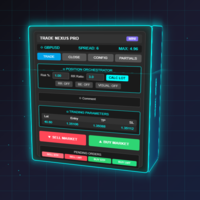
Transform Your Trading with Advanced Automation Management EA TRADE NEXUS PRO is a sophisticated MetaTrader 5 Expert Advisor designed specifically for every trading pair. This EA combines intelligent position management with precise risk control.
Key Features That Set Us Apart Position Orchestrator System
Risk Calculation Based on Stop Loss in Pips/Points. Orders : You can set pending orders such as limit orders, market orders and stop orders Dynamic Risk Control : Customizable risk p

MT5 Alert Telegram Notifier PRO VERSION is a specialized toolsdesigned for the MetaTrader 4 (MT4) platform. One of its key features is its ability to operate concurrently with Expert Advisors (EAs) on a single MT4 chart, combining the power of automated analysis with communication convenience. Sending Order Notifications to Telegram Groups or Channels: This indicator has the capability to send real-time order notifications directly to the Telegram group or channel of your choice using the B

https://www.mql5.com/en/blogs/post/768319
단축키 명령 i - EA 컨트롤 패널.
E - 트레이드 어시스턴트.
G - 성능 패널
B - 매수. S - 매도. 1-2-3 - 매수 (사용자 지정 로트) 4-5-6 - 매도 (사용자 지정 로트) L - Buy Limit. M - Sell Limit. U - Buy Stop. N - Sell Stop. Q - Stop Loss 제거.
W - Take Profit 제거.
C - 모든 열린 포지션 종료. X - 특정 포지션 종료. Z - 모든 보류 주문 취소. T - 트레일링 스탑. P - 부분 청산. K - 브레이크이븐. O - 포지션
7-8-9 - 사용자 정의 타임프레임 A - 리스크/리워드 가이드 그리기 F - 피보나치 되돌림 그리기 R - 사각형 그리기 V - 수직선 그리기 H - 수평선 그리기 D - 추세선 그리기 Y - 텍스트 그리기 필요에 따라 단축키 제어를 활성화하거나 비활성화할 수 있습니다.
MRDT 트레이드 매니저 - MT5용 전문가급 트레이딩 도구 원클릭으로 효율적인 트레이딩을 경험하세요 MRDT 트레이드 매니저 는 MetaTrader 5 플랫폼에서 전문가 수준의 포지션 관리를 가능하게 하는 스크립트입니다. 차트에 고정된 버튼으로 중요한 트레이딩 기능에 즉시 접근할 수 있습니다. 주요 장점: 초고속 주문 실행 - 한 번의 클릭으로 즉시 매수/매수 포괄적인 포지션 관리 - 모든 포지션, 매수만, 매도만 즉시 청산 리스크 관리 기능 - 포지션 일부 청산 가능 자동 브레이크이븐 - 스탑로스를 진입 가격으로 이동 현재 종목에 집중 - 활성 차트의 종목만 관리 핵심 기능: 빠른 거래 버튼 - 설정 가능한 고정 로트 크기 즉시 청산 - 전체 포지션, 매수만, 매도만 닫기 절반 청산 - 약 50% 포지션 감소 브레이크이븐 보호 - 스탑로스를 진입 가격으로 이동 간결한 인터페이스 - 차트에 항상 표시되는 버튼 이런 분들에게 적합: 빠른 주문 실행
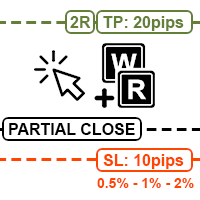
MT5 차트에서 직접 리스크를 계산하고, 주문을 넣고, 포지션을 관리할 수 있는 빠른 단축키 기반 유틸리티입니다. 화면의 절반을 차지하고 정작 필요할 때 느려지는 투박하고 무거운 트레이딩 패널에 지쳐서 이 도구를 만들었습니다. 깔끔한 차트와 함께 키보드와 마우스만으로 즉시 수동 거래를 실행하고 관리할 수 있기를 원했습니다. 이 도구는 실행 속도, 깔끔한 차트, 정확한 리스크 관리를 중요하게 생각하는 수동 트레이더, 특히 스캘퍼와 데이트레이더를 위해 설계되었습니다. 더 자세한 개요는 동영상을 참고하세요. 주요 기능: 빠른 주문 실행: Q 를 눌러 시장가 주문, W 를 눌러 예약 주문을 실행하고, 마우스를 손절매 수준에 위치시킨 후 주문을 전송하세요. 수동 로트 계산이 필요 없습니다. 놓친 진입 리스크 계산(단축키 E): 가격이 이미 움직였지만 더 이른 시점에 진입했다고 가정하고 로트 크기를 계산하고 싶다면, 원하는 진입 지점에 마우스를 놓고 E 를 누른 후 손절매 위치로 이동하면 EA

Ping: 안정적인 거래를 위한 필수 도구 인터넷 제공업체와 VPS는 안정적인 연결을 약속하지만, 과연 이들을 신뢰할 수 있을까요? 1밀리초가 중요한 세계에서 느리거나 불안정한 연결은 수익 손실이나 손실로 이어질 수 있습니다. Ping 스크립트는 다음을 가능하게 합니다. 정보에 입각한 결정: 다양한 VPS 서버와 브로커의 속도를 시각적으로 비교하여, 전략에 가장 빠르고 안정적인 연결을 선택할 수 있습니다. 위험 제거: 주문 실행 속도가 결과에 직접적인 영향을 미치는 스캘퍼 및 고빈도 트레이더에게 특히 유용합니다. 문제 식별: 인터넷이나 VPS가 언제 문제를 일으키는지 신속하게 감지하고, 거래에 영향을 미치기 전에 대응할 수 있습니다. 타협 없는 작업: 저희 스크립트는 다른 전문가 고문과 충돌하지 않고 모든 차트 및 시간 프레임에서 작동합니다. 최대한 편리하고 눈에 띄지 않도록 설계되었습니다. Ping 스크립트는 MetaTrader 5 터미널을 위해 특별히 개발된, 개인용 연결 속도

Auto Chart Refresh Indicator – MT5 Auto Chart Refresh 지표는 MetaTrader 5 차트를 항상 최신 시장 데이터와 동기화합니다. 초단타 매매, 데이 트레이딩 및 실시간 정확성을 원하는 트레이더에게 적합합니다. 주요 기능 사용자 지정 새로고침 간격 (1초~임의, 기본 30초) 가볍고 안정적이며 CPU 사용 최소화 카운트다운, 마지막 새로고침 시간, 새로고침 횟수 표시 유연한 표시: 글자 색상, 크기, 위치 설정 가능 모든 종목 및 시간 주기에서 작동 장점 항상 실시간 가격 기반 거래 가능 빠른 시장 및 뉴스 이벤트에서 최신 유지 다중 차트 및 시간 주기 동기화 수동 및 자동 매매 모두에서 신뢰성 있는 신호 제공 Auto Chart Refresh – 실시간 정확성을 위한 전문 솔루션.

Info Exporter MT5는 터미널 정보, 계좌 정보, 거래 내역 및 주문 내역을 로컬 CSV 파일로 내보내고, 이메일을 발송하고, 앱 스크립트에 배포된 URL을 사용하여 Google 스프레드시트로 직접 내보낼 수 있도록 지원합니다. CSV로 내보내거나, 이메일을 사용하거나, Google 스프레드시트로 내보낼 수 있으며, 내보낸 파일 이름과 시트 이름도 수정할 수 있습니다. 사용된 입력 매개변수: export terminal informations? : 터미널 정보를 내보낼지 여부를 선택합니다. 값은 true 또는 false로 변경할 수 있습니다. terminal info file or sheet name : 기본값은 "Terminal_Info"이지만 입력 프롬프트에서 변경할 수 있습니다. export historical deals? : 거래 내역을 내보낼지 여부를 선택합니다. 값은 true 또는 false로 변경할 수 있습니다. 기본값은 false입니다. 즉, 내보내지 않습니
FREE

Utility TimeLs Close Positions는 MetaTrader 5에서 포지션 종료를 관리하고 자동화하기 위한 도구입니다. 시간, 종목, 방향, 매직 넘버, 코멘트를 기준으로 오픈 포지션을 언제 어떻게 종료할지 유연하게 제어할 수 있습니다. 특정 요일에 거래를 비활성화할 수 있습니다
모든 오픈 포지션을 종료할 특정 시간을 설정할 수 있습니다
종목, 방향(매수/매도), 매직 넘버 또는 코멘트로 종료를 필터링할 수 있습니다
Deal 1, Deal 2, Deal 3과 같은 최대 3개의 일회성 종료 작업을 날짜와 시간 기준으로 설정할 수 있습니다
현재 설정 및 예정된 종료 작업을 보여주는 차트 정보 패널을 표시하거나 숨길 수 있습니다
차트에 표시되는 텍스트의 글꼴 크기와 색상을 사용자 지정할 수 있습니다

Easy Order Watcher — 스마트한 거래 모니터링 및 알림 어디서든 거래를 관리하세요.
Easy Order Watcher는 가볍고 강력한 전문가 자문(EA)으로, 실시간 거래를 추적하고 사용자가 설정한 기준값에 따라 포지션이 주요 손익 수준에 도달하면 즉시 알림을 제공합니다. 또한, 사용자의 시간대에 맞춰 실시간 증거금 수준과 시간별 알림을 표시합니다.
자리에 없든 여러 거래를 관리하든, 이 EA는 전략에 맞춰 정밀한 알림을 제공하여 항상 최신 정보를 제공합니다.
v1.10의 새로운 기능: 사용자 지정 시간대 지원 현지 시간에 맞춰 시간대(+/- 시간)를 조정하세요. 알림을 확인할 때 더 이상 혼란스럽지 않습니다.
사용자 정의 손익 이정표 고정된 값에 얽매이지 않고 원하는 기준값(예: $50 이익 증가 또는 $100 손실 감소)을 설정할 수 있습니다.
주요 기능: 제로 투 포지티브 알림: 거래가 손실에서 수익으로 전환되는 순간 알림을

트레이딩 스킬 & 전략 테스터 - 다중 지표 비주얼 실행 EA MT5 비주얼 테스터에서 트레이딩 스킬을 향상시키고, 전략을 연습하고, 실행 속도를 테스트할 수 있는 전문 도구입니다. 7개의 토글 가능한 지표, 즉각적인 매수/매도/청산 버튼, 그리고 사용자 정의 가능한 매개변수가 포함되어 있어, 실제 돈을 위험에 빠뜨리지 않고 초보자와 숙련된 트레이더 모두에게 적합한 트레이닝 도구입니다.
실제 돈을 위험에 빠뜨리지 않고 트레이딩을 마스터하세요 트레이딩 초보자든 숙련된 전문가든, 실행은 좋은 아이디어와 수익성 있는 거래를 가르는 중요한 요소입니다. 트레이딩 스킬은 MetaTrader 5 비주얼 테스터를 위한 개인 트레이딩 시뮬레이터로, 실제 과거 시장 데이터를 활용하면서 안전한 환경에서 진입 시점, 거래 관리 및 전략 실행을 연습할 수 있습니다.
주요 기능 7가지 전문 지표 - 모두 토글 가능
EMA 50 및 EMA 200(추세 확인)
스토캐스틱 오실레이터(모멘텀 및 과매수

The Smart Trading Tool is a powerful all-in-one solution designed for traders who want precise and professional technical analysis in MetaTrader 5. With it, you can: Draw supply and demand zones perfectly identified by timeframe. Mark key liquidity zones to anticipate market moves. Plot ICT OTE zones and detect IFVG (Imbalances / Fair Value Gaps) with accuracy. Use an interactive Trading Box to instantly calculate the risk/reward ratio of your trades. With its intuitive design and advanced featu

Fast CopyTrade LAN — Local Trade Copier for MetaTrader 5 Overview
Fast CopyTrade LAN is a fast, DLL-free local trade copier for MetaTrader 5. It instantly copies trades between MT5 accounts on the same PC — copying OPEN, PARTIAL, MOD (SL/TP) and CLOSE from a Provider to one or more Receivers. This copy trader uses the MT5 Files folder for secure local messaging, requires no external files, no DLLs, and is fully Market-compliant. Advantages Fastest local copy trading with very low latency Market
FREE

Buy Sell Multiple Panel - Execute Bulk Orders in a Single Click! Description Save time and seize market opportunities instantly. This powerful panel allows you to place multiple buy or sell orders simultaneously, each with custom lot sizes, take-profit, and stop-loss levels. Perfect for sophisticated entry strategies and managing complex trades efficiently. Key Features Bulk Order Execution: Open multiple market orders at once with just one click. Flexible Lot Sizing: Set individual lot sizes f

Demonstration Video: https://youtu.be/JEsU5Qic_bo?si=-feUD0Zr3qdPjomg Elevate Your Trading with Precision and Control Introducing the Ultimate Trade and Alert Assistant by Feedosky — a powerful, highly customizable Expert Advisor for MetaTrader 5. This EA combines advanced multi-level price alerts with fully independent trade execution, giving you complete control over how you react when price reaches important levels. Why Traders Love UTAAA in 2025 The smartest multi-level price trigger system

Enhance Your Manual Trading Workflow in MetaTrader DrawTrade is a total reimagining of how you interact with MetaTrader by introducing a flexible and intuitive interface designed specifically for manual traders. It enhances chart navigation, improves drawing responsiveness, and streamlines trade execution — all with tools that feel natural to use and quick to master. Core Navigation Improvements Mouse Flick Navigation
Quickly pan across charts with a flick of the mouse, improving chart expl
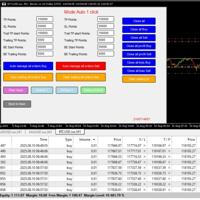
English Easy Trading Manager is an Expert Advisor designed to simplify trade management, enabling traders to quickly set and adjust trade parameters without manually modifying orders.
It supports both Automatic Mode and Semi-Automatic Mode , making it ideal for traders who want the system to protect profits, reduce risk, and offer flexible control. Key Features Auto Mode – Automatically applies TP, SL, Trailing Stop, and Break-even settings to new orders
Semi-Auto Mode – Manually adjust TP/S

TradeGuard Pro – Automatic Stop Loss Utility with Telegram Notifications
TradeGuard Pro is a useful utility designed to improve MetaTrader 5 trading. TradeGuard Pro is a powerful utility designed to enhance your MetaTrader 5 trading by automating stop loss management, delivering real-time Telegram notifications, and providing detailed trade tracking. Perfect for forex, crypto, and metal traders. Key Features Automatic Stop Loss Management
Set initial stop losses (pips or ATR for non

Master Your Market Analysis with Isheguve Trend Scout!
Tired of manually drawing trend lines and missing key market shifts?
Isheguve Trend Scout is an MQL5 utility app designed to give you an edge by automatically identifying and plotting trend lines on your chart.
Why Choose Isheguve Trend Scout?
Effortless Trend Detection: Stop guessing and let the app do the work for you. Trend Scout Pro intelligently analyzes historical price data to find significant swing points and automa
FREE
MultiTP Trade Manager EA — Advanced Trade Management Made Effortless (MT5)
Limited Offer – First 100 Downloads FREE!
Be among the first 100 traders to download Trade Anchor Manager (MT4/MT5) completely free of charge. Hurry – once the limit is reached, the offer closes instantly! After trying it out, we’d love if you could leave a review and share your thoughts – your feedback helps us improve and lets other traders know what to expect.
Need this Trade Anchor Manager for MT4? http
FREE

Sam's Automatic SL-TP System
Take your gold trading to the next level with Sam's Automatic SLTP System! This Expert Advisor (EA) is designed to simplify your trading by automatically applying your predefined Stop Loss (SL) and Take Profit (TP) levels to every trade you place on gold (XAUUSD) – effortlessly and without manual intervention. No more worrying about setting SL and TP for each trade! Once you configure your desired SL and TP values in the EA’s settings, the system takes care of the
FREE

“One-Click Flatten — Fast, Clean, Reliable” Close all orders and positions in your account with a single click — no hassle, no fumbling through tabs.
Time-saving tool for traders needing instant exit from the market—especially during volatile moves or news events.
Emotion-free execution reduces human errors and hesitation—just click and it's done.
Easy to use: load the EA in MT5 and let it handle the rest. Perfect for both beginners and seasoned traders.
Fu
FREE

RTrade panel is easy trading panel use both (Stop Loss & Take Profit) based on pips with easy interface can be use by anyone
Panel Feature: -Open position based on (Lot) size
-Auto detect entry price -Use Stop Loss based on (pips) -Use Take Profit based on ( pips ) -Close all position in one button click
i will add more function in future update if you like it write your review
FREE

• Please test the product in the Strategy Tester before purchasing to understand how it works.
• If you face any issues, contact me via private message—I’m always available to help.
• After purchase, send me a screenshot of your order to receive a FREE EA as a gift. Auto-Hedge System Description The auto-hedge system is a dynamic risk management tool designed to protect trading accounts from significant drawdowns while enabling opportunities for recovery and profit. When enabled, the system

️ Prop Firm Risk Management Expert Advisor – Your Account’s Security Shield! If you are trading in prop firm challenges , this Risk Management EA is exactly what you’ve been looking for!
In the world of prop trading, there’s no room for mistakes – one wrong or emotional trade can wipe out your account and weeks of hard work…
But with this smart and precise EA , you can trade with confidence, knowing you’ll never cross your prop firm’s red lines. This EA is a tested, reliable, and powerful too

The Ultimate TradingView to MT5 Bridge Automation 수동 매매와 지연 시간(Latency) 문제에서 벗어나세요. TradingView to MT5 Copier PRO 는 트레이딩뷰(TradingView) 알람을 메타트레이더 5(MT5)에서 직접 실행할 수 있는 가장 빠르고 안정적인 브릿지입니다. 사용자 지정 지표, 전략 테스터 스크립트, 수동 작도 등 무엇을 사용하든, 이 EA는 초고속 웹소켓(WebSocket) 기술 을 사용하여 매매를 즉시 실행합니다. 단순한 복사기와 달리, 이 PRO 버전에는 Arena Statistics 가 포함되어 있습니다. 이는 차트에서 직접 매매 성과, 드로다운(Drawdown), 샤프 지수(Sharpe ratio)를 분석할 수 있는 전문적인 내장 대시보드입니다. 주요 기능 트레이드 복사기 (Trade Copier) 초고속 실행: 표준 WebRequest보다 빠른 WebSocket 연결을 사용하여 슬리피지(Slippa

Trade Simulator는 단순한 거래 패널이 아닙니다. 히스토리 데이터를 활용하여 실제처럼 거래를 연습할 수 있으며, 인터랙티브한 차트 제어 기능을 제공합니다. 거래를 실행하고, 스톱 레벨을 조정하며, 결과를 실시간처럼 확인할 수 있습니다. MT5 전략 테스터에서도 주문을 직접 실행하고 관리할 수 있습니다. 동일한 도구와 인터페이스는 라이브 차트에서도 실제 거래에 그대로 사용할 수 있습니다. 자세한 정보는 설정 및 사용자 가이드 를 참조하세요. 또한 MT4 버전 과 고급 버전 도 확인해 보세요. 주요 기능 전략 테스터를 통한 시뮬레이션 환경에서의 거래 가능 원클릭 BUY / SELL / CLOSE 버튼 손익분기점 및 TP/SL 라인 자동 표시 라인 드래그로 조정 (라이브 차트에서만 가능) 트레일링 스탑 기능 실제 거래를 위한 라이브 차트에서도 작동 사용 방법 – 전략 테스터 모드 전략 테스터 시작 : 전략 테스터를 열고 "Trade Simulator"를 선택합니다. 매개변수
FREE
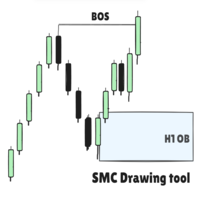
SMC Drawing Tool - Advanced Charting and Analysis Assistant Due to limitations in MetaTrader 5, this EA does not work in the Strategy Tester. To see it in action, you can download the demo version. SMC Drawing Tool is a professional technical analysis indicator for MetaTrader 5, designed to enhance the Smart Money Concepts (SMC) trading methodology. It deeply integrates a comprehensive suite of drawing tools with an intelligent labeling system and includes advanced features such as multi-timefra

바늘 찌르기 전략 스캐너 이 스캐너는 브라질 트레이더들 사이에서 매우 인기 있는 전략 중 하나인 비공식 명칭 "바늘 찌르기(Agulhadas)" 신호를 자동으로 식별하기 위해 개발되었습니다. 이 기법은 명확한 시각적 규칙을 가진 다섯 가지 주요 지표를 사용하여 차트에서 진입 및 이탈 지점을 식별합니다. 이 스캐너를 사용하면 시간을 절약하고 수작업으로 기회를 찾는 번거로움을 피할 수 있습니다. 여기에서 이 스캐너 지표를 무료로 다운로드하세요 스캐너 작동 방식 스캐너는 여러 자산을 실시간으로 분석하여 특정 기술 지표 조합을 기반으로 매수 또는 매도 신호를 탐색합니다. 완전한 설정(또는 원한다면 부분 설정)을 찾으면 해당 자산이 결과 패널에 표시되어 신속하고 자신 있게 의사 결정을 할 수 있습니다. 사용된 기준 스캐너는 시장에서 잘 알려진 다섯 가지 기술 지표 조합을 기반으로 작동합니다: 이동평균선 (3/8/20) — 단기 이동평균선이 중기 이동평균선을 상향 돌파 ADX — DI+ 또는

Crystal Copycat ULTIMATE 는 MT5 간 초고속·안정적 거래 복사 를 실현하는 전문가용 EA입니다. 자산 관리자, 프로프 펌, 시그널 제공자, 고급 트레이더를 위해 설계되었습니다.
속도, 정확성, 리스크 관리의 완벽 조합. 주요 기능: MASTER 모드 : 시장가·예약주문·수정·종료 등 모든 신호 전송 SLAVE 모드 : 실시간 수신·즉시 실행 스마트 로트 배율 : 고정, 자산비율, SL 기반 리스크 %
안전한 리스크 관리 : 최대 손실, 최소 자산, 거래별 최대 리스크 심볼 매핑 : 후행 문자 자동 인식 + 사용자 지정 설정 파일 방식 통신 : DLL 불필요, 자동 복구 및 경고 시스템 포함 차트 내 대시보드 : 신호 수, 성공률, 리스크 상태, 파일 오류 표시 사용 용도: MT5 사이의 거래 복사, prop 계좌 운용, 시그널 서비스, 여러 브로커 전략.
FREE

PipsCounter Basic 은(는) MetaTrader 5용 인디케이터로, 미결제 포지션의 실시간 핍 변동을 표시하고 당일 마감된 거래의 요약을 제공합니다. 모든 정보는 메인 차트 창에 명확하고 방해되지 않는 형식으로 직접 표시됩니다. 기능 실시간 핍 추적
각 미결제 포지션의 핍 차이를 시장의 각 틱마다 지속적으로 업데이트합니다. 일일 핍 합계
현재 거래일 동안 마감된 모든 거래의 순 핍 값을 표시합니다. TP/SL 가격 라벨 (신규)
테이크 프로핏과 스톱 로스 가격을 해당 라인에 자동으로 표시하며, 색상, 글꼴, 위치를 사용자 정의할 수 있습니다. 시각적 사용자 정의
패널 위치(차트 네 모서리), 글꼴, 글자 크기, 수익/손실/중립 상태의 색상을 완전히 제어할 수 있습니다. 광범위한 호환성
통화쌍, 지수, 금속, 원자재, 합성 자산 등 모든 MetaTrader 5 종목에서 작동하며, 틱 크기, 소수점 자리수, 호가 형식에 영향을 받지 않습니다. 사용 사례 미결제 거래
FREE
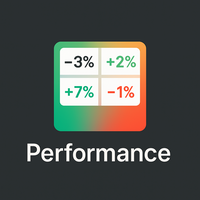
개요
Performance Indicator 는 구성 가능한 시간 간격에 대한 여러 심볼의 백분율 수익률을 히트맵 으로 보여줍니다. 상대적인 강도 와 약점 을 시각적으로 비교하는 데 사용되며, 결과에 대한 보장을 제공하지 않습니다. 설정
SymbolsList: 쉼표로 구분된 심볼들; 터미널에 있는 이름과 정확히 일치해야 합니다.
BaseTF: 계산을 위한 기준 타임프레임.
UpdateSeconds: 자동 갱신 간격(초).
CapPercent: 색상 강도를 정규화하는 값.
PeriodsList: 기간을 정의하는 문자열(예: D1, W1, M1, M3, M6, Y1, YTD); 1M , 2W , YTD 같은 형식도 허용됩니다. 수익률 계산
Standard periods: 현재 종가와 N 기간 전 종가를 비교합니다.
YTD: 일관된 비교를 위해 현재 연도 초에 가장 가까운 종가를 사용합니다. 시각적 인코딩
배경: 음수가 아닌 수익률은 녹색, 음수는 빨간색; 강도는 CapPerce
FREE

️ TradeForge Trade Copier – 마스터 계좌에서 여러 슬레이브 계좌로 거래 자동 복제 TradeForge Trade Copier 는 MT5용 EA로 하나의 마스터 계좌 거래를 여러 슬레이브 계좌로 실시간 복제합니다. 펀드 매니저, 프로프 트레이더, 또는 동일 전략을 다양한 브로커에 적용하여 리스크 분산을 원하는 개인 트레이더에게 적합합니다. 핵심 개념: 거래 복사 / 미러 트레이딩 다수 고객 계좌를 관리하는 펀드 매니저에게 이상적 다양한 브로커에서 동일 전략 운용 플랫폼 간 리스크 분산 계좌 구조 (2단계) 마스터 계좌 : 거래 원천 슬레이브 계좌 : 마스터 거래를 실시간 반영 공유 바이너리 파일을 통한 빠르고 안전한 데이터 통신 ️ 기술 구현 방식 마스터가 바이너리 파일에 거래 데이터를 기록 슬레이브가 이를 실시간 읽어 복제 텍스트 또는 네트워크 방식보다 빠르고 효율적 실시간 포지션 관리 모든 포지션을 정확히 복제 SL/TP 수준 동기화 마스

️ 자본 보호 – 전문적으로 자본을 지키는 방법!
거래 계좌를 계속 잃고 싶지 않으신가요? 전문가 자문 프로그램(EA)의 오류로 인해 터무니없는 손실을 입는 것을 멈추고 싶으신가요? 승패를 추적하고 리스크 관리를 진지하게 접근하고 싶으신가요? 다음 프로프 펌 계좌나 전문가 자문 프로그램을 구매하기 전에 잠시 기다려 주세요. 먼저, 축하합니다! 저는 여러분을 위해 개발했습니다. 거래 중 예상치 못한 손실로부터의 첫 번째 방어선. 이 강력한 도구는 일일 수익 목표나 일일 손실 한도가 사전 설정된 한도에 도달하면 계좌를 추가 거래로부터 자동으로 잠그며, 감정적 결정, 변동성 높은 시장, 또는 고장난 Expert Advisors로부터 자본을 보호합니다. 이 도구를 거래 도구함에 추가하고 자신감 있게 거래하세요!
MT4 버전: https://www.mql5.com/en/market/product/145636
주요 기능:
자동 거래 차단: 일일 자본 손실 또는 일일 수익 목
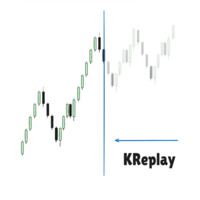
Candlestick Replay Tool - Professional Backtesting & Practice Assistant The Candlestick Replay Tool is a powerful indicator designed for MetaTrader 5 (MT5). It allows you to replay historical market data in an isolated simulation environment, making it the ideal choice for backtesting trading strategies, reviewing past market movements, and improving your trading intuition. The tool supports loading custom indicators and enables multi-timeframe synchronized replay by loading it onto multiple cha

The Ultimate Drawdown Recovery & Trade Protection EA for MT5 Watch tutorial video here: https://youtu.be/QqAbcznNWJA?si=8u7BwPE2OoLiCKTO Now with Smart Direction Logic + Equity Drawdown Protection, Your Trades Deserve a Second Chance. Give Them This Soldier. Struggling with floating losses or sudden drawdowns that threaten your account? The Ultimate Drawdown Recovery EA (UDR) is a powerful, intelligent MT5 Expert Advisor designed to automatically recover losing trades, protect your equity, an

Dashboard – Trading Panel for MetaTrader 5 Dashboard is an essential tool for traders who need a centralized view , efficient order control , and quick access to key market information , all displayed directly on the MetaTrader 5 chart. Features: Clear display of open positions Quick order management (open/close) Profit/loss tracking per trade Built-in trend indicators (moving averages, candles, etc.) Customizable panel for different trading styles Optimized interface for day trading, swing
FREE

SymbolChangerPro v1.00 - Quick Reference Guide What It Does SymbolChangerPro creates smart buttons on your charts to quickly switch symbols. It can change symbols on individual charts or groups of charts, shows buttons for your active trades, and lets you pin favorite symbols for easy access. Main Settings Where to Get Symbols Symbol Source - Choose Market Watch, All Symbols, Forex Only, Crypto, etc. (All Symbols are auto-loaded into the indicator.) Custom Symbol List - Type your own symbols (li

Graphical Interface for MT5 Works with Netting and Hedge Accounts; Transform your MT5 into a fully innovative and functional graphical interface. SHIFT/CTRL to place orders; Spacebar to activate the risk meter; P key to display the closing price, high, and low of the previous day; Trade management with stop-loss and take-profit by directly dragging the position line; Updates and improvements coming soon!
FREE

Are you tired of manually calculating lot sizes for your trades? The Target Lot Calculator is an MQL5 tool that instantly computes and displays the optimal lot size based on your desired profit/loss amount and the price range measured with a crosshair. This tool will make your trading more intuitive and efficient. Key Features Intuitive Operation : Simply move the crosshair to see the optimal lot size for the current price range in real-time. Dynamic Lot Calculation : The tool automatically cal
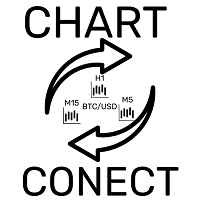
This EA does not execute any trading operations.
It is a visual utility tool designed solely for chart synchronization.
The “there are no trading operations” validation error is expected and intentional. CHARTCONNECT – Chart Synchronizer (Version 1.19) Synchronize all your charts to the same symbol with a single click.
What is CHARTCONNECT? ChartConnect is a lightweight and efficient tool developed to automatically synchronize the symbol (ticker) across all open charts in MetaTrade
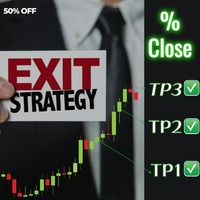
Introducing Exit strategy EA – Smart Trade Manager for MT5, designed to save you screen time and manage your open trades. Set your own TP levels. SL adjustments. Lot size percentages.
How It Works:
Set up to 2 Take Profits for each trade (TP1,TP2). I can add more TP levels
At each target hit:
1. Automatically close a customizable percentage of your position e.g 50% close on TP1
2. Instantly adjust your Stop Loss to a predefined level e.g Move stop loss to breakeven at TP1 hit.
Why Y
This EA does not perform trading operations. It's a auxiliary visual tool for graphics synchronization.
The “there are no trading operations” error in the validator is expected and intentional. CHARTCONNECT – Chart Synchronizer (Version 1.19) Connect all your charts to the same symbol with just one click.
What is CHARTCONNECT? ChartConnect is a lightweight and efficient tool designed to automatically synchronize the ticker symbol of all open charts in MetaTrader 5
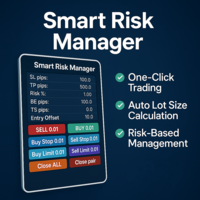
Smart Risk Manager – Master Your Trades with Precision and Confidence! Take full control of your manual trading with a sleek, powerful, and intuitive panel designed for traders who value speed, accuracy, and smart risk management. Smart Risk Manager lets you place trades or pending orders in seconds — all while automatically calculating the optimal lot size based on your predefined risk percentage. No more guesswork. Just clean execution. ــــــــــــــــــــــــــــــــــــــــــــــــــــــــ

MT5 to MT4 Two Way Copier: Skyrocket Your Trading Success with Seamless Precision!
Unlock the power of automated trade replication with This Copier, the ultimate Expert Advisor (EA) designed to revolutionize your trading experience on MetaTrader 4 and MetaTrader 5. Whether you are a seasoned trader, a hedge fund manager, or a prop firm guru, this robust, feature-packed tool ensures your trades are copied with lightning-fast accuracy across multiple accounts or platforms. Say goodbye to manual

Main Features Automatically closes open positions at a specified time. Symbol filter: close positions only for a selected instrument (or leave blank to affect all). Magic number filter: close only positions with the specified magic number (or all, if set to -1). Displays operational status and parameters directly on the chart . ...and many other interesting features
FREE
MetaTrader 마켓은 과거 데이터를 이용한 테스트 및 최적화를 위해 무료 데모 거래 로봇을 다운로드할 수 있는 유일한 스토어입니다.
어플리케이션의 개요와 다른 고객의 리뷰를 읽어보시고 터미널에 바로 다운로드하신 다음 구매 전 트레이딩 로봇을 테스트해보시기 바랍니다. 오직 MetaTrader 마켓에서만 무료로 애플리케이션을 테스트할 수 있습니다.
