 MetaTrader 5
 Experts
 지표
 라이브러리
 유틸리티
 위젯
 규칙
MetaTrader 5용 Expert Advisor 및 지표 - 44
 트레이딩 로봇과 지표를 사용하여 외환 거래를 더 수익성 있게 만들 수 있습니다. 트레이딩용 로봇을 사용하면 개점 및 폐점 거래를 자동화할 수 있으며, 지표는 시장 행동을 보다 정확하게 예측할 수 있습니다.
이 페이지에는 MetaTrader 5 응용 프로그램의 카탈로그가 나와 있습니다.

Risk Pilot MT5 — Fast Trade Execution and Risk Management Panel Take absolute control of your trading risk with Risk Pilot , the ultimate interactive assistant for manual traders on MetaTrader 5. Designed for precision and built for speed, Risk Pilot eliminates manual lot calculations so you can enter trades instantly before the market moves.
️ IMPORTANT NOTICE: This is a manual trading UTILITY TOOL, not an automated trading robot (EA). This tool WILL NOT auto-trade or execute trades based
FREE

Record your MetaTrader 5 trading to your SureInsight journal automatically, including the stop loss you actually set.
SureInsight Journal Sync is the official MetaTrader 5 companion for SureInsight. It watches your account and sends each closed trade to your journal, so your record is built from platform data rather than from memory.
Important
This is not a trading robot, signal provider, copy-trading service or automated strategy.
It does not open, close, modify or manage trades.
Its onl
FREE

This is a tool created for scalping. it can generate pending orders with 4 input: 1. Volume : Lot for the Pending Orders 2. Distance : Distance within the Orders in Points 3. Total Order : Total Generated Orders 4. Take Profit : TP for the generated Orders in Points 5. Stop Loss : SL for the generated Orders in Points It also have another tools which can monitor the floating and close at defined profit using Closed at Profit Input What's new: - Stop Loss in Pip
FREE

Overview Copy Trades Master is a high-performance local signal broadcaster for MetaTrader 5. It tracks active positions on your master account in real time and streams execution data directly to one or multiple SlaveCopier terminals running on the same PC or local network via ultra-fast local file IPC ( FILE_COMMON ). https://www.mql5.com/en/market/product/189485 Key Features Local Common-File IPC: Uses local file streaming ( MQL5\Files ) for near-zero latency execution without requiring externa
FREE

AI Smart Risk Trade Manager is a professional trade-management utility panel for MetaTrader 5. It does not open trades on its own signal - instead it gives you a one-click, risk-based way to enter the market and then automatically manages every open position (yours or from any other EA) with breakeven, trailing and partial-close logic. Key features: One-click BUY / SELL panel buttons that size the position automatically from your chosen risk percent of account balance Automatic Stop Loss and Tak
FREE

OrderBook Utilities is a script, which performs several service operations on order book hob-files, created by OrderBook Recorder . The script processes a file for work symbol of the current chart. The file date is selected by means of the input parameter CustomDate (if it's filled in) or by the point where the script is dropped on the chart. Depending from the operation, useful information is written into the log, and optionally new file is created. The operation is selected by the input parame
FREE

TradeBridge EA — Automated Trade Execution for the MyFXRoom Community Important: TradeBridge EA is part of a 2-stage system built specifically for the MyFXRoom trading community. It will not function as a standalone EA. It works in conjunction with the MyFXRoom Bridge application to receive and execute trade alerts automatically. For information on accessing the Bridge, please visit the author's MQL5 profile. Overview TradeBridge EA is a professional automated execution layer for MetaTrader 5.
FREE

TRADE PANEL MASTER — Know Your Risk Before You Click
Open your chart. See your panel. Trade with confidence.
Before you click Buy or Sell, Trade Panel Master shows you exactly what you risk, what you gain, and your R:R ratio — in real time. No mental math. No surprises.
FEATURES
- Lot sizing with real-time margin display - SL & TP in 3 modes: Points / Money / Price - Au
FREE

Symbol Spec Auditor는 심볼의 계약 사양 중 포지션 크기와 거래 비용을 결정하는 부분을 차트 위 하나의 패널에 모아 보여줍니다: 포인트 가치, 스프레드 비용, 증거금, 스왑, 실행 규칙, 거래 세션. 원시 사양 값은 계좌 통화 기준 1.00 랏당 금액으로 환산되며, 랏 크기 계산 코드를 소리 없이 망가뜨리는 브로커 설정은 경고로 나열됩니다. 버튼 하나로 시장 감시의 모든 심볼에 대해 같은 점검 결과를 CSV 파일로 내보냅니다. 이 프로그램은 점검 도구입니다. 주문을 내지 않고, DLL과 WebRequest를 사용하지 않으며, 사용자가 요청한 CSV 내보내기 외에는 어떤 파일도 쓰지 않습니다. 만든 이유: 한 브로커에서 잘 동작하던 코드가 다음 브로커에서는 아무도 확인하지 않은 사양 세부 사항 때문에 오작동하는 일이 흔합니다. 계약 크기가 100온스가 아닌 1온스인 금, 잔고와 틱 가치가 센트 단위인 센트 계좌, 가까운 손절(스탑로스)을 거부하는 스탑 레벨, 포인트와 다
FREE

Mobile-EA is an Android-first trading companion for MetaTrader 5 , bringing market tools and connected account management together on your phone. This product is the companion MT5 Expert Advisor that links your terminal to the Mobile-EA Android app. The mobile app is available for Android; iPhone/iOS is not currently supported. The Android app is now available on Google Play , and new users receive a free 14-day Ultimate trial starting at registration . Watch the app introduction here: https://y
FREE

Sign@l12 Trade Manager: protect your manual trades without watching every tick.
Sign@l12 Trade Manager is a small Expert Advisor that looks after the trades you open yourself. It does four jobs: - it adds a stop loss and / or take profit when a trade has none - it moves the stop loss to break even once the trade is far enough in profit - it shows all your open trades on a clean dashboard, with SL, TP and profit or loss - it logs every trade to a CSV file when it closes, so you can review your
FREE

Algorithm Update: Grid Assistant (Version v3.1) 1. Description of the Fixed Issue (Bug Fix): In previous versions, the grid level auto-recovery module ( CheckAndRestoreKnees ) scanned trade history using a fixed lookback window (the last 3 days). When a grid cycle fully closed and profit was taken, the memory cleanup mechanism wiped the stored position IDs as intended. However, upon starting a new grid cycle, the assistant queried historical deals from the past 72 hours, pulled closed profitable
FREE

Close All 1 Sec. for MT5 Close All 1 Sec. is a professional trade management Expert Advisor for MetaTrader 5 designed to help traders manage positions quickly and efficiently. The EA provides real-time visualization of important trading levels, including Break-Even and Margin Call estimates, directly on the chart. It also features a powerful Close All button that allows traders to instantly close open positions and remove pending orders with a single click. Whether you are a scalper, day trader
FREE

Netting Strategy: Implements a netting strategy for managing multiple positions, optimizing trade efficiency. Flexible Order Distances: Allows users to customize order distances in pips, providing adaptability to various market conditions. Dynamic Take Profit Method: Utilizes a dynamic take profit mechanism, adjusting profit targets based on evolving market dynamics. Adaptive Take Profit Ratio: Users can customize take profit ratios in accordance with the lot size, allowing for precise profit o
FREE

IndiSig by Buffer
Detect Signals from a Custom Indicator by Buffer & Send notifications to Telegram Channel or Open orders
* Buy/Sell Buffer: You may get this info on MT4/5 Data Window (CTRL + D)
* MT5 version: Add the indicator first, then the EA
* MT4 version: Only works properly with default settings of the indicator Join https://t.me/fxassistant_vn for more useful EAs!
FREE

Project Overview Totz Visual Risk Calculator EA is an interactive, on-chart Risk Management panel for MetaTrader 5 (MT5). It replaces manual position size calculations by automatically computing appropriate lot sizes based on visual, draggable Entry, Stop Loss (SL), and Take Profit (TP) lines. Key Features Automated Risk Calculation: Lot sizing automatically adjusts to target a specific percentage of account balance or equity. Interactive Visual Lines: Drag-and-drop horizontal lines directly
FREE

SwingStrength Pro – Swing High & Low Strength Scoring for MT5 Not every swing high or low is equal. Some are formed by a sharp rejection on heavy volume and hold for weeks; others are minor pauses that break at the first retest. SwingStrength Pro finds every swing high and swing low that price has not yet closed through, scores each one from 0 to 100, and shows you the strongest resistance and support directly on your chart. How it works Finds swings. The indicator scans the chosen timeframe for
FREE

ChronoBar is a free, lightweight chart companion for every trader.
- Candle-close countdown, shown both in the corner and on a label riding the price line, so you always know how long the current bar has left. - Live spread in points, always visible. - Session boxes for Tokyo, London and New York (hours configurable per session) over the last several days. Each box is bounded by that session's own high and low, and the live session's box grows in real time.
It uses simple chart objects - no in
FREE

This indicator, "Phoenix Volume Amazing", is a sophisticated Volume Delta and Order Flow Dashboard. Unlike standard volume indicators that only show total activity, this tool dissects the internal "tug-of-war" between buyers and sellers in real-time. Core Functionality The indicator calculates Delta (the difference between buying volume and selling volume) to provide a "under the hood" look at market sentiment. It uses a custom-built GUI (Graphical User Interface) panel to display these metrics
FREE

APEXSYNC TRADE COPIER PRO - THE INSTITUTIONAL-GRADE COPYING REVOLUTION ULTRA-LOW LATENCY | SMART RISK INTELLIGENCE | PROP-FIRM SAFE Tired of slow, basic copiers that risk your capital? Meet ApexSync Pro - the next-generation trade copier engineered to DOMINATE the MT4/MT5 ecosystem with institutional-grade performance, AI-driven risk management, and prop-firm certified safety protocols. WHY APEXSYNC PRO BEATS EVERYTHING ELSE Feature Old Copiers APEXSYNC PRO Speed 500ms+ (slow) <200ms (blazing
FREE

Chart Pro Classic Dark v1.00 Chart Pro Classic Dark is a professional MT5 chart styling and customization tool designed to give your charts a clean, modern, and professional dark appearance. Key Features Dark Black Background — Applies a clean black background to the chart. ️ Candlestick Chart — Automatically configures the chart to use candlesticks. Bullish Candles — Green/Lime bullish candles. Bearish Candles — White bearish candles. Grid Removal — Hides the chart grid for a clean
FREE

The Phoenix Magic Levels indicator is a professional-grade institutional analysis suite for MetaTrader 5, specifically designed for high-precision Gold (XAUUSD) scalping. It transforms standard charts into a tactical dashboard by identifying institutional order flow, liquidity pools, and market inefficiencies. Core Functionality & Features Institutional Liquidity Detection: Automatically scans for "High-Ratio Wicks" and Fair Value Gaps (FVG) across multiple timeframes to reveal where "Big Mone
FREE

Setting a chart up exactly the way you like it takes a few minutes. Doing it twenty times takes an afternoon. Chart Cloner opens exact copies of the chart you drop it on. Symbol, timeframe, colours, scale and chart mode always carry across, because that is what makes a copy a copy. You decide whether the attached Expert Advisor, the indicators and the drawn objects come with them. Point it at your Market Watch instead of a copy count and it opens one chart per symbol, every pair wearing the same
FREE

Precision Pro Trading Assist - Ultimate MT5 Execution Tool Elevate your trading with the Precision Pro Trading Assist, a high-end MetaTrader 5 Expert Advisor designed for professional traders who demand speed, discipline, and flawless risk management. This all-in-one execution panel streamlines your workflow, allowing you to focus on the charts w hile the EA handles the math and protection. Key Features Advanced One-Click Execution Execute trades instantly w ith pre-calculated Risk, Stop Loss,
FREE

Trend Quality Filter Market Structure Overview Trend Quality Filter Market Structure visualizes the currently identified market condition directly below the chart. Each evaluated candle is assigned to one of four phases according to a fixed market-structure logic. This provides traders with a clear additional classification of previous price behavior without generating buy or sell signals. What This Indicator Does The indicator analyzes the existing price structure and displays the resulti
FREE

Overview Custom Logic for Trading MT5 Mini is the free version that designed to execute trades based on custom indicator signals, with robust position management features with break-even settings. This script allows traders to implement their strategies with high precision and flexibility, enhancing their trading efficiency and profitability. Input Parameters Indicator Settings indicator_name : Name of the custom indicator to be used for generating signals. buy_signal : Signal value indicating a
FREE
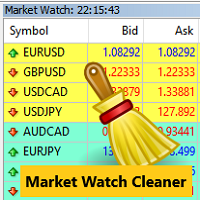
Clean up Market Watch from unused symbols.
If you use multiple advisors and terminals on the same account your Market Watch windows may get filled with unused symbols from orders and positions opened on other terminals. Every symbol in the Market Watch consumes cpu power and bandwidth to get constantly updated and if you are on a vps you want to minimize resources consumption. Market Watch Cleaner helps you with that by periodically cleaning your Market Watch window from unused symbols.
Param
FREE

MNFM Trade Splitter MT5 lets you review one trade plan and place three pending orders with separate take-profit levels. All three orders share the same entry price and stop loss. Choose Buy Stop, Sell Stop, Buy Limit or Sell Limit. Set the stop loss and take profits as prices or distances in broker points.
Enter the total lot size and review the volume and take-profit price for each order. Volume is allocated according to the broker’s minimum volume and volume step. The default Magic Number is
FREE

MNFM Closure lets you review and close existing positions or cancel pending orders from one chart panel. It executes only after you confirm a preview.
Getting started 1. Attach the utility to a chart. Enable automated trading and allow trading for this utility if you want it to execute confirmed closures. 2. Choose a closure action. Review the tickets, direction, lots and estimated net. Use Include to adjust the selection where available. 3. Confirm the displayed plan or cancel. After execution
FREE

KF Account Protector — Automated Daily & Total Drawdown Safeguard for MT5
Never breach a prop-firm evaluation again. KF Account Protector is an automated risk safeguard utility for MetaTrader 5 designed specifically for funded traders (FTMO, FundedNext, MFFU, The Funded Trader, and similar evaluation firms) as well as live account traders seeking disciplined risk defense.
It monitors your daily and overall maximum drawdown in real-time based on your prop-firm's specific daily reset timezone.
FREE

Account and Trading Dashboard Indicator
The **Account and Trading Dashboard** is a custom MetaTrader 5 (MT5) indicator designed to provide traders with a comprehensive, real-time overview of their account metrics, trading statistics, and technical indicators directly on the chart. It displays essential financial and performance data in a draggable, minimizable, and closable panel, enhancing usability without cluttering the workspace. The indicator supports optional features like ADX and RSI for
FREE

Having more expert advisors running on the same account , eventually leads us to the question , which one of them are winners , or which are dragging down the account ? With this in mind I created this simple utility for displaying profits or losses taken by each expert advisor over time . This utility can be run as an expert advisor and can display up to 9 magic number results . If the inputs are left to zero , the results displayed are from the manually placed orders . It also displays deposi
FREE

MarginRiskVision answers one question without leaving the chart: if I commit x% of my money to this symbol, how many lots is that, how much margin does it lock, and what is left afterwards. The board lives in its own chart subwindow, under the price, and refreshes once per second. It never trades, never opens or modifies orders, and never touches your positions. It only reads account and symbol properties. WHAT THE BOARD SHOWS ACCOUNT block - account number, server, leverage - balance, free mar
FREE

Flipper Cpi News is a specialized Expert Advisor that trades only one event: the US CPI release on Gold (XAUUSD) .
CPI is one of the most volatile moments of the month for gold. Instead of guessing the direction before the news, the EA waits for the release, analyzes the market reaction in real time, and then decides where to place its order.
ONE TRADE PER RELEASE - No grid, no martingale, no hedging - One position per CPI release, with stop loss on every trade - Adaptive logic: different mar
FREE

Backstop enforces the two rules that end funded accounts. A daily loss limit and a maximum loss limit, applied to everything on the account — every Expert Advisor, every symbol, and every trade you place by hand. Attach it to any one chart and it governs the whole terminal. It does not trade. It has no strategy, no signals and no opinion about the market. It is a governor. What it does Daily loss limit — measured from balance at the reset, equity at the reset, or a fixed account size. Firms diff
FREE

This utility allows creating any amount of grid orders just by clicking with the mouse.
Instructions:
Trading mode
Deleting mode
Press ctrl and click with mouse to start drawing a grid While drawing, press shift to cancel Release buttons to send orders
Press shift and click with mouse to draw a removal line
Release buttons to confirm removal: EA deletes every pending order that the line touches
Inputs: - 3 options to calculate the grid sizing: Fixed points distance between grid level
FREE

Aurora Equinox Utilities is a specialized management tool designed for the MetaTrader 5 (MT5) platform, specifically optimized for XAUUSD (Gold) trading. Unlike a standard trading bot that enters positions, this Expert Advisor (EA) acts as a dynamic risk management assistant, focusing on capital protection and profit maximization through an automated Trailing Stop strategy. Key Features Automated Trailing Stop: Once a trade reaches a specific profit threshold (Trailing Start), the bot automatica
FREE

BS Trade Panel: Revolutionize Your Trading Approach Introducing the BS Trade Panel , the ultimate solution for traders seeking efficiency, speed, and accuracy in their market operations. Crafted with cutting-edge technology, our panel is designed to simplify your trading, making it more intuitive, swift, and effective. Innovative Features: Quick Orders with Shortcut Keys: Execute market orders or pending orders swiftly using configurable shortcut keys. Perfect for traders who need speed when ent
FREE

Copy your trades from one MT5 account to others on the same computer or VPS, for free. Attach Clearstop Local Copier in Sender mode on the account you trade, and in Receiver mode on each account that should copy it, with the same channel name. No DLL, no internet, no external program: the terminals exchange a small file in the MT5 common data folder. What is copied Market buy and sell trades, within a fraction of a second Stop loss / take profit and every change you make to them Partial and full
FREE

QuickClose is a small panel that closes positions in one click when every second counts. ACTIONS Close all positions Close winners only (positions in profit, including swap) Close losers only Close buys / close sells Delete pending orders SCOPE This chart's symbol or all symbols: switch with the Scope button Optional magic number filter (-1 = all, 0 = manual trades only) HOTKEYS (Shift + key) C close all, P winners, L losers, B buys, S sells, D delete pending orders. Hotkeys can be switched off
FREE

Trading Panel is an on-chart control panel for MetaTrader 5. You attach it to a chart and get a compact dark-themed window for placing market orders and closing groups of trades in one click. Features Instant Buy and Sell: Two large buttons show the live Ask and Bid prices and place a market order immediately. Order size control: It starts at your broker’s minimum lot automatically, or you can set your own size. Whatever you type is corrected to fit the broker’s minimum, maximum and step, so ord
FREE

Funded Account Guardian protects prop firm challenge and funded accounts from breaking the daily loss and maximum loss rules. It does not open trades. Attach it to one chart and it watches the equity of the whole account on every tick and once per second. What it does Daily loss : when equity reaches the daily floor, it closes all positions and pending orders and blocks trading until the next day. The floor can be measured from the initial balance or from the balance at the start of the day. Max
FREE

PERSONAL PORTFOLIO OMS: The EA that refuses to trade, but will babysit your reckless gambling! "You didn't blow your account because of the broker. You blew it because your fingers have zero discipline." Tired of 99.9% win-rate AI bots that promise a Ferrari but deliver a margin call in 48 hours?
Welcome to Personal Portfolio OMS — an Expert Advisor that proudly features 0% Artificial Intelligence, generates ZERO trade signals, and will never open a trade for you. Wait, what? Then why buy i
FREE

Tired of manually closing dozens of charts or managing multiple positions one by one?
With Close All Pro, you can clear your workspace in a flash—saving time, reducing clutter, and streamlining your trading workflow. Love it? Hate it? Let me know in a review! Feature requests and ideas for new tools are highly appreciated. :) Try "The AUDCAD Trader":
https://www.mql5.com/en/market/product/151841 ️ ALWAYS TEST THIS EA ON A DEMO ACCOUNT BEFORE USING IT LIVE! Description: Close All Pro is desi
FREE

PropGuard Lot Size and Daily Loss Panel is the free version of PropGuard Trade Manager. It is a manual-trading panel with risk-based lot sizing and a daily loss lock, for traders working under evaluation or funded-account rules. PropGuard only places an order when you click a button or press a hotkey. It does not generate trading signals. Ready in three clicks On first start, a short setup asks for your account type, account size and daily reset time, then configures the panel. Order panel Risk
FREE

How to Read GoldenLock GoldenLock is designed to make the current account-risk state easy to understand from one dashboard. The dashboard allows you to monitor important account information such as:
Current Equity Today P/L Daily Drawdown Maximum Drawdown Peak Equity Equity Giveback Current Protection Status
The Warning, Critical and Locked states make it easier to see how close the account is to the limits you have configured. GoldenLock monitors the risk. Your trading strategy remains separat
FREE

Trend Regime Line Version 1.1 · algoteknik What This Indicator Is Trend Regime Line reads the trend through a triad: three Larry Williams tools that each answer their own question, and one line on the price chart that is coloured only when the answers fit together. Williams %R says which side price is thrusting to, the Ultimate Oscillator whether momentum confirms that side, and Williams Accumulation/Distribution whether buying or selling pressure still backs it. Green means the triad agrees on
FREE

This expert advisor can enter and exit trades at specific times and on specific weekdays, expressed in GMT Time. It offers weekday selection, trade management settings, a martingale function and money management features. [ Installation Guide | Update Guide | Troubleshooting | FAQ | All Products | Get Help ] Easy to use and supervise Fully configurable entry and exit times (up to 5 trades)
Enable or disable trading weekdays in inputs
Customizable break-even, stop-loss, take-profit and traili
FREE

Emergency Close All is a one-click panic exit utility for MetaTrader 5 — designed for traders who need to exit the market instantly during volatile events, news shocks, or unexpected price moves. Drop it on any chart alongside your existing EA or manual strategy. It runs independently and never interferes with other scripts or advisors. Features: Big Panic Button — A large, high-visibility close button directly on the chart. One click (or two with confirmation enabled) closes all matchi
FREE

"Clean Pending Orders"
현재 심볼의 모든 대기 주문을 몇 초 만에 삭제하세요! 이 간단하지만 효과적인 스크립트는 속도와 편리함을 중시하는 트레이더를 위해 설계되었습니다. 실행만 하면 현재 심볼의 모든 매수 및 매도 대기 주문을 즉시 삭제합니다. 장점: 즉시 삭제: 모든 주문이 몇 초 안에 삭제됩니다. 현재 심볼에만 집중: 다른 심볼에는 영향을 미치지 않습니다. 사용 용이: 한 번의 클릭으로 터미널 정리 완료. 로그 기록: 삭제된 항목을 보여주고 오류를 알립니다. 사용 방법: 현재 심볼에 대기 주문이 있는지 확인하세요. MetaTrader 5에서 스크립트를 실행하세요. 모든 대기 주문이 자동으로 삭제됩니다. 누구를 위한 스크립트인가요? 여러 심볼을 관리하며 대기 주문을 신속히 삭제해야 하는 트레이더. 간단한 자동화 도구를 찾는 모든 사용자. 새 거래 세션을 시작하기 전에 터미널을 정리하려는 사용자. 지금 무료로 다운로드하고 거래를 간소화하세요! 다른 도구: C
FREE

Tranad Margin Lot Calculator Tranad Margin Lot Calculator is a MetaTrader 5 utility designed to calculate trading lot sizes based on a selected percentage of account funds and the margin requirements of your broker. The calculator displays the results directly on a compact, movable chart panel. Explore More Premium Trading Tools by TRANAD LABS Discover our complete collection of professional Expert Advisors, trading indicators, and MetaTrader 5 utilities. Explore advanced trading solutions desig
FREE

Arixis Trade Replay — Reconstruct and Understand Your Historical Campaigns
Arixis Trade Replay transforms historical MetaTrader 5 trading activity into an interactive visual reconstruction directly on the chart. Instead of examining hundreds of isolated deals in the account history, the application reconstructs observable trading campaigns and allows the trader to review the sequence in which positions were opened, expanded and eventually closed. During replay, entry and exit events can be disp
FREE

[b]Trader Toolbox[/b] puts five everyday trading utilities into one tidy on-chart panel. Pick a single tool from the dropdown, or show all five at once. The panel is movable, resizable, minimizable, and draws cleanly over any chart.
[b]Important:[/b] Only the Equity Guard tool can act on the market, and only to [b]close[/b] positions within a scope you choose. The other four tools are read-only - they never open or modify trades. Always test on a demo account first.
[h2]What's inside[/h2] [li
FREE

Latency and connection stability are truly the "lifeblood" of a trader, especially if you do scalping or news trading, where a difference of just a few milliseconds (ms) can determine whether your order experiences slippage or not. Let's break it down step by step so everything is clear, starting from the connection path to how we can implement this dashboard idea in MQL5. 1. Connection Path: What Does the Number in the Bottom-Right Corner Actually Mean? When you see the traffic bars and latenc
FREE

Clean Trade Pro Most trade managers bury you in tabs, toggles and forty inputs you will never touch. Clean Trade Pro does the opposite. Drop it on any chart, drag three lines, and trade. Your setup is ready in under a minute. Clean Trade Pro is a focused, visual trade panel for discretionary traders who want speed and clarity , not a Swiss-army knife. Every position is built the same way: drag your Entry , Stop Loss and Take Profit lines on the chart, watch the lot size and risk calculate in rea
FREE

RiskLock MT5 — Professional Drawdown Protection & Emergency Account Lock System RiskLock MT5 is a professional risk management utility designed to protect trading accounts from excessive drawdown and catastrophic loss events.
Main Features Drawdown Percentage Protection
Fixed Monetary Loss Protection
Emergency Account Lockdown
Automatic Position Liquidation
Pending Order Deletion
Optional Close-All-Charts Protection
Real-Time Color Dashboard
Emergency Global Variable Lock
Mult
FREE

Drawdown Guard is a free MetaTrader 5 dashboard that tracks your daily and weekly equity drawdown against your own limits — and warns you before you breach them. Works alongside any trading style, manual or automated, and any strategy: it doesn't care how you trade, only how much you've lost so far.
What it does: - Daily loss limit tracking — set a % of balance or a fixed $ amount; the dashboard shows your current day's P&L against it in real time. - Weekly loss limit tracking — same idea, tra
FREE
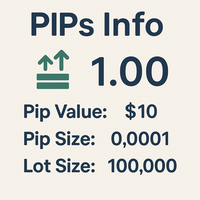
MultiPip Range Label v2 — Lightweight Daily/Weekly/Monthly Pip Stats
MultiPip_RangeLabel_v2 is a zero-plot, ultra-light indicator that prints a compact, draggable text panel with objective range statistics—perfect for order-flow and breakout traders who need quick context without clutter.
No backgrounds, no heavy drawing—just crisp labels you can park anywhere on the chart. The header is draggable; all lines move together.
What it shows
Today – current day’s range (high–low) in pips
Last D
FREE

Trader Toolkit Panel An all-in-one manual trading panel that helps you size, place, and manage your trades from a single window. It does not trade automatically and gives no buy/sell signals — you stay in full control. Think of it as a control panel for disciplined, manual trading. What it does Position Calculator — Enter your risk percentage and stop distance, and the panel instantly shows the correct lot size, your risk in account currency, and your reward-to-risk ratio. No more manual math or
FREE

Simple Trade Terminal Simple Trade Terminal is a compact and performance-optimized on-chart panel for MetaTrader 5. It solves two of the biggest friction points in manual trading: time-consuming lot size calculations and inaccurate placement of Stop-Loss and Take-Profit levels. Instead of typing numbers into standard order masks, you plan your trade visually directly on the chart. The panel automatically calculates your exact position size based on your predefined risk and executes the order. Th
FREE

Most traders lose not because of bad strategy — but because they never review their trades. Aurex Trade Journal fixes that automatically. Drop this EA on any chart and it silently logs every closed trade to a structured CSV file. Open it in Excel or Google Sheets and your edge becomes visible within minutes. What it logs Entry & exit price, direction, lot size Stop loss & take profit levels Trade duration (minutes) Profit in $ and % of account balance R:R ratio (calculated automatically) Win / l
FREE

Wave123 BOS Indicator (XAUUSD M15 Optimized) Wave123 BOS Indicator is a modern, chart-based Break of Structure (BOS) + Breakout (BO) visualization tool built for traders who want clear market structure signals directly on the chart — with a strong focus on XAUUSD (Gold) on the M15 timeframe . Gold moves fast and often breaks structure with sharp impulses and quick retraces. This indicator is designed to highlight those moments clearly, so you can trade with better direction, timing, and confiden
FREE

Position Limiter EA: Control Your Risk, Maximize Your Strategy Are you tired of manually managing your trades across multiple symbols? Do you want to ensure you never exceed your risk limits? Introducing the Position Limiter EA for MetaTrader 5! This powerful Expert Advisor automatically monitors all your open positions and pending orders for each symbol on your account. You set the maximum number of trades allowed per symbol, and the EA takes care of the rest. If the number of trades exceeds yo
FREE

OrderFlow WMA v2.0 – Flow-Weighted Trend Indicator OrderFlow WMA v2.0 is a next-generation flow-weighted moving average designed to go beyond traditional EMA/WMA logic by integrating volume pressure, candle intent, and momentum acceleration into a single adaptive trend line. Unlike standard moving averages that treat every candle equally, OrderFlow WMA dynamically adjusts its weighting using: Tick-volume normalization Candle body dominance (directional intent) Momentum slope and acceleration Thi
FREE

Click SLTP Manager MT5 is a simple and practical trade management utility designed to help manual traders set Stop Loss and Take Profit levels directly from the chart. Instead of opening the order modification window and manually typing SL and TP prices, traders can manage their existing positions or pending orders with a clean visual panel and a click-based workflow. The tool is made for traders who want faster, clearer, and more convenient order protection management in MetaTrader 5 . Main Fu
FREE

Bonus when buying an indicator or an advisor from my list. Write to me in private messages to receive a bonus. Manual Assistant MT5 is a professional manual trading tool that will make your trading fast and comfortable. It is equipped with all the necessary functions that will allow you to open, maintain and close orders and positions with one click. It has a simple and intuitive interface and is suitable for both professionals and beginners.
The panel allows you to place buy and sell orders w
FREE

One of the simplest Pivot Point indicator, easy to operate, and most complete for a single chart in determining Resistance and Support level lines.
In single chart, it will show R&S Level Line with 5 popular types of Pivot Point, Highest&Lowest of closing price Include the Trend and up to 3 Time Frames.
Five types (Floor, Woodie, Camarilla, DeMark, & Fibonacci) of popular Pivot Points in determining Resistance and Support levels. With just using simple button on the
FREE

If you are Looking Best indicators in Mql5 Market. Check these out!
SSS Scalping Smart Signals MT5 Indicator
Scalping Winning Signals Pro SWS
LTL Long Trend Locator The Ultimate Rule Protection Dashboard for FundingPips Traders Never Fail Another FundingPips Challenge Because of Rule Violations Most traders don't lose FundingPips challenges because they can't trade. They fail because they accidentally violate one of the firm's rules. A single mistake...
One oversized loss...
One overlooked d
FREE

Salah Guard Prayer times, Hijri calendar, and optional trade protection for Muslim traders — calculated entirely inside MetaTrader 5. Salah Guard is a MetaTrader 5 utility designed for Muslim traders. It combines daily prayer time calculation, an integrated Hijri calendar, and an optional Trade Guard system that helps you manage your trading activity around prayer times. Trading can be demanding, and it is easy to lose track of time when watching the markets. Salah Guard provides timely reminder
FREE

Az Speedometer measures price impulse quality — not just candle size, but whether that move is backed by real momentum, volume, and direction. A single glance tells you if the current bar is a meaningful push or just noise. "A green bar alone means nothing. Az Speedometer shows you green bars with high volume, a clean candle body, and three consecutive bullish closes — that's a signal worth taking." How it works: Speed ratio : Candle range vs ATR — how fast is price moving relative to its av
FREE
MetaTrader 마켓은 MetaTrader 플랫폼용 애플리케이션을 구입할 수 있는 편리하고 안전한 환경을 제공합니다. Strategy Tester의 테스트를 위해 터미널에서 Expert Advisor 및 인디케이터의 무료 데모 버전을 다운로드하십시오.
MQL5.community 결제 시스템을 이용해 성능을 모니터링하고 원하는 제품에 대해 결제할 수 있도록 다양한 모드로 애플리케이션을 테스트할 수 있습니다.
