 MetaTrader 5
 Experts
 지표
지표
 라이브러리
라이브러리
 유틸리티
유틸리티
 위젯
위젯
 규칙
규칙
MetaTrader 5용 Expert Advisor 및 지표 - 118
 트레이딩 로봇과 지표를 사용하여 외환 거래를 더 수익성 있게 만들 수 있습니다. 트레이딩용 로봇을 사용하면 개점 및 폐점 거래를 자동화할 수 있으며, 지표는 시장 행동을 보다 정확하게 예측할 수 있습니다.
이 페이지에는 MetaTrader 5 응용 프로그램의 카탈로그가 나와 있습니다.
트레이딩 로봇과 지표를 사용하여 외환 거래를 더 수익성 있게 만들 수 있습니다. 트레이딩용 로봇을 사용하면 개점 및 폐점 거래를 자동화할 수 있으며, 지표는 시장 행동을 보다 정확하게 예측할 수 있습니다.
이 페이지에는 MetaTrader 5 응용 프로그램의 카탈로그가 나와 있습니다. 
QuantumAlert Stoch Navigator is a free indicator available for MT4/MT5 platforms, its work is to provide "alerts" when the market is inside "overbought and oversold" regions in the form of "buy or sell" signals. This indicator comes with many customization options mentioned in the parameter section below, user can customise these parameters as needful. Join our MQL5 group , where we share important news and updates. You are also welcome to join our private channel as well, contact me for the p
FREE

Master Grid MT5 is a multifunctional grid Expert Advisor designed to fully or partially automate various ideas related to grid trading (on a hedging account ). The Expert Advisor can trade on any timeframe, on any currency pair, on several currency pairs, on any number of signs. It does not interfere with manual trading, trading of other Expert Advisors, or the operation of any indicators.
It allows you to adjust your settings on the fly, works only with your own positions and orders, and fo

SMC Hybrid Pro Gold EA Advanced Smart Money Concepts Trading Robot for MetaTrader 5 SMC Hybrid Pro Gold EA is a professional Expert Advisor designed for traders who want automated execution based on Smart Money Concepts (SMC), liquidity sweeps, market structure shifts, and institutional trading logic. The EA is optimized primarily for: XAUUSD (Gold) BTCUSD ETHUSD It combines volatility analysis, ATR-based dynamic stop placement, CHOCH confirmation, and automated risk management to identify high-

RSI Multi-Timeframe Dashboard shows the RSI of four timeframes at the same time, directly on your chart, so you can read momentum across the whole market at a glance instead of switching charts one by one. By default it displays the M15, H1, H4 and D1 timeframes, and every setting is configurable. Each timeframe is color coded so the current condition is easy to see, with red for overbought, green for oversold and grey for neutral. Alerts are based on the closed bar, which keeps them stable so t
FREE

Are you tired of erasing the objects on chart and then having to put them back in? What if you had a tool that would allow you to hide and show all objects any time? Cool, huh? That is why I developed this tool as an indicator. With it you hide all objects using a shortcut button on chart or the keyboard (customizable). If you have any suggestions or find a bug, please, contact us. Enjoy!
FREE

This indicator marks the 50% mark of each candle. It will help you make profitable scalping trades. If the next candle opens above the 50% mark of the previous candle, you should open a BUY position, and if the next candle opens below the 50% mark of the previous candle, you should open a SELL position. This strategy is very profitable. To make the most of it, keep an eye on the candle contexts on the left. Good luck!
FREE

RSI Triple Timeframe Analysis V1.0 - Professional Multi-Timeframe RSI Trading Bot Automated Trading System | 3+ Years Proven Performance | 29 Currency Pairs Supported
RSI Triple Timeframe Analysis V1.0 is a sophisticated multi-timeframe RSI-based trading EA designed for forex professionals. Analyzes 3 timeframes (1M, 1H, 4H) with mirrored buy/sell conditions for symmetrical market entries. Features intelligent position management, trading hour filters, and optimized for majors & e
FREE
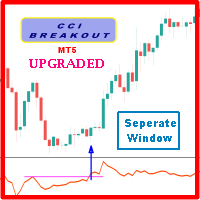
Probability emerges to record higher prices when Commodity Channel Index breaks out oscillator historical resistance level when exhibit overbought values. Since, oscillator breakout of support and resistance have similar effect as price breaks support and resistance levels, therefore, its highly advised to confirm price breakout with oscillator breakout; certainly, will have the same output in short trades. Concept is based on find swing levels which based on number of bars by each side of peak
FREE
Maximum Minimum Candle indicator is a basic indicator (but useful) that shows the highest and lowest candle in a period of time .
The indicator shows the maximum candle and the minimum candle for a defined period of time. You can choose the number of candles that make up the period The indicator will show with color points the maximum and minimum values. A message tells you when the price reaches the maximum or minimum.
Parameters number_of_candles: It is the number of candles that will be c
FREE

Gamma Edge Pro MT5 — GexBot Classic API Integration Gamma Edge Pro brings institutional-grade Gamma Exposure (GEX) data directly onto your MetaTrader 5 chart — the same data used by professional options traders to anticipate price magnets, hedging flows, and dealer positioning. Powered by the GexBot Classic API, this indicator automatically maps options market data from US-listed instruments onto any MT5 CFD instrument — Forex pairs, Gold, indices, and more — with intelligent price conversion bu

DiDi + QQE – Clean Momentum Filter
What You See on Chart Gray line → Media (zero reference – normally at 0) Dodger Blue → Curta (fast 3-period offset) OrangeRed → Longa (slow 20-period offset) Lime dotted → QQE bullish zone (QQE > 0) Orange dotted → QQE bearish zone (QQE ≤ 0) Core Idea
Didi Index shows momentum bursts when fast line (Curta) rapidly diverges from the medium MA and crosses the slow one → classic “Agulhada / Needle”.
QQE trailing line (smoothed + ATR bands) acts as dynamic tre
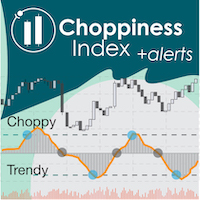
"Wouldn't we all love to reliably know when a stock is starting to trend, and when it is in flat territory? An indicator that would somehow tell you to ignore the head fakes and shakeouts, and focus only on the move that counts?" The Choppiness Index is a non-directional indicator designed to determine if the market is choppy (trading sideways) or not choppy (trading within a trend in either direction). It is an oscillating indicator between -50 (very trendy) and +50 (very choppy). There are man

Overview Sessions Duck is a highly optimised, resource-efficient MetaTrader 5 indicator designed to automatically visualise the core global trading sessions (Asian, London, and New York) and display live, synchronised timezone data directly on your chart. Built specifically for performance, zero lag, and clean chart aesthetics, Sessions Duck provides day traders, scalpers, and session breakout traders with immediate market liquidity context without compromising terminal responsiveness—even when
FREE

Malaysian SnR Enhanced – Multi-Timeframe Support & Resistance Indicator Are you tired of guessing where the key support and resistance levels are on your chart? Say hello to Malaysian SnR Enhanced, the ultimate multi-timeframe Support & Resistance indicator designed for serious traders who want a clear, top-down view of critical price levels across W1, D1, H4, H1, M30, and M15 timeframes.
What is Malaysian SnR Enhanced? Malaysian SnR Enhanced is a powerful, fully customizable technical analysi
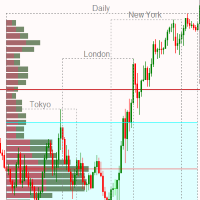
Market Session and Volume Profile Indicator A Professional Trading Tool for Advanced Market Analysis This sophisticated indicator combines Market Session Analysis with Volume Profile Technology to provide traders with critical market structure insights. Volume Profile is one of the most powerful analytical tools used by institutional traders and market makers to identify key price levels where significant trading activity occurs. Key Features: Volume Profile Analysis: POC (Point of Control) - I

제품 설명서 CM Ultimate MA MTF V2 는 메타트레이더 5 환경에서 단기 및 장기 이동평균선을 결합하여 시장의 핵심 추세를 추적하는 다중 타임프레임(MTF) 추세 필터 지표입니다. 가격의 변화율과 방향성을 실시간으로 계산하여 각 라인의 색상이 자동으로 변환되므로, 추세의 강도와 전환 시점을 직관적이고 직관적으로 포착할 수 있습니다. 핵심 기능 및 기술적 장점 정밀한 4버퍼 시스템 구조: 총 4개의 내부 인디케이터 버퍼(데이터 버퍼 2개, 컬러 인덱스 버퍼 2개)가 1:1로 정밀 매칭되어 메타트레이더 5 시스템 가이드라인을 완벽하게 충족하며 연산 오류를 최소화합니다. 듀얼 이평선 복합 필터링: 두 개의 라인을 차등 레이아웃으로 배치하여 차트의 가시성을 극대화합니다. Ultimate MA 1 (단기): 굵기 4 (실선) – 현재 가격 변화에 민감하게 반응하며, 진입 타점을 정밀하게 포착하는 데 특화되어 있습니다. Ultimate MA 2 (장기): 굵기 2 (점선) – 시
FREE

Squat Bar Marker is an indicator for MetaTrader 5 that detects Bill Williams MFI bar types and displays them directly on the price chart. Supported bar types: Green Bar — MFI and volume are rising; Fade Bar — MFI and volume are falling; Fake Bar — MFI rises while volume falls; Squat Bar — MFI falls while volume rises. Chart display: green bars — Green Bar; brown bars — Fade Bar; blue bars — Fake Bar; pink bars — Squat Bar. Display modes: no coloring; only Squat bars; all bar types. The indicator
FREE
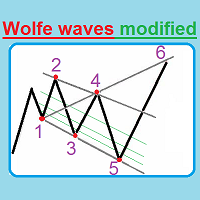
This unique indicator automatically builds Wolfe Waves and features a highly efficient trading strategy. Use If number 5 appears, wait till the first candle is closed behind Moving Average, then look at the three center lines showing what lot volume should be used if the fifth dot crossed the line 25%. The candle is closed behind Moving Average, and then we open a trade with the lot: = (Let's apply the lot of, say, (0.40), divide it into four parts and open a quarter of the lot (0.10)). If the

이 내용은 Claude AI를 통해 영어에서 번역되었습니다.
청산하기 전에 실시간 손익을 미리 확인하세요.
PnL Preview는 차트에 십자선을 추가합니다. 원하는 가격에 마우스를 가져가면, 지금 그 가격에서 청산할 경우 보유 중인 포지션의 손익이 얼마가 될지 작은 패널에 표시됩니다.
주요 기능
- 단축키 하나로 십자선을 켜고 끌 수 있습니다 (기본값 P)
- 마우스를 움직이면 패널이 실시간으로 업데이트됩니다
- 헤징 시 Buys, Sells, Net으로 자동 분리되어 표시됩니다
- 표시 전용입니다. 주문을 넣거나 변경하거나 청산하지 않습니다
- 십자선, 색상, 패널 위치를 모두 사용자 지정할 수 있습니다
사용 방법
단축키를 누르고, 가격에 마우스를 가져가서, 패널을 확인하세요. 다시 누르면 십자선이 숨겨집니다.
헤징에 관한 참고 사항: 여러 가격을 테스트해도 Net이 변하지 않는다면 정상입니다. 매수와 매도 물량이 서로 상쇄되기 때문이며, 오류가 아닙니다.
질문이나
FREE

Jireh Fair Value Gap Detector Overview The Jireh Fair Value Gap Detector automatically identifies Bullish and Bearish Fair Value Gaps (FVGs) and draws their imbalance zones directly on the chart. Designed for traders who use Price Action , Smart Money Concepts (SMC) and ICT methodology , the indicator helps identify high-quality imbalance areas through advanced filtering and a clean, fully customizable interface. Main Features Automatic Bullish & Bearish Fair Value Gap Detection Automatic FV
FREE
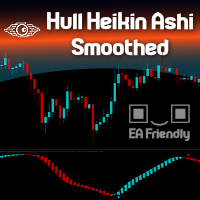
Heikin Ashi candlesticks are a powerful tool for traders, offering a clear and smooth visualization of market trends. Unlike traditional candlesticks, they filter out market noise, providing a cleaner view of the market's direction and strength, which helps traders make more informed decisions. The Hull Heikin Ashi Smoothed indicator from Minions Labs takes this a step further by integrating the Hull Moving Average for enhanced smoothing and precision. This indicator not only simplifies trend id

의 기법을 구현한 MetaTrader용 전문 지표입니다.
지배적 시장 사이클 채널 내 가격 위치를 0-100으로 정규화해 표시합니다. 시그널선 포함.
입력 파라미터: - InpCyclePeriod — 지배 사이클 길이(봉 수) - InpSignalPeriod — 시그널선 평활
트레이딩 아이디어: - 횡보장에서 20 부근 매수, 80 부근 매도. - 심볼 고유 리듬에 맞게 사이클 길이를 조정하세요.
모든 심볼과 타임프레임에서 작동합니다. DLL 및 외부 종속성 없음.
주요 특징: 유연한 파라미터 설정, 깔끔한 표시, 가벼운 동작으로 터미널 속도를 저하시키지 않습니다. 외환, 금, 지수, 암호화폐 등 모든 심볼에 대응하며 모든 브로커 계좌에서 사용할 수 있습니다. 차트에 적용하면 바로 사용할 수 있으며 복잡한 설정이 필요하지 않습니다. 먼저 데모 계좌나 전략 테스터에서 파라미터를 테스트하여 자신의 거래 스타일에 맞는 설정을 찾은 후 실계좌에 적용하는 것을 권장합니다. 질문이나

ALLIGATOR EXACT SIGNAL MT5 No-Repaint Buy/Sell Arrows + 17 Smart Filters + Full Alerts Alligator Exact Signal MT5 is a professional chart-window indicator for MetaTrader 5. It draws the classic Bill Williams Alligator (Jaw, Teeth, Lips) and prints clear BUY / SELL arrows only when the three lines are in exact order: • BUY = Lips above Teeth above Jaw • SELL = Jaw above Teeth above Lips Every extra confirmation is optional. You can run a clean Alligator-only sign
FREE

TrendFuze Pro – Manual Trading Dashboard for MT5 TrendFuze Pro is a free manual trading dashboard for MT5, designed to help traders combine higher-timeframe trend bias, current-timeframe trend context, momentum conditions, and candle confirmation logic into a single, clear view. This tool does not trade automatically and does not open or close positions. It functions as a decision-support indicator to reduce analysis overload and highlight higher-probability market conditions in real time. Overv
FREE

RR TradePanel is a trade execution and management Expert Advisor for MetaTrader 5. It combines visual trade planning with automated risk management, allowing trades to be planned, executed, and managed directly from the chart. The panel includes an interactive Risk/Reward tool, automatic lot size calculation based on account risk, trade management automation, and manual management controls. It is suitable for traders who want consistent position sizing and faster trade execution. Trade Planning

https://www.mql5.com/tr/signals/2390933
https://www.mql5.com/tr/users/bilisimprofesoru/seller Quantum Prime Pro EA is an Expert Advisor for XAUUSD / Gold trading on MetaTrader 5. It is designed for traders who prefer a gold EA with no grid, no martingale, real Stop Loss and Take Profit logic, and controlled risk management.
Information: Pairs: XAUUSD Timeframe: M15 and others Platform: MetaTrader 5 Minimum deposit: 100 Leverage: 1:100 up to 1:2000 Account type:Zero, RAW, ECN.
Recommended
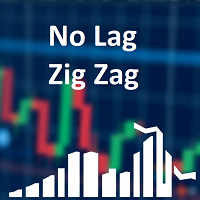
Classic ZigZag formula. But no lags and repaints. You can see on screenshots that it shows values between peaks and it is useful to test strategies based on indicator. Because sometimes people find a good idea about it but don't understand that repainting indicators have some things to keep in mind. The parameters are the same as original ZigZag indicator: Depth, Deviation and Backstep. Useful for visual analyze of the chart and cut strategies based on repainting peaks.
FREE

Introducing the MetaTrader 5 Expert Advisor with Bull Signal Filter, Customizable Candle Size, Advanced Equity Management, and 1% Entry Price Calculation!
Are you searching for a comprehensive trading solution that combines powerful features and precise entry price calculation? Look no further! Our MetaTrader 5 Export Advisor is designed to provide you with advanced functionalities, enabling you to refine your trading strategy and effectively manage your equity.
The Bull Signal Filter remains
FREE
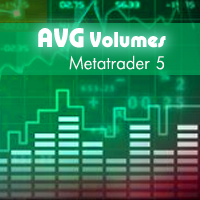
This indicator is based on Volumes standard indicator, calculates the average of Volumes based on the last N bars set by users, and if the value of the volume is bigger then a set % respect the average a different color will be used. The indicator is shown in a separate indicator window. This version has now a limitation in setting the % about the threshold.
If you are interested to set threshold consider to buy the PRO version ( https://www.mql5.com/en/market/product/35925 ) If you want to use
FREE
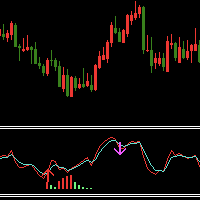
Indicator introduction: The indicator draws wave lines and histograms, It has small price lag, and the signal will not drift. The indicator can send emails, alerts and notifications to you when previous k line has an up arrow and it is under the histogram sections or it has a down arrow. you can choose whether or not to send the two kind of alerts, the alerts repetition times can also be changed. If the indicator appears red and green histograms, this is a buy zone. It can be used to analyze mar
FREE

Professional Velocity Yield EA is an advanced trading engine designed for precise and efficient market navigation. It combines technical analysis (FRAMA and VIDya), intelligent risk management, and adaptive filtering to capitalize on market opportunities. The EA dynamically adjusts to market volatility, manages risk with flexible strategies, and filters out noise with news and session controls. It also verifies sufficient funds before trades, aiming to maximize profit potential, provide a compe
FREE

One Mint EMA Higher Trend Scalper is a fast and flexible MT5 trading bot designed for quick entries while following the stronger higher-timeframe trend. It uses a clean EMA crossover on the main chart and confirms direction with a higher-frame trend filter to avoid counter-trend trades and improve consistency. Key Inputs Lot Size Take Profit Stop Loss Trailing Stop Max Trade Limit Close Opposite Trade Option Core Features EMA-based entry strategy for simple and fast scalping Higher Time Frame Tr
FREE

CuanHunter Robot Online License – Auto Trading for XAUUSD & BTCUSD
IMPORTANT! : You have to change The Preset Mode before use Check Website for information and buy license here
Key Features Automatic Trading: Executes BUY/SELL signals based on fast/slow EMA crossovers + ATR. Dual Preset Modes: Choice of XAUUSD (Gold) or BTCUSD (Bitcoin) – parameters are optimized for each, no manual adjustments needed. Auto SL/TP with Broker-Safe Checks: Stop Loss and Take Profit levels are calculated aut
FREE

EquiSentra Risk Desk Short description An MT5 risk dashboard for prop and personal accounts. Review SL/TP scenarios for open positions and pending orders, monitor configured loss limits and profit targets, and receive selectable mobile push notifications. Product description See your portfolio exposure, remaining loss allowance and profit target in one chart panel. EquiSentra Risk Desk is a MetaTrader 5 indicator designed for traders who manage prop accounts or want a clearer view of account ris
FREE
Nexus Commodity Signal (3% Balance Risk) Nexus EA mql5 public channel: Nexus Community Public Chat
This EA is part of Nexus Portfolio a combination of the best long term EAs I created for my personal trading as well as private fund management. This EA trades XAGUSD (Silver) and XTIUSD (Crude Oil). It is a great compliment for further diversification alongside other EAs. The algorithm utilizes a propri etary AI model based on retail trader sentiment and 9 different indicators to identify an

[FREE EA] EA31 TANIN HEIKEN TDI: THE 90% WIN-RATE SWING TRADER Tired of scalping noise and screen time? Let me introduce EA31 Tanin Heiken TDI , a true "Set & Forget" Swing Trading system for MetaTrader 5. This EA is not for impatient scalpers; it is designed for investors who want to capture massive market trends and hold them for months. PERFORMANCE HIGHLIGHTS (6-Year Stress Test): Pair: GBPJPY Timeframe: H4 Win Rate: 90% (Only takes the highest probability setups). Trades Executed: Exac
FREE
Get your hands on Immutable Trader and start making money in the markets with ease! Our innovative EA is powered by a smart algorithm that detects trends, filters out market noise, and places orders with pinpoint accuracy. You'll never have to worry about capital security again with our built-in Stop-Loss feature. And with 5 powerful indicators at your disposal - Directional Indicators, Stochastic, RSI, ADX and Bollinger Bands - you'll be able to confidently trade in any market condition. Get Im
FREE

GOLD RISK SIZER MT5 Position Size Calculator | Risk Calculator | XAUUSD | Forex | CFD | Lot Size | Stop Loss | Risk Reward Gold Risk Sizer MT5는 계좌 자산, Risk %, Entry Price 및 Stop Loss를 기준으로 적절한 포지션 크기를 계산하는 무료 MetaTrader 5 리스크 관리 도구입니다. 계산 항목 Equity / Balance Risk % BUY / SELL Entry Stop Loss Take Profit 결과: Risk Money Stop Distance Raw Lot Broker Lot Actual Risk Actual Risk % Reward Risk:Reward BROKER-AWARE 실제 Broker의 Tick Size, Tick Value, Contract Size, Volume Step 등을 읽고 OrderCalcProfit 을 사용해
FREE

Object Synchronizer: Seamless Chart Object Duplication & Management Tired of drawing the same trendline or Fibonacci retracement on multiple charts for the same symbol? Wish your analysis on one timeframe would instantly appear on another? Introducing Object Synchronizer , the ultimate utility indicator for MQL5 that bridges the gap between your charts. Designed for professional traders and analysts using multiple charts of the same symbol, this powerful tool automatically duplicates and manages

No Martingale Gold Digger – Professional Expert Advisor for XAUUSD
No Martingale Gold Digger is an Expert Advisor designed for traders who want a solid, real, and reliable system—without martingale, without grid, and without artificial tricks to generate unrealistic equity curves.
It works exclusively on Gold (XAUUSD), both CFD and Futures, and uses a simple, transparent, and robust trend-following / breakout logic. Trading Philosophy No Martingale Gold Digger is built to be a real EA:
• no mac

FVGs + Alerts는 MetaTrader 5 전용으로 설계된 공정가치 갭(Fair Value Gap, FVG) 탐지 및 시각화 도구입니다.
이 도구는 트레이더가 스마트 머니 컨셉(Smart Money Concepts, SMC) 및 ICT 트레이딩 전략에서 주요 지지/저항 또는 반응 영역으로 작용하는 가격 불균형(공정가치 갭)을 식별하고 추적하는 데 도움을 줍니다.
공정가치 갭(FVG)이란 무엇일까요?
전형적인 3캔들 공정가치 갭은 연속된 캔들 사이에 강한 불균형이 있을 때 형성됩니다.
상승형 FVG(잠재적 지지 영역): [n-2] 캔들의 고가 < [n] 캔들의 저가
하락형 FVG(잠재적 저항 영역): [n-2] 캔들의 저가 > [n] 캔들의 고가
이러한 갭은 가격이 원래 방향으로 움직이기 전에 되돌아갈 가능성이 있는 비효율적인 영역을 나타냅니다.
주요 기능
FVG(Foundation-Valid Area)를 자동으로 감지하여 차트에 색상 사각형으로 표시합니다.
상승 FVG
FREE

Bull Machine EA v9.0 - Professional Multi-Strategy System 7 Powerful Strategies in One EA Most EAs use one strategy and fail when markets change. Bull Machine EA adapts with seven proven strategies: MA Alignment: Classic trend following. MA Cross: Momentum entries. MA Alignment + Cross: Double confirmation. Multiple MA Confluence: A 5-MA perfect setup. MA Slope Analysis: Trend strength filter. Adaptive MA: Dynamic adaptation. MA Distance Bounce: Pullback entries. Key Features Universal Timefram

Click and Go Trade Manager: The Ultimate MT5 Execution Suite Precision Execution. Professional Performance Tracking. Total Control. In the world of Smart Money Concepts (SMC) , ICT, and high-frequency scalping, precision is your only edge. Most traders lose not because their analysis is wrong, but because their execution is slow and their psychology is undisciplined. The Hard Truth: If you are still manually calculating lot sizes or dragging lines while the price moves against you, you

Advanced Multi-Strategy EA v4.0 (with 20-Indicator Dashboard) Advanced Multi-Strategy EA v4.0 is a highly versatile, institutional-grade automated trading system designed for MetaTrader 5. It bridges the gap between traditional technical analysis and modern Smart Money Concepts (SMC) by combining strict multi-timeframe (MTF) trend filtering with 13 selectable, highly specific entry triggers—including Fair Value Gap (FVG) pullbacks.
Built with a stunning on-chart UI, this EA provides real-time
FREE

Trailing Activation EA Trailing Activation EA is a utility Expert Advisor for the MetaTrader 5 platform that executes trades when price moves through a defined activation level and then reverses by a specified distance. The EA monitors price movement, records the extreme reached after the activation level is crossed, and opens a trade only when the market pulls back by the configured limit distance. The program can operate in two entry modes. In local mode the activation levels and parameters ar
FREE

BinaWin NoTouch is an indicator that sends an alert signal when the trade is in the right position to wait for the breakdown of a side market.
It is specially designed to trade under the “No Touch” strategy of the Binary.Com platform with synthetic indexes N.10, N.25, N.50, N.75 and N.100
Similarly, trading can be done with the conventional CALL and PUT strategy of any Binary Options platform.
Requirements to use the indicator:
1. Have an account at Binary.Com
2. Configure the Binary.Com d
FREE

The Pending Order Grid is a multi-symbol multi-timeframe script that enables multi-strategy implementation based on pending order grids. General Description
The Pending Order Grid allows the performing of a user-defined strategy through the creation of pending order grids. The script places pending orders of a given type (Buy Limit, Sell Limit, Buy Stop, or Sell Stop) at equidistant price levels to form each grid. The beginning and finish of every grid are defined by the Start Price and Sto

SPECIAL OFFER: FREE FOR A LIMITED PERIOD To celebrate our February 2026 launch, we are offering the Phoenix Trade Planner for FREE to the first 500 users. Download now and secure your lifetime access to the most intuitive planner on the market! Why Phoenix Trade Planner? Most traders fail because they enter trades without knowing their exact £/€/$ risk. The Phoenix Trade Planner changes the game by allowing you to draw your trade on the chart before you commit. 1. Intuitive "Drag-to-Trade
FREE

First Order Robot Strategy =over OR under Last Minute open Set1: TP 2K / SL1K Set2: TP 1K / SL 1 K Rate Prop FTMO Broker. Or Real Account with 200$. Only Pair DE40, US100, US30. Automatic added London Session. This Version works fixed Lot buy/ sell. Write me privat Message of Questions, when undecided. Ex4 Code by Request. inp1_TimeStart= Robot Worktime Start inp1_TimeEnd = Robot Worktime Ende inp8_TimeStart= Time to Robot Reboot inp8_TimeEnd = Time to Robot Reboot
FREE

TOL LANGIT ETF MT5 Institutional Multi-Factor Alpha: Systematic XAUUSD Liquidity Management --- STRATEGIC MANDATE TOL LANGIT ETF MT5 is a non-discretionary quantitative engine engineered for the XAUUSD (Gold) spot market. Moving beyond retail-grade heuristics, the system operates on a Systematic Asset Management Framework, prioritizing volatility-adjusted returns (Sharpe Ratio optimization) over speculative directional exposure. This vehicle treats Gold as a managed fund, utilizing high-fidelit
FREE

이중 라인 신호, 두 레벨 시스템, 멀티 타임프레임 지원, 사용자 정의 시각 신호 및 고도로 구성 가능한 알림 시스템을 갖춘 고급 TSI (True Strength Index).
프리랜서 프로그래밍 서비스, 업데이트 및 기타 TrueTL 제품은 제 MQL5 프로필 에서 이용하실 수 있습니다.
피드백과 리뷰를 환영합니다!
True Strength Index (TSI)란 무엇인가요? True Strength Index (TSI)는 William Blau가 개발한 모멘텀 오실레이터입니다. 가격 모멘텀(현재 종가와 이전 종가의 차이)에 이중 지수 평활화를 적용하여 시장 노이즈를 효과적으로 필터링하고 기본 추세 방향을 드러냅니다. TSI는 -100과 +100 사이에서 진동하며, TSI 메인 라인과 시그널 라인(TSI의 이동 평균) 두 개의 라인으로 구성됩니다. 양수 값은 강세 모멘텀, 음수 값은 약세 모멘텀을 나타냅니다. 두 라인 간의 교차와 High/Low 레벨을 통한 움직임이 주요
FREE

EasyADX - Color Trend Histogram & Alerts for MT5 Visual color-coded ADX Trend Histogram with automatic pop-up and push notifications. Instantly spot strong trends and filter out noisy sideways markets. Key Features: 3-Color Visual Histogram: Green for Strong Uptrends, Red for Strong Downtrends, Gray for Flat/Ranging markets. Custom ADX Threshold: Easily adjust the trend filter level (default at 25). Real-Time Alerts: Get Pop-up alerts and Push Notifications on your phone right at the start of a
FREE
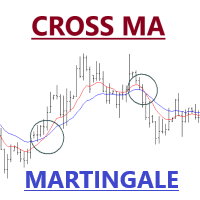
Expert Advisor of Cross two moving averages accompanied by stop loss, take profit, martingale and multi timeframes on each moving averages. You can change all the parameters contained in the moving averages
Please use as appropriate, hopefully can be useful and assist you in the transaction Don't forget to give a review if this product helps you
MA Method 0 = simple 1 = exponential 2 = smoothed 3 = LW
FREE

Finding Divergence RSI is a professional MetaTrader 5 indicator designed for automatic detection and visualization of classic and hidden divergences using the RSI indicator. The indicator works directly on the price chart, displaying arrows at divergence points and optionally drawing trend lines on both price and RSI charts. Divergence Types 1. Classic Divergences Classic Bullish : Price forms Lower Low (LL), RSI forms Higher Low (HL)
Signal: Trend reversal to upside Classic Bearish : Price fo
FREE

ICT Smart Money Scalper ICT Smart Money Scalper is an automated trading Expert Advisor for MetaTrader 5, designed to identify short-term trading opportunities using ICT (Inner Circle Trader) and Smart Money concepts. The Expert Advisor analyzes price action and looks for a combination of several factors, including Fair Value Gap (FVG), Order Block, Liquidity Sweep, candle direction, and market volatility . A trade is opened only when the required strategy conditions are confirmed. Key Advantages

"Volumes and Sentiments 5" was created to help traders navigate market situations. This indicator is the result of many years of research and understanding of the nature of market movements. It is a modified version of the "On-Balance Volume" indicator, which corrects some imperfections of the original indicator. "Volumes and Sentiments 5" includes additional ideas (the author's) that visually show the sentiments of market participants.
The important advantages of the indicator are the followin

TAKA Grid EA (EA16): The Sideway King & Prop Firm Shield Are you tired of EAs that get destroyed by choppy, ranging markets? Meet TAKA Grid EA , the ultimate mean-reversion system designed specifically for the AUDNZD cross pair on the M15 timeframe. It doesn't rely on explosive breakouts; it dominates the sideways chop with mathematical precision. ENTER YOUR KEY HERE: [ EA16_99999D_TANINCODER_595559587987 ]
--
MANDATORY: ALLOW WEBREQUEST TO ACTIVATE THE BOT
To verify your License
FREE

HTF Liquidity & Breakout Dashboard – The Ultimate Multi-Symbol Scanner Tired of scanning dozens of charts for crucial liquidity levels? The HTF Liquidity Dashboard is a professional, comprehensive multi-symbol panel for MetaTrader 5. It automatically monitors the most important Higher Timeframe (HTF) levels for up to 29 symbols simultaneously, showing you at a glance where liquidity lies, where breakouts occur, and where lucrative retests form. Originally developed from an Algo Trading conce

The Candle High Low Exit indicator uses the highest high and the lowest low of a range to draw trailing stop lines (orange under buys, magenta over sells) that advance with the trend until the trend changes direction. Moreover, the trailing stop lines are generated to support the order’s trend direction (long or short): In an upward trend, the long trailing stop line (orange line under buy) appears and advances upward until the close crosses under the line.
In a downward trend, the short trai
FREE

Breakout MV : This Expert Advisor offers you one of the most fundamental trading strategy, combining Moving Average and Volums indicators!
Key Features : Consistent Performance : Breakout strategy has demonstrated a robust performance across various market conditions, by capitalizing on significant price movements. Strategic Trade Execution : We select the desired range, and once the price approaches these levels and the indicators confirm our entry, we open a trade. The trade will close eit
FREE

Blahtech Fisher Transform indicator is an oscillator that displays overbought and oversold locations on the chart. The Fisher Transform algorithm transforms prices with any distribution shape into a normal distribution. The end result is a curve with sharp turning points that may help to identify bullish or bearish trends. Fisher Transform values exceeding 1.66 on the daily chart are considered to be good areas for reversal trades. Links [ Install | Update | Training | All Products ]
F
FREE

The JP_15_861542546_S_BB_CF_SQX is an algorithmic trading strategy for MetaTrader, tested on JP using the M15 timeframe from December 7, 2017, to June 2, 2023. There is no need to set up parameters, all settings are already optimized and fine-tuned.
Recommended broker RoboForex because of EET timezone.
You can find the strategy source code for StrategyQuant at the link: https://quantmonitor.net/nikkei-breakout-zones/
Key details are:
MagicNumber: 861542546 Main Chart: Current symbol an
FREE

MA Trend Pro EA MT5 – Pre-Optimised & Fully Customisable MA Trend Pro is a professional Expert Advisor designed to deliver the best of both worlds: Pre-optimised defaults for AUDUSD M5 ($100K prop firm account at 1:30 or 1:100 leverage). Just load and run. Fully customisable inputs for advanced traders who want to optimise for different pairs, timeframes, or broker conditions using the MT5 Strategy Tester. (See the bottom of this listing for full instructions on how to optimise in Strategy Test

Boleta Prime Essential — one-click trading panel for MetaTrader 5 Open trades with the right lot size in one click. Boleta Prime Essential automatically calculates your position size from the risk percentage you choose and sends the order with stop loss and take profit already set. Features
• One-click market buy and sell
• Risk calculator: enter the account % and stop in points, and the panel calculates the lot
• Automatic stop loss and take profit, re-anchored to the actual fill price (exact
FREE
Script to load history of a symbol on determined timeframe (default M1).
It is extracted from the MQL5 documentation:
https://www.mql5.com/en/docs/series/timeseries_access
Adapted by Renato Fiche Junior #melhoresferramentas #renato #larissasihle #aguiatraders
Parâmetros de Entrada
- Start datetime : the initial datetime from the history will be loaded - Timeframe to be loaded: period that will be loaded
FREE

Institutional Swing Map
Institutional Swing Map is a powerful visual indicator designed to help traders clearly understand daily market structure by connecting highs and lows and highlighting key price zones.
It operates on a higher timeframe (default: Daily) and projects that structure directly onto your current chart, giving you a clearer perspective of market behavior.
Key Features
High-to-High & Low-to-Low Connections Automatically draws trend lines connecting consecutive daily highs a
FREE

CandleFrame Time Boxes is a native multi-timeframe visualization indicator for MetaTrader 5. It displays candles from a selected timeframe as clear, color-coded range boxes directly on the current chart. Each box represents the complete High-to-Low range and full time span of one source candle. This makes higher-timeframe market structure easier to read while working on lower chart timeframes. KEY FEATURES • Multi-timeframe candle boxes
• Bullish, bearish and doji classification
• Live current b
FREE
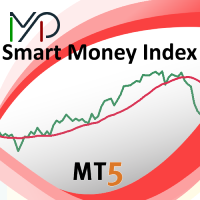
The purpose of using Smart money index (SMI) or smart money flow index is to find out investors sentiment. The index was constructed by Don Hays and measures the market action. The indicator is based on intra-day price patterns. The beginning of the trading day is supposed to represent the trading by retail traders. The majority of retail traders overreact at the beginning of the trading day because of the overnight news and economic data. There is also a lot of buying on market orders and shor
FREE

EquiSentra P&L transforms your MetaTrader 5 (MT5) account history into a clean, institution-ready performance report. You can filter closed deals by any date range, review full profit-and-loss details—including swaps, commissions, and all trading costs—and export a professional PDF accompanied by CSV data and checksums for easy reconciliation and audit. The report is self-generated directly from terminal data, so it is not a broker-certified statement and is not GIPS verified, but it provides t
FREE

이 지표는 볼린저 밴드 스타일의 변동성 채널에서 상단 밴드와 하단 밴드만 표시하며, 중앙 이동평균선은 표시하지 않습니다. 주요 목적은 시각적으로 깔끔하고 유연한 변동성 엔벨로프를 제공하여, 사용자가 가격이 채널 경계와 어떻게 상호작용하는지에 집중할 수 있도록 하는 동시에 차트의 구성과 스타일을 자유롭게 제어할 수 있도록 하는 것입니다. 기존의 볼린저 밴드는 중앙 이동평균선이 항상 표시되지만, 이 지표에서는 계산에만 사용됩니다. 중앙선은 시각적 복잡성을 줄이기 위해 의도적으로 숨겨져 있으며, 사용자가 필요에 따라 별도로 추가하거나 관리할 수 있습니다. 상단 및 하단 밴드는 각각 독립적으로 색상을 설정할 수 있어 시각적 구분이 더욱 명확하며, 다양한 차트 테마나 개인 취향에 맞게 조정할 수 있습니다. 전통적인 볼린저 밴드 형태를 원할 경우, 동일한 설정의 이동평균 지표를 별도로 추가하여 중앙선의 스타일과 표현을 완전히 사용자화할 수 있습니다. 이 지표는 밴드 계산을 위한 내부 기준으로
FREE
MetaTrader 마켓은 거래로봇과 기술지표를 판매하기에 최적의 장소입니다.
오직 어플리케이션만 개발하면 됩니다. 수백만 명의 MetaTrader 사용자에게 제품을 제공하기 위해 마켓에 제품을 게시하는 방법에 대해 설명해 드리겠습니다.
