 MetaTrader 5
 Experts
 지표
지표
 라이브러리
라이브러리
 유틸리티
유틸리티
 위젯
위젯
 규칙
규칙
MetaTrader 5용 기술 지표 - 55
 기술 지표의 시그널은 주식 및 외환 시장에서 거래를 개시 및 종료하는 데 중요한 역할을 합니다. 지표의 본질은 미래의 가격 변화를 예측하기 위한 금융 시그널 값의 수학적 변형입니다.
기술 지표를 테스트하여 시장 행동과 그로 인한 이익을 더 잘 예측할 수 있습니다.
기술 지표의 시그널은 주식 및 외환 시장에서 거래를 개시 및 종료하는 데 중요한 역할을 합니다. 지표의 본질은 미래의 가격 변화를 예측하기 위한 금융 시그널 값의 수학적 변형입니다.
기술 지표를 테스트하여 시장 행동과 그로 인한 이익을 더 잘 예측할 수 있습니다. 
Santa Trend Indicator is an efficient way to forecast and detect the trend in any market. Advantages Generates instant buy and sell signals. Provides an alternate exit strategy to your existing trading system. Never repaints, never backpaints, never recalculates. Works in all symbols and all timeframes. Perfect trend filter for any strategy or expert advisor. Fully compatible with Expert Advisor (EA) development. Does not lag.
FREE
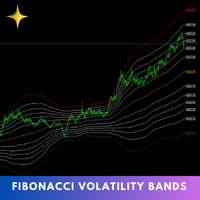
The Fibonacci Volatility Bands indicator is a refined tool designed to enhance your market analysis by integrating Fibonacci retracements with the Bollinger Bands concept. This indicator visually highlights potential areas of support and resistance, providing traders with a clearer understanding of price fluctuations and volatility. MT4 Version - https://www.mql5.com/en/market/product/126421/ The core of the Fibonacci Volatility Bands is built around a Volume Weighted Moving Average (VWMA) that
FREE

Adaptive Moving Average Gradient Indicator This indicator combines the responsiveness of Kaufman's Adaptive Moving Average (KAMA) with gradient analysis to identify momentum shifts and trend strength in real-time. Key Benefits: The gradient of the KAMA provides a dynamic measure of trend acceleration and deceleration, automatically adjusting to market volatility. Unlike standard moving averages, KAMA adapts its sensitivity based on price efficiency, making the gradient measurement more reliable
FREE

Fair Value Gaps는 차트의 모든 3캔들 불균형을 찾아내고, 가격이 이를 메울 때까지 추적하며, 상위 타임프레임의 갭을 같은 차트에 표시합니다. 제한 없이 무료입니다. 절대 리페인팅되지 않는 갭 상승 및 하락 페어 밸류 갭을 마감된 캔들에서만 감지: 갭은 세 번째 캔들이 마감될 때 확정되며 그 이후로 절대 움직이지 않습니다 실제 내역으로 검증: 135,510회 버퍼 비교, 변경 0건 포인트 단위 및/또는 ATR(14) 대비 비율로 크기 필터를 적용해 작은 노이즈 갭을 무시할 수 있음 감지 엔진은 단위 테스트를 거쳤습니다(52개 검사) 각 갭이 메워질 때까지 추적 가격이 갭 안으로 들어오면 박스가 아직 열려 있는 부분으로 줄어듭니다 꼬리 기준, 캔들 종가 기준 또는 50% 레벨 기준으로 메워짐 판정: 직접 선택 각 갭에 50% 라인(consequent encroachment)과 크기 라벨 표시 메워진 갭은 숨기거나 더 연한 색으로 차트에 남겨 둘 수 있음 같은 차트에 상위 타
FREE
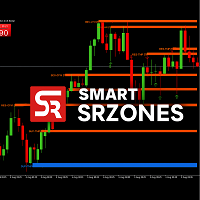
SmartSRZones is an MT5 indicator designed to automatically detect, display, and manage support and resistance zones directly on the chart.
It combines market structure recognition with candlestick pattern detection to help traders view important price levels without manual marking. The indicator is suitable for different trading approaches, including short-term and long-term analysis. Key Features Automatic Zone Detection Identifies support and resistance areas based on swing points, volume, an
FREE

Introducing the "Super Trend Filter Oscillator," your ultimate trading companion designed to enhance your technical analysis and help you make informed decisions in the financial markets. This innovative oscillator is crafted to provide valuable insights into market trends and price movements, assisting traders like you in identifying potential entry and exit points. Features: Trend Identification: The Super Trend Filter Oscillator excels in detecting prevailing market trends, whether they are b
FREE

TANIN POLYLINE MT5 is the ultimate drawing assistant for Price Action traders. If you love the flexibility of the Polyline tool on TradingView, this indicator brings that exact experience to your MetaTrader 5 terminal.
Designed by Tanin Coder , this tool allows you to map out market structures, waves, and trends with speed and precision. A professional, fast, and convenient Polyline drawing tool inspired by TradingView. Supports Magnetic Snap, Straight Lines, and Auto Price Labels. RECOMMENDE
FREE
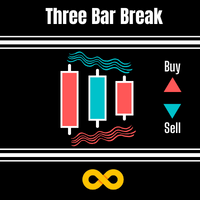
Three Bar Break is based on one of Linda Bradford Raschke's trading methods that I have noticed is good at spotting potential future price volatility. It looks for when the 1st bar's High is less than the 3rd bar's High as well as the 1st bar's Low to be higher than the 3rd bar's Low. This then predicts the market might breakout to new levels within 2-3 of the next coming bars. It should be used mainly on the daily chart to help spot potential moves in the coming days. Features :
A simple meth
FREE

How to Read My Trends My Trends is designed to help you quickly compare market direction across several symbols and timeframes from one dashboard. Each symbol can display one of three directional states on the selected timeframes:
↑ Bullish – The current trend conditions are bullish ↓ Bearish – The current trend conditions are bearish → Mixed – The selected timeframes are not clearly aligned
The Trend Strength score then provides an additional summary of how strong the current multi-timeframe
FREE

Price Action Auxiliary Indicator Suite 4-3: PivotPoints Indicator
This is a price action auxiliary indicator suite that I use regularly in my trading, covering the basic needs of price action trading. It can be loaded and used on any instrument.
A boon for manual price action trading, providing multiple auxiliary functions. Non-price action traders should purchase with caution, as this indicator suite does not provide any buy or sell signals; it is purely auxiliary.
This indicator suite cont
FREE
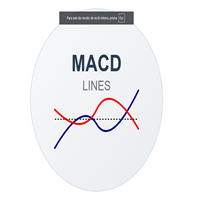
MACD Lines - Indicador MACD com Visualização em Linhas Descrição Este é um indicador MACD (Moving Average Convergence Divergence) modificado que apresenta uma visualização mais limpa e elegante em comparação com o MACD padrão do MT5. A principal diferença é que ele remove o histograma tradicional e mantém apenas as linhas MACD e Signal, permitindo uma melhor visualização dos cruzamentos e tendências. Características Principais Linha MACD em azul escuro com espessura 2 Linha Signal em vermelho co
FREE

RSI + EMA Momentum for MetaTrader 5 RSI-Based Momentum Analysis with Multi-Timeframe Evaluation RSI + EMA Momentum is a MetaTrader 5 indicator designed to measure momentum through the relationship between RSI and its Exponential Moving Average (EMA). Instead of relying exclusively on traditional overbought and oversold levels, the indicator evaluates the distance between RSI and its EMA and normalizes the result using standard deviation. This process produces a momentum score that adapts to dif
FREE

Market Sessionsync** is a cutting-edge trading session indicator designed to enhance your trading experience by visually breaking down the market's daily rhythm. With a compact window overlaid on your chart, this indicator provides a split-second understanding of the current trading session through: Basic setup: Set Difference between your local time and your broker time , set DST(Daylight Saving Time) ON or OFF , set timescale sync you want to use (Local, Broker, CET) - A vertical time marker
FREE

Many traders use Price Action as entry and exit signal. Since the beginning of chart analysis, traders have found several candlestick patterns that can indicate possible "behaviors" of the market. Candlestick Pattern indicator is an indicator for MetaTrader platform that can detect many of these patterns and show them on screen or to alert traders about them. though they detect slightly different sets of candle patterns. Candlestick Pattern indicator also has a more modern look compared
FREE

Big bull scalper Short Description Master market structure with the precision of the popular Big bull scalper This tool automatically identifies key pivot highs and lows, plotting unique "angling" trend lines that dynamically define market context. It visually confirms Breaks of Structure (BOS) and Changes of Character (CHoCH), removing all guesswork from your analysis.
Key Features: Automatic Pivot Detection Instantly spots significant swing highs and lows. Dynamic Angling Lines Visual
FREE

IBS Pro — Internal Bar Strength Indicator IBS Pro is a clear and adaptable MetaTrader 5 indicator designed to show the strength of a market close within its recent trading range. Its scale runs from 0 to 100. Readings near 0 suggest that price is closing close to the lower part of the range, while readings near 100 suggest that price is closing near the upper part. Values around 50 indicate a more balanced market condition. The indicator can analyze the range of one candle or several candles, he
FREE

Orange Indicator by Quant Atlas Creator: https://www.quant-atlas.com/ Orange Indicator is a clean reversal focused indicator for MetaTrader 5, designed to highlight potential turning points directly on the chart using simple orange buy and sell markers. The indicator focuses on moments where price may be transitioning out of short term exhaustion and into a possible reaction phase. When a bullish setup appears, an orange upward triangle is displayed below the candle. When a bearish setup appear
FREE

Features at a Glance Multi-Band System: 4 bands above and below a center line, creating 9 distinct layers ALMA-Based Center Line: Smooth, responsive moving average that filters noise effectively Volatility Bands: Automatically adjusts to market volatility using Standard Deviation Keltner Channel Integration: Blends ATR-based channels with standard deviation for robust band placement Alert System: Get notified when price crosses key band levels
Read in detail with screenshots in blogpost: https:
FREE

An analysis dashboard for manual Gold traders that combines multi-timeframe trend state, ATR regime, daily and weekly reference levels, configurable session ranges, and a rules-based market context score on one chart panel. XAUUSD Market Intelligence Suite is a MetaTrader 5 chart indicator for XAUUSD and broker-specific Gold symbols. It organizes common intraday and short-term swing references into a compact dashboard and optional chart overlays. The panel shows M15, H1, H4, and D1 trend states,
FREE
Correlation Nexus Correlation Nexus: 쌍 간의 직접적 또는 역적 관계를 마스터하세요 Correlation Nexus 는 두 금융 상품 간의 통계적 상관관계 를 기반으로 거래 기회를 감지하는 MetaTrader 5용 고급 기술 지표입니다. 이 시스템은 **양의 상관관계(직접적)**와 음의 상관관계(역적) 모두에서 트레이더가 이익을 얻을 수 있도록 하며, 다양한 통화 쌍, 지수 또는 원자재에 동적으로 적응합니다. 기존 도구와 달리 이 지표는 독립적으로 작동하지 않습니다 . 그 논리는 실제 통계적 상관관계 , 확인적 기술 분석 , 그리고 시각적으로 명확한 신호 시스템을 결합하며, 제어판을 통해 더 높은 정확성과 자신감으로 행동할 수 있게 해줍니다. 작동 방식 주요 쌍 ( symbol_to_analyze )을 선택하고 지표 설정에 입력하세요. 보조 쌍 (지표를 적용할 차트)이 있는 차트를 여세요. 거래하려는 상관관계 유형을 선택하세요: 음의 상관관계(역적) :
FREE

트레이더라면 누구나 아는 의식이 있습니다. 지표 설정을 열고, 숫자를 하나 바꾸고, OK를 누르고, 차트를 노려보다가, 아니라고 판단하고, 다시 설정을 엽니다. 고전 지표 중에서 이 방식으로 조정하기에 가장 비용이 큰 것이 Alligator입니다. 선이 세 개, 각각 기간과 전방 시프트까지 — 숫자가 여섯 개인데, 설정 창은 결과를 보지 못한 채 여섯 개를 한 번에 확정하라고 요구합니다. Alligator Live Tuner가 그 굴레를 끝냅니다. 이것은 Bill Williams의 완전한 Alligator입니다. Jaw, Teeth, Lips 세 선을 중간가격의 평활 이동평균으로, 클래식 색상(파랑 13/+8, 빨강 8/+5, 초록 5/+3)으로 그리며, 이를 차트 위에서 실시간으로 조정합니다. 차트 위에 작은 패널이 떠 있고 거기에 여섯 개의 슬라이더 가 있습니다. 각 선마다 기간 하나와 전방 시프트 하나입니다. 기간을 끌면 선이 즉시 다시 계산됩니다. 시프트를 끌면 선이 재계산
FREE

Market Structure (BOS & CHoCH) Pro Il trading basato sulla Price Action e sullo Smart Money Concepts (SMC) richiede un'identificazione precisa e tempestiva della struttura di mercato. L'indicatore Market Structure BOS & CHoCH automatizza questo processo complesso, tracciando in tempo reale le rotture di struttura (BOS) e i cambi di carattere (CHoCH) direttamente sul tuo grafico. Che tu sia uno scalper o uno swing trader, questo strumento ti aiuterà a mantenere la concentrazione sulla direzionali
FREE

Session Highs and Lows Essential market levels. Clear. Simple. Powerful. Daily & Weekly Levels is a lightweight and fully customizable MetaTrader 5 indicator that automatically plots important reference levels directly on your chart. No complicated calculations or unnecessary clutter, just the levels you need to quickly understand the previous day's and week's price range. Key Levels The indicator can display: Daily Open Previous Day High Previous Day Low Previous Week High Previous Week Low
FREE

Was: $49 Now: $33 Blahtech Better Volume provides an enhanced version of the vertical volume bars. Each bar is compared to the previous 20 bars. Depending on its volume, range and volume density it will be assigned a state and colour. Low Volume – Minimum volume High Churn – Significant volume with limited movement Climax Neutral – High volume with unclear direction
Climax Up – High volume with bullish direction Climax Dn – High volume with bearish direction Climax Churn – High vol

M5 H1 24H Analyzer — Free MT5 Indicator M5 H1 24H Analyzer is a lightweight and easy-to-use MT5 indicator designed to analyze the recent 24 hours of H1 candle direction based on the current running M5 candle time . The indicator automatically uses the current M5 candle as the reference time and displays the corresponding H1 candle results from the previous 24 hours. Key Features ️ Automatic M5 Reference Time 24-Hour H1 Candle Analysis BUY / SELL / DOJI Detection Automatic Up
FREE
RBC Range Bar Chart is a classical range bar chart indicator. The indicator features price ranges for charting: High/Low price range is a classical option for analysis. It also has Open, High, Low and Close prices. In the first option, two price values are analyzed at the same time, while other options only use one price. Conventionally, range bars are drawn using tick data but since tick data is not available on the server, charting is only possible based on bar data from standard time frames.

One line showing where every open trade on this symbol, taken together, comes out flat. Scale into a position five times and the line tells you the price you need back, with the live P&L beside it. It is the break-even, not the average entry Averaging the entry prices is not the price that makes you flat. Swap accrues nightly and commission is charged on every lot, so the real break-even sits above the average entry on a long book and below it on a short one, and it drifts as swap builds. This s
FREE

Daily and Previous Day Levels draws the reference levels intraday traders check every morning: the previous day's high, low and close, today's open, today's running high and low, and the previous week's high and low.
How it works - Values come straight from the symbol's own D1 and W1 bars, so the day follows your broker's server day. - Each day gets its own line segment, from the day's first bar to its last. Past days stay readable and old lines never shift. You choose how many days to keep (5
FREE

Trend Tracking Indicator An indicator based on a moving average with dynamic color changes , designed to assist in monitoring price direction and identifying potential changes in trend behavior. Initial studies were conducted on the M5 and M15 timeframes . However, the indicator can also be tested and used on other timeframes according to each user's methodology and analytical objectives. When the indicator confirms a change in the line to green , users can monitor the relevant price regions and
FREE

Breakout Monitor is a powerful trading tool designed to track price action within your custom-drawn zones. Simply draw a rectangle on your chart to define your consolidation or key levels, and the indicator will do the rest. It highlights the price range clearly and monitors it in real-time, ensuring you never miss a significant market move. When the price breaks through your defined boundaries, the indicator sends an instant Push Notification directly to your mobile phone in a clear, actionable
FREE

iK Trendz Trading: The Ultimate Multi-Asset Trend Intelligence iK Trendz Trading is a professional-grade trend following indicator designed to provide traders with a crystal-clear view of market direction across multiple symbols and timeframes simultaneously. By combining advanced volatility-based logic with an intuitive Multi-Timeframe (MTF) dashboard, it eliminates the noise and identifies high-probability trading zones. Whether you are a scalper, day trader, or swing trader, this tool is desi
FREE

SuperTrend Pro – Advanced Trend Detection Indicator (MT5) SuperTrend Pro is a modern, optimized trend-following indicator for MetaTrader 5 , designed to deliver clear trend direction, precise market structure, and a premium visual trading experience . It is based on an enhanced ATR-powered SuperTrend algorithm , combined with smart visuals, chart styling, and a real-time information panel. -Key Features - Advanced SuperTrend Logic Uses ATR (Average True Range) with adjustable Period and Multipli
FREE

Candle Timer displays a live countdown timer showing exactly how much time remains before the current candle closes. It updates every 500 milliseconds, giving you a near-real-time readout directly on your chart — no more guessing when the next bar will form. Key Features & Advantages Two flexible display modes Corner Overlay — pins the timer to any corner of your chart screen (top-left, top-right, bottom-left, bottom-right), staying fixed as you scroll or zoom. Ideal for keeping the timer always
FREE
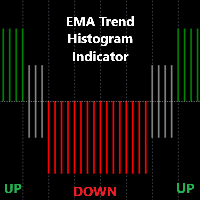
Detailed Description: The EMA Trend Histogram Indicator is a powerful tool for traders seeking clear trend identification based on the widely-used Exponential Moving Averages (EMAs).This indicator provides an easy-to-interpret histogram and helps you simplify trend identification by using the 50 EMA and 200 EMA on two crucial timeframes: H1 and H4. By observing the relationship between short-term and long-term EMAs on multiple timeframes, this indicator provides a quick and clear view of mark
FREE

CV Session Range Pro – Professional Trading Session Indicator for MetaTrader 5 CV Session Range Pro is a professional trading session indicator for MetaTrader 5, designed for precise visualization and analysis of global market sessions, trading ranges, and important price areas. The indicator helps traders analyze market activity, volatility phases, and liquidity zones of different trading sessions with a clean and structured visual interface. Supported Sessions: Tokyo Session Frankfurt Session
FREE
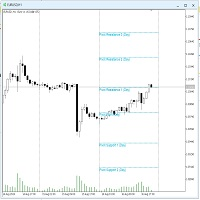
The utility draws pivot levels for the selected timefram in classic method. Pivot = (high + close + low) / 3 R1 = ( 2 * Pivot) - low S1 = ( 2 * Pivot) - high R2 = Pivot + ( high - low ) R3 = high + ( 2 * (Pivot - low)) S2 = Pivot - (high - low) S3 = low - ( 2 * (high - Pivot)) you can change the timeframe, colors and fontsize. also you can change the text for the levels.
Have fun and give feedback...
FREE
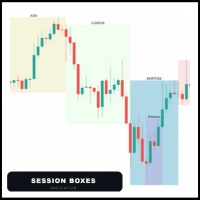
Session Boxes automatically draws the high and low range of up to 10 fully customizable trading sessions directly on your chart.
Each box captures only the candles that open within that session time range. This means the boxes are always precise regardless of the timeframe — whether M1, M5, H1 or H4, the candles always stay inside the box.
MAIN FEATURES
- Up to 10 fully customizable sessions - Works perfectly on any timeframe - Each session has its own name, color, start hour and end hou

Stop guessing your lot size. Risk Panel calculates it for you in real time, directly on your chart.
Risk Panel is a lightweight indicator that displays a professional dashboard on your MetaTrader 5 chart. Every time you open a trade, you instantly know how many lots to use to respect your risk management rules.
WHAT IT SHOWS: - Exact lot size calculated from your capital, risk percentage and stop loss - Capital at risk in USD — know exactly how much money you are risking per trade - Real pip
FREE

Smart Divergence Finder Indicator In-depth Analysis: A Practical Guide to Trend, Divergence, and Resonance Indicator Introduction Smart Divergence Finder is an intelligent main-chart comprehensive indicator designed for MT4/MT5 platforms. It overcomes the fragmented limitations of traditional sub-chart divergence analysis by integrating: Trend determination Multi-indicator divergence detection Intelligent signal filtering All key trading signals are displayed directly on the price chart. Its co
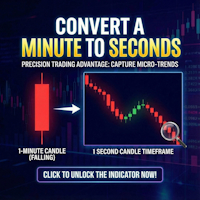
Second Timeframe Pro — See the Market Before Anyone Else!
Unlock a Hidden Level of Price Action
While other traders look at minute candles, you can see 60 candles within each minute!
What is Second Timeframe Pro?
It's a revolutionary indicator that creates full-fledged candlestick charts with second timeframes directly in MetaTrader 5.
Standard MT5 limits you to a minute chart. But the market doesn't stop every minute — it pulsates every second. Second Timeframe Pro removes this limitation

The well-known ZigZag indicator that draws rays based on the "significant movement" specified by the pips parameter. If a ray appears, it will not disappear (the indicator is not redrawn), only its extremum will be updated until the opposite ray appears. You also can display text labels on each rays describing the width of the ray in bars and the length of the ray in points.
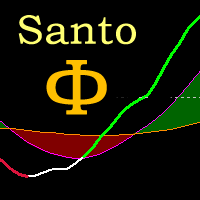
Oscilador bem próximo que o indicador SANTO mostrado pelo Bo Williams em sua metodologia PhiCube, para mim este indicador ainda é melhor que o próprio SANTO original. Ótimo para entender a força e tendência de movimentos e possíveis divergências. Preço fazendo topo e o SANTO não renovando máxima, tudo indica que teremos uma reversão ou no mínimo um drawback.
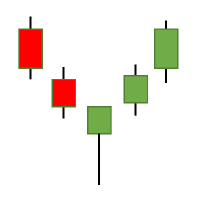
The Candlestick Patterns indicator for MT5 includes 12 types of candlestick signales in only one indicator. - DoubleTopsAndBottoms - SmallerGettingBars - BiggerGettingBars - ThreeBarsPlay - TwoBarsStrike - Hammers - InsideBars - OutsideBars - LongCandles
- TwoGreenTwoRed Candles - ThreeGreenThreeRed Candles The indicator creats a arrow above or under the signal candle and a little character inside the candle to display the type of the signal. For long candles the indicator can display the exact

RSI Arrow1 is an arrow indicator based on the RSI, is easy to use; no internal adjustments to be made. the user can change the indicator period as desired in the settings. It can be used on all markets but it will all depend on your Trade strategy. There is no better Time Frame for its use; the use will depend on the Trader himself.
Settings:
RSI Period Push Notification Email Notification Audible Alert Down levels Up levels
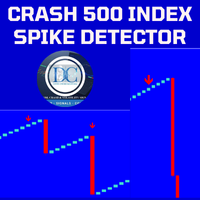
Spike Detector for Boom and Crash Indices
The Spike Detector is specifically designed to cater to the unique needs of traders in the Boom and Crash indices markets. Optimized for M1 (1-minute) and M5 (5-minute) timeframes, this tool ensures you receive timely and actionable insights. Below, you'll find a comprehensive guide on its key features, advantages, installation process, and how to use it effectively.
Key Features and Advantages
1. Non-Repainting: The Spike Detector guarantees accurac
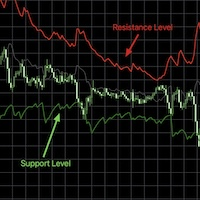
RSI bands provide an intuitive and visual method of understanding how price movements influence the Relative Strength Index (RSI) within its bounded range of 0 to 100. The upper and lower bands typically represent key thresholds—commonly set at 70 and 30—which signal potential overbought or oversold conditions. When RSI approaches or crosses these bands, it may indicate that a reversal or pullback is likely, helping traders identify potential entry or exit points. By plotting these bands on a c

By installing this indicator you can create a price alert line with a click of a button A = create a price alert line at the location of your mouse pointer ( no number limit ) S = delete all existing price alert lines D = delete all triggered price alert lines F = delete the line near your mouse pointer( updated vertion)
some times the S and D hot hey function may not work, just double click on the the chart and try again or try switching between charts and try again, its some kind of mt5 bug

The Non Repaint Buy/Sell Signals QCL MT5 Indicator is a powerful trading tool built on mathematical analysis. This software reduces chart noise avoids confusion when making trading decisions and provides clear market signals directly on MetaTrader 5 without repainting. Special launch discount price. Final price $149 Indicator User Manual User Manual Asset: XAUUSD Timeframe: 15 Minutes, We doing manual trading upon the signals sent by our Indicator Core Quantitative Architecture Adaptive Momentum

ATR Stop Loss Finder automatically calculates and displays dynamic stop loss levels on your chart based on the Average True Range indicator. The tool helps traders place logical, volatility-adjusted stop loss orders rather than relying on fixed pip values or arbitrary price levels.
The indicator plots two lines directly on the chart: an upper line for short positions and a lower line for long positions. Both lines update in real time with each new bar. A small information panel

Laser Trend Scalping Pro draws a bright neon laser trend line through the middle of the candles - green for an uptrend, red for a downtrend - and turns it into a complete, rule-based trade plan you can read at a glance.
On top of the swing pivots and the white trend-flip arrows, when the laser and the trend gate agree the indicator decides a trade and auto-draws it on the chart: ENTRY, STOP, TP1, TP2 and a dynamic EXIT, for both longs and shorts. A side panel shows the live result and the trade

A0 Break Quality is a free educational indicator for traders who want to understand how price interacts with support and resistance instead of following an unexplained buy or sell arrow.
The indicator evaluates confirmed swing levels using closed candles. It separates a simple touch from a wick sweep, a weak close, a body break, follow-through, a retest hold and a failed break. The chart panel explains the latest state in plain English and shows the currently tracked support and resistance.
M
FREE

VG INDICATOR
Three independent strategy engines read every closed bar. They vote. Only when they agree does VG Indicator print a signal -- and it tells you exactly how strong that agreement was.
Most signal indicators give you an arrow and nothing else. VG Indicator gives you the arrow, the entry price, the stop, a three-level target ladder, a graded confidence score, and a live dashboard that scores its own past calls on your chart, from your broker's own price history.
-------------------

ALMA Market Structure Buy Sell Signals
ALMA Market Structure Buy Sell Signals is a MetaTrader 5 indicator that combines an adaptive ALMA trend wave, BOS and CHoCH market structure analysis, confirmed swing Buy and Sell markers, smart candle coloring and a dynamic -2.5 standard deviation target.
The indicator is designed to provide several layers of price-structure information directly on the chart without automatically opening or managing trades.
Its main purpose is to help traders evaluate

HalfTrend Risk Target Signals
HalfTrend Risk Target Signals is a MetaTrader 5 trend indicator that combines a HalfTrend trend engine, ATR-based volatility channels, confirmed LONG and SHORT reversal signals, and predefined Entry, Stop Loss, TP1, TP2 and TP3 reference levels for the symbol of the current chart.
The indicator works only with the chart symbol. It does not request or depend on external symbols, making it suitable for brokers that use different symbol lists or naming conventions.

Simple Risk Manager Lot Size Calculator FREE - Money Management Tool
Enter your Risk % per trade and Stop Loss in pips - the indicator calculates the correct Lot Size based on your account balance. Displays Balance, Risk in $ and recommended Lot.
Essential for proper money management and consistent trading.
FREE, No DLL, Lightweight.
FEATURES: Calculates Lot Size automatically from Balance and Risk % Shows Risk amount in $ Input SL in pips and Risk % Works on Forex, Gold, Crypto, In
FREE

TraderStart Risk & Position Size — Quick Start
1. Attach the indicator to a chart. 2. Click BUY or SELL to match the trade direction you want to plan. 3. Choose the sizing mode: - RISK % to calculate the lot size from your chosen risk percentage. - LOT SIZE to test a fixed lot size. 4. Click SET BALANCE or USE ACCOUNT. 5. Set your Risk % or Lot Size using the built-in keypad dialogs. 6. Drag the Entry, Stop Loss and Take Profit lines to the desired chart levels. 7. Read the planning outp
FREE

CRT Pro Scanner Stop wasting hours watching multiple charts and missing setups while you blink. CRT Pro Scanner solves the most painful problem every trader faces: being in the wrong chart at the right moment. Instead of jumping between pairs and constantly asking yourself "did I miss something?", the scanner does the watching for you. It monitors all your symbols simultaneously, detects Candle Range Theory setups the instant they form, and alerts you immediately — so you can focus on executi

Quantum DivDash — Multi-Indicator Divergence Dashboard for MetaTrader 5 Quantum DivDash is a technical analysis indicator for MetaTrader 5. It is designed to help traders detect and monitor regular and hidden divergences directly on the chart through a clean dashboard interface. The indicator analyzes price pivots and compares them with selected technical indicators to identify possible bullish and bearish divergence structures. It can work with several popular indicators, including MACD, MACD H
FREE

This script provides basic pivot point Support and Resistance Levels to the user whilst displaying Break signal tags. It also has the ability to let the user display more significant breaks by filtering using the Volume Oscillator.
Only more significant breaks of these basic levels are displayed to the user when optimized which avoids noise and messy signals.
It will also display breaks with candles it deems to be bullish (e.g. having a longer upper or lower wick).
Notation
The notation

QM Hunter - Quasimodo Pattern Detector with SMC Confluence ========================================================== QM Hunter detects Quasimodo (QM) reversal patterns on any symbol and timeframe, confirms them with a reversal candle gate, and scores each signal against three Smart Money Concepts (SMC) confluence factors — Fair Value Gap, Order Block, and Liquidity Sweep — that must have actively interacted with price before the signal fires. The result is a three-tier graded signal (A / B /

Kito Quad Momentum Rotation Scanner Multi-symbol and multi-timeframe scanner for Kito Quad Momentum Rotation setups, with staged status tracking, closed-bar alerts and clickable chart rows.
SPECIAL OFFER: Purchase this scanner and send me a private message to claim your FREE bonus indicator( Kito Quad Momentum Rotation Indicator ) .
Kito Quad Momentum Rotation Scanner monitors selected Market Watch or custom symbols across multiple timeframes. It applies the embedded four-speed momentum engin
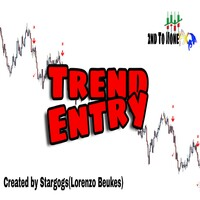
Trend Entry Indicator Your Trading will Be easier with this indicator!!! This Indicator is Developed To make our trading life easier. Get an Arrow for Entry with Take Profit and Slop Loss marks on chart. - Indicator is Based on trend, because thats what we all want we want to follow the trend "it's our friend". - Based on Levels, price action and oscillators. - It works on all currency pairs, all indices, metals and stock. - it works on all pairs/indexes on Deriv including Boom and Crash. - Tim
Why the RSI Alert Indicator is Essential for Your Trading Toolkit
In the fast-paced world of trading, timely and accurate information is crucial. The RSI Alert Indicator is a powerful tool designed to help you stay ahead of the market by providing real-time alerts when the Relative Strength Index (RSI) reaches critical levels. Whether you're a novice trader or a seasoned professional, this indicator can significantly enhance your trading strategy by pinpointing potential market reversals with

Nadaraya-Watson Envelope Indicator for MT5 Overview
This indicator expands on the original Nadaraya-Watson smoothing methods by introducing a dynamic envelope system built using kernel regression. Unlike the standard Nadaraya-Watson estimator, this tool applies a contrarian approach: the envelope boundaries are designed to identify potential reversal zones when price extends too far from its smoothed trend estimate. The indicator includes integrated alerts based on price crossings above or belo

VWAP Trend Dashboard
What It Does
Displays a compact dashboard on any MT5 chart showing the VWAP-based bias for up to 5 symbols simultaneously. For each symbol it checks the current price against four VWAP levels and summarises the overall directional bias in a single Trend column.
Dashboard Columns
Symbol: Your custom display label NY VWAP: VWAP anchored at NY session open today Day VWAP : VWAP anchored at 00:00 server time today LOD : VWAP anchored from today's Low-of-Day bar forw

TurnPoint Indicator – Market Reversal & Trend Signal Tool The TurnPoint Indicator is designed to help traders identify potential turning points and key levels in the market. By analyzing price action, it highlights areas where reversals or continuations are likely to occur, allowing traders to anticipate trend changes more effectively. This tool incorporates advanced logic to filter signals, reducing noise and false alerts. Users can choose between breakout and pullback modes, depending on their
FREE
Tired of drawing opening range breakout line? Maximize your trading potential with the Range Breakout Indicator and the Opening Range Breakout (ORB) Indicator for MT5, two essential tools designed to enhance your trading strategy and boost your market performance. These powerful indicators allow you to profit from the explosive price movements that often occur at the opening of major stock indices, such as the DAX, DOW, NASDAQ, and S&P500. By leveraging the Opening Range Breakout Indicator, you

The indicator displays in a separate window a price chart as Heiken Ashi candlesticks with a periodicity below a minute. Available periods (seconds): 30, 20, 15, 12, 10, 6, 5, 4, 3, 2, 1. It is possible to select the base price for calculations.
Parameters Time frames - the period of candlesticks in seconds. Price levels count - the number of price levels on a chart. Applied price - the price used in calculations. Buffer number: 0 - Heiken Ashi Open, 1 - Heiken Ashi High, 2 - Heiken Ashi Low, 3
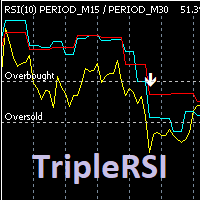
Индикатор отображает на графике данные RSI рабочего и двух старших тайм-фреймов, формирует сигналы выхода из зоны перекупленности / перепроданности кривой среднего временного периода. Опционально используется фильтр по данным старшего тайм-фрейма (расположение медленной линии выше средней для продажи и ниже средней - для покупки). Сигналы "подвального" индикатора дублируются на главном окне, отправляются сообщения во всплывающее окно, на почту и на мобильное устройство. Параметры индикатора: RSI

The CRT Indicator is a precision price-action tool designed to identify CRT candles , which represent key moments of market manipulation and reversal. This indicator highlights candles that show strong liquidity grabs , false breakouts, and aggressive rejections—often seen before major directional moves. The CRT Indicator helps traders spot high-probability reversal zones by detecting candles with clear wick expansion, strong displacement, and institutional-style price behavior. These candles fr
MetaTrader 마켓은 개발자들이 거래 애플리케이션을 판매할 수 있는 간단하고 편리한 사이트이다.
제품을 게시하고 마켓용 제품 설명을 어떻게 준비하는가를 설명하는 데 도움이 됩니다. 마켓의 모든 애플리케이션은 암호화로 보호되며 구매자의 컴퓨터에서만 실행할 수 있습니다. 불법 복제는 불가능합니다.
